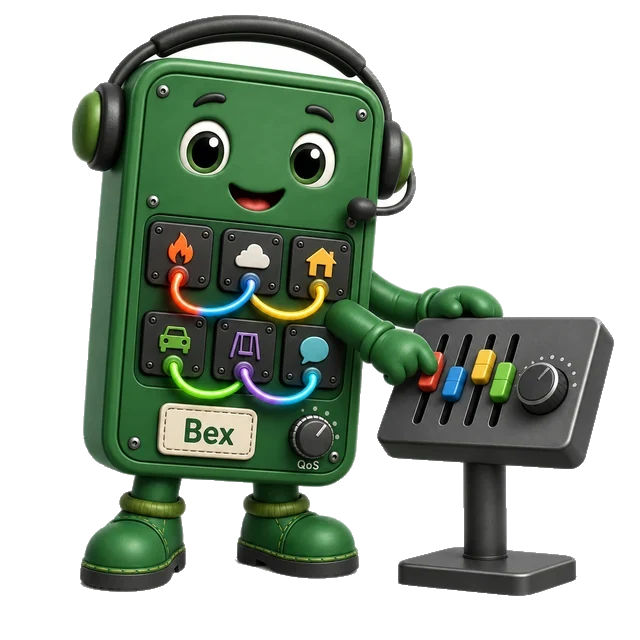
Client Role
A client can publish, subscribe, or do both. The role is per flow, not per device: a gateway may publish sensor events and subscribe to command topics.
Progress saves as you read. Mark sections complete as you go; your progress appears in the sidebar.
Follow One Reading to Every Listener
Picture a greenhouse sensor with one heat warning and three listeners, the screens that need it. A broker receives the warning and routes it to those listeners. One screen is offline, unable to receive now; another joins late, after the warning; and the third loses its link just after the warning. Sending the same reading separately to each screen creates three different failure paths.
Follow the warning across the four panels. First, one sensor needs to reach three screens. Direct sends make a separate path to each screen, so each path can fail on its own. The third panel asks you to test a broker when a screen is offline, when one joins late, and when the broker restarts. The last panel asks for evidence from each screen. These cases help the team see which results the design can support.
Telemetry here is the device readings and status carried as broker messages. A protocol is an agreed set of message and timing rules. Message Queuing Telemetry Transport (MQTT) is a protocol for passing named messages through a broker.
Draw one path from the sensor to the broker and from the broker to each listener. Then disconnect a listener, repeat the warning, restart the broker, and let a new listener arrive. Record which copy each screen receives, what state is kept, and whether an old warning can look new. Treat network reach as separate from permission to read or send.
This path test does not choose every topic, delivery level, or storage rule. The deeper sections show how names, sessions, retained state, last-will notices, and security boundaries turn the simple route into a reviewable design.
Picture a temperature sensor with one reading to share and three dashboards that may or may not be online. MQTT solves that problem by putting a broker in the middle: the device publishes once, subscribers express what they care about, and the broker owns the routing and state evidence. Start with that path before choosing topics, sessions, retained messages, or last-will behavior.
A broker stands between the clients that send messages and the clients that receive them.
MQTT is a publish-subscribe protocol built around a broker. A publisher sends a message to a topic. A subscriber registers a topic filter. The broker compares the published topic with the filters and forwards matching messages.
The key architectural idea is decoupling. Publishers do not need subscriber addresses, and subscribers do not need publisher addresses. Both sides keep one application relationship with the broker instead of a growing set of direct relationships with each other.
MQTT is not a recent invention: IBM introduced it in 1999 for monitoring oil-pipeline telemetry over slow, unreliable satellite links, and the protocol was later standardized by OASIS in 2013 and published as ISO/IEC 20922. That original brief — connectivity over networks that are slow, lossy, and battery-constrained — is still why the same broker model now carries Facebook Messenger's chat delivery, AWS IoT Core and Azure IoT Hub telemetry, the EVRYTHNG M2M platform, and hobbyist projects on Adafruit IO: very different scales, the same decoupled publish-subscribe contract.
Who may publish, what must the broker remember, and what still needs proof after delivery?
the iot protocol role matrix figure separates the communication contracts served by MQTT and the other protocols.
Start with the four roles in the iot protocol role matrix figure. DDS connects writers and readers through a peer data space. MQTT sends messages through a topic broker. AMQP shows a broker with durable queues. XMPP uses addressed XML streams and can link servers across domains. This is federation. Next, use the questions below the roles to compare the needs of a system. Check power, bandwidth, delay, reliability, and security before choosing a protocol. The role cards help you ask which kind of message path fits the task.
If you only need the intuition, this layer is enough: MQTT architecture is a hub for application messages. The broker owns routing, session state, retained messages, and delivery negotiation; devices own the meaning of the payloads they publish and consume.
Before assigning topic or session policy, inspect the mqtt architecture framework figure to trace two publishers through the broker to subscribers with different filters. The point is to see what becomes decoupled, how one publication can fan out, and what responsibility moves into the middle. The match-evidence band makes the routing result explicit instead of leaving the arrows to imply it.
Follow the boiler sensor and pressure monitor into Broker Bex in the mqtt architecture framework figure. Each sends a topic name rather than a receiver address. The broker checks access, matches stored filters, and sends each match onward. It also handles session state. In the match band, plant/boiler7/temperature fits both plant/+/temperature and plant/#, so the operations screen and alarm service receive it. plant/boiler7/pressure fits plant/#, so it reaches only the alarm service. Neither reading matches the valve’s plant/boiler7/valve/set filter.
A client can publish, subscribe, or do both. The role is per flow, not per device: a gateway may publish sensor events and subscribe to command topics.
The topic tree is the routing contract. It should express stable ownership, location, asset, event type, or command boundary.
The broker may store topic filters and session state. It may also hold retained messages, messages queued for sessions that persist, and last-will settings.
These examples show how topics connect devices and services. A temperature node publishes to building/a/floor/2/room/204/temperature; dashboards subscribe to the parts of the tree they need. A maintenance service subscribes to fault topics without changing device firmware. A gateway can bridge non-MQTT sensors into MQTT by publishing normalized events under agreed topics.
If this gives you the broker model, you can stop here. Continue to Practitioner when you need to design and review a brokered MQTT deployment.
Write down the message paths and the proof you will use to review them.
A reviewable MQTT design does not start with sample code. It starts with a short architecture record that says which clients connect, what they publish, what they subscribe to, what the broker stores, and what evidence proves the system is operating correctly.
Inspect the mqtt broker architecture figure to follow messages from publishers through a broker to subscribers.
The boiler sensor publishes plant/boiler7/temperature with payload 83.4 C at QoS 1 and packet identifier 42. The broker checks authentication and ACLs, matches plant/+/temperature and plant/#, then returns PUBACK to confirm the publisher-to-broker leg. It sends PUBLISH to the operations screen and alarm service; each subscriber’s delivery QoS depends on its subscription and the publication QoS. The lower band separates routing, memory policy, authorization, and debugging.
Follow the sequence from decision to evidence. First, Name the flow. Separate telemetry, command, alert, configuration, and state-feedback messages. Next, Name the clients. Record publishers, subscribers, gateways, brokers, bridges, dashboards, and backend services. Next, Name the topic tree. Define the stable topic levels and the wildcard filters subscribers are allowed to use. Next, Name the session policy. Decide clean start, persistent subscription, queued delivery, retained message, and last-will behavior per flow. Next, Name the trust boundary. Record client identity, ACLs, TLS policy, certificate or credential handling, and bridge boundaries. Finally, Name the evidence. Keep broker logs, connection counts, subscription records, publish acknowledgements, dead-letter or error handling, and application-level state feedback for commands.
Devices publish readings under stable measurement topics. Dashboards and analytics subscribe with filters that match their scope.
An operator sends a command on a topic for one device. The device reports its state on a separate topic.
Review the design again when filters grow broader or more clients join. Also review it when broker ownership changes or proof of a command affects safety.
Topic board
Follow the packets and the state they leave at the broker.
At the protocol level, MQTT clients exchange control packets with the broker. The common architecture path is CONNECT, CONNACK, SUBSCRIBE, SUBACK, PUBLISH, acknowledgement packets for higher QoS levels, and DISCONNECT. The details matter because the broker's state machine is what turns topic strings into reliable operating behavior.
To connect the broker state machine to observable packets, inspect the mqtt methods figure in lifecycle order rather than treating the methods as an unordered API list.
Read the mqtt methods figure from left to right. A client begins with CONNECT and receives CONNACK. It can use SUBSCRIBE to add a filter and receive SUBACK. A PUBLISH packet carries a topic and payload. At the chosen QoS, replies track the exchange. The client can remove a filter with UNSUBSCRIBE and close the link with DISCONNECT. These packets show the steps behind the broker duties described above.
The broker compares each published topic name with stored subscription filters. The single-level wildcard + matches exactly one topic level. The multi-level wildcard # matches the remaining levels and must appear at the end of the filter. Published topic names are concrete names; wildcard characters belong in subscription filters.
Inspect the mqtt topic wildcards figure to test the matching rules against concrete examples before broad filters become ACL or fan-out mistakes.
Read the mqtt topic wildcards figure from the published topic across each stored filter. Exact text must match one level at a time. A + stands for one level. A final # takes the rest of the branch. Different literal levels do not match; wildcards belong in subscription filters, not published topic names. The system-topic rule also keeps a normal first wildcard from taking \$ topics. These fixed rules let the team predict both subscribers and access scope. An observed fan-out test then proves that the broker made the same matches.
The broker may keep topic filters and queued messages when a client reconnects. This depends on the session rules and broker settings.
A retained message gives new subscribers the latest retained value for a topic. It is useful for state snapshots and risky for one-time commands.
A last-will message lets the broker publish a preconfigured status if a client disconnects unexpectedly. Treat it as a signal to investigate, not a complete fault diagnosis.
Topic board
+ matches exactly one level; a multi-level # takes the rest and must end the filter.publish topic: factory/line-a/pump-17/temperature
subscriber filter: factory/+/+/temperature
match result: yes, because + matches line-a and pump-17
publish topic: factory/line-a/pump-17/command/start
subscriber filter: factory/+/+/temperature
match result: no, because the final level differsAfter predicting the match and non-match in the sketch, inspect the mqtt factory routing figure to check the broker’s fan-out and the boundary beyond which MQTT acknowledgements provide no physical proof.
Read the mqtt factory routing figure from each concrete boiler topic to the candidate filter, checking one level at a time. plant/boiler7/temperature matches plant/+/temperature: + matches boiler7 and the final literal matches temperature. plant/boiler7/valve/set fails at valve and extends beyond the filter. Then follow delivery to the application boundary: broker routing and MQTT acknowledgement can prove a protocol exchange, but device state feedback must prove that the valve acted. This completes the chapter’s route from topic design to operational evidence.
Reliability boundary: MQTT QoS describes message exchange between an MQTT client and broker, and between broker and subscriber. It does not prove that a machine moved, a valve opened, or a database committed the business action. Critical actions need application-level confirmation.
The broker path and packet anatomy in Figure 2.7 and Figure 2.8 show exactly which state the architecture must route and which state belongs to delivery control.
Read the fixed header first. Then follow the payload. Read Figure 2.7 from the boiler sensor to the broker’s topic match, which fans one publication to two subscribers without coupling either consumer to the publisher. In Figure 2.8, the fixed header carries PUBLISH flags, remaining length frames the packet body, and the topic name selects routes. The packet identifier exists only for QoS 1 or 2 exchange state; it is not application identity. The payload retains the measured value and unit, so routing success and schema validity remain separate checks at the application boundary.
Topic names give the broker a way to find listeners. The next examples show how to choose names and filters for the messages each listener needs.
Route One Alarm to the Smallest Correct Audience
Picture a cold-room alarm published under a name that includes site, room, device, and event. A broad subscription may send it to the wrong team, while a vague name may hide which sensor it belongs to. The first design question starts with who needs the message and why.
A broker means a service that accepts and routes messages. Telemetry means measurements and status sent for remote use. MQTT means Message Queuing Telemetry Transport, a lightweight way to exchange messages. A payload means the useful reading or command carried inside a message.
List real topic names and the narrowest filter for each receiver. Add one room, change one level, try each wildcard, publish a system topic, disconnect a subscriber, and restart it. Record which receiver gets each alarm and which access rule rejects excess reach.
This runway does not prove that topic names provide identity or trust. The deeper sections explain topic levels, single-level and subtree wildcards, system-topic limits, retained state, access rules, and matching evidence.
Before the broker can route anything, a team has to name the message. building/2/room/214/temperature tells a clearer story than sensor1: it reveals place, device role, and the kind of reading a subscriber expects. Good MQTT topic design starts with the subscriber’s question, then works backward to names, filters, wildcards, and access boundaries.
An MQTT topic is a case-sensitive UTF-8 name attached to a published message. Brokers do not inspect the payload to decide who receives the message; they compare the published topic with each subscriber's topic filter.
Inspect the topic-filter matrix to determine which exact and wildcard subscriptions match one concrete publication and why the rejected filters fail.

+ fills exactly one missing level, # takes the rest of a subtree, and publishers still send concrete topic names without wildcards.Read the diagram from the concrete topic tree downward. The publisher sends names such as home/kitchen/temp; the subscriber chooses how much of that tree it wants. home/+/temp is selective because it fixes the first and last levels while allowing one room name to vary. home/kitchen/# is broader because it accepts anything below the kitchen branch, including deeper subtopics. Those two wildcard types solve different routing problems, so a good topic plan keeps levels consistent enough that a subscriber can choose the narrowest filter that still covers its job. If a team cannot explain which level each wildcard represents, the topic tree is not yet stable enough for production ACLs or dashboards. Review filters with real sample topics before release.
Which subscribers match this topic tree, and where do the wildcards change the route?
The publisher's exact route, such as factory/line_a/machine_012/temperature. Publish topics do not use wildcards.
The subscriber's match pattern. It may be exact or use the MQTT wildcards + and #.
Each segment between slashes is a level. The levels in home/kitchen/thermostat/state are home, kitchen, thermostat, and state.
Rule of thumb: design topics around stable routing questions: who owns the device, where it is, which asset it represents, and what measurement or command it carries.
factory/line_a/machine_012/temperature
factory/line_a/machine_012/vibration
factory/line_b/machine_004/pressure/Factory/Line A/Machine 012 Temperature
machine_012_temperature
factory/line_a/machine_012/status_and_commandThe best topic tree is not simply a directory of devices. It is a set of routes that lets dashboards, alarms, automation services, and maintenance tools subscribe without client-side filtering.
First list who needs the data. Include dashboards, data analysis jobs, control services, and alert systems. Then name the levels.
Use durable groups such as factory, line_a, building_b, or fleet.
Ending with temperature, pressure, command, or state keeps wildcard filters useful.
factory/line_a/#factory/+/+/pressurefactory/line_a/machine_012/+#Common mistakes: leading slashes create an empty first level; spaces and mixed case produce inconsistent client code; flat topics such as sensor_001_temp prevent useful wildcard subscriptions; one topic should not carry both desired commands and reported state.
Topic board
factory, line_a, building_b, fleet — then end with the metric or role.factory/line_a/# receives every topic below one production line, the shape a maintenance screen owns.Design review should therefore start with example subscriptions, not just example publishes. If a dashboard needs all pressure readings on one line, the hierarchy must put line and measurement in stable positions. If a controller must write commands to one device but only read state from the same device, the command and state branches should be separate levels so ACLs can express that difference. Treat every wildcard as a contract with future subscribers: it should be obvious which levels are allowed to vary and which levels are intentionally fixed. Keep a short table of approved filters beside the topic naming standard.
Every subscription adds broker state. Exact filters are easiest to reason about, but a large fleet that subscribes one topic at a time can create a large reconnect burst. A small number of well-shaped wildcard filters reduces subscription count while still keeping unwanted messages out of the client.
+ Matches One LevelUse home/+/temperature to match one room level. It matches home/kitchen/temperature. It does not match the deeper path home/kitchen/sensor_7/temperature.
# Matches A Subtreehome/kitchen/# matches home/kitchen, home/kitchen/temperature, and deeper topics. It must be the final level in the filter.
An access control list (ACL) sets topic permissions. Its rule may use devices/device_042/state/# to allow a set of names. The device publishes a concrete name such as devices/device_042/state/fan. It never puts # in a PUBLISH topic name. A controller can have a separate rule for command topics.
Reserved namespaces: broker system topics commonly live under prefixes such as $SYS/. Do not rely on a broad application filter to cover broker-reserved namespaces; subscribe to those namespaces explicitly when you need them.
Topic board
home/+/temperature matches home/kitchen/temperature, not a deeper home/kitchen/sensor_7/temperature.# must be the final level in the filter — it takes a topic and everything deeper beneath it.state/# while a controller owns command/#.Under load, the broker's topic matcher benefits from a hierarchy that avoids both extremes. Thousands of exact subscriptions can make reconnect storms expensive because each client must reinstall a long list of filters. A catch-all # filter is cheap to install but expensive and risky to use because it sends unrelated traffic to the client and moves authorization mistakes into application code. The balanced design is a small set of precise wildcard filters whose level positions mirror product boundaries: site, line, asset, direction, and measurement or command. That same shape also makes retained-message cleanup and audit logs easier, because topic prefixes map to real ownership boundaries instead of arbitrary strings.
A client that installs 50 exact filters on every reconnect causes more broker work than a client that installs 3-5 precise wildcard filters.
A broad # filter can send the app unwanted traffic that the broker permits. Broker access rules must still enforce topic permissions. App filtering does not replace those rules.
MQTT methods share one ordered connection, while topic filters decide message routing and access control decides whether that routing is permitted.
Follow the sensor to the broker in the mqtt method topic tls figure. The boiler sensor connects and publishes through Broker Bex; the operations screen subscribes and receives a match. Compare plant/+/temperature, which selects one varying level, with the broader plant/# filter. The stack below shows MQTT packets carried over TLS and TCP. TLS protects the connection, while TCP provides an ordered byte stream. A separate access rule decides whether a client may use a topic. Check both the filter and that rule when reviewing a route.
MQTT topic design is the routing plan for a publish-subscribe system. Publishers send to exact topic names, subscribers install exact or wildcard topic filters, and the broker matches those filters without interpreting the payload.
Use stable, hierarchical names such as factory/line_a/machine_012/temperature. Use + when one level varies and # when a whole subtree is intentionally in scope. Avoid leading slashes, spaces, mixed naming styles, flat topic strings, and topic paths that mix commands with reported state.
Design MQTT topics from subscriber needs backward. A good hierarchy lets dashboards, safety services, maintenance tools, and ACL policies use a small number of precise filters instead of broad catch-all subscriptions or long lists of exact topics.
MQTT puts a broker at the center. Clients send messages with topic names. Other clients register filters, and the broker routes each match. It also manages session state. A sound design records choices for topics, sessions, retained messages, last will, identity, and proof that a command took effect.
Use the broker and its evidence as the starting point for a design review.
Review who connects, which topics route messages, and what the broker stores. Also check how the app proves that an action took place.