4 MQTT Packet and Broker Features
More
Depth: Practitioner
Progress saves as you read. Mark sections complete as you go; your progress appears in the sidebar.
4.1 Start With The Packet The Broker Must Remember
Why now: Follow one sent packet before asking what broker state should remain after a lost link. About 3–5 min (estimate)
This section: Start With The Packet The Broker Must Remember
Advanced MQTT features make sense when one publication needs extra broker behavior: keep the latest value for late subscribers, publish a last-will message if the client disappears, expire stale commands, share work across subscribers, or shrink repeated topic names. Start with the packet and ask what state the broker must carry after it arrives.
-
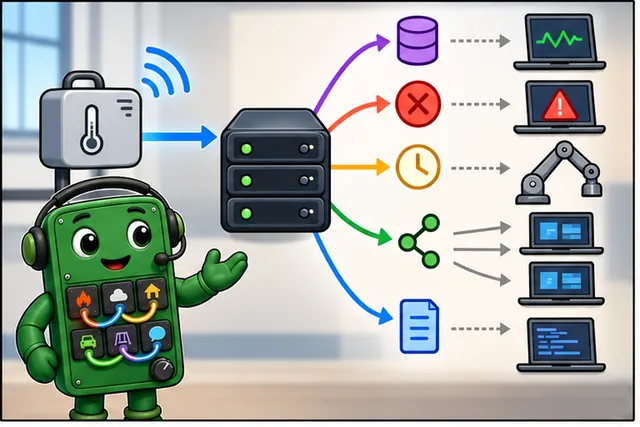
One sensor message may ask the broker to remember extra state.
-
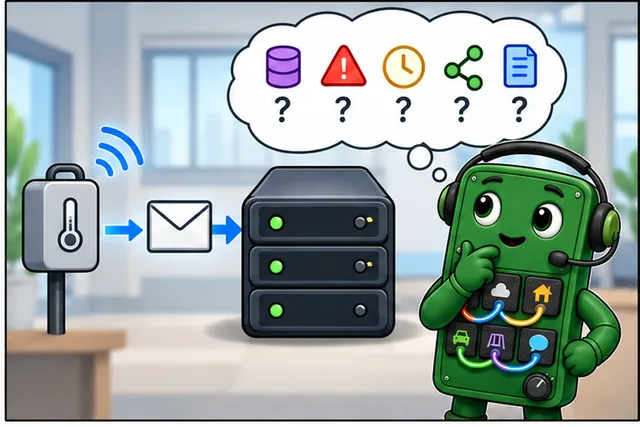
Keeping every option can leave stale data or needless work.
-
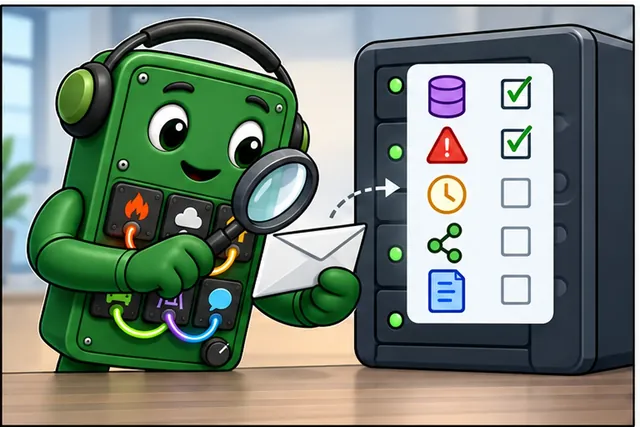
Check whether the packet needs a saved value, expiry, or shared work.
-
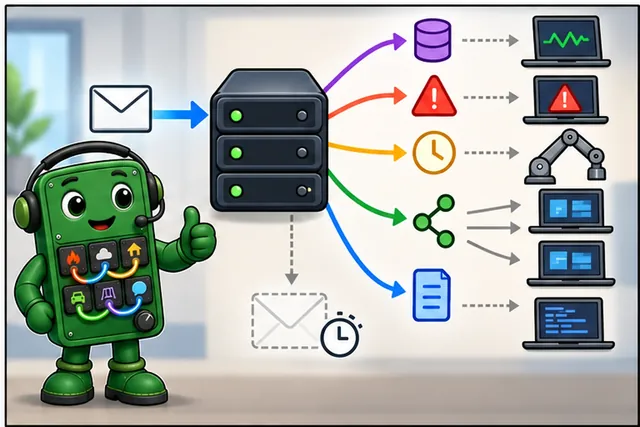
Turn on only the broker behavior that the message needs.
4.2 Learning Objectives
This section: Learning Objectives
By the end of this chapter, you will be able to:
- Analyze MQTT Packet Structure: Decode binary MQTT packets field by field and calculate exact byte overhead for given topic lengths and QoS levels
- Design Topic Hierarchies: Construct scalable, maintainable topic naming conventions that support wildcard queries for large device fleets
- Calculate Bandwidth Savings: Apply optimization techniques — short topic names, binary payloads, topic aliases — and quantify savings across a device fleet
- Implement MQTT 5.0 Features: Configure message expiry, topic aliases, and shared subscriptions in code and explain when each feature is appropriate
- Evaluate Broker Options: Compare Mosquitto, EMQX, HiveMQ, and cloud brokers and justify selection based on device count, message throughput, and cost
- Diagnose Capacity Requirements: Assess connection counts, RAM needs, and bandwidth demand for a production IoT deployment
This chapter is long because advanced MQTT work crosses packet bytes, topic design, broker state, and production sizing. Use this path:
- First decode the packet: fixed header, Remaining Length, topic length, packet identifier, and payload.
- Then turn those bytes into design decisions: topic hierarchy, wildcard access, and bandwidth savings.
- Next compare MQTT 5.0 features such as expiry, aliases, shared subscriptions, and request/response.
- Finally size the broker and validate retained/session behavior with the interactive checks and packet evidence.
Checkpoint callouts recap the core decisions. Deep dives and calculators are there for verification, not as the first thing to memorize.
- Topic: UTF-8 string hierarchy (e.g., sensors/building-A/room-101/temperature) routing messages to subscribers.
- Topic Level: Segment between / separators — each level represents a dimension of the topic hierarchy.
- Single-Level Wildcard (+): Matches exactly one topic level: sensors/+/temperature matches sensors/room1/temperature.
- Multi-Level Wildcard (#): Matches remaining levels: sensors/# matches all topics starting with sensors/.
- Retained Message: Last message stored per topic — new subscribers immediately receive current state on subscription.
- Topic Hierarchy Design: Best practice: device-type/device-id/measurement enables fine-grained subscription filtering.
- $SYS Topics: Reserved broker system topics (e.g., $SYS/broker/clients/connected) publishing broker statistics.
4.3 For Beginners: MQTT Advanced Concepts
Beyond basic publish-subscribe, MQTT offers powerful features for building robust IoT systems. Retained messages store the last value so new subscribers get data immediately. Last will messages announce when a device goes offline. These features turn simple messaging into a reliable IoT communication platform.
A retained publication gives a new subscriber the broker’s most recent value for that topic. It may be stale, so include a timestamp or other freshness evidence.
A Last Will message lets the broker publish an offline status after an unexpected disconnect. A normal disconnect does not trigger it.
A persistent session can retain subscriptions and queue eligible QoS 1 or QoS 2 messages while a client is offline. Set an expiry and a queue limit; delivery still depends on broker configuration and message expiry.
4.4 Prerequisites
This section: Prerequisites
Before diving into this chapter, you should be familiar with:
- MQTT Publish-Subscribe Basics: Topics, wildcards, and broker architecture
- MQTT Quality of Service: QoS levels and session management
4.5 MQTT Packet Structure
Why now: Read the packet fields first so later byte and capacity costs have a basis. About 3–5 min (estimate)
This section: MQTT Packet Structure — First stop: the wire format.
First stop: the wire format. Before choosing retained messages, aliases, or broker capacity, make sure you can explain what a single MQTT packet actually carries.
Understanding MQTT’s binary packet format is essential for protocol debugging and optimization.
4.5.1 Fixed Header (All Packets)
Every MQTT packet begins with a 2-byte minimum fixed header:
| Bit Position | 7 | 6 | 5 | 4 | 3 | 2 | 1 | 0 |
|---|---|---|---|---|---|---|---|---|
| Byte 1 (PUBLISH) | MsgType[3] | MsgType[2] | MsgType[1] | MsgType[0] | DUP | QoS[1] | QoS[0] | RETAIN |
| Byte 2+ | Remaining Length (1-4 bytes, variable-length encoded) |
4.5.2 Fixed Header Fields
| Field | Size | Description | Values |
|---|---|---|---|
| Message Type | 4 bits | Packet type | 1=CONNECT, 3=PUBLISH, 8=SUBSCRIBE |
| DUP (PUBLISH) | 1 bit | Retransmission flag | 0=Not a retransmission, 1=Retransmission |
| QoS Level (PUBLISH) | 2 bits | Quality of Service | 00=QoS 0, 01=QoS 1, 10=QoS 2 |
| RETAIN (PUBLISH) | 1 bit | Retain flag | 0=No, 1=Yes |
| Remaining Length | 1-4 bytes | Remaining packet size | 0-268,435,455 bytes |
4.5.3 Remaining Length Encoding
MQTT uses variable-length encoding to minimize overhead:
| Value Range | Bytes Needed | Example |
|---|---|---|
| 0 - 127 | 1 byte | 23 -> 0x17 |
| 128 - 16,383 | 2 bytes | 200 -> 0xC8 0x01 |
| 16,384 - 2,097,151 | 3 bytes | 50,000 -> 0xD0 0x86 0x03 |
| 2,097,152 - 268,435,455 | 4 bytes | 3,000,000 -> 0xC0 0x8D 0xB7 0x01 |
4.5.4 PUBLISH Packet Example
Topic: "sensor/temp"
Payload: "25.5"
QoS: 1

Hex dump:
32 13 00 0B 73 65 6E 73 6F 72 2F 74 65 6D 70 00 01 32 35 2E 35

Breakdown:
32        -> Fixed header: PUBLISH (0011), DUP=0, QoS=01, RETAIN=0
           (0x32 = 0011 0010: bits 7-4 = message type 3, bit 3 = DUP=0, bits 2-1 = QoS 1, bit 0 = RETAIN=0)
13        -> Remaining length: 19 bytes
           (2 topic-length + 11 topic + 2 packet-ID + 4 payload = 19 = 0x13)
00 0B     -> Topic length: 11 bytes
73 65 6E 73 6F 72 2F 74 65 6D 70  -> "sensor/temp" (UTF-8)
00 01     -> Packet ID: 1 (required for QoS 1 acknowledgment)
32 35 2E 35  -> "25.5" (UTF-8 payload)
4.5.5 Control Packet Types
| Type | Name | Direction | Purpose |
|---|---|---|---|
| 1 | CONNECT | Client->Broker | Connection request |
| 2 | CONNACK | Broker->Client | Connection acknowledgment |
| 3 | PUBLISH | Both | Publish message |
| 4 | PUBACK | Both | QoS 1 acknowledgment |
| 5 | PUBREC | Both | QoS 2 step 1 |
| 6 | PUBREL | Both | QoS 2 step 2 |
| 7 | PUBCOMP | Both | QoS 2 step 3 |
| 8 | SUBSCRIBE | Client->Broker | Subscribe to topics |
| 9 | SUBACK | Broker->Client | Subscribe acknowledgment |
| 12 | PINGREQ | Client->Broker | Keep-alive ping |
| 13 | PINGRESP | Broker->Client | Ping response |
| 14 | DISCONNECT | Client->Broker | Graceful disconnect |
This section:
 Checkpoint: Packet Bytes
You now know:
Every MQTT packet starts with a compact 2-byte minimum fixed header. Remaining Length uses 1-4 bytes and can represent up to 268,435,455 bytes. A QoS 1 PUBLISH includes the topic length, topic string, packet ID, and payload, so long topics are not just naming style; they are bytes on every message.
4.6 Packet Size Optimization
Why now: Count topic and payload bytes before you trim a battery device's messages. About 3–5 min (estimate)
This section: Packet Size Optimization
- Keep topic names short -
h/l/tvshome/living_room/temperaturesaves 23 bytes - Use binary payloads -
0x19(1 byte) vs"25"(2 bytes) - Choose appropriate QoS - A successful QoS 0 publish uses one control packet; QoS 1 also requires PUBACK
- Limit retained messages - Only essential status topics
- Tune the keep-alive interval - For an otherwise idle connection, 300s vs 60s means 80% fewer PINGREQ packets
Example savings:
- Topic:
h/b/t(5 bytes) vshome/bedroom/temperature(24 bytes) = 19 bytes saved - 100 messages/day x 365 days x 19 bytes = 693.5 kB saved per year per device
- For 1000 devices = 693.5 MB saved annually (decimal units)
Without an MQTT 5 Topic Alias, each PUBLISH includes the full topic name. Shorter topics save bandwidth:
MQTT 3.1.1 QoS 0 PUBLISH size with a Remaining Length below 128 bytes (no packet identifier or MQTT 5 properties):
Where:
- = 4 bytes (2-byte MQTT fixed header + 2-byte topic length field for this example)
- = topic string length in bytes
- = payload size
Long vs short topic comparison (100 messages/day, 1 year):
Long topic: building/floor3/room305/sensors/temperature (43 bytes)
Short topic: b/3/305/t (9 bytes)
Savings per message: (about 60% reduction)
Annual bandwidth savings (1000 sensors @ 100 msg/day):
Energy savings (cellular @ 8 mA TX, 1 byte = 32 μs @ 250 kbps):
Over a year:
Cellular data cost savings ($0.10/MB):
Lesson: Topic naming conventions have real operational costs. Short, hierarchical topics save bandwidth, energy, and money at scale.
4.7 Worked Example: Smart Building Topic Design
This section: Worked Example: Smart Building Topic Design — Now convert the byte math into a topic tree.
Now convert the byte math into a topic tree. The goal is not just shorter names; it is a hierarchy that lets the broker filter with one wildcard subscription instead of hundreds of individual ones.
This section:
Checkpoint: Topic Economics
You now know:
h/b/t saves 19 bytes compared with home/bedroom/temperature. In the fleet example, replacing a 43-byte topic with a 9-byte topic saves 34 bytes per message. At 100 messages per day across 1000 sensors, that is 1.241 GB or $124.10 per year at the example rate of $0.10/MB.
This section:
Scenario: Design the MQTT topic structure for a 10-story commercial office building. Each floor has 20 rooms with temperature sensors, occupancy detectors, and smart lighting.
4.7.1 Step 1: Identify Requirements
- Telemetry: Temperature, humidity, and occupancy from 200 rooms.
- Commands: Control lights, blinds, and HVAC per room.
- Status: Online or offline for 600+ devices.
- Alerts: Fire alarms and security events.
- Access patterns: The dashboard shows all temperatures while HVAC controls one floor.
4.7.2 Step 2: Design Base Structure
Bad approach (flat topics):
sensor_floor1_room101_temp     # No hierarchy for selective wildcard filtering
sensor_floor1_room101_humidity # Select rooms or measurements with individual filters
Good approach (hierarchical):
building/floor1/room101/sensors/temperature
building/floor1/room101/sensors/humidity
building/floor1/room101/lights/status
building/floor1/room101/lights/command
4.7.3 Step 3: Apply Naming Conventions
{building}/{floor}/{room}/{device_type}/{measurement_or_action}

Examples:
building/floor03/room305/sensors/temperature    # Telemetry
building/floor03/room305/lights/command         # Control
building/floor03/room305/lights/status          # State
building/floor03/hvac/setpoint                  # Zone control
building/alerts/fire                            # Building-wide
Naming rules:
- Use lowercase with no spaces.
- Use
/as the separator. - Pad numbers for sorting:
floor03, notfloor3. - End with the action type:
/temperature,/command, or/status.
4.7.4 Step 4: Plan Wildcard Subscriptions
| Use Case | Subscription Pattern | Matches |
|---|---|---|
| All temps (dashboard) | building/+/+/sensors/temperature | 200 topics |
| One floor’s sensors | building/floor05/+/sensors/# | 40 topics |
| One room’s everything | building/floor03/room305/# | ~10 topics |
| All alerts | building/alerts/# | Fire, security |
4.7.5 Step 5: Handle Edge Cases
# Shared spaces (no room number)
building/floor01/lobby/sensors/occupancy
building/stairwell-a/sensors/smoke

# Building-wide systems
building/hvac/chiller/status
building/elevator/car1/position
building/energy/meter/consumption

# System topics
$SYS/broker/clients/connected
building/$status/gateway/floor03
4.7.6 Result: Topic Hierarchy
Before committing this namespace to publishers and ACLs, inspect Figure 4.1 to see whether each topic level answers one routing question and whether a wildcard can select the intended scope without catching unrelated traffic.
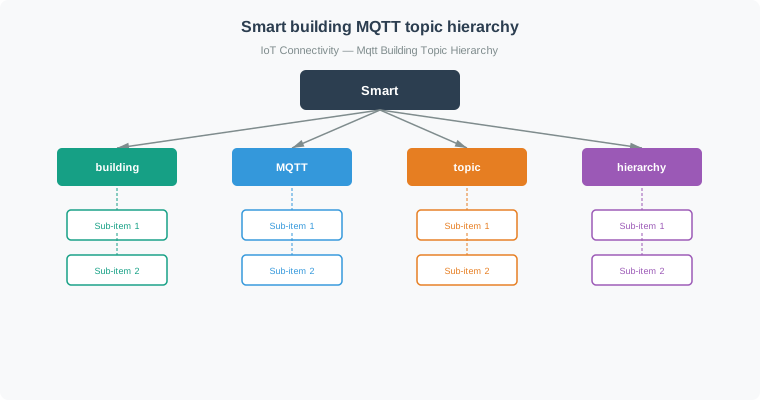
Read the topic from site to point. Test one wildcard. Read Figure 4.1 from the building root through floor, room, device type, and measurement. The first three levels locate the source, the device-type level separates families such as sensors and lights, and the final level states what is measured or commanded. Then test the wildcard examples against that path: + substitutes for exactly one level, whereas a final # includes every remaining descendant. This order connects the naming exercise to deterministic broker routing and to the least-privilege subscriptions used later in the module.
Key design decisions:
- Physical hierarchy (building/floor/room) enables location-based queries
- Device type grouping (sensors, lights) separates telemetry from control
- Action suffixes (status, command) distinguish read vs write
- Padded numbers (floor03) ensure correct sorting
4.8 Worked Example: Fleet Tracking Topics
This section: Worked Example: Fleet Tracking Topics
Scenario: 500 delivery trucks with GPS, fuel level, and engine temperature sensors. Dispatch needs individual truck queries and aggregate fleet data.
Step 1: Define topic structure
Putting the vehicle ID before the sensor type keeps each vehicle’s readings together while fleet/+/{sensor_type} can select one signal across vehicles.
fleet/{truck_id}/{sensor_type}

Examples:
fleet/truck-001/gps
fleet/truck-001/fuel
fleet/truck-001/temp
Step 2: Enable efficient queries
| Query | Subscription | Why It Works |
|---|---|---|
| All data from truck-001 | fleet/truck-001/# | Single subscription |
| All GPS data | fleet/+/gps | Cross-fleet GPS |
| All data | fleet/# | Fleet dashboard |
Step 3: Add metadata topics
fleet/truck-001/status        # online/offline (retained)
fleet/truck-001/location/city # Current city (retained)
fleet/alerts/breakdown        # Fleet-wide alerts
4.9 MQTT 5.0 Features
Why now: Add message expiry and topic aliases after the topic tree is clear. About 3–5 min (estimate)
This section: MQTT 5.0 Features — The topic examples gave you scalable names.
The topic examples gave you scalable names. MQTT 5.0 adds per-message controls so the same names can expire stale data, shrink repeated topics, and distribute subscriber work.
MQTT 5.0 introduced significant enhancements for enterprise IoT:
4.9.1 Message Expiry (TTL)
# MQTT 5.0: Message expires after 60 seconds
publish_properties = Properties(PacketTypes.PUBLISH)
publish_properties.MessageExpiryInterval = 60  # seconds

client.publish(
    "sensors/temperature",
    "25.5",
    qos=1,
    properties=publish_properties
)
# If subscriber is offline > 60 seconds, message is discarded
Use case: Sensor readings that become stale quickly (GPS, real-time status).
4.9.2 Topic Aliases (Bandwidth Optimization)
After a topic alias is established, a later publish can omit a 30-byte topic name. Both packets retain the 2-byte topic-length field; the later packet has a zero-length name and a 3-byte Topic Alias property (1-byte identifier plus 2-byte value). It saves (2 + 30) - (2 + 0 + 3) = 27 bytes compared with a plain publish. Shared subscriptions instead distribute messages among workers.
# First message: Establish alias
publish_properties = Properties(PacketTypes.PUBLISH)
publish_properties.TopicAlias = 1

client.publish(
    "building/floor03/room305/sensors/temperature",  # 44-byte topic
    "25.5",
    properties=publish_properties
)

# Subsequent messages: Use alias only
publish_properties.TopicAlias = 1
client.publish(
    "",  # Empty topic; saves 44 - 3 = 41 bytes versus a plain publish
    "25.6",
    properties=publish_properties
)
Savings: With a 40-byte topic, each later publish saves 40 - 3 = 37 bytes compared with a plain publish: 1,000 later publishes save 37,000 bytes (37 KB). Establishing the alias costs 3 extra bytes once.
4.9.4 Request/Response Pattern
# Requester: Send command with response topic
request_props = Properties(PacketTypes.PUBLISH)
request_props.ResponseTopic = "devices/sensor001/response"
request_props.CorrelationData = b"request-123"

client.publish(
    "devices/sensor001/command",
    '{"cmd": "get_config"}',
    properties=request_props
)

# Responder: Reply to specified topic
def on_message(client, userdata, msg):
    cmd = json.loads(msg.payload)
    if cmd["cmd"] == "get_config":
        response_props = Properties(PacketTypes.PUBLISH)
        response_props.CorrelationData = msg.properties.CorrelationData

        client.publish(
            msg.properties.ResponseTopic,
            '{"interval": 60, "qos": 1}',
            properties=response_props
        )
4.9.5 Feature Comparison
| Feature | MQTT 3.1.1 | MQTT 5.0 |
|---|---|---|
| Message expiry | Not supported | Built-in TTL |
| Reason codes | Limited CONNACK return codes and acknowledgments | Packet-specific reason codes for finer diagnostics |
| User properties | Encode in payload | Native support |
| Topic aliases | Not supported | Values 1–65535, subject to the receiver’s negotiated maximum |
| Shared subscriptions | Broker-specific | Standardized |
| Flow control | Not supported | Built-in |
Recommendation: Use MQTT 5.0 for new projects. Fall back to 3.1.1 only for legacy compatibility.
4.10 Broker Selection
Why now: Match the chosen features to a broker that can hold the needed connections and state. About 3–5 min (estimate)
This section: Broker Selection — Feature choices are only useful if the broker can absorb the resulting connections, retained state, and message bursts.
Feature choices are only useful if the broker can absorb the resulting connections, retained state, and message bursts. The next section turns the same message-rate numbers into infrastructure decisions.
This section:
Checkpoint: MQTT 5.0 Features
You now know:
Message expiry is for stale readings such as GPS or real-time status. A later publish with a 42-byte topic name omitted saves 39 bytes versus a plain publish because the 3-byte Topic Alias property travels instead. Shared subscriptions load-balance work across subscribers; they are separate from aliases, retained messages, and expiry.
This section:
4.10.1 Popular MQTT Brokers
The connection scales below are vendor-published or illustrative, not capacity guarantees. Check current product documentation, service quotas, edition limits, and a workload benchmark before selecting a broker.
| Broker | Deployment model | Illustrative scale and best fit |
|---|---|---|
| Mosquitto | Self-hosted | ~100K connections in tuned deployments; small self-managed systems are a common starting point |
| EMQX | Self-hosted or managed | Vendor-published 10M+ connection cluster benchmark for large fleets |
| HiveMQ | Self-hosted or managed | Vendor-published 10M+ connection cluster scale for enterprise fleets |
| AWS IoT Core | Managed service | AWS integration; regional connection and message quotas apply |
| test.mosquitto.org | Public test | Learning only; no production capacity commitment |
4.10.2 Selection Criteria
These device-count bands are illustrative shortlists, not automatic recommendations:
| Device count or deployment | Candidates to evaluate | Selection evidence |
|---|---|---|
| < 1,000 devices | Mosquitto | Test connections and reconnect bursts on the chosen host |
| 1,000–100,000 devices | EMQX or VerneMQ; Mosquitto where the measured load fits | Measure fan-out, QoS, queues and operations |
| > 100,000 devices | HiveMQ, EMQX or AWS IoT Core | Check edition or regional quotas and test failover |
| Multi-cloud | Self-hosted cluster | Test retained state, session recovery and support costs |
4.11 Worked Example: MQTT Broker Capacity Planning
This section: Worked Example: MQTT Broker Capacity Planning
This section:
Checkpoint: Broker Sizing
You now know:
During the assumed firmware window, the 50,000-meter scenario averages about 214,583 messages/hour, or 59.6 per second. If all meters publish within one minute, their traffic averages 833.3 messages/second in that minute. Benchmark the actual burst and compare current quotes before choosing a broker.
This section:
Concept Check
This section: Concept Check
4.12 Knowledge Check: Match and Sequence
This section: Knowledge Check: Match and Sequence
Concept Relationships
This section: Concept Relationships — Check current vendor documentation and benchmark all candidates against the same connection, fan-out, persistence and failover workload.
Advanced MQTT features connect to both protocol internals and system architecture:
MQTT Protocol Layers:
- MQTT Publish-Subscribe Basics - Basic pub-sub concepts.
- MQTT QoS Levels - Understanding packet acknowledgments.
- MQTT Security - TLS encryption overhead.
- MQTT Architecture - Broker design patterns.
Advanced Features:
- MQTT 5.0 Specification - Official standard.
- Shared Subscriptions - Load balancing pattern.
- Message Expiry - Time-to-live for stale data.
- Topic Aliases - Bandwidth optimization.
Broker Technologies:
- Mosquitto - Single-node, self-managed broker often used for learning and smaller deployments.
- EMQX - Distributed clustering; its published 10M+ connection result is a cluster benchmark, not a per-node guarantee.
- HiveMQ - Enterprise broker with managed clustering and vendor-published large-fleet scale.
- VerneMQ - Distributed Erlang-based broker.
Check current vendor documentation and benchmark all candidates against the same connection, fan-out, persistence and failover workload.
System Integration:
- Message broker clustering addresses high availability.
- Load balancing distributes connections.
- Edge gateway design includes topic bridging.
- Capacity planning sizes brokers.
Prerequisites You Should Know:
- MQTT control packets have a fixed header of at least two bytes; a variable header and payload appear where the packet type calls for them.
- Variable-length encoding saves bytes for small messages.
- Broker memory depends on implementation, connection settings, subscriptions, queued messages and retained state; measure it under the target workload.
- Topic hierarchy and wildcard breadth affect message matching and delivery; benchmark the actual filters.
What This Enables:
- For a 25-byte topic, an established MQTT 5 alias saves 22 bytes on a later PUBLISH under the example assumptions.
- Design topic hierarchies that support precise wildcard filters.
- Size broker capacity for connections, throughput, memory and recovery behavior.
- Select a broker for the measured deployment scale, whether thousands or millions of devices.
See Also
This section: See Also
MQTT Protocol Internals:
- MQTT 3.1.1 Specification - Packet format reference
- MQTT 5.0 Specification - New features
- Wireshark MQTT Dissector - Packet analysis tool
Broker Comparison:
- Mosquitto Documentation - Lightweight broker
- EMQX Documentation - Distributed clustering
- HiveMQ Documentation - Enterprise features
- Broker Performance Benchmarks - Throughput comparison
Topic Design Patterns:
- MQTT Essentials: Topics - Best practices
- IoT Topic Naming Conventions - Hierarchy design
- Wildcard Subscription Patterns - Performance optimization
MQTT 5.0 Features:
- MQTT 5.0 Migration Guide - Upgrade considerations
- Shared Subscriptions Tutorial - Load balancing
- Topic Aliases Deep Dive - Bandwidth optimization
Implementation Guides:
- MQTT Hands-On Labs - ESP32 hands-on projects
- Broker Clustering Guide - High availability
- EMQX Cost Estimator - Workload-based planning tool
Try It Yourself
This section: Try It Yourself — Compare the time to submit 1,000 exact subscriptions with one wildcard filter for the same set of topic names.
Experiment 1: MQTT Packet Structure Analysis
Capture and analyze MQTT packets with Wireshark:
# Install mosquitto broker and clients
sudo apt install mosquitto mosquitto-clients

# Start Wireshark with MQTT filter
wireshark -f "tcp port 1883" -k

# In another terminal, publish a message
mosquitto_pub -h localhost -t "test/topic" -m "Hello MQTT" -q 1
What to Observe:
- Fixed header: 2 bytes (0x32 for PUBLISH QoS 1)
- Variable header: topic length (2 bytes) + topic (10 bytes) + packet ID (2 bytes)
- Payload: “Hello MQTT” (10 bytes)
- Total: 26 bytes (minimal overhead!)
Experiment 2: Topic Hierarchy Performance
Compare the time to submit 1,000 exact subscriptions with one wildcard filter for the same set of topic names. This local timing does not include SUBACK completion or message-matching throughput.
import paho.mqtt.client as mqtt
import time

# The same 1,000 topic names are used in both cases.
hierarchical_topics = [f"building/floor{i//100}/room{i%100}/temp" for i in range(1000)]

# Measure local API submission time; benchmark SUBACKs and routing separately.
client = mqtt.Client(mqtt.CallbackAPIVersion.VERSION2)
client.connect("localhost", 1883)
client.loop_start()

start = time.time()
for topic in hierarchical_topics:
    client.subscribe(topic, qos=0)
flat_time = time.time() - start

# Clear subscriptions
client.disconnect()
client.loop_stop()
client.connect("localhost", 1883)
client.loop_start()

start = time.time()
client.subscribe("building/+/+/temp", qos=0)  # Single wildcard subscription!
hierarchical_time = time.time() - start
client.disconnect()
client.loop_stop()

print(f"Exact (1000 subscriptions, local API time): {flat_time:.3f}s")
print(f"Wildcard (1 subscription, local API time): {hierarchical_time:.3f}s")
print(f"Local API submission-time ratio: {flat_time/hierarchical_time:.0f}x")
What to Observe: The measured API submission time depends on the local client and host. Compare SUBACK completion and broker routing under load before drawing a broker-performance conclusion. One wildcard reduces the number of subscriptions, but can also broaden the messages delivered to a client.
Experiment 3: MQTT 5.0 Topic Aliases
Measure bandwidth savings with topic aliases (requires MQTT 5.0 broker):
from paho.mqtt.client import CallbackAPIVersion, Client as MQTTClient, MQTTv5
from paho.mqtt.properties import Properties
from paho.mqtt.packettypes import PacketTypes
from threading import Event

ready = Event()
def on_connect(client, userdata, flags, reason_code, properties):
    if reason_code == 0 and getattr(properties, "TopicAliasMaximum", 0) >= 1:
        ready.set()

client = MQTTClient(callback_api_version=CallbackAPIVersion.VERSION2, protocol=MQTTv5)
client.on_connect = on_connect
client.connect("localhost", 1883)
client.loop_start()
if not ready.wait(5):
    raise RuntimeError("Broker did not accept a connection with Topic Alias Maximum >= 1")

# First message: establish alias
long_topic = "farm/northfield/zone1/row12/plant45/soil/moisture"
props = Properties(PacketTypes.PUBLISH)
props.TopicAlias = 1

client.publish(long_topic, "25.5", properties=props).wait_for_publish()
print(f"First message: {len(long_topic)} byte topic")

# Subsequent messages: use alias (empty topic)
for i in range(100):
    props = Properties(PacketTypes.PUBLISH)
    props.TopicAlias = 1
    client.publish("", f"2{i}.{i}", properties=props).wait_for_publish()  # Empty topic, uses alias!

client.disconnect()
client.loop_stop()

savings = (len(long_topic.encode("utf-8")) - 3) * 100  # Later packets vs plain PUBLISH packets
print(f"Saved {savings} bytes with topic alias")
What to Observe:
- Topic name: 49 bytes
- 100 later messages: saves (49 - 3) × 100 = 4,600 bytes
- Relevant to MQTT 5 over byte-metered TCP/IP links; the savings depend on the actual link and negotiated alias support
Challenge: Broker Capacity Planning
Calculate broker requirements for a smart city deployment:
Given:
- 100,000 streetlights
- Publish every 5 minutes (12 msg/hour each)
- 3 subscribers per message (dashboard, analytics, alerts)
- Average message: 120 bytes

Calculate:
1. Messages per hour
2. Broker fan-out factor
3. Required bandwidth
4. RAM for connections (assume 20 KB per connection)
5. Select appropriate broker (Mosquitto, EMQX, or HiveMQ)
Bonus: Build your own capacity planning calculator!
4.13 Label the Diagram
This section: Label the Diagram
4.14 Code Challenge
This section: Code Challenge
4.15 Deep-Dive Note: Packet Evidence and Retained State
This section: Deep-Dive Note: Packet Evidence and Retained State — Advanced MQTT features are easiest to debug when packet evidence and broker state stores are kept separate.
Advanced MQTT features are easiest to debug when packet evidence and broker state stores are kept separate. The fixed header’s first byte identifies the control packet, and for PUBLISH the low nibble carries DUP, the two QoS bits, and RETAIN. A quiet client can prove it is alive with 0xC0 0x00 (PINGREQ, zero remaining bytes), while a retained QoS 1 publish might start with 0x33: packet type 3, DUP=0, QoS=01, and RETAIN=1. A useful packet note records the raw first byte, decoded flags, Remaining Length bytes, topic length, topic string, packet identifier when QoS is above 0, and payload length.
That evidence prevents two common misdiagnoses. Topic-name shortening and MQTT 5 topic aliases save bytes in the variable header, but they do not change QoS, retain, or session behavior. Retained messages are per-topic broker state, while persistent sessions are per-client broker state; a stale dashboard value often comes from a retained topic, not from the reconnecting client’s session queue.
Before diagnosing a stale value, inspect Figure 4.2 to follow one concrete topic through write, late delivery, and deletion while keeping retained state separate from a client’s session queue.
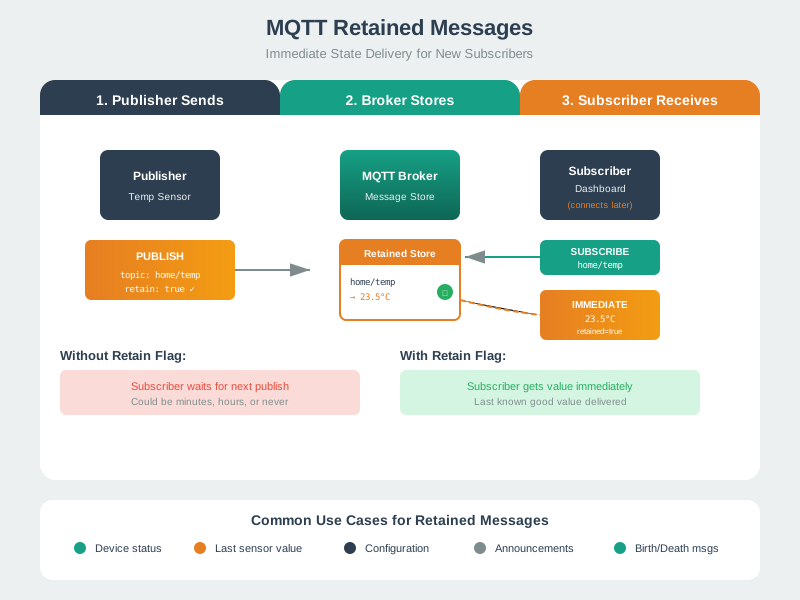
Publish one retained value. Then test a new subscriber. Read Figure 4.2 from the retained publish on the left to the broker store and then the late subscriber. A PUBLISH with RETAIN=1 replaces the one last-known value for that concrete topic; a later subscriber receives that stored value immediately and can identify it as retained. Continue to the clearing path: a zero-length retained publish deletes the stored value, while RETAIN=0 neither clears it nor turns client-session state into retained state. That lifecycle connects the decoded header flag to the correct broker store and prevents session cleanup from being mistaken for retained-value cleanup.
Keep one advanced-feature acceptance record: packet flags decoded from a capture, retained topics inspected separately from client sessions, stale retained values cleared with a zero-length retained publish, topic-alias savings calculated only after alias establishment, and MQTT 5 features tested against the broker version actually deployed.
4.16 Summary
This section: Summary — MQTT packets have a two-byte minimum fixed header.
Key takeaways:
MQTT packets have a two-byte minimum fixed header. Topic hierarchy enables wildcard queries. MQTT 5 adds message expiry, topic aliases, and shared subscriptions. Choose a broker by testing the workload and comparing current total costs; device count alone does not determine which option costs less.
Topic design principles:
- Structure topics hierarchically for wildcard queries.
- Organize topics by physical location and then by logical function.
- Keep naming conventions consistent.
- Allow room for future scale.
4.17 What’s Next
This section: What’s Next
Now that you understand MQTT’s advanced features, continue with:
| Chapter | Focus | Why Read It |
|---|---|---|
| MQTT Implementation Getting Started | Hands-on client setup and common pitfalls | Apply packet analysis and topic design in guided scenarios |
| MQTT Production Operations | Broker internals and message flow | Deepen understanding of how brokers route and store messages at scale |
| MQTT Hands-On Labs | ESP32 implementation and real hardware | Build working MQTT clients and integrate sensors with a live broker |
| MQTT Security | TLS, authentication, and access control | Secure your broker and understand how encryption adds overhead |
| MQTT QoS Levels | Acknowledgment flows and session state | Understand the packet exchanges underpinning QoS 1 and QoS 2 |
| CoAP Protocol | REST-style IoT protocol over UDP | Compare with MQTT and choose the right protocol for your use case |
Suggested MQTT route
Open printable teacher run sheet
Find help
3 reviewed answers.
Where should I start in a module?
Open the module page from the sidebar to see its chapters in order. Use the module map to return to a topic you need.
Modules and pathsReviewed
What can I try when a project does not work?
Check the symptom, then work through the diagnostic steps. Keep the error message and the smallest example that reproduces it.
When you are stuckReviewed
How do interactive examples work?
Use the interactive guide to check how examples and simulations work before changing your project.
Interactive examples guideReviewed