2 Transport Layer Overview

More
Depth: Practitioner
Progress saves as you read. Mark sections complete as you go; your progress appears in the sidebar.
2.1 Start With the Message Flow
This section: Start With the Message Flow
2.1.1 Choose the Transport From the Failure
-

Separate routine pump readings from the urgent local stop.
-

Set each flow's deadline, loss, repeat, order, and recovery rules.
-

Break the link and replay an old command before accepting the starting contract.
-

A pump site has routine readings and an urgent local stop.
-
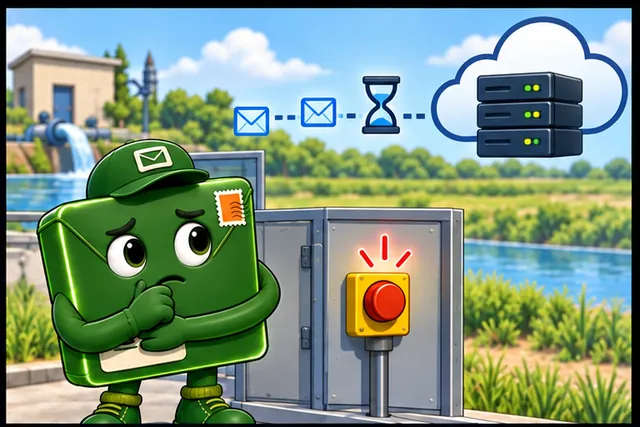
Remote records may wait, but the stop must still work nearby.
-
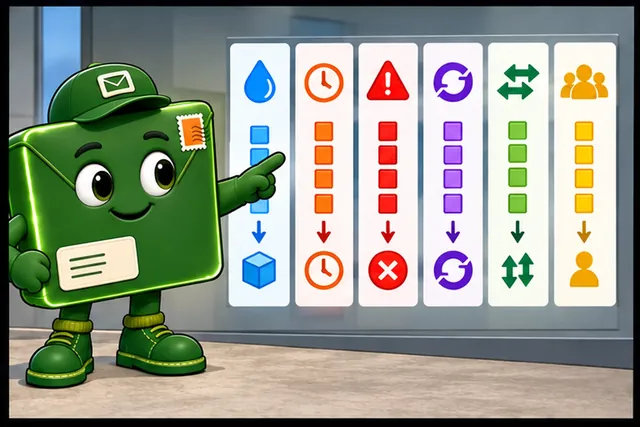
Set each flow's size, deadline, loss, repeat, order, and owner.
-
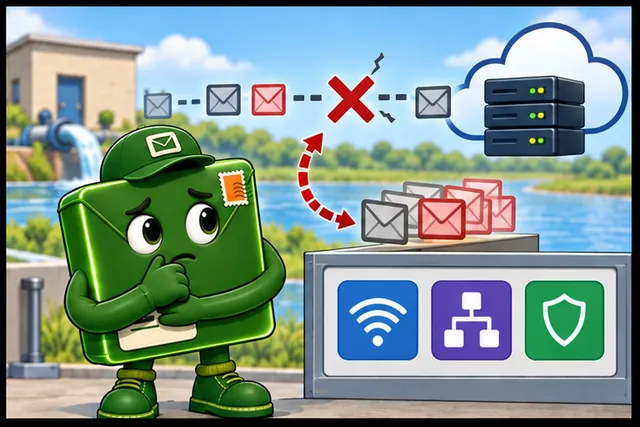
Break the link and replay old work before choosing the transport rules.
A protocol is an agreed set of exchange rules. Transport layer security is a way to protect a transport exchange. Transmission control protocol (TCP) carries an ordered stream between two endpoints. User datagram protocol (UDP) sends separate packets without first building that stream. Datagram transport layer security (DTLS) can protect suitable UDP exchanges. A gateway is a bridge between system boundaries. A payload is the useful content carried by a message.
Picture a pump site with routine readings and an urgent local stop. The stop must remain local. Remote records may tolerate delay, but commands need a clear age, identity, and result. No transport choice can make all of those promises by itself.
For each flow, record size, rate, deadline, loss response, duplicate rule, order need, and recovery owner. Break the link, delay a reply, restart one side, and resend an old message. Check whether the receiver can reject stale work and whether the operator sees the true state.
This review chooses a starting contract, not a universal winner. The deeper sections explain streams, packets, ports, congestion, protection, and application rules that complete the end-to-end claim.
A transport review begins with one IoT message that has to cross a real boundary: device to gateway, gateway to cloud, or service to operator. Name the sender, receiver, port, payload, timing need, and failure consequence before naming TCP or UDP. Once the flow is visible, the transport layer becomes a set of evidence questions instead of a vocabulary list.
2.2 Overview: Transport Review Starts With the Flow
This section: Overview: Transport Review Starts With the Flow — TCP, UDP, and DTLS answer different parts of that question.
The transport layer carries application data between endpoints, but a useful IoT review does not begin by asking whether TCP or UDP is "better." It begins by naming the flow: what message is moving, who sends it, who receives it, what the receiver does with it, and what evidence would prove that the transport behavior fits that purpose.
TCP, UDP, and DTLS answer different parts of that question. TCP presents an ordered byte stream inside a connection. UDP presents independent datagrams without transport-managed delivery or ordering. DTLS adds a protected-record security boundary to UDP traffic. None of them proves by itself that the application payload was authorized, valid, or acted on correctly.
For example, a warehouse door sensor might send a 20-byte state report every minute and mark each report with a sequence number. The gateway can accept the newest report for a dashboard even when one older report is lost, but the review still has to name the freshness window, duplicate rule, and security boundary. A different flow from the same gateway, such as "unlock loading bay door for 30 seconds," cannot inherit that tolerance. It needs receiver-side acceptance, stale-command rejection, and a clear owner for retry and timeout behavior.
The same discipline applies when a gateway splits the path. A cloud service may use TCP to reach the gateway while the gateway uses UDP, DTLS, or a field protocol downstream. In that case the TCP record proves only the cloud-to-gateway segment unless the review also captures the queued handoff, downstream delivery evidence, and device action. The overview record prevents one protocol label from standing in for multiple responsibilities.
The gateway example becomes easier to review when each responsibility is placed on one route. Use Figure 2.1 to orient the rest of the chapter before learning the protocol-specific vocabulary.
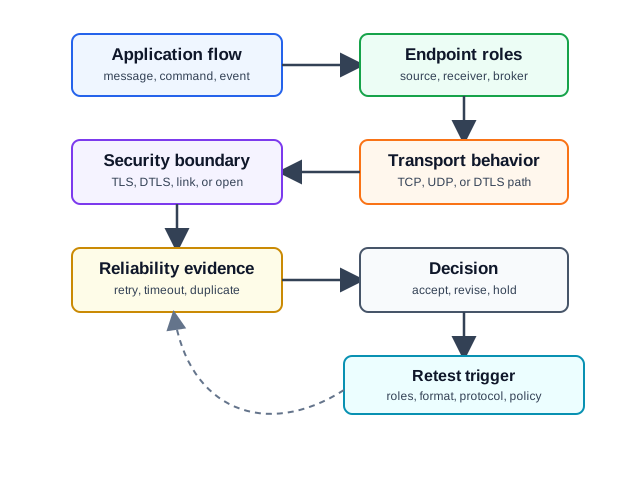
Read Figure 2.1 from application flow and endpoint roles into transport behavior. Next inspect the security boundary and reliability evidence before following the route to the decision and retest trigger. The map makes the chapter’s running rule visible: transport is selected for one receiver outcome, and any gateway, message, policy, or receiver change can require a new record.
If you only remember one rule, remember this: a transport decision is reviewable only when it is tied to a specific message flow and a specific receiver behavior. Protocol names are not evidence on their own.
The One-Minute View
Flow first
State the application message, endpoint roles, port or service expectation, receiver action, and retest trigger before comparing protocols.
Behavior second
Choose the behavior that fits the flow: a stream, a datagram, a protected UDP record, or a gateway path split into separate segments.
Limits always
Record what the evidence does not prove, especially payload meaning, authorization, receiver state, and downstream gateway action.
What the Overview Record Names
Build the overview record from the application outward. Name the flow and endpoint roles first, then identify the transport behavior and who owns acknowledgement, retry, freshness, and duplicates. Add the protection boundary and finish with the change that invalidates the record. This sequence ensures that every field below supports one receiver outcome instead of describing the network in isolation.
Keep unlike flows separate even when they share an endpoint pair. A periodic status reading can tolerate replacement while a command may require acknowledgement, duplicate suppression, authorization, and final-state evidence. Recording the fields for each message purpose prevents the easier telemetry conclusion from being reused for an alarm, transfer, or actuator action.
- Application flow: the command, event, report, stream, file transfer, or gateway handoff being reviewed.
- Endpoint roles: device, gateway, service, broker, client, server, publisher, subscriber, or peer.
- Transport behavior: TCP connection and stream evidence, UDP datagram evidence, DTLS record evidence, or a mixed path.
- Reliability evidence: acknowledgement, timeout, retry, duplicate handling, sequence handling, freshness, or an explicit accepted loss condition.
- Security boundary: TLS, DTLS, link-layer protection, or a named open security issue.
- Retest trigger: the change that makes the record stale, such as a new endpoint role, message format, retry policy, protection boundary, or receiver action.
Beginner Example
A sensor sends a periodic status report to a gateway. If a later report replaces an older one, UDP may be reasonable, but only when the record shows the datagram identity, freshness rule, duplicate behavior, and receiver action. If the same path also carries a command that changes device state, that command needs its own transport record. The status decision does not automatically apply to the command.
Overview Knowledge Check
If you can name the flow, the endpoints, the receiver action, and the evidence limit, you have the overview layer. Continue to Practitioner to build the transport overview record that a review can actually accept.
2.3 Practitioner: Build the Transport Overview Record
This section: Practitioner: Build the Transport Overview Record — The practitioner job is to turn a transport discussion into a short record that another reviewer can repeat.
The practitioner job is to turn a transport discussion into a short record that another reviewer can repeat. The record should be narrow enough to test, specific enough to assign ownership, and honest about what remains outside the transport layer.
Walkthrough: Review One Flow
Review one flow in the order evidence becomes meaningful. State the message and roles, identify the stream, datagram, protected-record, or mixed behavior, and assign each reliability responsibility. Then connect sender observations to the receiver's actual decision before writing the limit and retest trigger. The walkthrough below keeps unlike telemetry, command, alarm, and transfer requirements in separate records.
At every step, ask what artifact another reviewer can inspect: a configuration, trace, endpoint log, parser result, queue event, application state, or security record. If the path crosses a gateway, stop and record both segments and the handoff. This makes the final acceptance narrow, repeatable, and easy to reopen when one segment changes.
Close the walkthrough with a sentence that states the supported claim and the open responsibility. For example, a trace may prove an established TCP stream or an observed UDP datagram, while message framing, freshness, authorization, storage, or physical action remains for another record. Naming that boundary prevents successful transport mechanics from being reported as complete application delivery.
- State the flow. Name the exact message or stream, such as "device sends periodic temperature status" or "service sends configuration command through a gateway."
- Name the roles. Identify the sender, receiver, and any intermediary that terminates or changes the transport behavior.
- Choose the behavior to review. Record whether the path uses TCP stream behavior, UDP datagrams, DTLS-protected UDP records, or a mixed gateway path.
- Assign reliability ownership. Say where acknowledgement, retry, timeout, duplicate handling, ordering, or freshness evidence lives.
- Record the receiver evidence. A sender-side trace is not enough when the claim depends on the receiver accepting, rejecting, ignoring, or acting on the message.
- Set the limit and retest trigger. Write what the evidence does not prove and which change reopens the decision.
Transport Overview Ledger
Worked Review: Periodic Telemetry
Flow: device sends periodic temperature status to a gateway.
Evidence: each report is a separate datagram; the gateway records message identifiers; duplicates are ignored; a later accepted report can replace an older missing report for the dashboard view.
Decision: UDP can be accepted for this narrow telemetry flow if the security boundary and freshness rule are also recorded. The decision does not cover alarms, commands, firmware transfer, or audit history.
Worked Review: Configuration Command
Flow: service sends a configuration command through a gateway to a device.
Evidence gap: a TCP connection from service to gateway proves only that segment reached a transport boundary. It does not prove the device received the complete command, rejected duplicates, or changed state safely.
Review action: split the path into service-to-gateway and gateway-to-device records, then require device-side acceptance and failure evidence before accepting the command-delivery claim.
Practitioner Knowledge Check
If you can write the ledger and explain the evidence gap in a mixed gateway path, you can stop here. Continue to Under the Hood for the mechanics behind streams, datagrams, ports, and security boundaries.
2.4 Under the Hood: Streams, Datagrams, Ports, and Boundaries
This section: Under the Hood: Streams, Datagrams, Ports, and Boundaries — The deeper layer explains why the overview record separates flow scope from protocol name.
The deeper layer explains why the overview record separates flow scope from protocol name. TCP and UDP expose different abstractions to the application, and the difference affects framing, retry, duplicate handling, congestion behavior, and what a trace can prove.
Ports Identify Service Expectations, Not Full Semantics
A transport port helps an endpoint deliver traffic to the expected service, but the port number does not prove the application protocol, payload validity, user authorization, or receiver action. A review can use port evidence as part of the record, but it must still identify the actual message, role, and observation point.
TCP Is a Byte Stream
TCP manages a connection, sequence space, acknowledgements, retransmission, congestion control, and ordered delivery to the application. The application receives a stream of bytes, not automatically separated application messages. If the reviewed claim depends on a complete command, file, or frame, the record must show application framing and receiver acceptance in addition to TCP connection evidence.
UDP Is a Datagram Service
UDP keeps message boundaries visible as datagrams and carries minimal transport state. It does not provide transport-managed acknowledgement, retransmission, ordering, duplicate suppression, or congestion control. That makes UDP useful for some constrained and time-sensitive flows, but only when the application or another layer explicitly owns loss, retry, duplicate, stale-message, and receiver behavior.
DTLS Protects UDP Records
DTLS adapts the TLS security model to datagram transport. The review should identify which UDP traffic is protected, which peer identity model is accepted, what record or handshake evidence supports the claim, and which application-security questions remain outside the transport boundary. DTLS protection does not prove that the payload should change device state.
Gateway Paths Create Separate Records
Many IoT systems bridge between constrained networks and cloud services. A gateway may terminate TCP, accept UDP, translate to another protocol, buffer a command, or acknowledge upstream before a downstream device has acted. When this happens, do not force the entire path into one transport conclusion. Write one record per segment and preserve the handoff limit.
Mechanics and Review Failure Modes
Under-the-Hood Knowledge Check
If you can separate transport-boundary evidence from application acceptance evidence, you can review the rest of the transport module without turning protocol names into claims they cannot support.
2.5 Summary
This section: Summary — Transport review starts with a bounded flow: the application message, endpoint roles, port or service expectation, selected transport behavior, reliability owner, security boundary, receiver evidence, and retest trigger.
Transport review starts with a bounded flow: the application message, endpoint roles, port or service expectation, selected transport behavior, reliability owner, security boundary, receiver evidence, and retest trigger. TCP, UDP, and DTLS are tools for different evidence questions, not default answers.
TCP can support stream and connection claims. UDP can support datagram and low-state claims. DTLS can support protected-record claims over UDP. None of those claims proves application authorization, payload validity, or receiver action without additional evidence.
2.6 Key Takeaway
This section: Key Takeaway
A transport decision is only as strong as its flow record. Name the message, roles, behavior, evidence, limit, and retest trigger before accepting TCP, UDP, DTLS, or a gateway split.
2.7 See Also
This section: See Also
User Datagram Protocol (UDP)
Use this next when the flow depends on datagram boundaries, freshness, duplicate handling, or application-managed reliability.
Transmission Control Protocol (TCP)
Use this when the review depends on connection state, ordered stream behavior, close handling, or application framing over TCP.
TCP vs UDP: Comparison and Selection
Use this after the flow is named and the remaining question is which transport behavior fits the bounded evidence.
DTLS Fundamentals and Architecture
Use this when UDP traffic needs protected-record evidence and a clear peer-identity boundary.
Find help
3 reviewed answers.
Where should I start in a module?
Open the module page from the sidebar to see its chapters in order. Use the module map to return to a topic you need.
Modules and pathsReviewed
What can I try when a project does not work?
Check the symptom, then work through the diagnostic steps. Keep the error message and the smallest example that reproduces it.
When you are stuckReviewed
How do interactive examples work?
Use the interactive guide to check how examples and simulations work before changing your project.
Interactive examples guideReviewed