8  BLE Protocol Stack and GATT

Generic Attribute Profile and Service Architecture

networking
wireless
bluetooth
ble
gatt
protocol
Author

IoT Textbook

Published

January 19, 2026

Keywords

ble, gatt, bluetooth, services, characteristics, profiles, att, gap

In 60 Seconds

BLE organizes data through the Generic Attribute Profile (GATT), which structures information into Services and Characteristics in a client-server model. Combined with standard Bluetooth profiles and beacon protocols like iBeacon and Eddystone, GATT forms the foundation for virtually all BLE IoT applications.

Key Concepts
  • ATT (Attribute Protocol): BLE’s foundational client-server protocol where all data is represented as attributes with 16-bit handles, types, and permissions
  • GATT (Generic Attribute Profile): Builds on ATT to define services (groups of related characteristics) and characteristics (typed values with descriptors)
  • Service UUID: 16-bit (assigned by Bluetooth SIG) or 128-bit (custom) identifier for a GATT service; e.g., 0x180D = Heart Rate Service
  • Characteristic: A typed data value within a service, with properties (Read, Write, Notify, Indicate) and optional descriptors (e.g., CCCD)
  • CCCD (Client Characteristic Configuration Descriptor): 2-byte descriptor at handle N+1 that a central writes to 0x0001 to enable notifications or 0x0002 for indications
  • L2CAP (Logical Link Control and Adaptation Protocol): Multiplexing layer below ATT/GATT that segments large packets and manages multiple simultaneous channels
  • HCI (Host Controller Interface): Standardized interface between the Bluetooth host stack (running on application processor) and the controller (radio hardware)
  • LE Data Length Extension (DLE): BLE 4.2+ feature allowing PDU payload up to 251 bytes (vs default 27), reducing per-packet overhead for bulk transfers
Minimum Viable Understanding

BLE uses the Generic Attribute Profile (GATT) to organize data into a hierarchy of Services and Characteristics, enabling structured, efficient data exchange between devices. The GATT client-server model, combined with standard Bluetooth profiles and beacon protocols like iBeacon and Eddystone, forms the foundation for virtually all BLE IoT applications.

8.1 Learning Objectives

By the end of this chapter, you will be able to:

  • Describe the BLE protocol stack layers and their functions
  • Explain the GATT client-server model for data exchange
  • Create and interact with BLE services and characteristics
  • Compare standard Bluetooth profiles for IoT applications and select the appropriate profile for a given use case
  • Design GATT architectures for sensor data communication

8.2 Introduction

Bluetooth Low Energy uses a well-defined protocol stack that enables efficient data exchange between devices. At the heart of BLE data communication is the Generic Attribute Profile (GATT), which defines how devices expose and consume structured data through services and characteristics.

This chapter explores the BLE protocol architecture, GATT fundamentals, and the standard profiles that enable interoperable IoT applications.

Think of GATT like a restaurant menu: - Service = Menu category (Drinks, Appetizers, Main Course) - Characteristic = Individual item (Coffee, Salad, Steak) - Properties = What you can do (Read the price, Order it, Get refills)

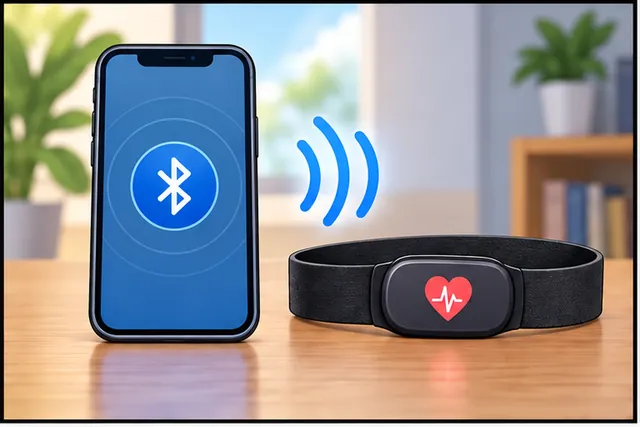
A heart rate monitor has a “Heart Rate Service” containing a “Heart Rate Measurement” characteristic that you can read or subscribe to for updates.

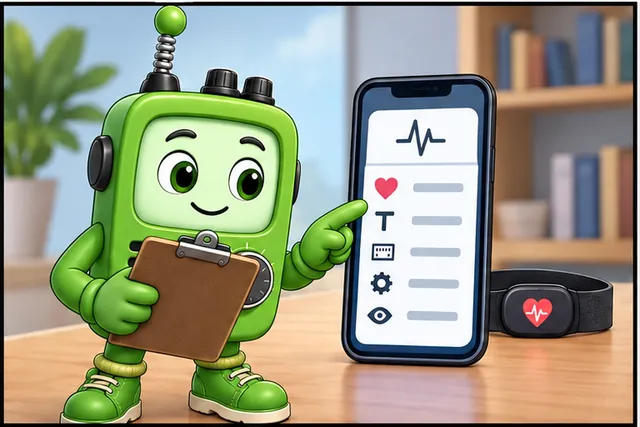
“GATT is like my own personal menu!” Sammy the Sensor explained. “I organize all my data into neat categories called Services. My Temperature Service has a Temperature Characteristic, and my Humidity Service has a Humidity Characteristic. When a phone wants to read my data, it just browses my menu!”

“It is like a restaurant,” Lila the LED added. “Each Service is a section of the menu, like Appetizers or Desserts. Each Characteristic is an individual dish you can order. And the Properties tell you what you can do – some you can just read, others you can write to, and some will send you updates automatically, like a waiter bringing refills!”

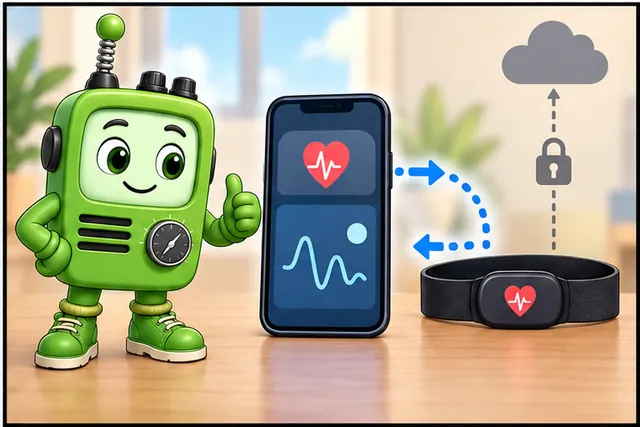
Max the Microcontroller nodded. “I am the one who runs the GATT server. When a phone connects, I hand it the menu and wait for requests. The phone can read a sensor value, write a command, or subscribe to notifications so I push updates automatically. The whole protocol stack – from the radio at the bottom to the app at the top – works together to make this happen smoothly.”

“And the best part,” Bella the Battery said, “is that GATT is super efficient. Instead of sending huge packets of data, it sends tiny, focused messages. That means less radio time, which means I last much longer!”

8.3 BLE Protocol Stack

The BLE protocol stack is organized into layers, each with specific responsibilities:

How It Works: GATT Characteristic Read Operation

When a BLE client (smartphone) reads a temperature value from a sensor’s GATT server:

  1. Application Request: App calls readCharacteristic(0x2A6E) for Temperature UUID
  2. GATT Layer: Converts UUID to ATT handle (e.g., handle 0x000E) and creates ATT Read Request
  3. ATT Layer: Builds Read Request PDU with opcode 0x0A + 2-byte handle → 3-byte packet
  4. L2CAP Layer: Wraps ATT packet in L2CAP frame with 4-byte header (length + channel ID)
  5. Link Layer: Adds Link Layer header, encrypts payload if bonded, adds CRC → sends as BLE data packet
  6. PHY Layer: Modulates packet using GFSK at 1 Mbps, transmits on current data channel (0-36)
  7. Server Receives: Reverse process – PHY demodulates, Link Layer verifies CRC, decrypts
  8. Server GATT: Looks up handle 0x000E → finds Temperature characteristic → reads sensor value
  9. ATT Response: Builds Read Response PDU with opcode 0x0B + 2-byte value (e.g., 0x09F6 = 25.50°C) — ATT Read Response does not repeat the handle
  10. Client Receives: Parses response, converts 0x09F6 to float → app displays “25.5°C”

Entire roundtrip: 7-15 milliseconds (1-2 ms radio time + encryption overhead + processing). No pairing needed if characteristic is readable without authentication.

8.3.1 Stack Architecture

Diagram showing BLE protocol stack layers from Physical Layer at bottom through Link Layer, L2CAP, ATT, GATT, GAP, to Application at top, with HCI interface between controller and host.
Figure 8.1: BLE protocol stack showing Controller (PHY, Link Layer), Host (L2CAP, ATT, GATT, GAP, SMP), and Application layers.

8.3.2 Layer Functions

Layer Function
PHY 2.4 GHz radio, modulation, 1M/2M/Coded PHY
Link Layer Advertising, scanning, connection management
L2CAP Multiplexing, segmentation, flow control
ATT Attribute Protocol - read/write attribute values
GATT Service/characteristic organization of attributes
GAP Device roles, advertising, connection procedures
SMP Pairing, bonding, encryption key management

8.4 Generic Attribute Profile (GATT)

GATT defines how BLE devices exchange data using a client-server model:

8.4.1 GATT Roles

Diagram showing GATT client (typically smartphone) connecting to GATT server (peripheral sensor) to read, write, and receive notifications from services and characteristics.
Figure 8.2: GATT client-server model with smartphone (client) reading data from sensor (server) services.
Role Description Typical Device
GATT Server Exposes services and characteristics Sensors, peripherals
GATT Client Reads/writes data from servers Smartphones, gateways
Role Independence

GATT roles are independent of GAP roles: - A BLE Central (GAP) can be a GATT Server - A BLE Peripheral (GAP) can be a GATT Client - Most often: Peripheral = Server, Central = Client

8.4.2 GATT Hierarchy

GATT organizes data in a three-level hierarchy:

GATT hierarchy diagram showing Profile containing Services, Services containing Characteristics, and Characteristics containing Value, Properties, and Descriptors.
Figure 8.3: GATT hierarchy: Profile → Services → Characteristics → Value/Properties/Descriptors.

8.4.3 Services

A service is a collection of related characteristics:

Component Description Example
UUID 16-bit (standard) or 128-bit (custom) identifier 0x180D (Heart Rate)
Primary/Secondary Primary = standalone, Secondary = included by other Usually Primary
Characteristics Data values within the service HR Measurement, Body Location

Standard Service UUIDs:

UUID Service Name Use Case
0x180D Heart Rate Service Fitness devices
0x180F Battery Service Battery level reporting
0x181A Environmental Sensing Temperature, humidity
0x1800 Generic Access Device name, appearance
0x1801 Generic Attribute Service changed indication

8.4.4 Characteristics

A characteristic contains the actual data value with metadata:

Diagram showing characteristic structure with Handle, UUID, Properties bitmask, Value bytes, and Descriptors including CCCD for notifications.
Figure 8.4: Characteristic structure showing Handle, UUID, Properties, Value, and Descriptors (CCCD, Format, Name).

8.4.5 Characteristic Properties

Properties define how clients can interact with a characteristic:

Property Bit Description
Broadcast 0x01 Include in advertising data
Read 0x02 Client can read value
Write Without Response 0x04 Fast write, no confirmation
Write 0x08 Write with confirmation
Notify 0x10 Server pushes updates (no ACK)
Indicate 0x20 Server pushes updates (with ACK)
Authenticated Signed Writes 0x40 Signed writes allowed
Extended Properties 0x80 Additional properties in descriptor

8.4.6 Client Characteristic Configuration Descriptor (CCCD)

The CCCD (UUID 0x2902) controls notifications and indications:

CCCD Value:
0x0000 = Notifications/Indications disabled
0x0001 = Notifications enabled
0x0002 = Indications enabled
Enabling Notifications

To receive real-time updates from a characteristic:

  1. Connect to the GATT server
  2. Discover services and characteristics
  3. Write 0x0001 to the CCCD to enable notifications
  4. Handle incoming notification callbacks

Without writing to the CCCD, you will NOT receive updates even if the characteristic has the Notify property!

8.5 Standard Bluetooth Profiles

Bluetooth SIG defines standard profiles for interoperability:

8.5.1 Common IoT Profiles

Profile Services Use Case
Heart Rate Profile Heart Rate (0x180D) Fitness trackers, monitors
Health Thermometer Health Thermometer (0x1809) Medical thermometers
Blood Pressure Blood Pressure (0x1810) BP monitors
Environmental Sensing Environmental (0x181A) Temperature, humidity sensors
Proximity Link Loss, TX Power Proximity beacons
HID over GATT (HOGP) HID Service BLE keyboards, mice

8.5.2 Classic Bluetooth Profiles

Profile Abbreviation Use Case
Advanced Audio Distribution A2DP Stereo audio streaming
Audio/Video Remote Control AVRCP Media controls
Hands-Free Profile HFP Car kits, headsets
Human Interface Device HID Keyboards, mice
Serial Port Profile SPP UART replacement
Object Push Profile OPP File transfer
Comparison of Classic Bluetooth profiles for audio/data streaming vs BLE GATT services for sensor data, showing different protocol approaches.
Figure 8.5: Comparison of Classic Bluetooth profiles for streaming vs BLE GATT services for sensor data.

8.6 BLE Advertising

BLE advertising enables device discovery and connectionless data broadcast:

8.6.1 Advertising Packet Structure

BLE advertising packet structure showing Preamble (1 byte), Access Address (4 bytes), PDU Header (2 bytes), Advertiser Address (6 bytes), Advertising Data (0-31 bytes), and CRC (3 bytes).
Figure 8.6: BLE advertising packet structure with fixed header and variable advertising data payload.

8.6.2 Advertising Types

Type Code Description Connectable
ADV_IND 0x00 Connectable undirected Yes
ADV_DIRECT_IND 0x01 Connectable directed Yes
ADV_SCAN_IND 0x02 Scannable undirected No
ADV_NONCONN_IND 0x03 Non-connectable No

8.6.3 Advertising Channels

BLE uses 3 dedicated advertising channels:

Channel Frequency Wi-Fi Overlap
37 2402 MHz Avoids Ch 1
38 2426 MHz Avoids Ch 6
39 2480 MHz Avoids Ch 11

8.7 iBeacon and Eddystone

BLE beacons broadcast location/proximity information:

8.7.1 iBeacon (Apple)

iBeacon packet format showing Company ID (Apple 0x004C), Type (0x02), Length (0x15), UUID (16 bytes), Major (2 bytes), Minor (2 bytes), and TX Power (1 byte).
Figure 8.7: iBeacon packet format with UUID for application identification, Major/Minor for location hierarchy.
Field Size Description Example
UUID 16 bytes Application/company identifier Store chain ID
Major 2 bytes Coarse location Store number
Minor 2 bytes Fine location Aisle/department
TX Power 1 byte Calibrated RSSI at 1m Distance estimation

8.7.2 Eddystone (Google)

Eddystone supports multiple frame types:

Frame Description Use Case
Eddystone-UID Unique ID (similar to iBeacon) Asset tracking
Eddystone-URL Broadcasts URL Physical web
Eddystone-TLM Telemetry (battery, temp) Beacon health
Eddystone-EID Ephemeral ID (rotating) Secure beacons

8.8 Inline Knowledge Check

8.8.1 Knowledge Check: GATT Characteristics

8.8.2 Knowledge Check: BLE Advertising Channels

8.8.3 Knowledge Check: BLE Beacon Protocols

Question: You’re designing a BLE sensor that needs to send a 50-byte data packet containing multiple sensor readings. The target smartphone supports BLE 4.0 (default ATT MTU = 23 bytes). What is the best approach?

Choices:

A. Send all 50 bytes in a single GATT notification (will fit automatically) B. Split data into 3 separate notifications of ~17 bytes each C. Request MTU negotiation to 512 bytes, then send in single notification D. Use advertising packets instead of GATT notifications

Correct Answer: B

Explanation: With BLE 4.0’s default ATT MTU of 23 bytes, only 20 bytes are usable per notification (23 - 3 byte ATT header). Attempting to send 50 bytes in one notification will fail. The robust approach is to split the payload into 3 notifications (~17 bytes each fits in 20 bytes). While MTU negotiation (C) could work if both sides support BLE 4.2+, you cannot assume the smartphone supports larger MTUs – your design must handle the 23-byte minimum. Advertising packets (D) have a 31-byte limit but are for connectionless broadcast, not reliable sensor data delivery.

8.9 Real-World BLE Deployments: Scale and Design Lessons

8.9.1 Estimote Beacon Network at Macy’s (Retail Proximity Marketing)

In 2015, Macy’s deployed over 4,000 Estimote BLE beacons across its flagship Herald Square store and 800+ locations nationwide. The deployment used iBeacon-format advertisements on all three advertising channels (37, 38, 39) with a 350 ms advertising interval, balancing discovery speed against battery life.

Key technical parameters:

Parameter Value Rationale
Advertising interval 350 ms Fastest reliable detection within 2 seconds
TX power -12 dBm 5-8 m range per beacon (aisle-level accuracy)
Battery CR2477 (1,000 mAh) 2.5 years at 350 ms interval
UUID/Major/Minor Chain-wide UUID, store-specific Major, aisle-level Minor Hierarchical location for 800+ stores
Beacon density 1 per 25 m2 Triangulation accuracy within 2.5 m

Outcome: App engagement increased 16% in beacon-enabled stores. The deployment revealed that advertising interval tuning is critical – at 100 ms, battery life dropped below 1 year; at 1 second, customers walked past before detection.

8.9.2 Dexcom G6 Continuous Glucose Monitor (Medical GATT Design)

The Dexcom G6 CGM uses BLE GATT to stream glucose readings from a body-worn sensor to a smartphone. The GATT server exposes a custom Glucose Service (UUID 0x1808) with the following characteristic design:

Characteristic UUID Properties Update Rate
Glucose Measurement 0x2A18 Notify Every 5 min
Glucose Feature 0x2A51 Read On discovery
Record Access Control 0x2A52 Write, Indicate On demand

Design decisions with real impact:

  • Notify (not Indicate): G6 uses Notify for glucose readings because Indicate’s ACK mechanism adds ~7 ms latency per reading, and with 288 readings per day, the cumulative radio time drains the sensor’s 10-day battery. Missing one reading is acceptable since the next arrives in 5 minutes.
  • Connection interval: 30 ms (faster readings during urgent alerts) to 500 ms (power saving during normal operation), negotiated via L2CAP Connection Parameter Update.
  • Bonding required: SMP Level 3 (authenticated MITM protection) mandatory per FDA guidance on wireless medical devices. Without bonding, a nearby attacker could spoof glucose readings, leading to dangerous insulin dosing.

Scale: Over 2 million active G6 users worldwide (2023), making it one of the largest GATT-based medical device deployments. The BLE protocol stack handles 99.7% connection reliability within the 6 m required range.

8.9.3 BLE GATT Design Decision Framework

When designing a BLE sensor product, these choices determine battery life, reliability, and user experience:

Design Decision Low-Power Choice High-Reliability Choice Typical Trade-off
Notification vs Indication Notify (no ACK) Indicate (ACK required) 30% battery savings vs guaranteed delivery
Connection interval 500 ms - 4 s 7.5 - 30 ms 10x battery savings vs sub-second latency
PHY selection Coded PHY (500 Kbps) 2M PHY 4x range vs 2x throughput
Advertising interval 1-2 s 100-200 ms 5x battery vs 10x faster discovery
Service design Single service, few characteristics Multiple services, rich metadata Smaller ATT table vs better discoverability

8.9.4 Why GATT Uses a Fixed ATT MTU of 23 Bytes by Default

One of the most misunderstood aspects of BLE is why the default Attribute Protocol Maximum Transmission Unit (ATT MTU) is only 23 bytes – a value that seems absurdly small for modern wireless communication.

The math traces back to BLE 4.0’s Link Layer design. A BLE data packet has a maximum payload of 27 bytes at the Link Layer. After subtracting L2CAP header overhead (4 bytes), exactly 23 bytes remain for the ATT layer. Within those 23 bytes, the ATT protocol uses 3 bytes for its own header (1-byte opcode + 2-byte attribute handle), leaving only 20 bytes of usable data per notification or read response.

The 23-byte MTU limit directly impacts throughput. Consider transferring a 200-byte firmware update block:

\[\text{Packets Required} = \lceil \frac{\text{Payload Size}}{\text{MTU} - \text{Header}} \rceil = \lceil \frac{200}{20} \rceil = 10 \text{ packets}\]

At 100ms connection interval with 2ms packet time, total transfer time: \(10 \times 100\text{ms} = 1\) second.

With MTU negotiated to 247 bytes (244 usable): Only 1 packet needed, transfer in 100ms—10× faster.

The practical impact is significant for IoT sensor design. Consider a BLE environmental sensor that needs to transmit: temperature (2 bytes), humidity (2 bytes), pressure (4 bytes), air quality index (2 bytes), CO2 concentration (2 bytes), and a 4-byte timestamp. That is 16 bytes – just barely fits in a single 20-byte notification. If the sensor also needed to include PM2.5 particulate data (2 bytes) and battery voltage (2 bytes), the 20 bytes are exceeded, requiring either two notifications (doubling radio time and power) or MTU negotiation.

BLE 4.2 introduced Data Length Extension (DLE) which allows the Link Layer payload to grow to 251 bytes, and MTU negotiation can increase the ATT MTU up to 512 bytes. However, both sides must support it, and many deployed BLE peripherals and older smartphones still default to 23 bytes. A robust BLE product must be designed to work at the 23-byte minimum while optionally negotiating larger MTUs when available. The Dexcom G6 CGM, for example, segments its glucose readings into 20-byte notification payloads precisely because it must support the widest range of smartphones.

8.10 Summary

This chapter covered the BLE protocol stack and GATT:

  • Protocol Stack: Layered architecture from PHY through GATT to Application
  • GATT Model: Client-server architecture for data exchange
  • Hierarchy: Profile → Services → Characteristics → Values/Descriptors
  • Properties: READ, WRITE, NOTIFY, INDICATE control data access
  • CCCD: Must write 0x0001 to enable notifications
  • Standard Profiles: Heart Rate, Environmental Sensing, HID, and more
  • Beacons: iBeacon (Apple) and Eddystone (Google) for location services
Concept Relationships
Core Concept Builds On Enables Common Confusion
GATT Services ATT (Attribute Protocol) Structured sensor data exchange Service UUID vs Characteristic UUID
CCCD (0x2902) Characteristic Descriptors Notifications/Indications opt-in Assuming Notify property auto-enables
ATT MTU (23 bytes default) L2CAP payload size Determines max notification size Forgetting 3-byte ATT header overhead
iBeacon UUID/Major/Minor BLE advertising packets Hierarchical location identification UUID is app ID, not location
NOTIFY vs INDICATE Characteristic properties Latency vs reliability tradeoff Indicate adds ~7ms ACK overhead

Scenario: Design a custom GATT service for a battery-powered environmental monitor that measures temperature, humidity, air pressure, and CO2 concentration. The device reports to a smartphone app every 30 seconds.

Design requirements:

  • Temperature: -40°C to +85°C, 0.01°C resolution
  • Humidity: 0-100%, 0.01% resolution
  • Pressure: 300-1100 hPa, 0.1 hPa resolution
  • CO2: 400-10,000 ppm, 1 ppm resolution
  • Battery level: 0-100%
  • Sampling interval: configurable (1-300 seconds)

GATT service structure (Environmental Sensing Service, UUID 0x181A):

Characteristic UUID Properties Format Example
Temperature 0x2A6E (standard) READ, NOTIFY int16, 0.01 C 25.50 C = 0x09F6
Humidity 0x2A6F (standard) READ, NOTIFY uint16, 0.01% 65.25% = 0x1985
Pressure 0x2A6D (standard) READ, NOTIFY uint32, 0.1 Pa 1013.2 hPa = 0x0018B5A8
CO2 (custom) 128-bit generated READ, NOTIFY uint16, 1 ppm 850 ppm = 0x0352
Sampling Interval (custom) 128-bit generated READ, WRITE uint16, seconds Range 1-300, default 30
Battery Level 0x2A19 (standard) READ, NOTIFY uint8, percentage 75% = 0x4B

Why these design choices:

Decision Rationale
Use standard UUIDs where available Ensures interoperability with generic BLE apps (nRF Connect, LightBlue)
Use NOTIFY (not INDICATE) Sensor data updates are frequent; occasional packet loss acceptable. Saves 7ms per notification.
int16 for temperature Supports negative values. Bluetooth SIG standard format.
uint16 for humidity/CO2 No negative values. 16 bits sufficient for range.
0.01 resolution for temp/humidity Matches typical sensor accuracy (DHT22, BME280). Higher resolution wastes bandwidth.
Separate characteristics Allows app to subscribe only to needed sensors (humidity-only monitoring saves battery).
Configurable interval via WRITE User can trade-off responsiveness vs battery life without firmware reflash.

Data payload calculation:

Per notification (all sensors): - Temperature: 2 bytes - Humidity: 2 bytes - Pressure: 4 bytes - CO2: 2 bytes - Battery: 1 byte - Total: 11 bytes (fits in single 20-byte ATT notification)

At 30-second intervals, daily notifications: 86,400 ÷ 30 = 2,880 notifications

Daily data: 2,880 × 11 bytes = 31,680 bytes ≈ 31 KB/day

Power budget:

Activity Current Time per interval Energy per interval
Sleep 5 µA 29.5 sec 147.5 µAs
Sensor read 2 mA 200 ms 400 µAs
BLE TX (notify) 8 mA 300 ms 2,400 µAs
Total per interval 30 sec 2,947.5 µAs

Daily energy: 2,947.5 µAs/interval × 2,880 intervals = 8,488,800 µAs = 2.36 mAh

Battery life (CR2032, 225 mAh): 225 ÷ 2.36 = 95 days ≈ 3 months

Criterion Use NOTIFY Use INDICATE Winner
Latency 0.5-2 ms (fire-and-forget) 7-15 ms (wait for ACK) Notify for real-time
Throughput 100% (no ACK blocking) 60-80% (ACK overhead) Notify for streaming
Reliability Best-effort (packet may be lost) Guaranteed (retried until ACK) Indicate for critical
Battery (peripheral) Lower (single TX per update) Higher (TX + RX ACK) Notify for battery life
Use case examples Heart rate, temperature, GPS Battery low alarm, config change ACK Context-dependent

Real-world examples:

Device Data Type Method Why
Fitness tracker Heart rate (1/sec) NOTIFY 60 readings/min. Occasional loss acceptable (next reading is 1s away).
Glucose monitor Blood sugar (1/5min) NOTIFY 12 readings/hour. Missing one reading not critical (next is 5 min away). Medical devices still use Notify because throughput matters more than guaranteed delivery of every single reading.
Smart lock Low battery warning INDICATE Critical alert. User must know battery is dying to prevent lockout.
Firmware update Block transfer status INDICATE Each block confirmation required before sending next. Data integrity critical.
Industrial sensor Vibration spike alert INDICATE Alarm condition. Missing this could result in equipment failure. Must guarantee delivery.

Decision rule:

if (data_rate > 1 Hz AND next_reading_replaces_old):
    use NOTIFY
elif (data_is_alarm OR configuration_change):
    use INDICATE
elif (battery_critical OR low_latency_required):
    use NOTIFY
else:
    use INDICATE  # default to reliability
Common Mistake: Forgetting to Write 0x0001 to CCCD to Enable Notifications

The error: A developer creates a BLE server with a characteristic that has the NOTIFY property, connects from a client app, but no notifications arrive. They debug for hours checking the server code, only to discover they never enabled notifications in the client.

What actually happens:

Server side (ESP32, simplified):

BLECharacteristic *pTempChar = pService->createCharacteristic(
    "0x2A6E",
    BLECharacteristic::PROPERTY_NOTIFY
);
pTempChar->addDescriptor(new BLE2902()); // Add CCCD

// Later, in loop():
float temp = readTemperature();
pTempChar->setValue(temp);
pTempChar->notify();  // Developer expects this to push to client

Client side (what the developer forgot):

# WRONG - missing CCCD write
async with BleakClient(address) as client:
    await client.start_notify(temp_char_uuid, notification_handler)
    # start_notify() DOES write to CCCD automatically
    # But manual connection code often forgets:

    # What developers manually connecting often forget:
    cccd_handle = 0x000F  # CCCD descriptor handle
    await client.write_gatt_char(cccd_handle, b'\x01\x00')  # Enable notify
    # ^^ THIS STEP IS REQUIRED

Why this is confusing:

The Bluetooth specification says characteristics with PROPERTY_NOTIFY “support” notifications, but the client must explicitly opt-in by writing to the CCCD (Client Characteristic Configuration Descriptor, UUID 0x2902).

CCCD values:

  • 0x0000 = Notifications and Indications disabled (default after connection)
  • 0x0001 = Notifications enabled
  • 0x0002 = Indications enabled

Debugging checklist:

  1. Use a BLE sniffer (nRF Sniffer, Wireshark with BTLE plugin) to verify:
    • Client writes 0x0001 to CCCD handle (should happen immediately after service discovery)
    • Server sends ATT Handle Value Notification PDUs (opcode 0x1B)
  2. In nRF Connect app, tap the characteristic → tap “Enable notifications” → you’ll see the CCCD write in the log
  3. Check server logs for notify() calls – they should succeed even if no client is listening (server doesn’t know if CCCD is enabled)

The fix:

Most BLE libraries handle CCCD automatically when you call start_notify() or enableNotifications(). But if you’re doing manual ATT operations (low-level libraries, custom stack), you MUST write to the CCCD before expecting notifications.

Production impact: A medical device manufacturer shipped 5,000 glucose monitors with a companion app that forgot the CCCD write step for iOS (it worked on Android because their Android library auto-enabled CCCD). iOS users saw no glucose readings. A firmware update couldn’t fix it (server side was correct); they had to force-update the iOS app.

8.11 See Also

Common Pitfalls

CCCD values are lost when a BLE connection drops unless the peripheral stores them against the bonded device’s identity key. A server that forgets CCCD settings requires the client to re-subscribe after every reconnection, causing missed notifications. Use bonding (long-term key exchange) and store CCCD state in non-volatile memory indexed by the peer IRK.

GATT Notify sends data without acknowledgment; Indicate requires an ATT acknowledgment PDU before the server can send the next indication. Using Notify for critical data (e.g., alarms) risks silent data loss if the central’s buffers are full. Use Indicate for reliability-critical events and Notify for high-rate streaming where occasional drops are acceptable.

BLE specifications prohibit hardcoding GATT attribute handles because they can change with firmware updates. Always use GATT service/characteristic discovery (ATT Find By Type Value, Read By Group Type) at connection time, or cache handles with the peer’s database hash (Bluetooth 5.1+ GATT Caching feature) to avoid re-discovery.

The default ATT MTU is 23 bytes (21 bytes payload after ATT header). Transferring a 512-byte characteristic value without MTU negotiation requires 25 ATT Read Blob operations. Send an ATT Exchange MTU Request immediately after connection to negotiate up to 517 bytes, reducing a 512-byte transfer from 25 packets to 2.

8.12 What’s Next

Topic Chapter Why Read It
BLE Implementation Bluetooth Implementation and Labs Hands-on ESP32 GATT server/client code, Wokwi simulations, and exercises
Connection Establishment Connection Establishment Connection parameters, intervals, and the state machine from advertising to connected
Bluetooth Fundamentals Bluetooth Fundamentals Core BLE architecture, radio, and low-power design principles
Bluetooth Applications Bluetooth Applications Real-world use cases: fitness trackers, medical devices, smart home
Bluetooth Security Bluetooth Security SMP pairing, bonding, LE Secure Connections, and attack mitigations
Wireless Networking Core Wireless Network Overview How BLE fits within the broader landscape of IoT wireless protocols