%% fig-alt: "Diagram showing knowledge graph components: circular nodes represent chapters with different difficulties (circle=beginner, square=intermediate, hexagon=advanced), solid lines show prerequisites, dashed lines show related topics, and dotted lines indicate what's next. Nodes cluster by topic area."
%%{init: {'theme': 'base', 'themeVariables': { 'primaryColor': '#E8F4F8', 'primaryTextColor': '#2C3E50', 'primaryBorderColor': '#16A085', 'lineColor': '#E67E22', 'secondaryColor': '#FFF5E6', 'tertiaryColor': '#F0F0F0', 'fontFamily': 'system-ui'}}}%%
graph TB
    subgraph Legend["Knowledge Graph Components"]
        N1((Beginner<br/>Chapter))
        N2[Intermediate<br/>Chapter]
        N3{{Advanced<br/>Chapter}}

        N1 -.->|"What's Next<br/>(dotted)"| N2
        N2 ==>|"Prerequisite<br/>(solid)"| N3
        N2 -.->|"Related Topic<br/>(dashed)"| N4[Related<br/>Chapter]

        style N1 fill:#16A085,stroke:#2C3E50,stroke-width:2px,color:#fff
        style N2 fill:#E67E22,stroke:#2C3E50,stroke-width:2px,color:#fff
        style N3 fill:#9B59B6,stroke:#2C3E50,stroke-width:2px,color:#fff
        style N4 fill:#E67E22,stroke:#2C3E50,stroke-width:2px,color:#fff
    end

    subgraph Clusters["Topic Clustering Example"]
        C1((Wi-Fi Basics))
        C2[Wi-Fi Security]
        C3[Bluetooth]
        C4((BLE Beacons))

        C1 ==> C2
        C3 ==> C4
        C2 -.- C3

        style C1 fill:#16A085,stroke:#2C3E50,stroke-width:2px,color:#fff
        style C2 fill:#E67E22,stroke:#2C3E50,stroke-width:2px,color:#fff
        style C3 fill:#16A085,stroke:#2C3E50,stroke-width:2px,color:#fff
        style C4 fill:#16A085,stroke:#2C3E50,stroke-width:2px,color:#fff
    end

    style Legend fill:#F8FAFC,stroke:#CBD5E1,stroke-width:2px
    style Clusters fill:#F8FAFC,stroke:#CBD5E1,stroke-width:2px
6 Knowledge Map
6.1 Learning Objectives
By using the Knowledge Map, you will be able to:
- Navigate the textbook structure and find chapters relevant to your interests
- Identify prerequisites and dependencies between IoT topics
- Plan personalized learning paths based on your goals
- Discover connections between different areas of IoT
NoteKey Takeaway
In one sentence: IoT knowledge is deeply interconnected - understanding prerequisites and relationships between topics accelerates learning more than linear reading.
Remember this rule: Follow solid lines (prerequisites) before tackling a topic, use dashed lines (related topics) to expand context, and plan your learning path around your project goals.
6.2 Overview
The Knowledge Map is an interactive visualization that shows how all 270+ chapters in this IoT textbook connect to each other. Use it to discover learning paths, find prerequisites, and explore the relationships between different IoT topics.
TipFor Beginners: What is a Knowledge Graph?
A knowledge graph is a visual way to show how concepts relate to each other. Think of it like a map of a city:
- Nodes (circles, squares, hexagons) = Individual chapters
- Edges (connecting lines) = Relationships between chapters
- Clusters = Groups of related topics (e.g., all networking chapters)
Instead of reading chapters in order, you can navigate based on prerequisites (what you need to know first) or related topics (what’s connected to what you’re learning).
Why it’s useful: - Find the “shortest path” from basic concepts to advanced topics - Discover unexpected connections between different areas - Plan your learning journey based on your interests
6.3 Prerequisites
To use the interactive map smoothly, you should have:
- A modern browser (Chrome, Firefox, Safari, or Edge)
- JavaScript enabled
- Internet access on first load (the map pulls the D3 library from
d3js.org)
6.4 Getting Started
NoteQuick Start Guide
Step 1: Choose Your View - Force Layout - See how topics naturally cluster together - Tree Layout - Browse by book structure (Parts → Chapters) - Radial Layout - Circular view with parts as arcs
Step 2: Explore the Graph - Hover over nodes to see chapter titles - Click a node to see full details in the right panel - Double-click to jump directly to that chapter
Step 3: Filter and Search - Use the Search box to find specific topics (e.g., “MQTT”, “security”) - Filter by Difficulty Level (beginner/intermediate/advanced) - Click Reset View to return to the default layout
6.4.1 Understanding the Visual Language
The knowledge map uses shapes and colors to convey information at a glance:
%%{init: {'theme': 'base', 'themeVariables': { 'primaryColor': '#E8F4F8', 'primaryTextColor': '#2C3E50', 'primaryBorderColor': '#16A085', 'lineColor': '#16A085', 'secondaryColor': '#FFF5E6', 'tertiaryColor': '#F0F0F0', 'fontFamily': 'system-ui'}}}%%
flowchart TB
    subgraph GOAL["Learning Goal: MQTT for Smart Home"]
        direction TB
        G1["Search: 'MQTT'<br/>in Knowledge Map"]
    end

    subgraph PREREQ["Prerequisites (Solid Lines)"]
        P1[("Networking<br/>Basics")]
        P2[("Pub/Sub<br/>Concepts")]
    end

    subgraph MAIN["Target Topic"]
        M1["MQTT<br/>Fundamentals"]
    end

    subgraph RELATED["Related Topics (Dashed Lines)"]
        R1["CoAP<br/>Alternative"]
        R2["Security<br/>Considerations"]
    end

    subgraph NEXT["What's Next (Dotted Lines)"]
        N1{{"QoS<br/>Levels"}}
        N2{{"Session<br/>Management"}}
    end

    G1 --> M1
    P1 ==>|"Learn first"| M1
    P2 ==>|"Learn first"| M1
    M1 -.-|"Compare"| R1
    M1 -.-|"Secure with"| R2
    M1 -.->|"Advance to"| N1
    M1 -.->|"Advance to"| N2

    style GOAL fill:#2C3E50,stroke:#16A085,stroke-width:2px,color:#fff
    style PREREQ fill:#16A085,stroke:#2C3E50,stroke-width:2px
    style MAIN fill:#E67E22,stroke:#2C3E50,stroke-width:2px
    style RELATED fill:#7F8C8D,stroke:#2C3E50,stroke-width:2px
    style NEXT fill:#9B59B6,stroke:#2C3E50,stroke-width:2px
Node Shapes indicate difficulty: - ● Circle = Beginner level (foundational concepts) - ■ Square = Intermediate level (builds on fundamentals) - ⬡ Hexagon = Advanced level (specialized topics)
Edge Styles show relationships: - Solid line = Prerequisite (read this first) - Dashed line = Related topic (connected concepts) - Dotted line = What’s Next (suggested progression)
6.4.2 Statistics Explained
The knowledge map visualizes the entire book structure:
- 270 chapters - Complete textbook coverage from fundamentals to advanced topics
- 803 prerequisites - Dependency chains showing what to learn first
- 2,083 related links - Connections between related concepts across chapters
- 14 topic areas - Major parts (Applications, Architecture, Networking, Data, Security, etc.)
These numbers reveal the interconnected nature of IoT: security concepts relate to networking, which connects to data management, which ties back to architecture decisions.
6.5 Sample Learning Paths
WarningTradeoff: Breadth-First vs Depth-First Learning
Option A (Breadth-First): Cover all 14 parts at introductory level before specializing. Requires 8-12 weeks at 5 hours/week. Provides comprehensive IoT vocabulary and cross-domain awareness. Best for: students exploring career options, project managers, solution architects. Option B (Depth-First): Master 2-3 related parts thoroughly before expanding. Requires 4-6 weeks per specialization. Develops expert-level skills in specific domains. Best for: engineers with defined project scope, specialists, career changers with target roles. Decision Factors: Choose breadth-first if you need to communicate across teams or evaluate diverse solutions. Choose depth-first if you have an immediate project deadline or need job-ready skills in a specific technology stack (e.g., LoRaWAN + Edge + Security for industrial IoT).
WarningTradeoff: Prerequisite-Chain vs Project-Driven Navigation
Option A (Prerequisite-Chain): Follow solid prerequisite lines strictly - complete all foundations before advancing. Ensures no knowledge gaps. Typical path: Fundamentals (2 weeks) -> Networking (3 weeks) -> Protocols (2 weeks) -> Specialization (4 weeks). Total: 11 weeks systematic study. Option B (Project-Driven): Start with your target chapter (e.g., “Smart Agriculture”) and backtrack only when stuck. Faster initial results - prototype in 2-3 weeks. Risk: hidden gaps surface during debugging or scaling, requiring costly rework. Decision Factors: Choose prerequisite-chain for academic study, certifications, or production systems where reliability matters. Choose project-driven for hackathons, proof-of-concepts, or when learning motivation depends on quick visible results.
TipMVU: Learning Path Navigation
Core Concept: Effective IoT learning follows prerequisite chains - master fundamentals (networking, sensing) before specializations (protocols, security), and breadth before depth in your target domain. Why It Matters: Attempting advanced topics without prerequisites leads to surface understanding and project failures; investing 2-3 weeks in foundations saves months of debugging later. Key Takeaway: Follow this progression - Week 1-2: Networking fundamentals and sensor basics; Week 3-4: One protocol family (MQTT/CoAP or BLE/Zigbee); Week 5-6: Security and data management; then specialize based on your project domain.
TipExample Journeys Through the Knowledge Graph
Path 1: IoT Beginner → Smart Home Builder
- Start: “Overview of IoT” (Applications)
- Follow prerequisites: “Fundamentals” chapters
- Branch to: “Wi-Fi Fundamentals” → “MQTT Overview”
- Related topics: “Edge Computing” → “Security Basics”
- End goal: Build a secure Wi-Fi-based smart home system
Path 2: Protocol Expert Track
- Start: “Networking Fundamentals” → “Layered Models”
- Prerequisites chain: “Transport Protocols” → “Application Protocols”
- Diverge by use case: “LoRaWAN” (long-range) OR “Bluetooth” (short-range)
- Deep dive: “MQTT Architecture” → “CoAP Comprehensive Review”
- Advanced: “Protocol Selection Framework” → design decisions
Path 3: Industrial IoT Specialist
- Foundation: “IIoT and Industry 4.0” → “Wireless Sensor Networks”
- Architecture: “Edge-Fog-Cloud” → “Digital Twins”
- Security focus: “Zero Trust Architecture” → “Device Security”
- Data path: “Time-Series Databases” → “Anomaly Detection”
- Integration: “Software Platforms” → “CI/CD for IoT”
Use the graph to discover your own path! Click on any node and explore its prerequisites (what you need first) and related topics (what connects to your interests).
6.6 Cross-Hub Connections
NoteCombine the Knowledge Map with Other Learning Hubs
The Knowledge Map works best when combined with other hub resources:
- Quizzes Hub - After finding a learning path, test your understanding with targeted quizzes for each chapter along your route
- Simulations Hub - Once you identify protocols or architectures of interest, try interactive simulations (e.g., MQTT Simulator, Network Topology Explorer)
- Videos Hub - When exploring complex topics in the graph, watch curated video explanations for visual learning
- Knowledge Gaps Tracker - Identify prerequisite knowledge you’re missing before attempting advanced chapters
Workflow Example: Browse the Knowledge Map → Identify a learning path → Watch videos for foundational concepts → Try simulations for hands-on practice → Take quizzes to verify mastery.
6.7 Real-World Use Case
TipExample: Planning a Smart Agriculture Project
Scenario: You want to design an IoT system for monitoring soil moisture, temperature, and automating irrigation across a 10-acre farm.
Step 1: Find Your Starting Point
- Search the graph for “applications” → Find “Application Domains”
- Click “Agricultural IoT” to see related chapters
Step 2: Identify Prerequisites
- Follow solid prerequisite lines backwards to fundamentals
- Discover you need: “Sensor Fundamentals” → “Wireless Sensor Networks” → “Energy-Aware Design”
Step 3: Explore Protocol Options
- Click “Related Topics” (dashed lines) to see protocol choices
- Compare: “LoRaWAN” (long-range, low-power) vs “Wi-Fi” (short-range, high-bandwidth)
- Decision: LoRaWAN for distributed sensors (1km+ range)
Step 4: Architecture Decisions
- Follow “What’s Next” (dotted lines) to architecture chapters
- Path: “Edge-Fog-Cloud Overview” → “Edge Data Acquisition”
- Decision: Edge processing at gateway to reduce cellular data costs
Step 5: Security & Data
- Use graph to find related security chapters: “Device Security” → “Secure Data”
- Data path: “Time-Series Databases” → “Data Visualization”
Result: In 15 minutes, you’ve mapped out a complete learning curriculum tailored to your project needs, discovering chapters you might have missed with linear reading.
WarningCommon Misconception
Myth: “I should read every prerequisite before starting a chapter.”
Reality: Prerequisites show recommended background knowledge, but they’re not always mandatory. For example:
- Soft Prerequisites: “Related Topics” (dashed lines) provide helpful context but aren’t required
- Hard Prerequisites: Solid lines indicate essential foundational knowledge
- Your Background Matters: If you already know networking basics from other courses, you can skip IoT-specific reviews
Use the graph as a guide, not a rigid requirement. Start where you’re comfortable, then backfill knowledge gaps as needed.
6.8 Visual Reference Gallery
NoteAI-Generated Figure Variants: Knowledge Domain Illustrations
These AI-generated SVG figures represent the major knowledge domains mapped in the interactive graph. Each illustration shows core concepts from different parts of the IoT textbook.
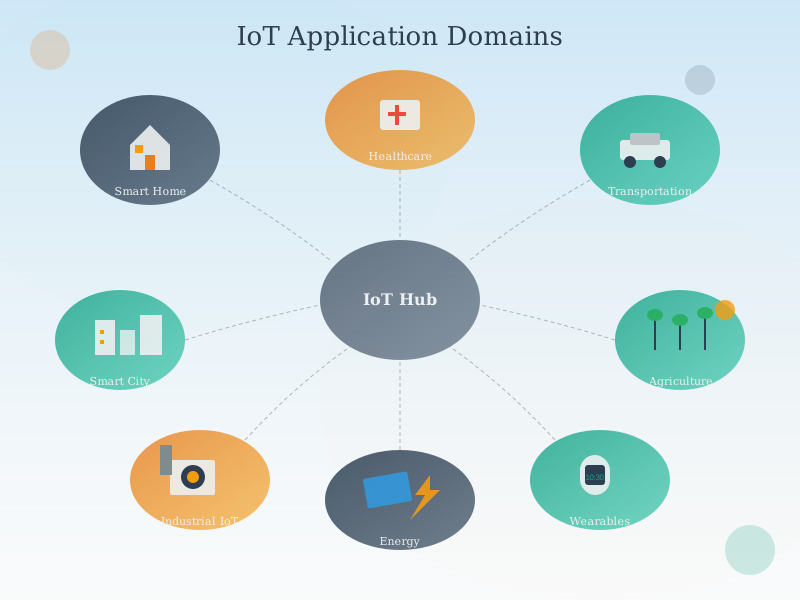
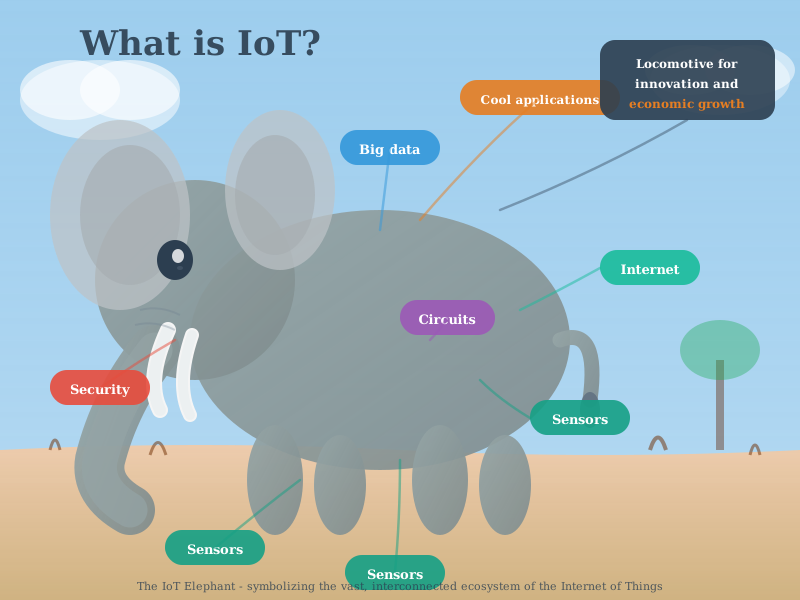
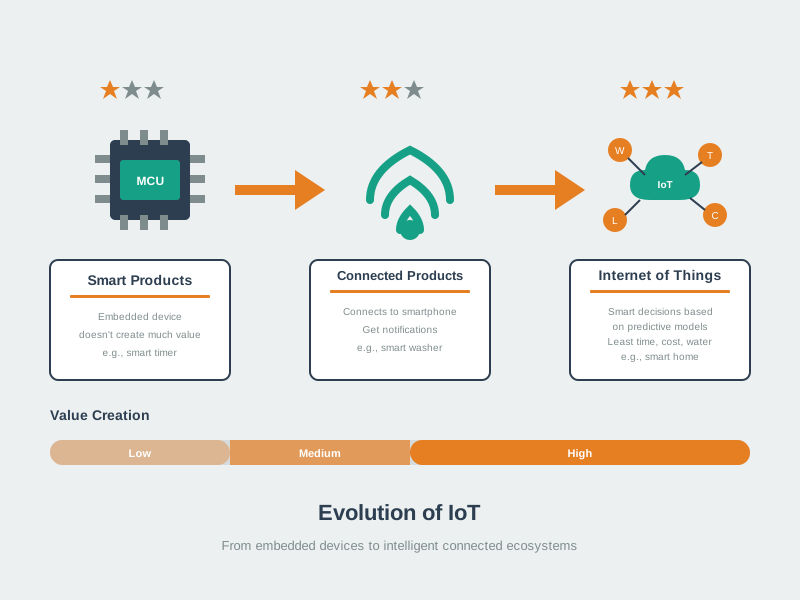
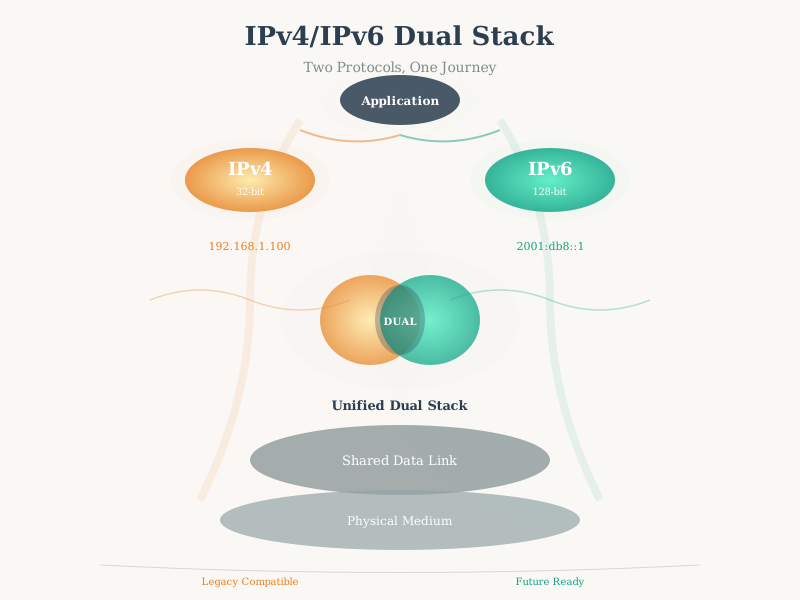
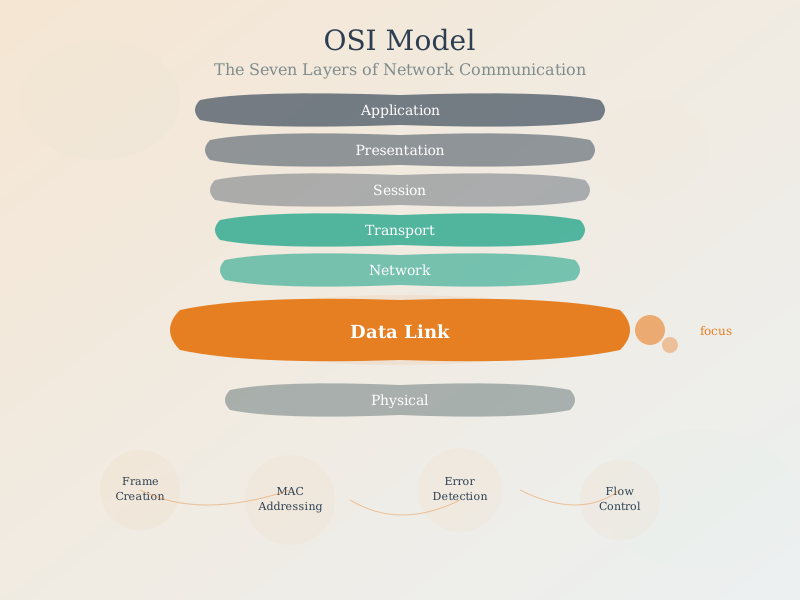
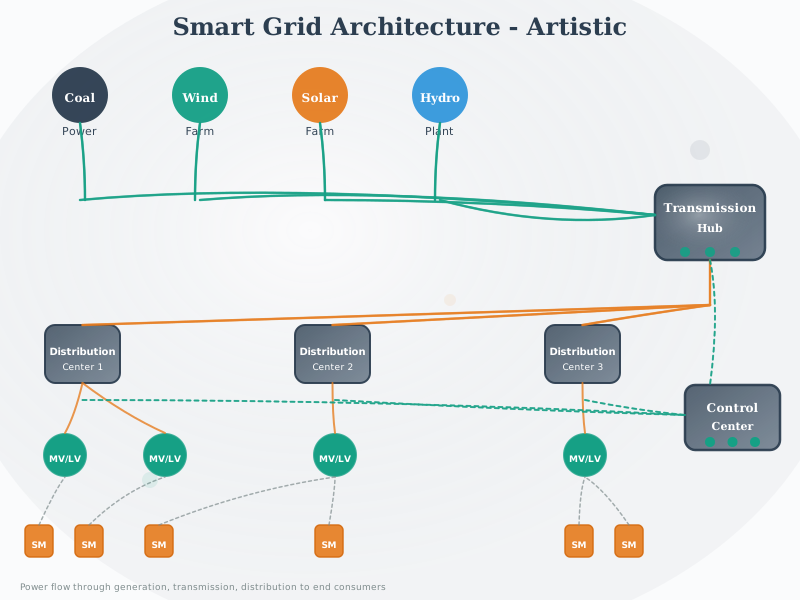
Figure Styles Available: These AI-generated figures come in multiple styles (artistic, modern, geometric) - access alternatives via the image version switcher when viewing in the book.
Knowledge Map
Explore 270+ IoT chapters and their connections interactively
Chapter Details
Click a node to see details
Legend
Beginner
Intermediate
Advanced
Prerequisite
Related
What's Next
Statistics
- 270 chapters
- 803 prerequisites
- 2,083 related links
- 14 topic areas
6.9 Summary
The Knowledge Map helps you navigate the textbook as a connected graph rather than a linear sequence:
- Fast navigation: Search chapters, filter by difficulty, and jump directly to what you need
- Prerequisite awareness: See what to learn first and avoid missing foundations
- Path planning: Build personalized learning routes for exams, projects, or domain goals
- Cross-domain insight: Notice how networking, security, data, sensing, and architecture connect
6.10 Knowledge Check
6.11 What’s Next
- Use the map to pick your next chapter, then start with Overview of IoT if you want a strong foundation
- After exploring, test yourself via Quizzes and close gaps via Knowledge Gaps
- Apply what you learned hands-on in the Simulation Playground