Audit TinyML score thresholds
Use scored decisions to evaluate the TinyML acceptance gate and select a threshold against a false-alarm budget.
The Edge & Fog guide asks learners to test TinyML fit and repeat measurements on the intended sensor path before release.
Predict the reading, then compare it with the measurement.
Python 3 in your browser (JupyterLite)
Python · no installUse scored decisions to evaluate the TinyML acceptance gate and select a threshold against a false-alarm budget.
Open the notebook in your browser and run each Python cell; no install or account is needed.
Three ways to run: use JupyterLite here with no install; run main.py locally from the downloadable lab folder; or open the same notebook in Google Colab.
Steps
Step 1
- Do
- Run the first notebook cell in the editor and inspect the synthetic scored-input table.
- You will see
- Synthetic scored examples: seed=73, positives=10, negatives=10 row=00 label=1 score=0.953 row=06 label=1 score=0.611 row=09 label=1 score=0.303 row=10 label=0 score=0.828 row=12 label=0 score=0.516 row=19 label=0 score=0.061 STEP 1 synthetic inputs fixed
- Why it matters
- The labelled seeded set makes each later count reproducible; it is not a sensor trace.
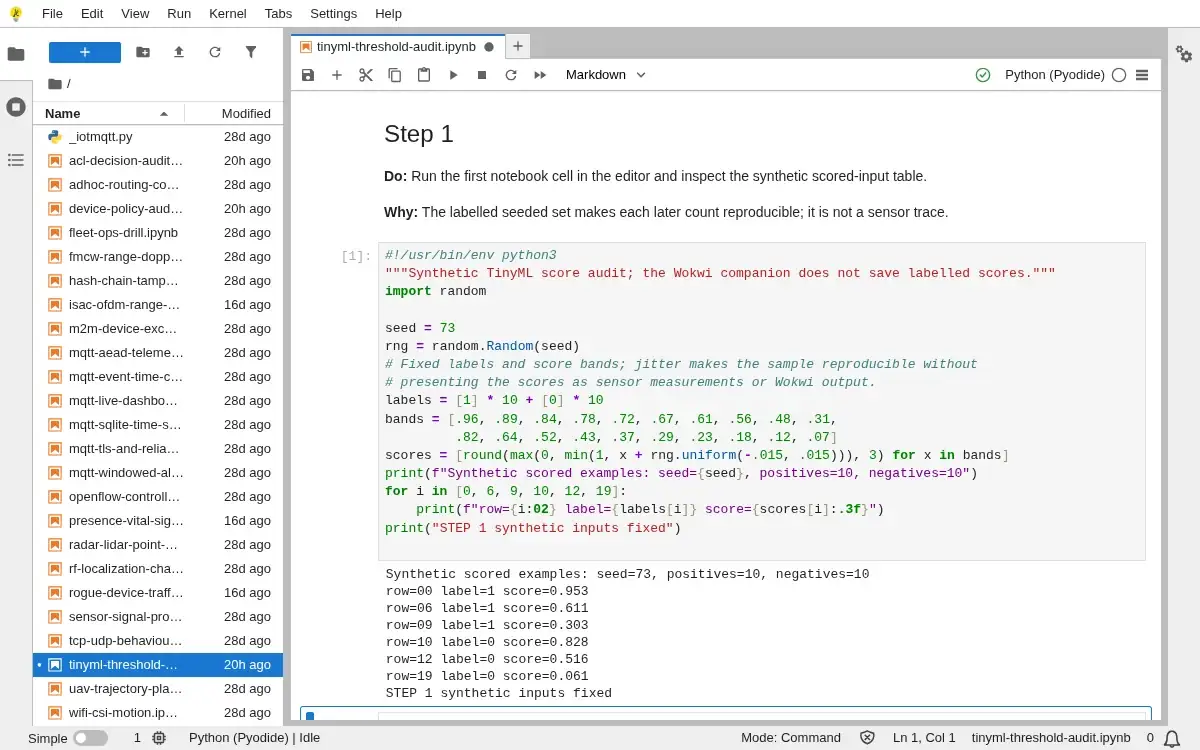
Step 1 · Python 3 in your browser (JupyterLite); numbered callout added to a real capture. Enlarge screenshot (new tab) Step 2
- Do
- Run the second cell in the editor and inspect the confusion-matrix readout at threshold 0.50.
- You will see
- Decision rule: alert when score >= 0.50 actual/predicted alert quiet positive 8 2 negative 3 7 total=20; false alarms=3; missed positives=2 STEP 2 confusion matrix computed
- Why it matters
- A confusion matrix exposes false alarms and missed positives that a single accuracy number hides.
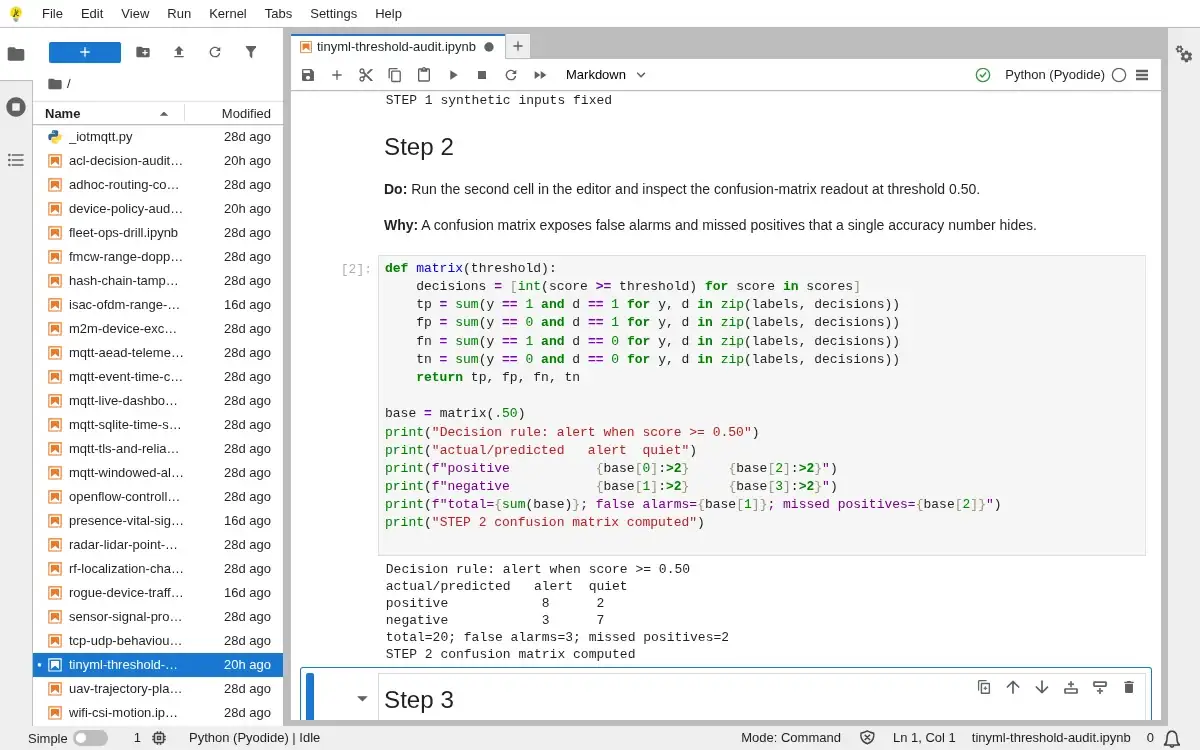
Step 2 · Python 3 in your browser (JupyterLite); numbered callout added to a real capture. Enlarge screenshot (new tab) Step 3
- Do
- Run the third cell in the editor and inspect the threshold-sweep table for precision, recall and false alarms.
- You will see
- threshold TP FP FN TN precision recall 0.30 10 5 0 5 0.667 1.000 0.40 9 4 1 6 0.692 0.900 0.50 8 3 2 7 0.727 0.800 0.60 7 2 3 8 0.778 0.700 0.70 5 1 5 9 0.833 0.500 0.80 3 1 7 9 0.750 0.300 0.90 1 0 9 10 1.000 0.100 STEP 3 threshold sweep computed
- Why it matters
- Moving the threshold changes both alert yield and false-alarm cost on the same examples.
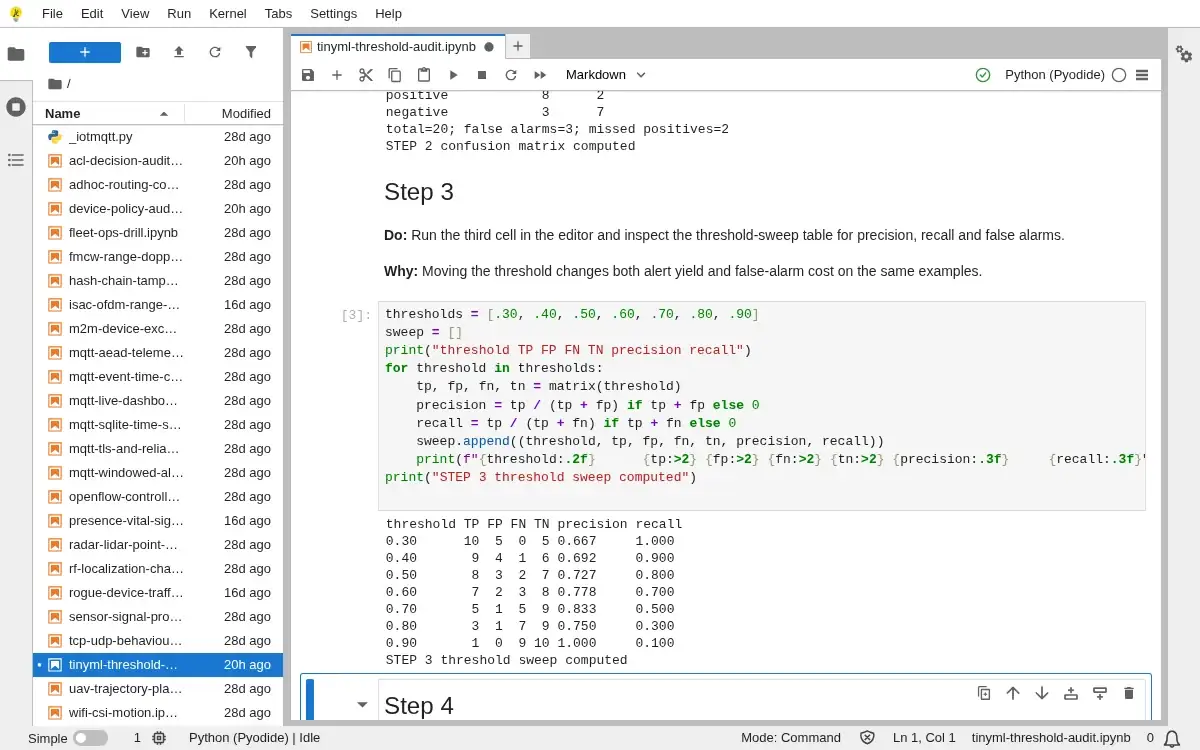
Step 3 · Python 3 in your browser (JupyterLite); numbered callout added to a real capture. Enlarge screenshot (new tab) Step 4
- Do
- Run the fourth cell in the editor and inspect the precision and recall plot in the output panel.
- You will see
- Precision and recall plot (each # is 0.1; round to nearest block) 0.30 P ####### 0.667 R ########## 1.000 0.40 P ####### 0.692 R ######### 0.900 0.50 P ####### 0.727 R ######## 0.800 0.60 P ######## 0.778 R ####### 0.700 0.70 P ######## 0.833 R ##### 0.500 0.90 P ########## 1.000 R # 0.100 STEP 4 precision recall plotted
- Why it matters
- The paired plot makes the precision and recall tradeoff visible without smoothing the small sample.
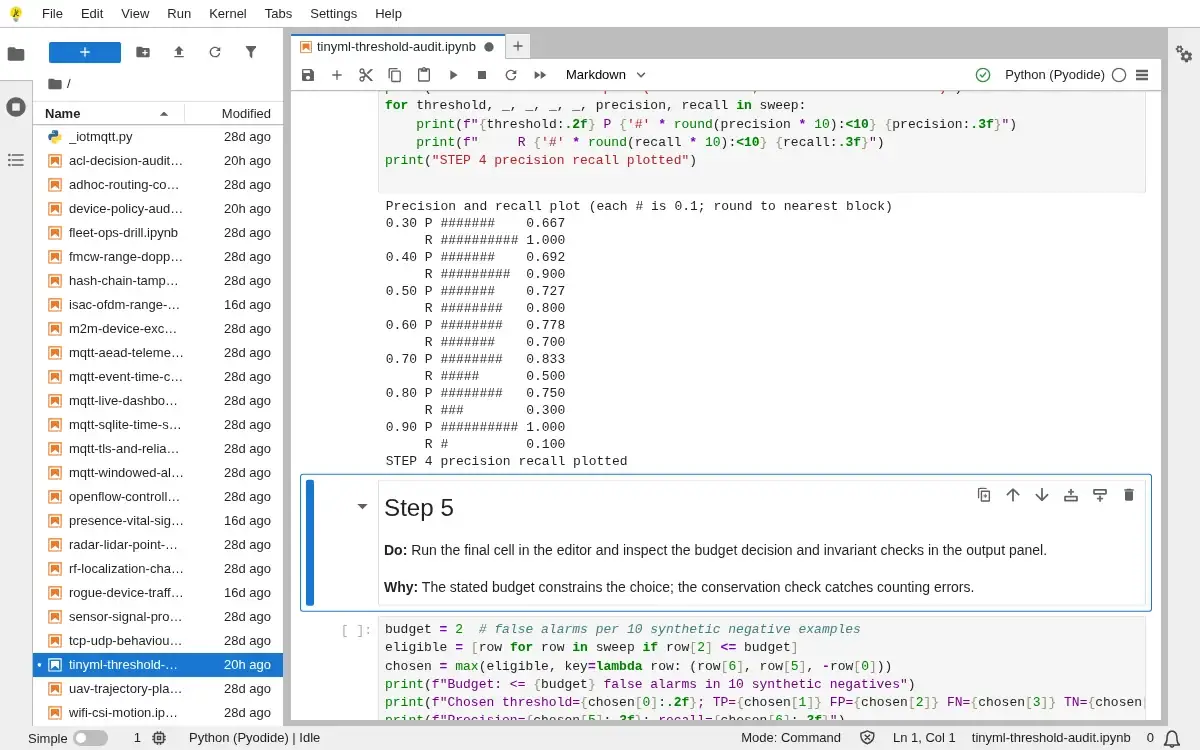
Step 4 · Python 3 in your browser (JupyterLite); numbered callout added to a real capture. Enlarge screenshot (new tab) Step 5
- Do
- Run the final cell in the editor and inspect the budget decision and invariant checks in the output panel.
- You will see
- Budget: <= 2 false alarms in 10 synthetic negatives Chosen threshold=0.60; TP=7 FP=2 FN=3 TN=8 Precision=0.778; recall=0.700 Selection: maximize recall; break ties by precision, then lower threshold Matrix conservation and false-alarm budget: PASS This synthetic result does not establish deployed sensor or model performance. STEP 5 budget decision validated
- Why it matters
- The stated budget constrains the choice; the conservation check catches counting errors.
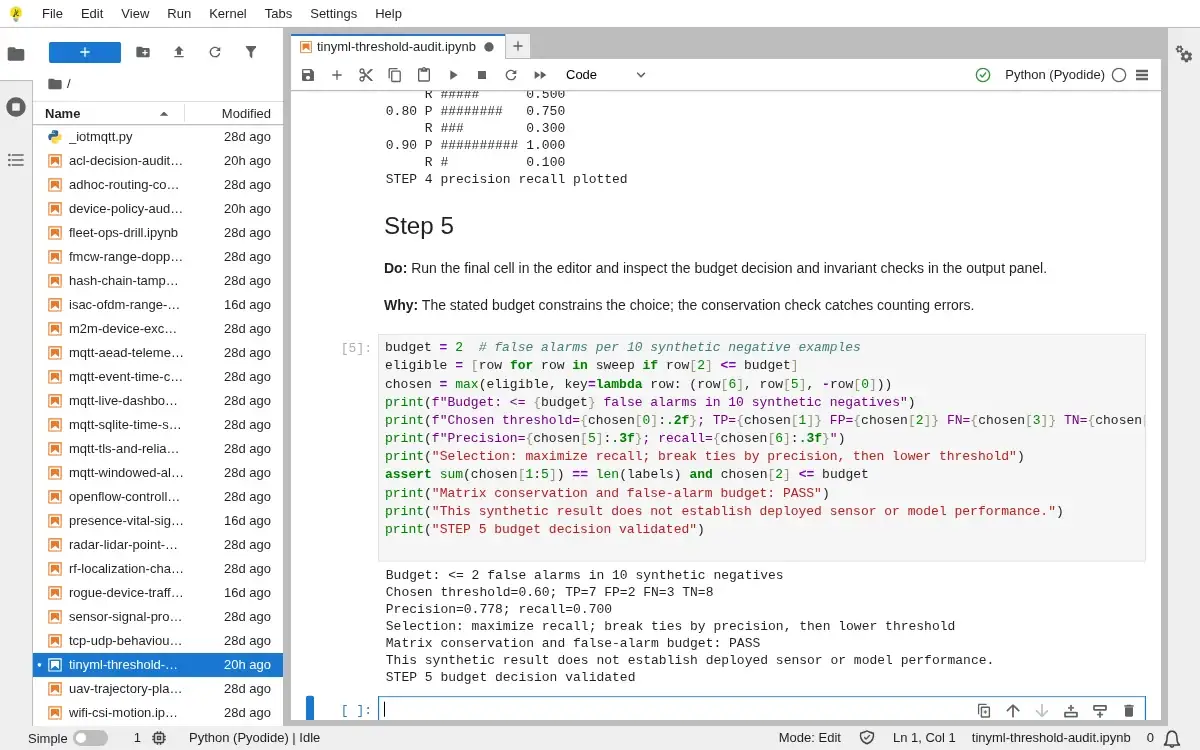
Step 5 · Python 3 in your browser (JupyterLite); numbered callout added to a real capture. Enlarge screenshot (new tab)
Chapter checks
These questions refer to the chapter’s examples. Use the return links to review their answers.
A team has a quantized model that fits in flash, but the tensor arena plus audio feature buffer leaves almost no SRAM for stack, logs, and firmware state. What should the team do before approving the TinyML deployment?
Return to the chapter’s knowledge checkA TinyML model has 80,000 INT8 weights. Where do the weights live, and what separately bounds SRAM use?
Return to the chapter’s knowledge check