Classify supplied synthetic device traffic patterns
Tune a transparent camera-candidate classifier on synthetic packet metadata and score unseen traces with false positives visible.

Radio Remi: predict first, inspect every intermediate value, and keep the claim inside the evidence.
Predict the reading, then compare it with the measurement.
Python 3 in your browser (JupyterLite)
Python · no installTune a transparent camera-candidate classifier on synthetic packet metadata and score unseen traces with false positives visible.
Open the notebook in your browser and run each Python cell; no install or account is needed.
Three ways to run: use JupyterLite here with no install; run main.py locally from the downloadable lab folder; or open the same notebook in Google Colab.
Steps
Step 1
- Do
- Predict how a camera, phone, and smart plug might differ.
- You will see
- The three classes, packet count, seed, and synthetic boundary print.
- Why it matters
- These are statistical cues, not device names.
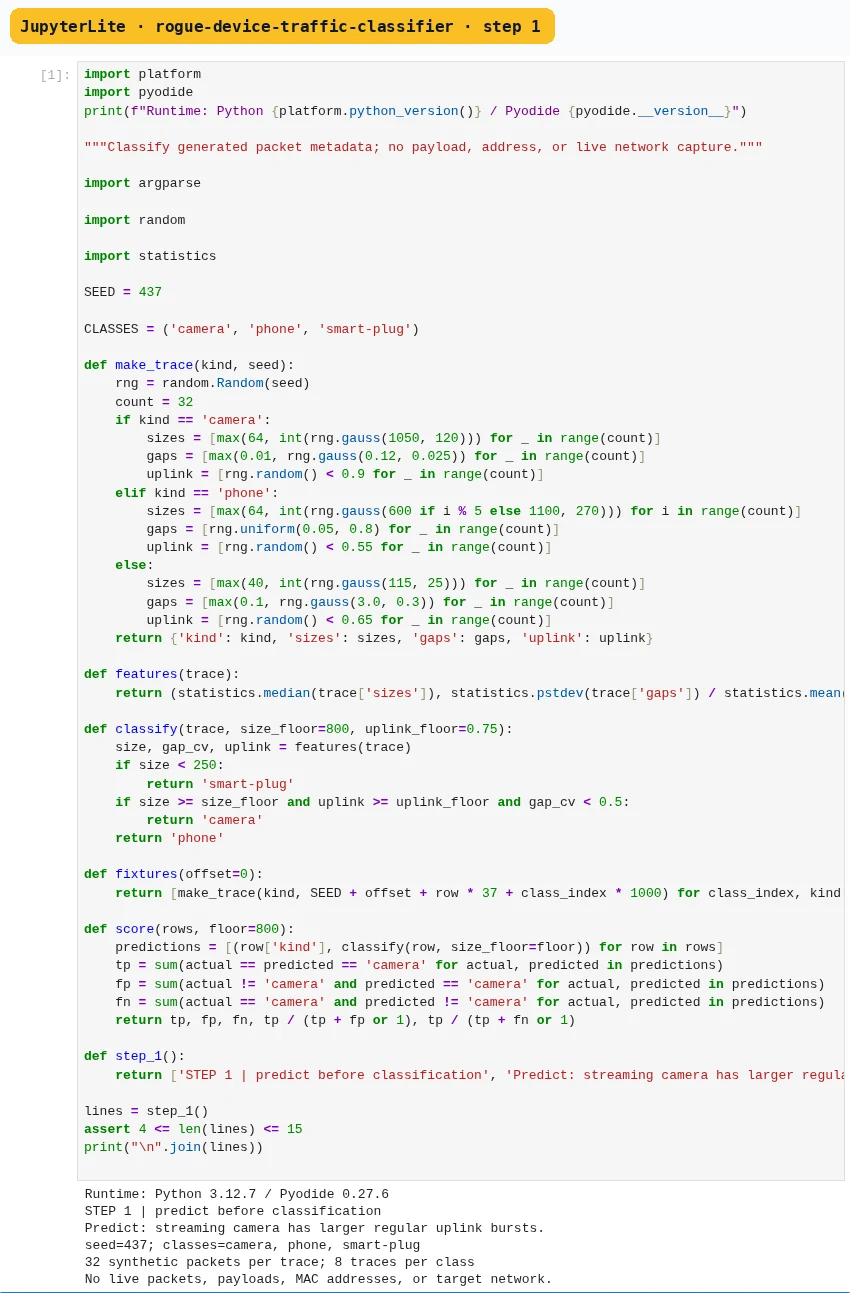
Step 1 · Python 3 in your browser (JupyterLite); numbered callout added to a real capture. Enlarge screenshot (new tab) Step 2
- Do
- Generate packet sizes and time gaps for each class.
- You will see
- Three labelled rows of sizes and inter-arrival gaps print.
- Why it matters
- Useful metadata features include packet-size distribution, uplink/downlink ratio, inter-arrival time, burst duration, duty cycle, and periodicity.
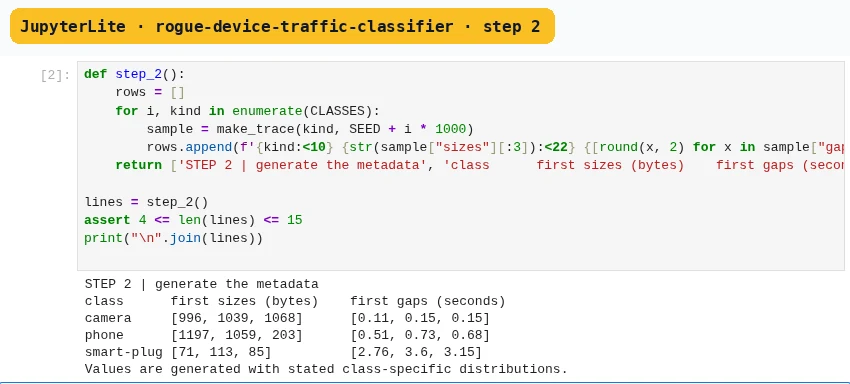
Step 2 · Python 3 in your browser (JupyterLite); numbered callout added to a real capture. Enlarge screenshot (new tab) Step 3
- Do
- Calculate median size, gap variation, and uplink share.
- You will see
- A three-row feature table prints each value.
- Why it matters
- Encryption can hide payload content while packet sizes, direction, and timing still reveal traffic patterns.
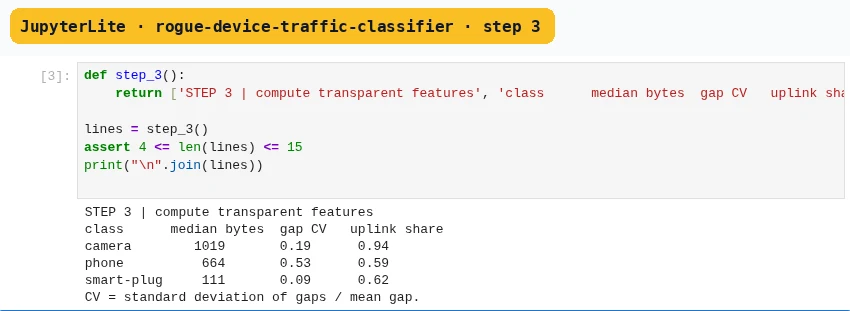
Step 3 · Python 3 in your browser (JupyterLite); numbered callout added to a real capture. Enlarge screenshot (new tab) Step 4
- Do
- Tune one size threshold using training traces only.
- You will see
- Three candidate thresholds print true and false counts.
- Why it matters
- Firmware updates, cloud retries, video buffering, background sync, and network congestion can imitate another class.
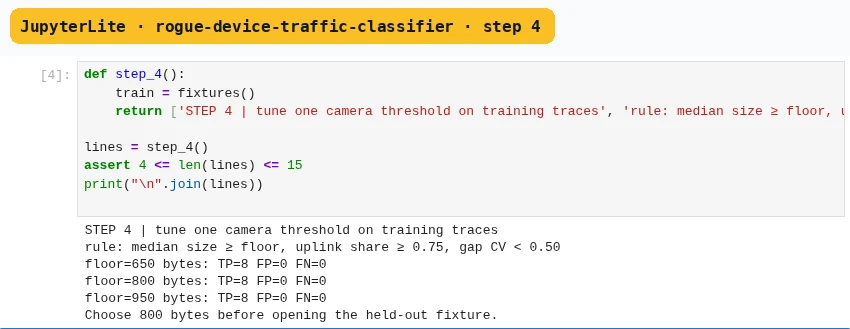
Step 4 · Python 3 in your browser (JupyterLite); numbered callout added to a real capture. Enlarge screenshot (new tab) Step 5
- Do
- Score the chosen rule on held-out synthetic traces.
- You will see
- True positives, false positives, false negatives, precision, and recall print.
- Why it matters
- These are statistical cues, not device names.
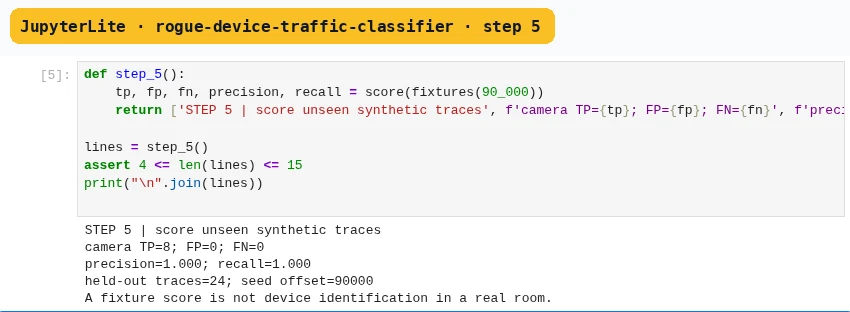
Step 5 · Python 3 in your browser (JupyterLite); numbered callout added to a real capture. Enlarge screenshot (new tab) Step 6
- Do
- Stress an upload-heavy phone case.
- You will see
- The altered feature values and camera-like prediction print.
- Why it matters
- A streaming camera often sends sustained uplink data with regular bursts, while a phone may alternate short interactive bursts and idle periods.
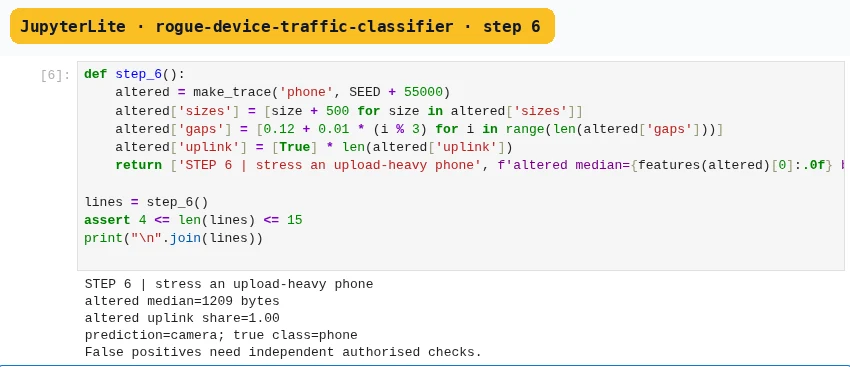
Step 6 · Python 3 in your browser (JupyterLite); numbered callout added to a real capture. Enlarge screenshot (new tab) Step 7
- Do
- Write a candidate and lawful-use result card.
- You will see
- The final card keeps metrics, false positives, synthetic provenance, and confirmation boundary together.
- Why it matters
- Combine independent clues only after naming the devices each method cannot see.
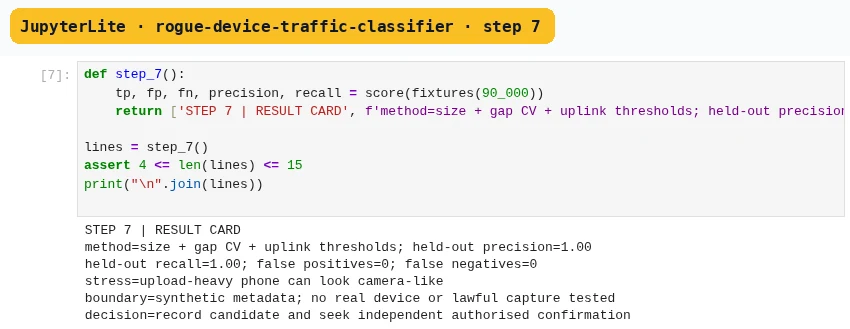
Step 7 · Python 3 in your browser (JupyterLite); numbered callout added to a real capture. Enlarge screenshot (new tab)
Chapter checks
These questions refer to the chapter’s examples. Use the return links to review their answers.
What does a camera-like traffic classification establish?
Return to the chapter’s knowledge checkWhy combine RF and optical checks during an authorised inspection?
Return to the chapter’s knowledge check
Return to Detecting Hidden Cameras and Rogue Devices · Browse Labs