Compare a motion event with an environmental value
Separate a changing simulated temperature value from a short motion event and the gateway siren alert driven by that event.

Packet Pete
Predict the reading, then compare it with the measurement.
Cisco Packet Tracer
Desktop labSeparate a changing simulated temperature value from a short motion event and the gateway siren alert driven by that event.
Install the tool; build from the steps. No file yet.
Download the Packet Tracer fileSteps
Step 1
- Do
- Open lab.pkt in the Logical workspace. Locate Home Gateway0 and wired PC0. Find Temp-Monitor, Motion-Event, and Siren-Alert. Keep the three Things and gateway in view.
- You will see
- The gateway and PC are on the left. Three named Things are on the right. Their wireless links lead to the gateway. The siren is a separate output device.
- Why it matters
- The topology separates measurement, event, and action. Temp-Monitor supplies a numerical environment reading. Motion-Event supplies an On/Off event. Siren-Alert is the controlled output.
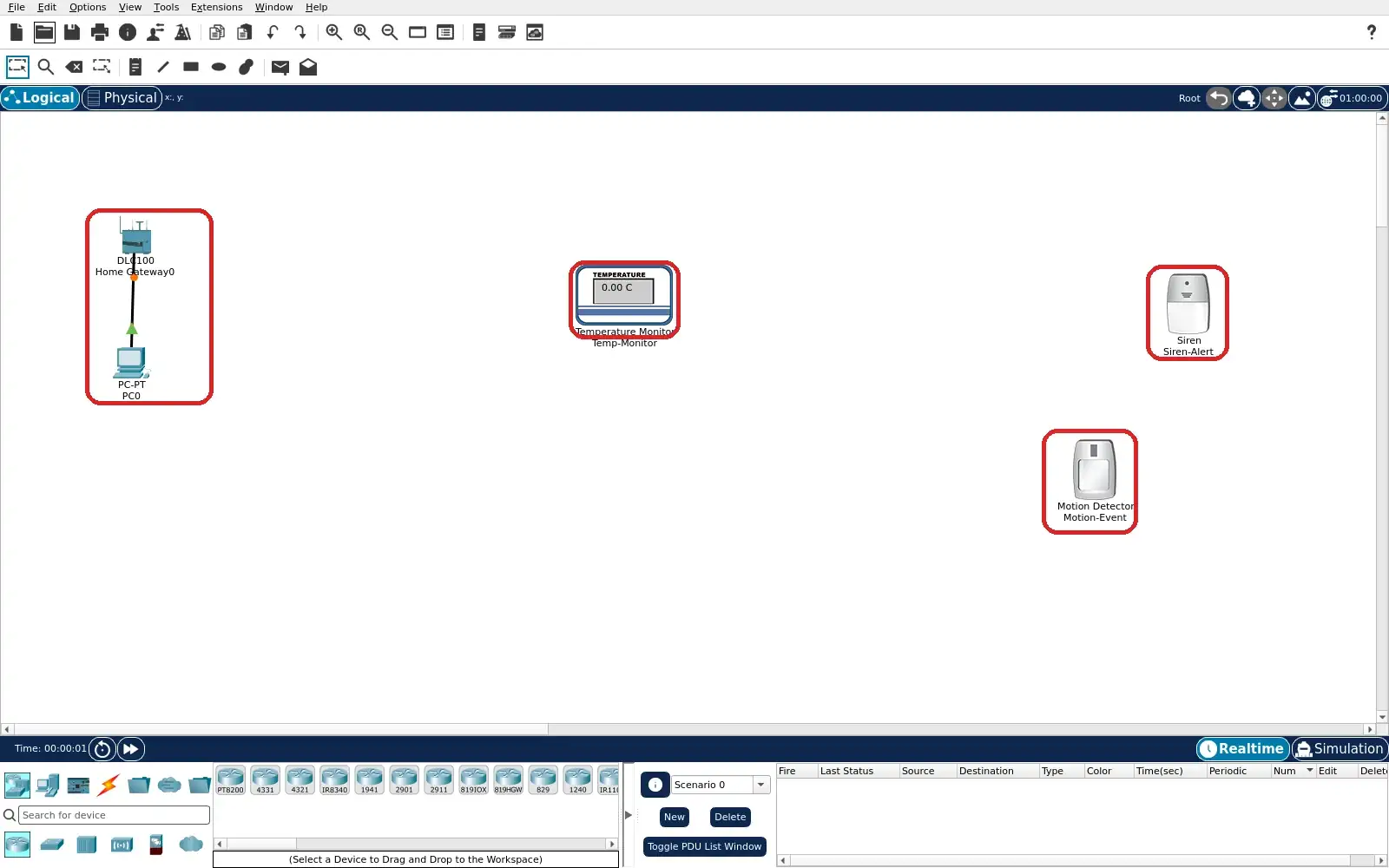
Step 1 · Cisco Packet Tracer; numbered callout added to a real capture. Enlarge screenshot (new tab) Step 2
- Do
- Open Temp-Monitor Specifications. Read what environment input it uses. Identify the reported quantity. Compare it later with the gateway Home value.
- You will see
- The title says Temperature Monitor. Its description names temperature from Environment. It converts that input to a readable value. This is a numerical signal, not a motion trigger.
- Why it matters
- The simulated environment supplies the temperature. Its value may vary with the simulation clock. A number has different meaning from an event flag. The siren rules do not reference temperature.
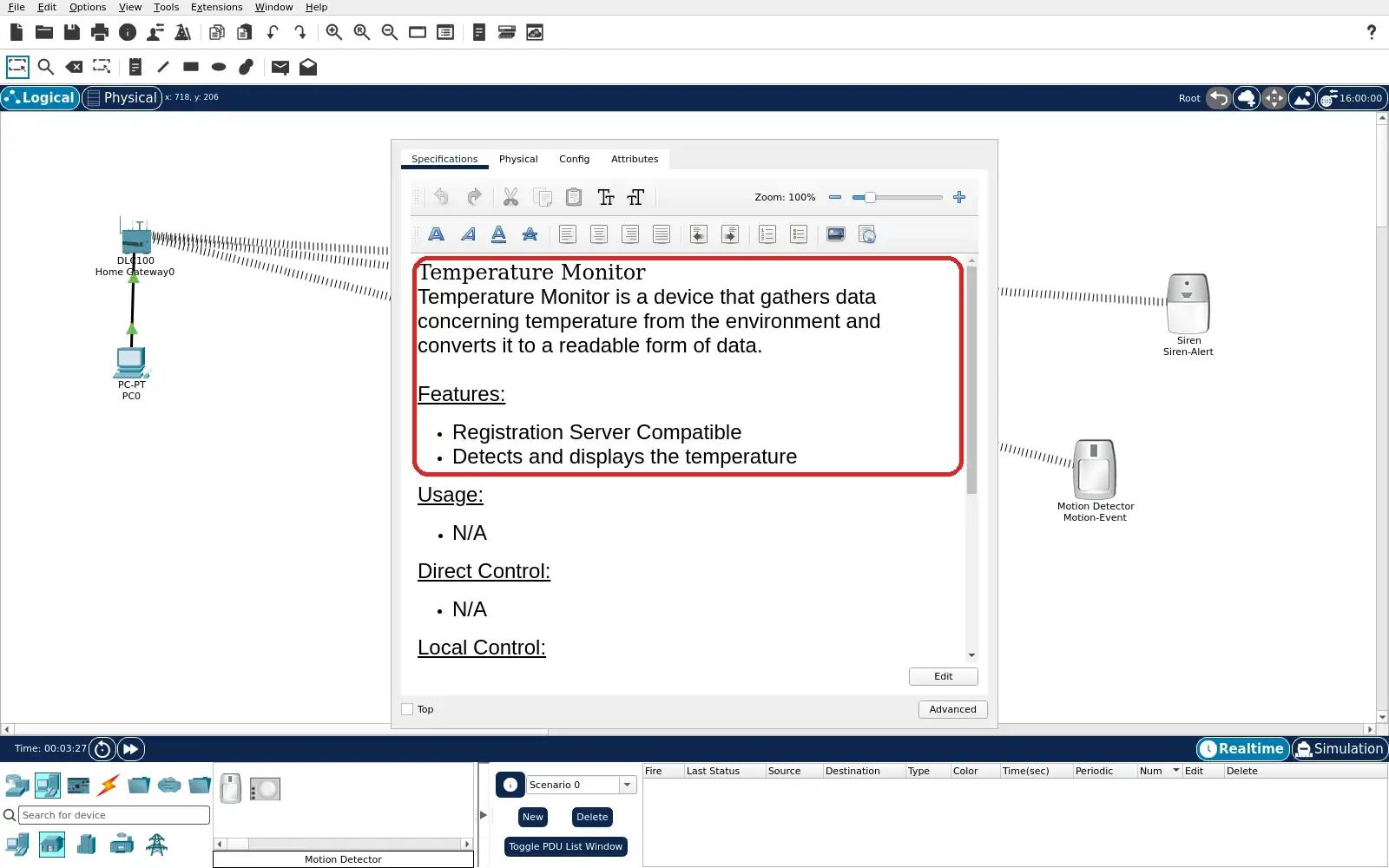
Step 2 · Cisco Packet Tracer; numbered callout added to a real capture. Enlarge screenshot (new tab) Step 3
- Do
- Open Motion-Event Specifications tab. Read how to stimulate the detector. Read its automatic deactivation period. Plan to inspect Home promptly after stimulation.
- You will see
- The title says Motion Detector. It detects motion from mouse movement. It deactivates after five seconds without movement. Direct Control says Alt-mouse move to interact.
- Why it matters
- This model supplies a short-lived event. The interaction is documented in Packet Tracer. The five-second interval explains the reset capture. It is not a measured physical detection range.
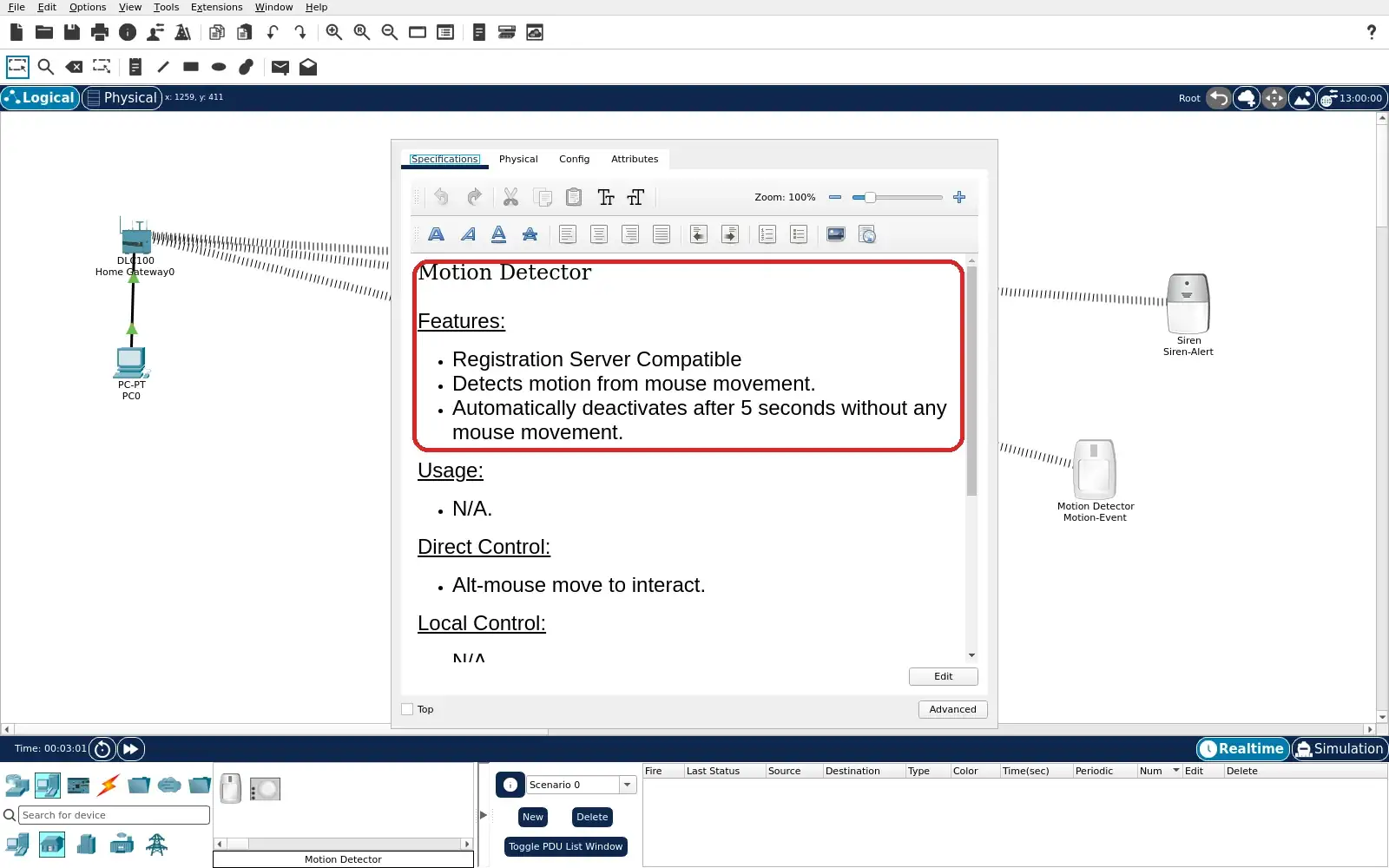
Step 3 · Cisco Packet Tracer; numbered callout added to a real capture. Enlarge screenshot (new tab) Step 4
- Do
- On PC0 open Desktop and Web Browser. Visit http://192.168.25.1 and sign in admin/admin. Open Home device list and expand the three rows. Record the initial values before stimulation.
- You will see
- Temp-Monitor shows a numeric 4.0 °C in this capture. Motion-Event On is red Off. Siren-Alert On is red Off. All three named rows are visible together.
- Why it matters
- The baseline contains one value and two event states. The exact temperature can vary later. The siren is inactive before motion. A baseline is needed to interpret a change.
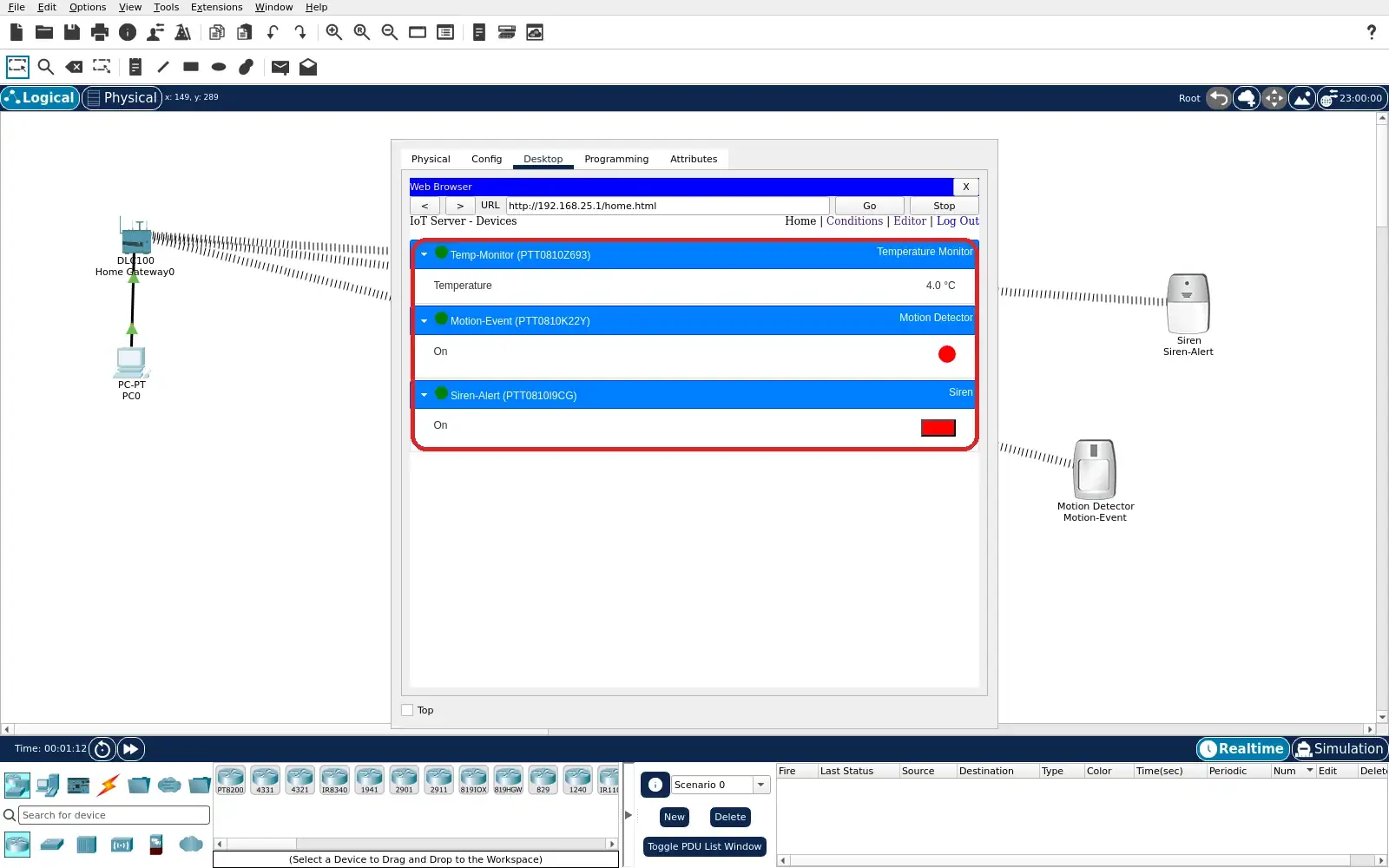
Step 4 · Cisco Packet Tracer; numbered callout added to a real capture. Enlarge screenshot (new tab) Step 5
- Do
- Open the gateway Conditions page. Read both enabled motion rules. Check each condition and action target. Notice that neither rule names Temp-Monitor.
- You will see
- Motion starts siren tests Motion-Event On true. It sets Siren-Alert On true. No motion stops siren tests Motion-Event On false. It sets Siren-Alert On false.
- Why it matters
- The gateway maps a motion event to an alert. The second rule returns the alert to Off. Temperature is outside this rule path. These rows document the saved configuration.
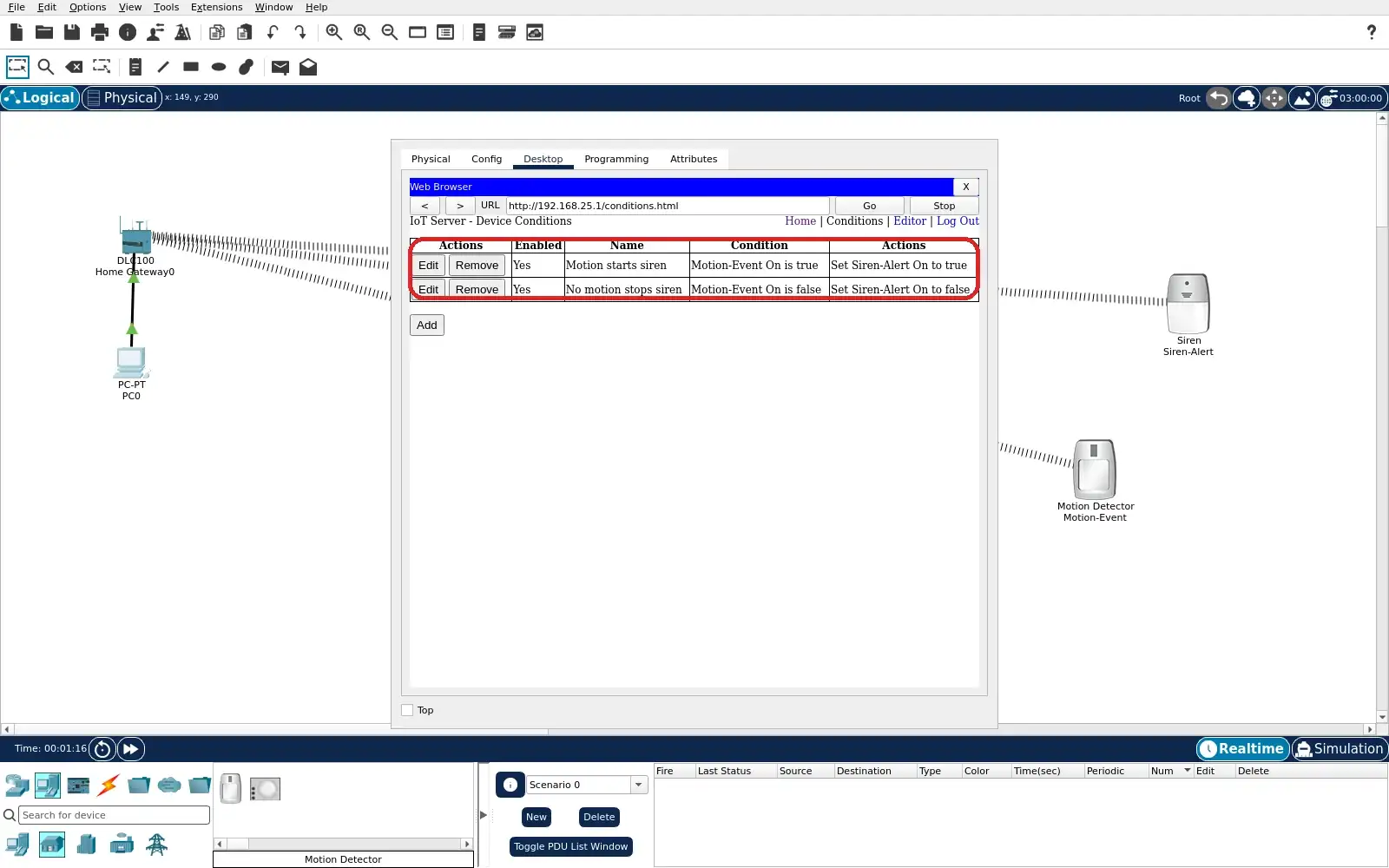
Step 5 · Cisco Packet Tracer; numbered callout added to a real capture. Enlarge screenshot (new tab) Step 6
- Do
- Close the PC window in the Logical workspace and hold Alt over Motion-Event. Move the pointer across the detector. Reopen or refresh Home immediately. Expand Motion-Event and Siren-Alert.
- You will see
- Motion-Event On is green On in this capture. Siren-Alert On is green On too. Temp-Monitor reads 9.0 °C at this moment. The siren changed with the motion event.
- Why it matters
- The simultaneous green states show the event path. The temperature is a separate changing input. Its numeric change is not evidence of causation. The rule uses motion, not temperature.
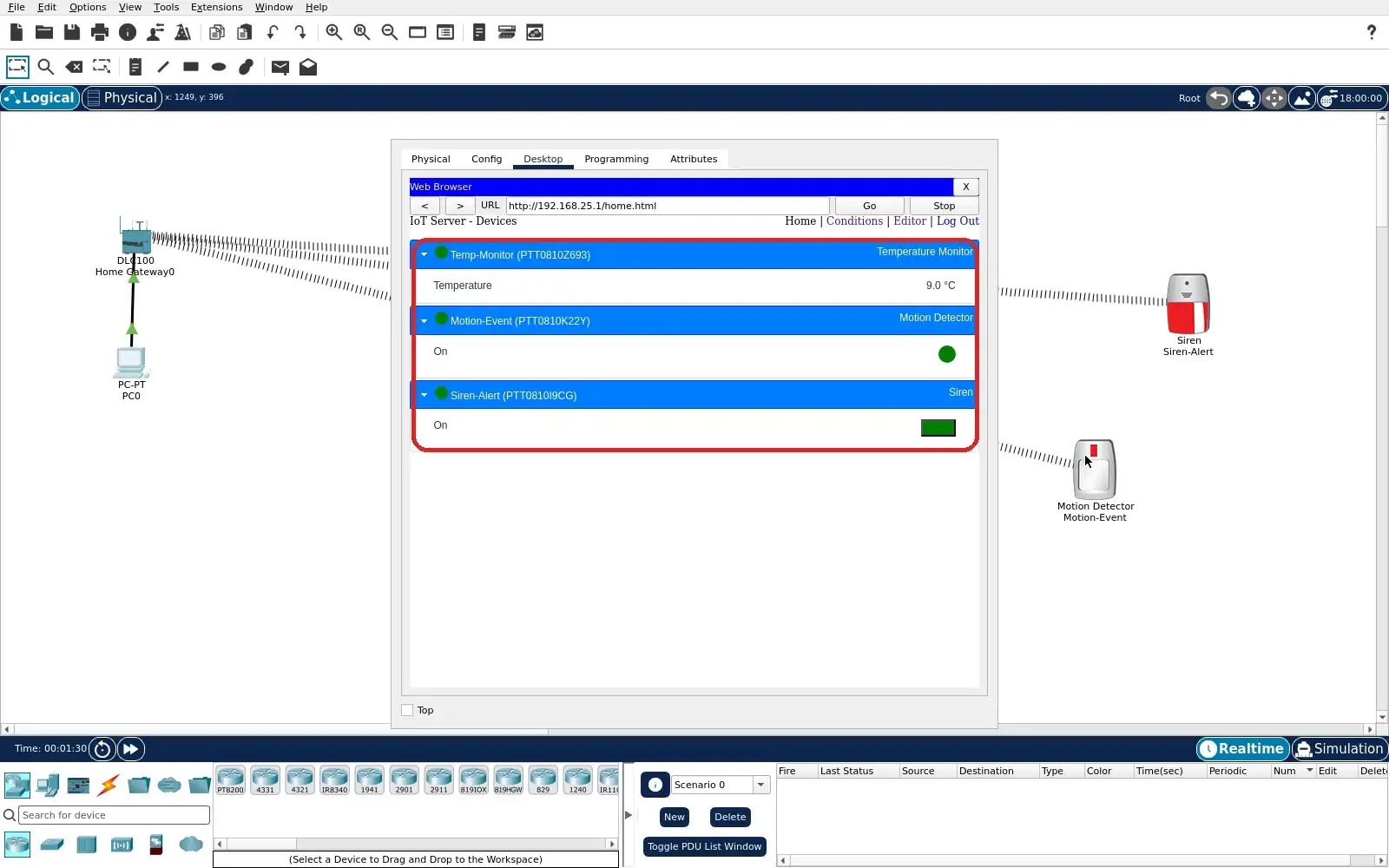
Step 6 · Cisco Packet Tracer; numbered callout added to a real capture. Enlarge screenshot (new tab) Step 7
- Do
- Stop moving the pointer over Motion-Event. Wait more than five seconds. Refresh the Home device list and expand all three rows. Compare motion and siren with the prior capture.
- You will see
- Motion-Event On has returned to red Off. Siren-Alert On has returned to red Off. Temp-Monitor reads 2.9 °C in this capture. The numerical reading did not control the reset.
- Why it matters
- The detector self-clears after inactivity. The gateway Off rule then clears the siren. The changing temperature shows independent simulation time. The capture supports a simulated alert cycle only.
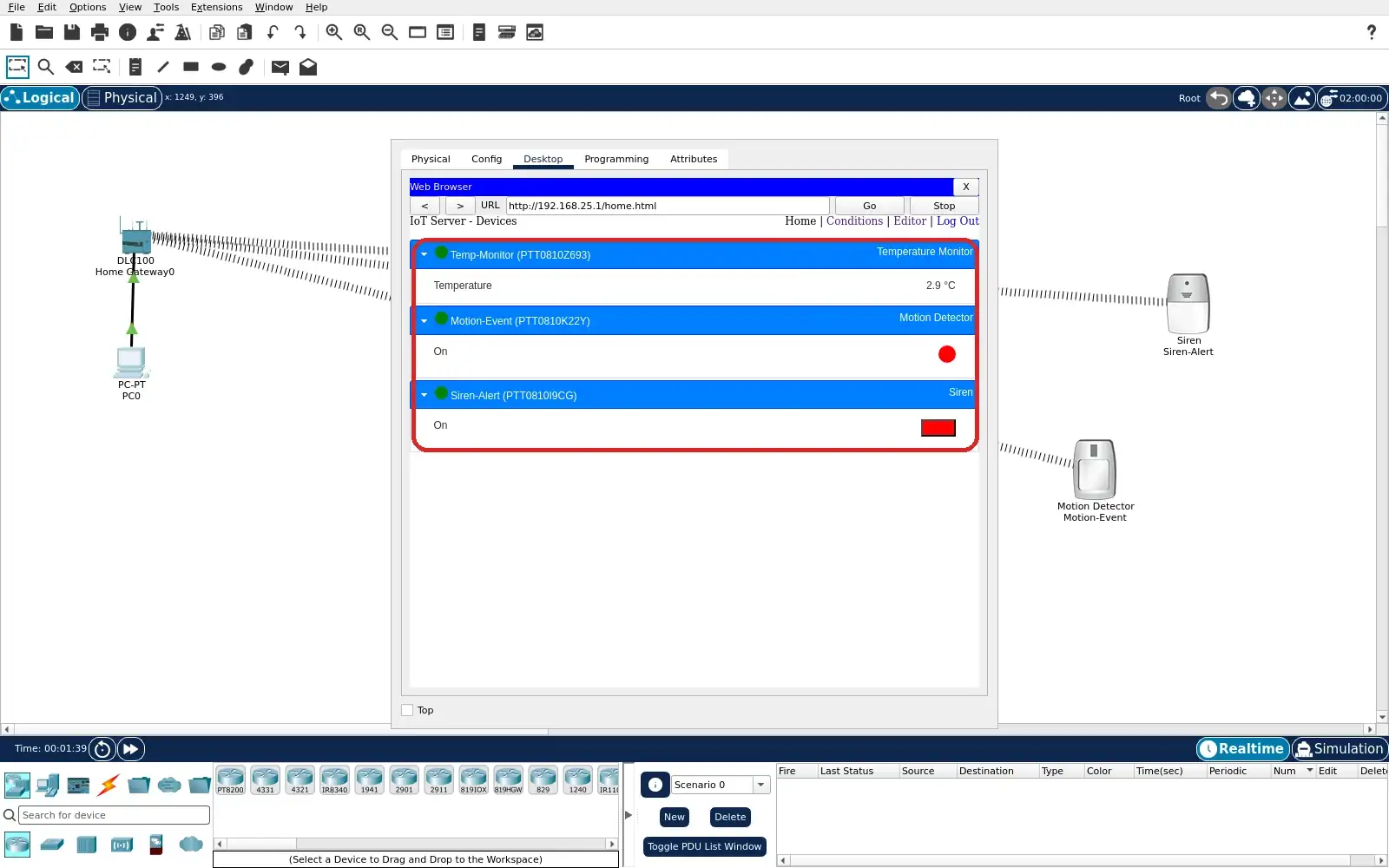
Step 7 · Cisco Packet Tracer; numbered callout added to a real capture. Enlarge screenshot (new tab) Step 8
- Do
- Return to the Conditions list. Verify both rules remain enabled. Read the motion-only inputs once more. Save and reopen lab.pkt for another run.
- You will see
- Both rule rows still show Enabled Yes. The first maps motion true to siren true. The second maps motion false to siren false. No temperature threshold appears in either row.
- Why it matters
- The saved rules explain both observed alert states. A value and an event need different interpretations. Reopening verifies the learner project retains the setup. The exercise makes no hardware accuracy claim.
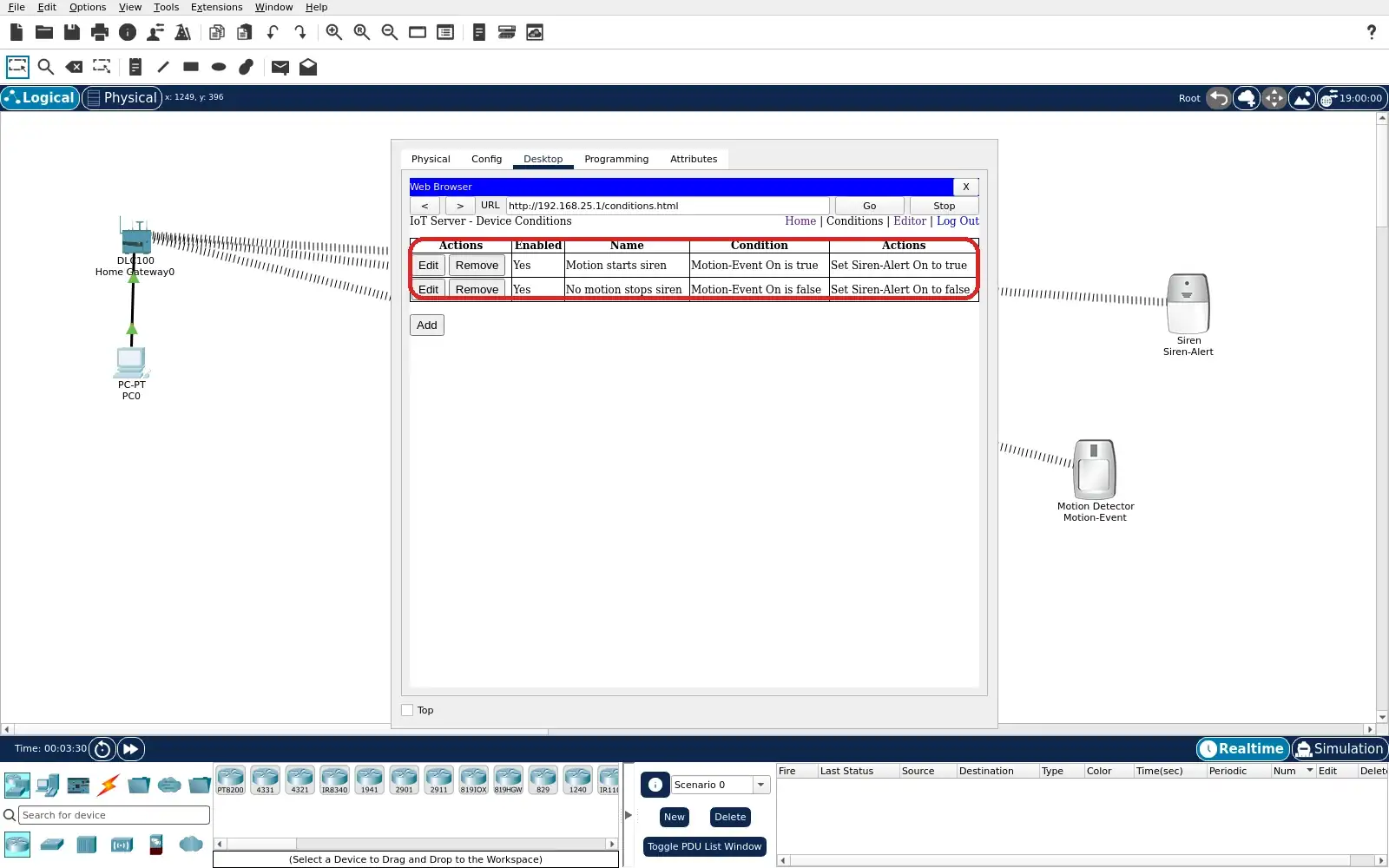
Step 8 · Cisco Packet Tracer; numbered callout added to a real capture. Enlarge screenshot (new tab)
Chapter checks
These questions refer to the chapter’s examples. Use the return links to review their answers.
What physically moves inside a MEMS capacitive accelerometer when the device accelerates?
Return to the chapter’s knowledge checkWhy can a single MEMS accelerometer not distinguish a slow tilt from a genuine horizontal acceleration?
Return to the chapter’s knowledge check
Return to IMU Motion and Barometric Calibration Limits · Browse Labs