Control irrigation with a humidity proxy
Inspect a humidity proxy, two bounded gateway rules, and the sprinkler command in dry and humid simulated conditions.

Packet Pete
Predict the reading, then compare it with the measurement.
Cisco Packet Tracer
Desktop labInspect a humidity proxy, two bounded gateway rules, and the sprinkler command in dry and humid simulated conditions.
Install the tool; build from the steps. No file yet.
Download the Packet Tracer fileSteps
Step 1
- Do
- Open lab.pkt in the Packet Tracer Logical workspace. Find Home Gateway0 and its wired PC0. Find Humidity-Proxy and Irrigation-Sprinkler. Keep this local service boundary in view.
- You will see
- The gateway and PC are at the left. The Humidity Monitor is named Humidity-Proxy. The Lawn Sprinkler is named Irrigation-Sprinkler. Both wireless Things appear on the right.
- Why it matters
- The gateway holds the two automation rules. PC0 is the operator browser for this exercise. The monitor is a humidity proxy, not a soil probe. The sprinkler is the commanded output.
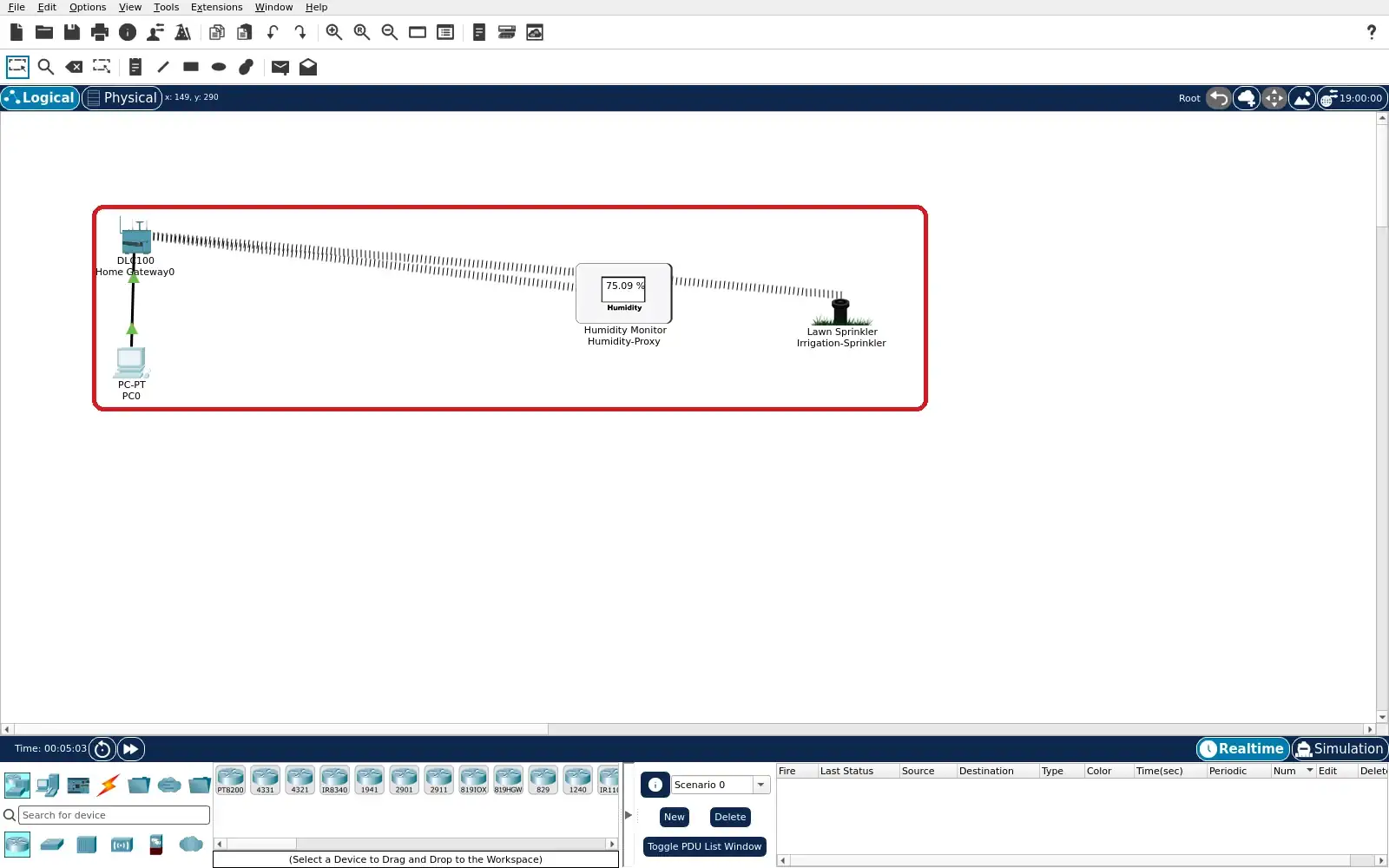
Step 1 · Cisco Packet Tracer; numbered callout added to a real capture. Enlarge screenshot (new tab) Step 2
- Do
- On PC0, open the Desktop tab → Web Browser. Visit http://192.168.25.1 and sign in. Use this project’s local admin/admin account. Inspect the two rows on the Home page.
- You will see
- Humidity-Proxy appears as Humidity Sensor. Irrigation-Sprinkler appears as Lawn Sprinkler. Both device rows show green registration dots. The browser is served by the local gateway.
- Why it matters
- Registration makes both Things visible to rules. The device names connect topology to browser rows. A green registration dot is a path check. It does not alone prove an action occurred.
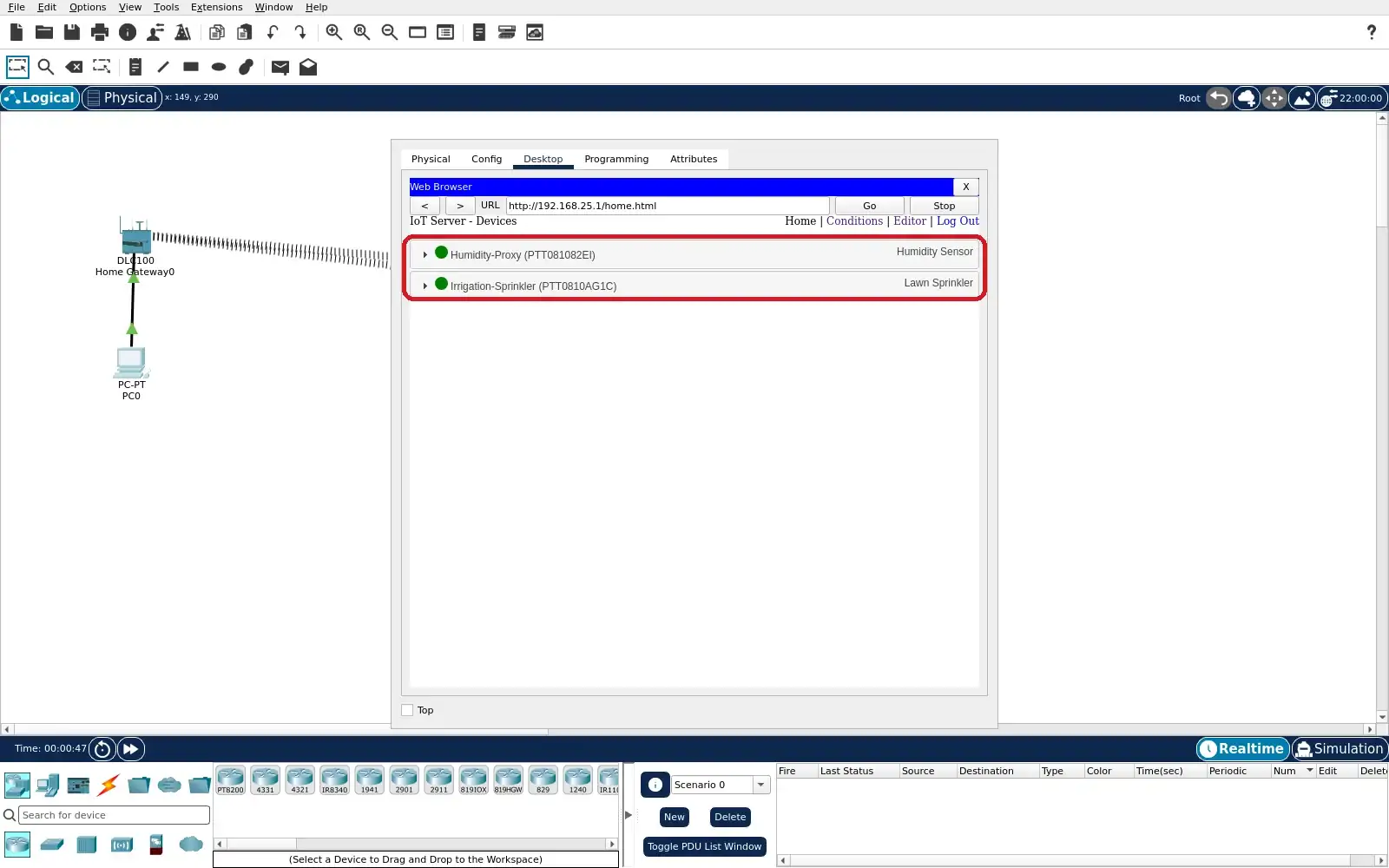
Step 2 · Cisco Packet Tracer; numbered callout added to a real capture. Enlarge screenshot (new tab) Step 3
- Do
- In the same browser, open the Conditions list. Read the Dry-air-starts-sprinkler row. Read the Humid-air-stops-sprinkler row. Confirm that both Enabled cells say Yes.
- You will see
- Humidity < 60% sets sprinkler Status true. Humidity >= 70% sets sprinkler Status false. Both rows are enabled in the capture. The two thresholds leave a 60–70% hold band.
- Why it matters
- The low threshold starts watering in this proxy lesson. The high threshold gives a bounded stop action. The hold band avoids opposing rules at one value. Rule rows are configuration, not outcome evidence.
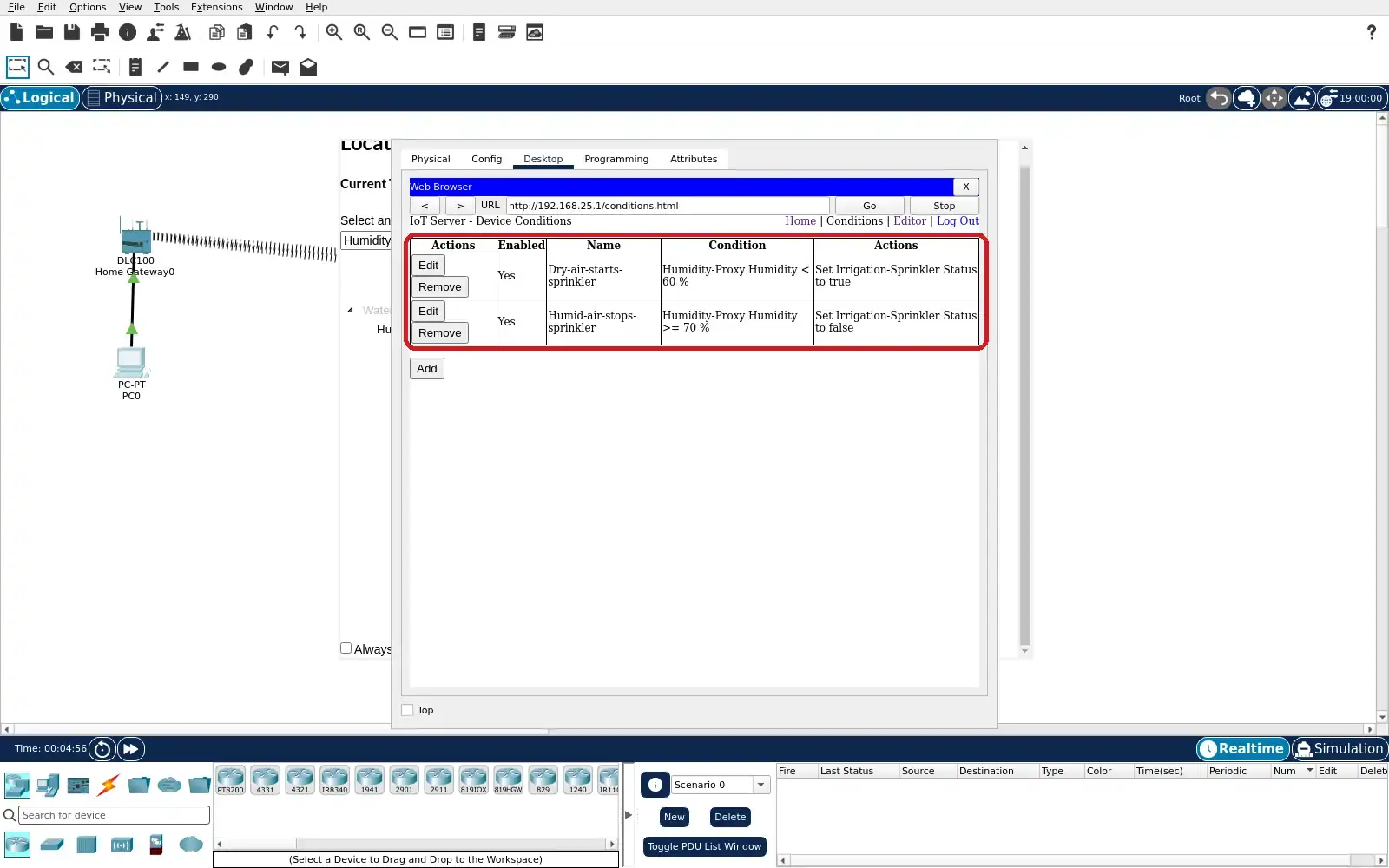
Step 3 · Cisco Packet Tracer; numbered callout added to a real capture. Enlarge screenshot (new tab) Step 4
- Do
- Open the Packet Tracer Environment editor. Select the root Intercity location. Choose Edit → Advanced and keyframe 3 of 5. Expand Water and inspect Humidity at 12 PM.
- You will see
- The captured third keyframe is 12:00 PM. Its Humidity Init Value reads 35%. The Humidity checkbox is enabled. Interpolate and Show are checked.
- Why it matters
- The root environment drives this monitor. A lower midday value creates a dry interval. The keyframe is input configuration evidence. Check the sensor and actuator separately next.
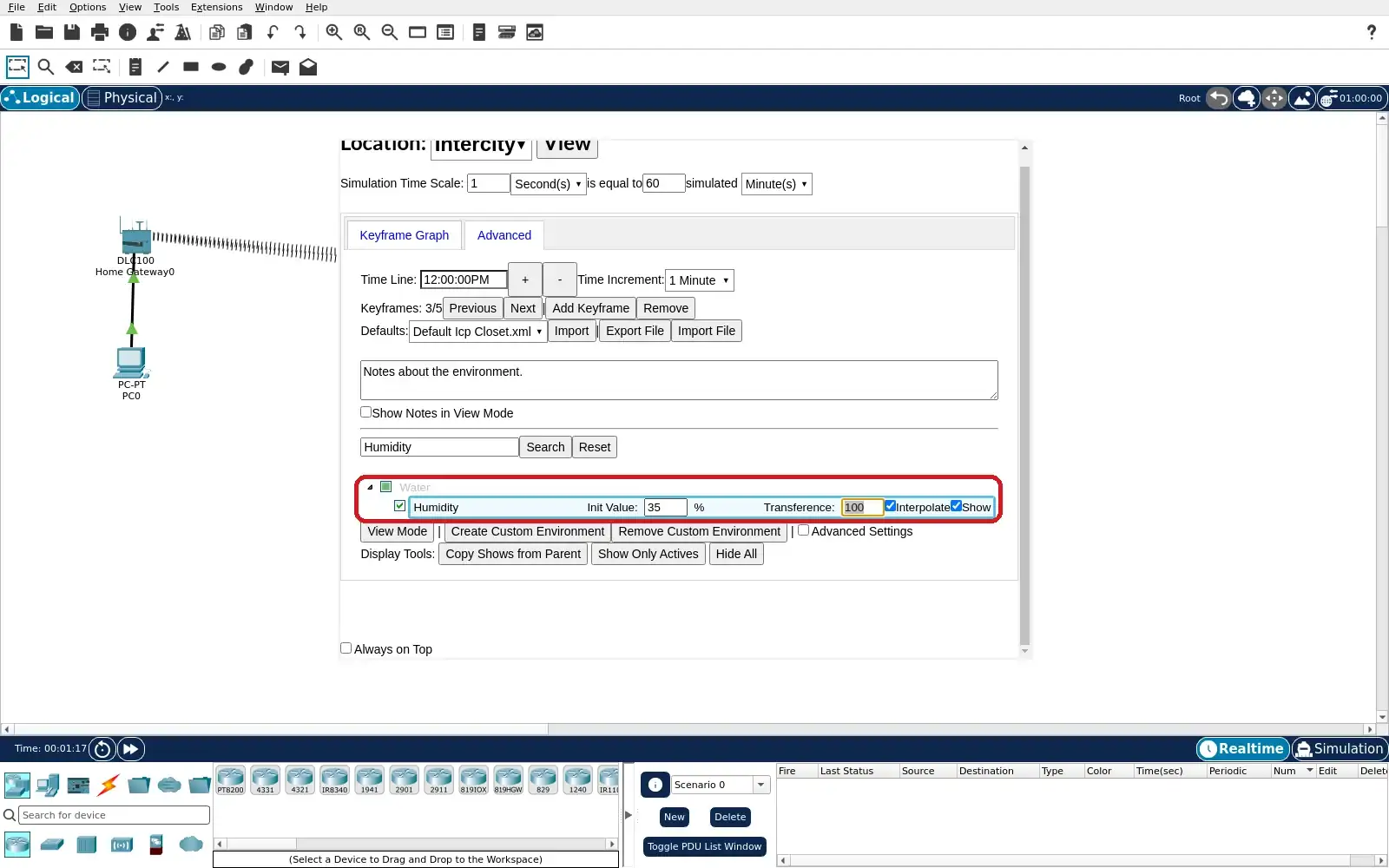
Step 4 · Cisco Packet Tracer; numbered callout added to a real capture. Enlarge screenshot (new tab) Step 5
- Do
- Switch the Environment editor to View mode. Filter for Humidity and advance near 1 PM. Pause the environment clock for comparison. Read the displayed humidity value.
- You will see
- The root environment time is 13:00:00. The captured humidity reads 42.50%. The control shows Start, so time is paused. This value is the simulator environment input.
- Why it matters
- The dry environment sits below the start threshold. The Thing sensor may report a different value. The gateway rule evaluates the Thing reading. Use the browser to inspect the actual command.
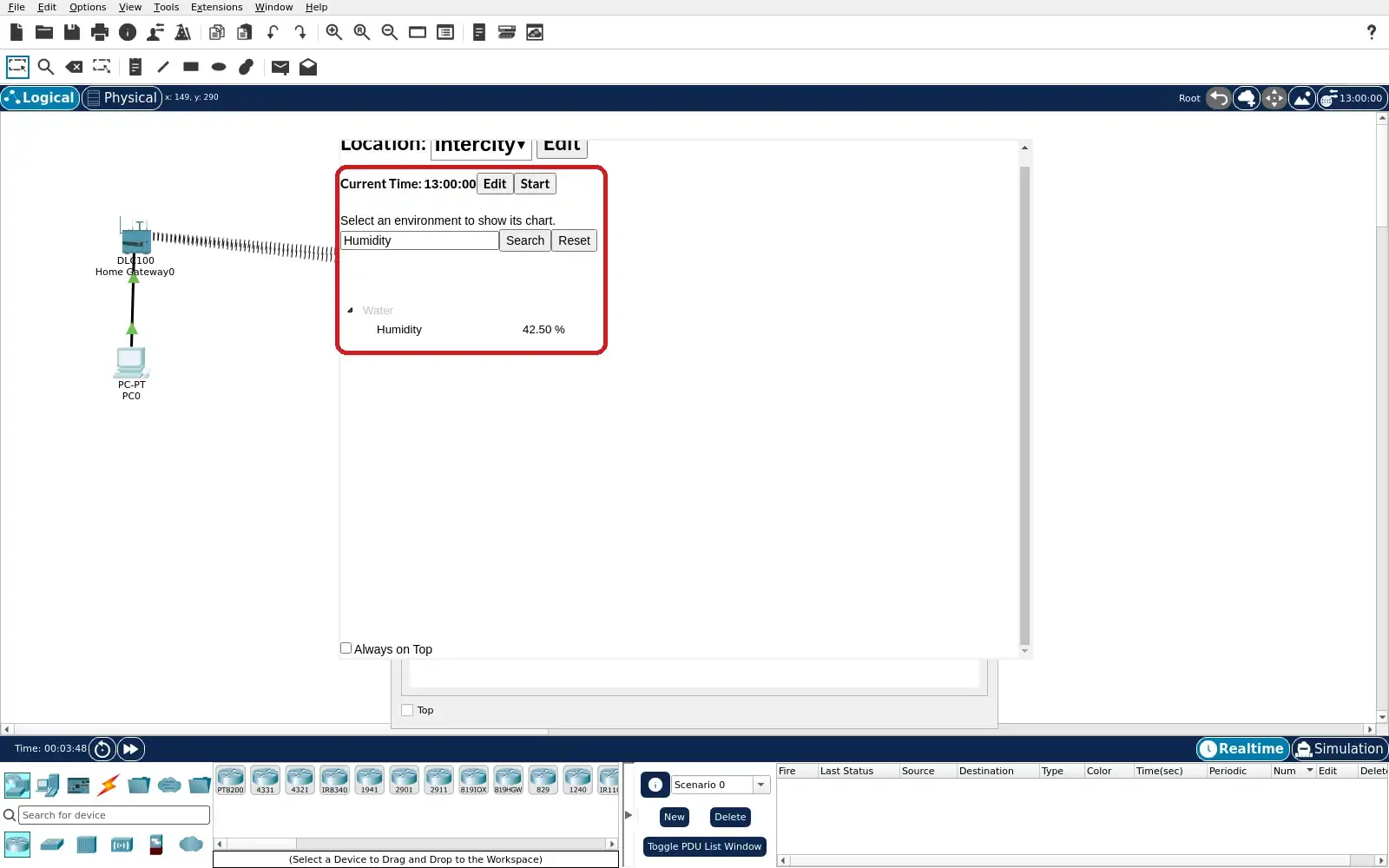
Step 5 · Cisco Packet Tracer; numbered callout added to a real capture. Enlarge screenshot (new tab) Step 6
- Do
- Raise PC0’s gateway browser and open the Home panel. Expand Humidity-Proxy and Irrigation-Sprinkler. Read the sensor before inspecting Status. Compare the green Status with the dry rule.
- You will see
- The monitor reads 59.9214% in the capture. That value is below the 60% start threshold. The sprinkler Status control is green. Green is the active true state in this run.
- Why it matters
- This pairs an observed sensor input with output. The rule predicts true below 60%. The browser confirms the sprinkler command. The environment value alone would not prove it.
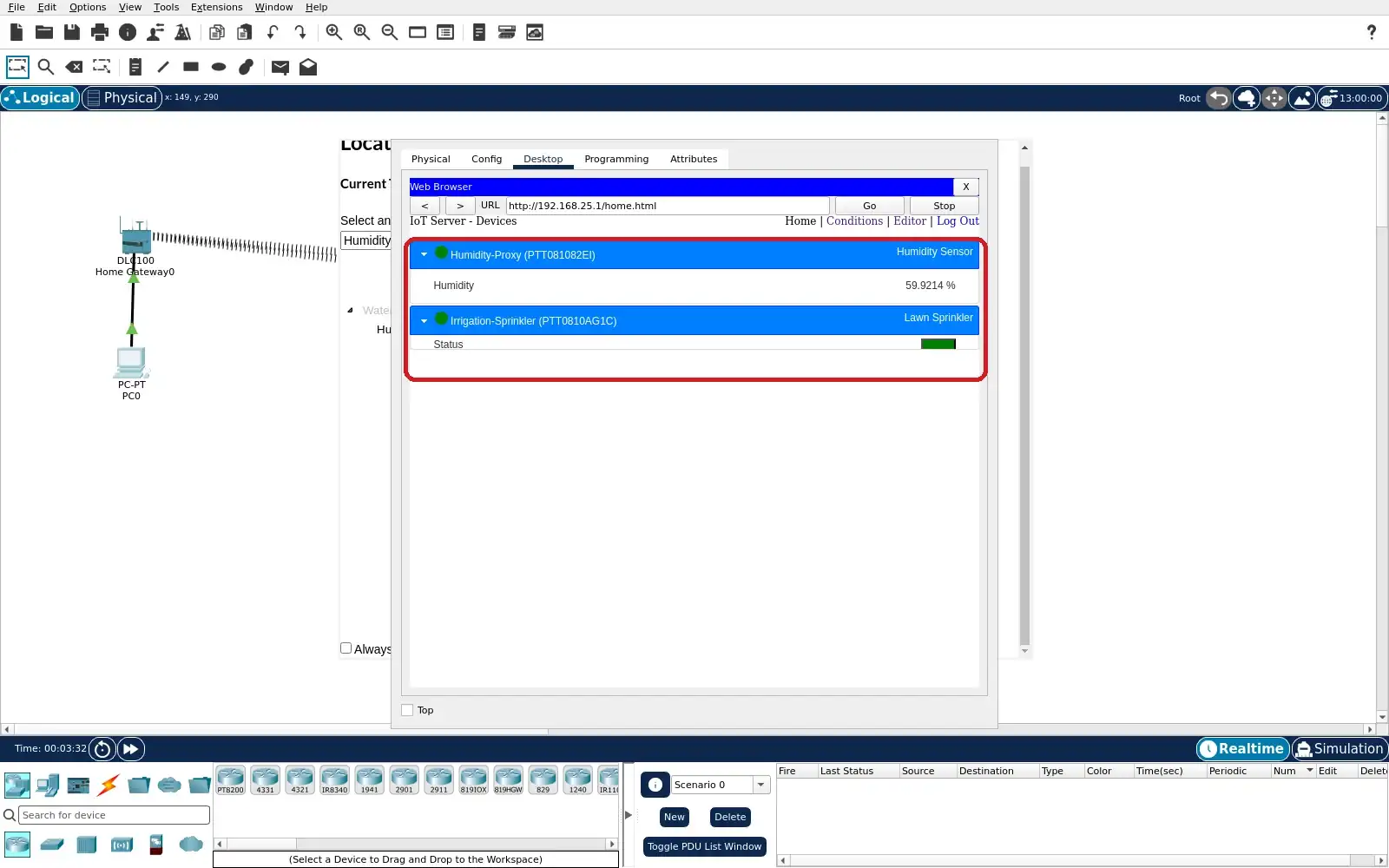
Step 6 · Cisco Packet Tracer; numbered callout added to a real capture. Enlarge screenshot (new tab) Step 7
- Do
- Return to the Environment editor view. Set its current time to the evening keyframe. Pause at 18:00:00 and read Humidity. Keep the same rule pair enabled.
- You will see
- The captured time reads 18:00:00. Root Humidity reads 80.00%. The control shows Start, so time is paused. The 6 PM keyframe was set to 80%.
- Why it matters
- Restoring humidity tests the stop transition. The high input is above the 70% stop threshold. The sensor may lag or differ from environment input. Confirm the final output on Home.
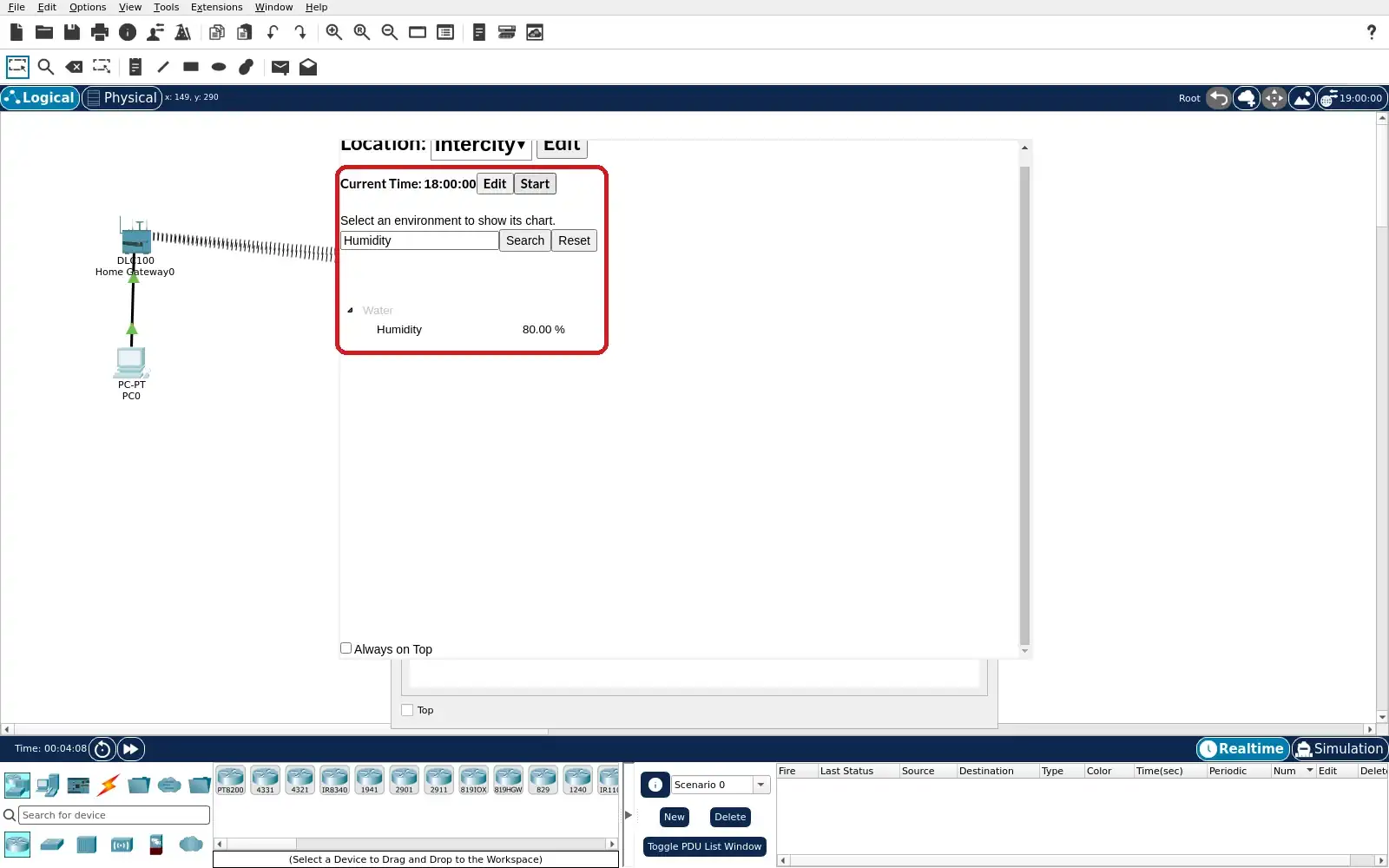
Step 7 · Cisco Packet Tracer; numbered callout added to a real capture. Enlarge screenshot (new tab) Step 8
- Do
- Raise PC0’s gateway browser and refresh Home. Expand the monitor and sprinkler rows. Read the monitor and Status together. Save the project with both rules enabled.
- You will see
- The monitor reads 75.095% in the capture. That exceeds the 70% stop threshold. The sprinkler Status control is red. Red is the inactive false state in this run.
- Why it matters
- The second browser state completes the cycle check. The stop rule matches the observed false command. The screenshot proves simulation behaviour only. Real irrigation needs soil and safety evidence.
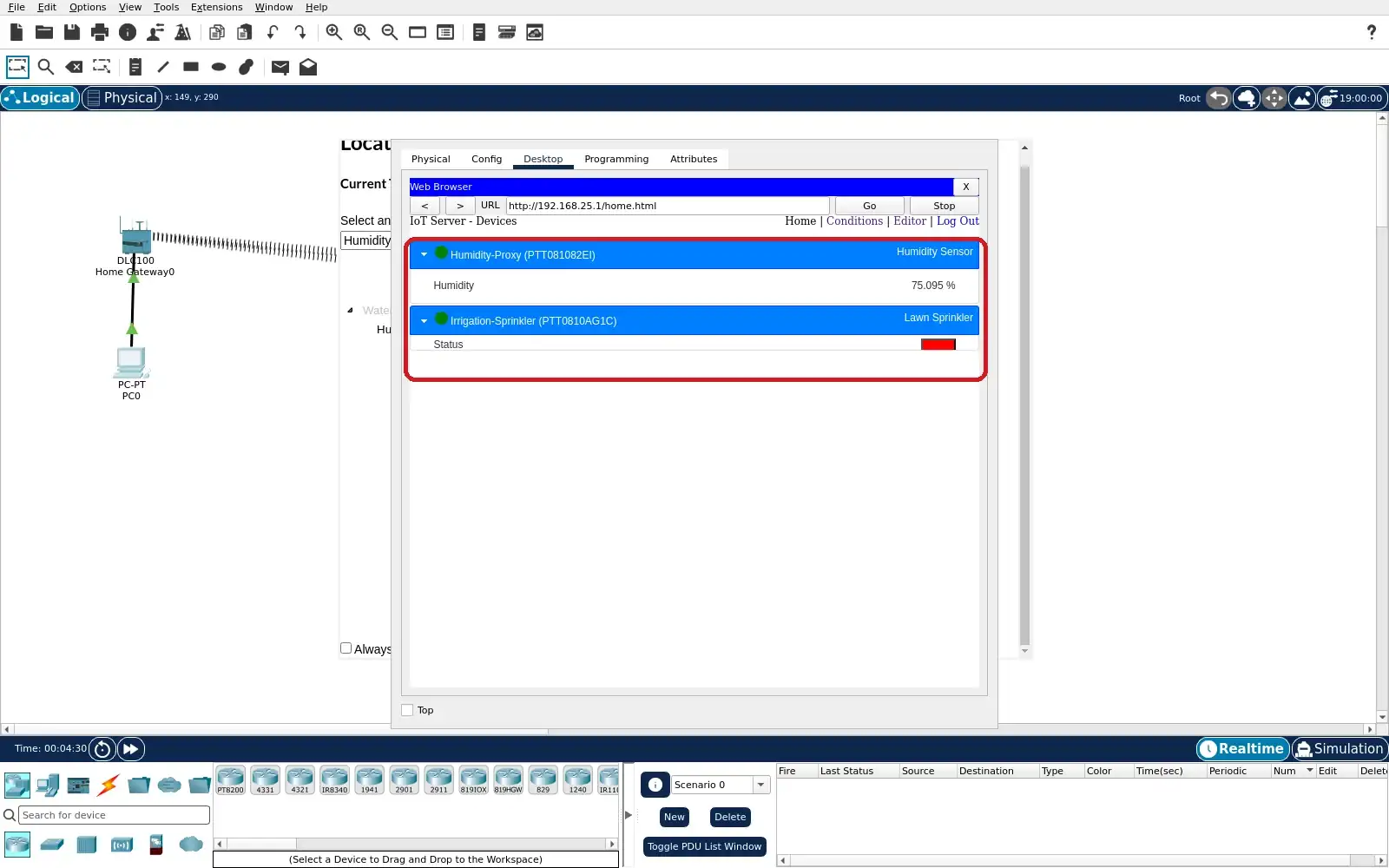
Step 8 · Cisco Packet Tracer; numbered callout added to a real capture. Enlarge screenshot (new tab)
Chapter checks
These questions refer to the chapter’s examples. Use the return links to review their answers.
A farm has soil readings but workers keep the same irrigation schedule. What should the team establish to show operational value?
Return to the chapter’s knowledge checkThe vineyard record schedules irrigation and requires flow confirmation. What follow-up would help expose a valve or installation fault?
Return to the chapter’s knowledge check
Return to Smart Agriculture: Irrigation Systems and Evidence · Browse Labs