Position accuracy and fix age
Make state, control, location, and consent accessible and recoverable: compare position uncertainty with fix age.

UX Uma: Keep every control usable when permission or a device is unavailable.
Predict the reading, then compare it with the measurement.
Phone browser (Web APIs)
Phone browserMake state, control, location, and consent accessible and recoverable: compare position uncertainty with fix age.
Open the lab on your phone over HTTPS, then use its permission button.
Open the phone lab (new tab)Steps
Step 1
- Do
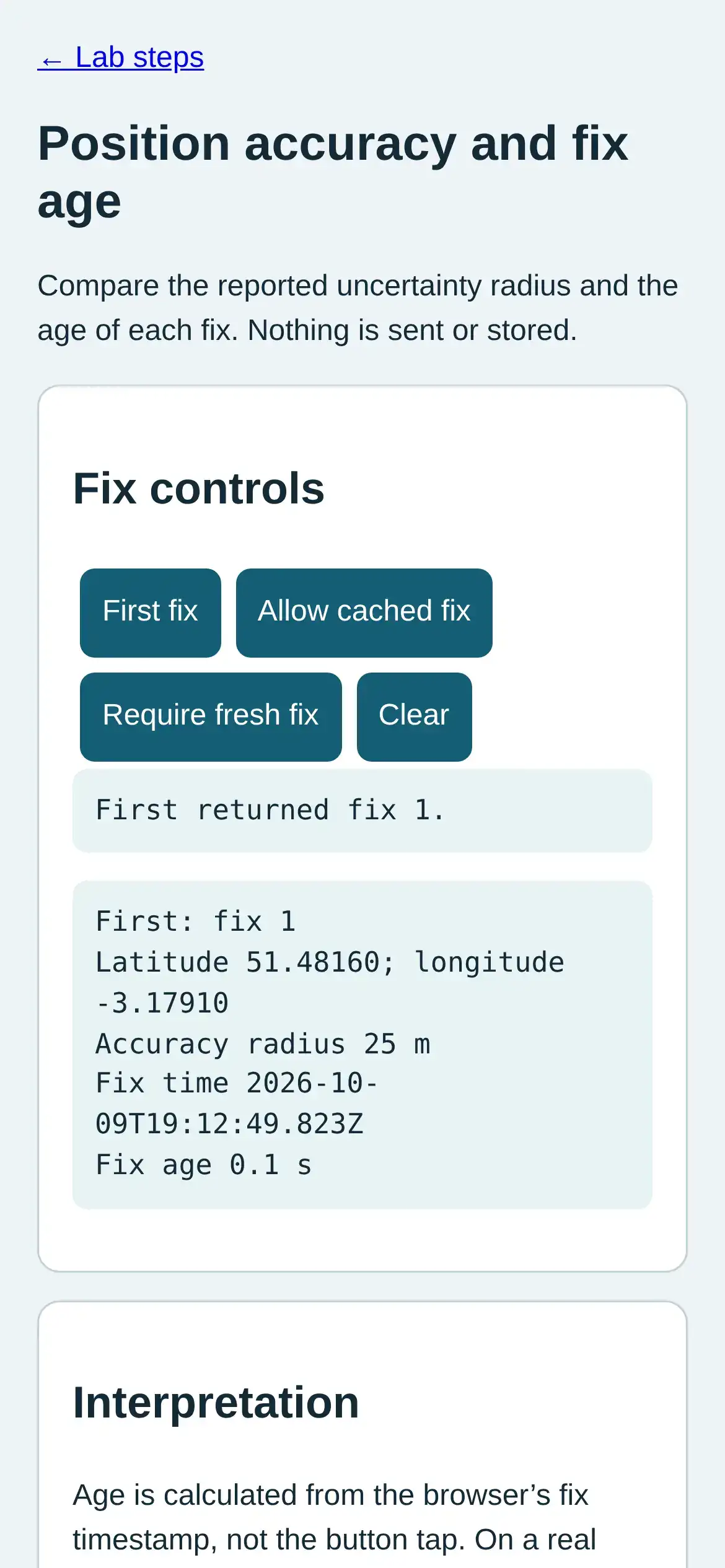
- In the fix controls panel, tap First fix and inspect accuracy and fix time.
- You will see
- Input: Request first fix. Emulated location in mobile Chromium. Observed: First returned fix 1. Readout: First: fix 1 Latitude 51.48160; longitude -3.17910 Accuracy radius 25 m Fix time 2026-10-09T19:12:49.823Z Fix age 0.1 s Interpretation: The first fix carries an uncertainty radius.
- Why it matters
- Evidence: The real browser API and page produced the quoted state. Boundary: These locations are emulated inputs, not physical phone readings. Reason: The first fix carries an uncertainty radius. Next check: In the readout panel, wait two seconds and read the increasing fix age.
Step 1 · Phone browser (Web APIs); numbered callout added to a real capture. Enlarge screenshot (new tab) Step 2
- Do
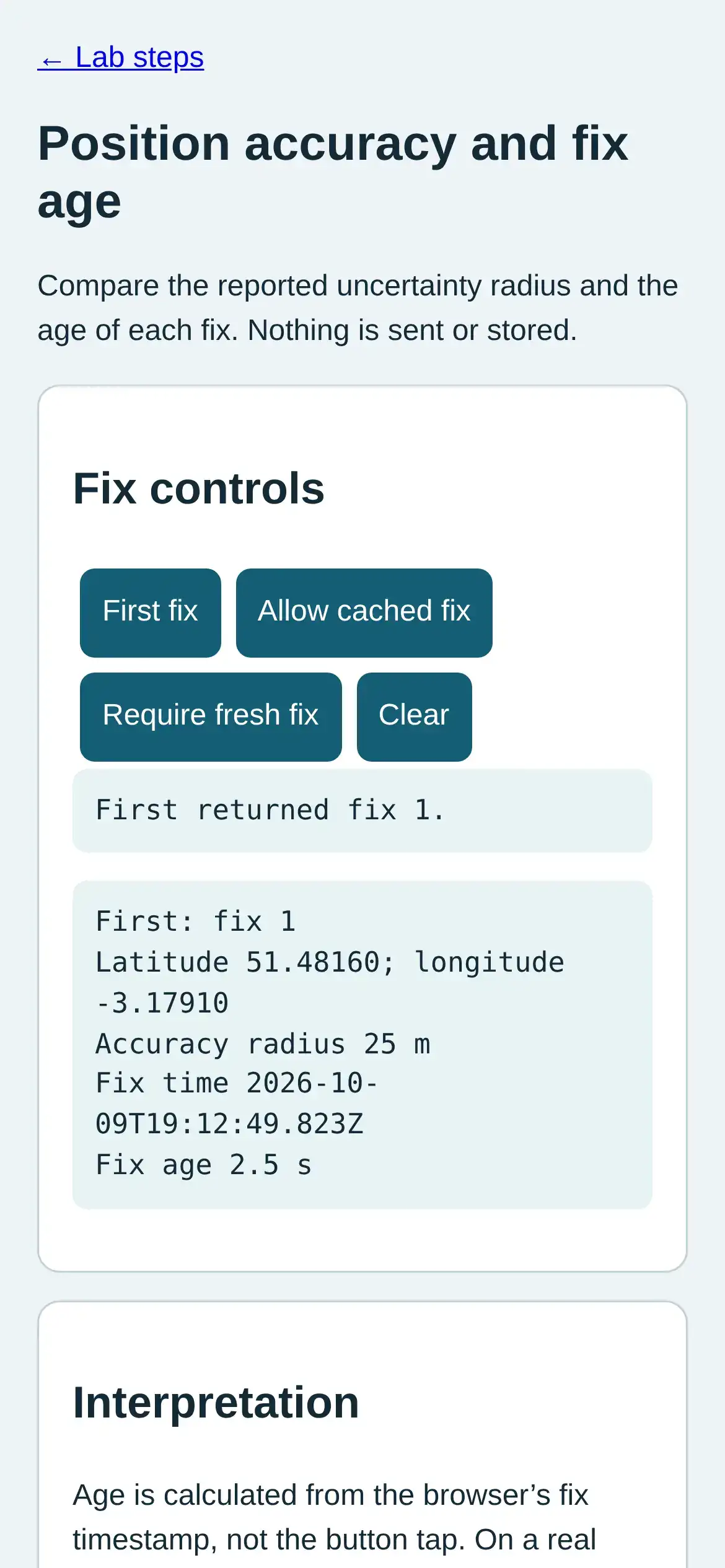
- In the readout panel, wait two seconds and read the increasing fix age.
- You will see
- Input: Wait for age to rise. Emulated location in mobile Chromium. Observed: First returned fix 1. Readout: First: fix 1 Latitude 51.48160; longitude -3.17910 Accuracy radius 25 m Fix time 2026-10-09T19:12:49.823Z Fix age 2.5 s Interpretation: Age rises without a new position.
- Why it matters
- Evidence: The real browser API and page produced the quoted state. Boundary: These locations are emulated inputs, not physical phone readings. Reason: Age rises without a new position. Next check: In the fix controls panel, request a fresh second fix and compare displacement with accuracy.
Step 2 · Phone browser (Web APIs); numbered callout added to a real capture. Enlarge screenshot (new tab) Step 3
- Do
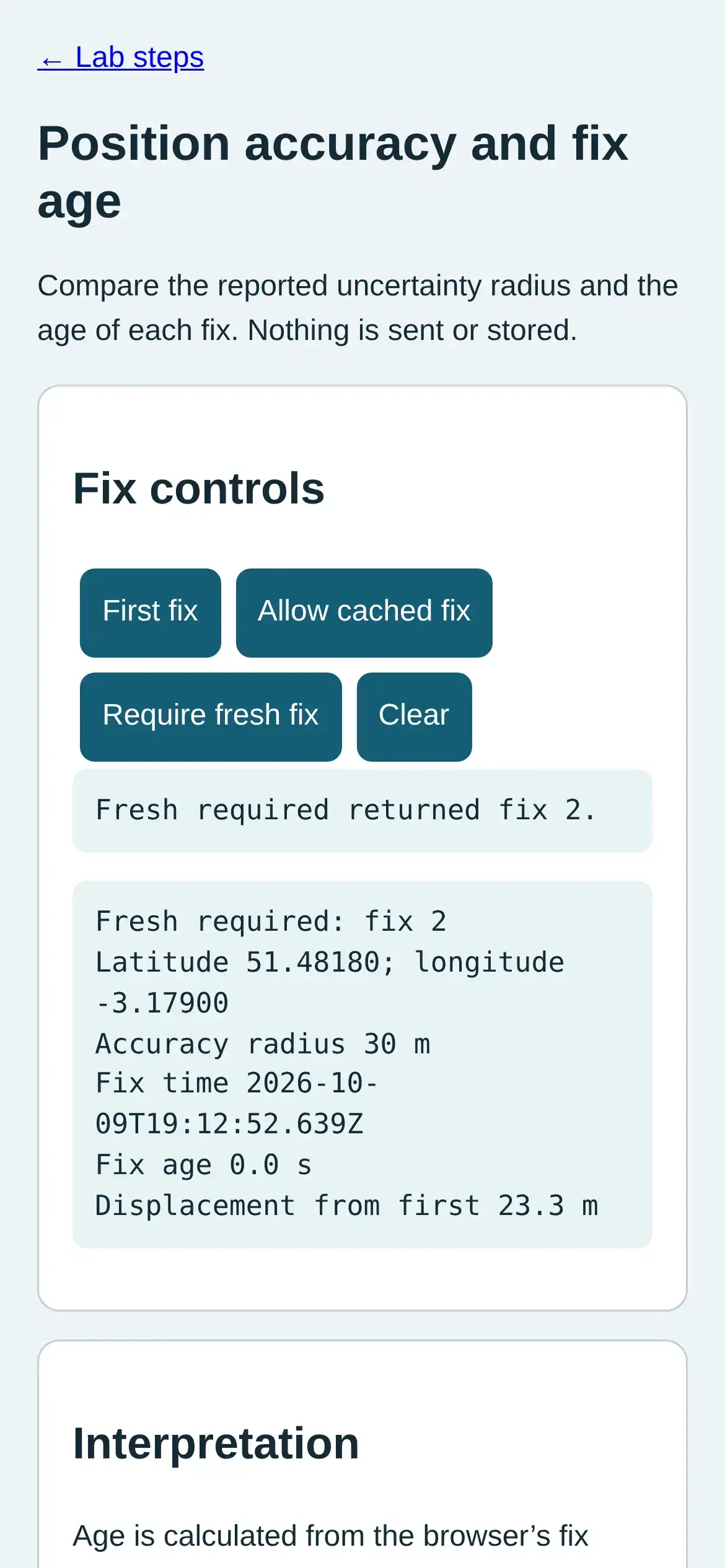
- In the fix controls panel, request a fresh second fix and compare displacement with accuracy.
- You will see
- Input: Move emulated location and require fresh fix. Emulated location in mobile Chromium. Observed: Fresh required returned fix 2. Readout: Fresh required: fix 2 Latitude 51.48180; longitude -3.17900 Accuracy radius 30 m Fix time 2026-10-09T19:12:52.639Z Fix age 0.2 s Displacement from first 23.3 m Interpretation: Displacement is comparable to the reported radius.
- Why it matters
- Evidence: The real browser API and page produced the quoted state. Boundary: These locations are emulated inputs, not physical phone readings. Reason: Displacement is comparable to the reported radius. Next check: In the fix controls panel, tap Allow cached fix and inspect its timestamp and age.
Step 3 · Phone browser (Web APIs); numbered callout added to a real capture. Enlarge screenshot (new tab) Step 4
- Do
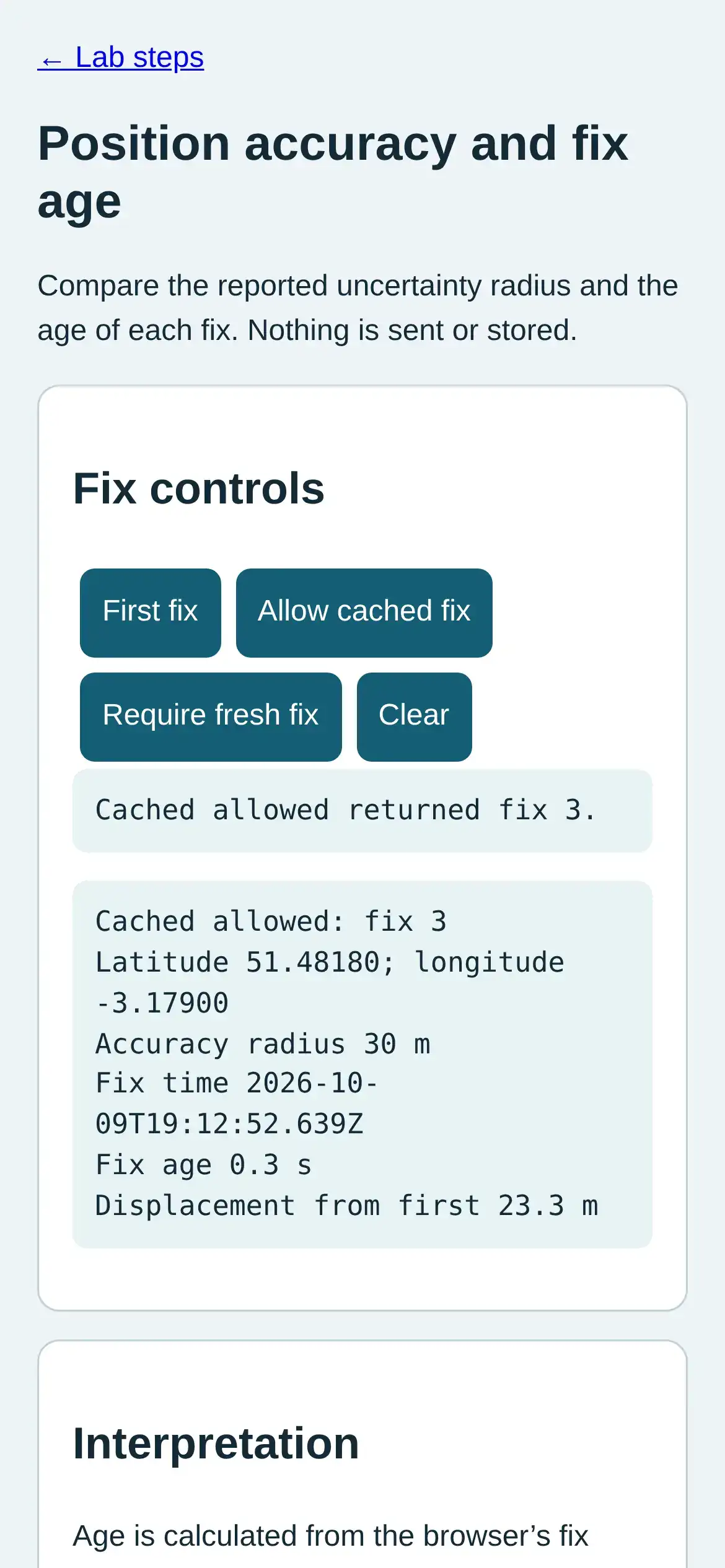
- In the fix controls panel, tap Allow cached fix and inspect its timestamp and age.
- You will see
- Input: Allow cached fix. Emulated location in mobile Chromium. Observed: Cached allowed returned fix 3. Readout: Cached allowed: fix 3 Latitude 51.48180; longitude -3.17900 Accuracy radius 30 m Fix time 2026-10-09T19:12:52.639Z Fix age 0.3 s Displacement from first 23.3 m Interpretation: A cached request may reuse the previous fix.
- Why it matters
- Evidence: The real browser API and page produced the quoted state. Boundary: These locations are emulated inputs, not physical phone readings. Reason: A cached request may reuse the previous fix. Next check: In the fix controls panel, tap Require fresh fix after changing location and compare fix time.
Step 4 · Phone browser (Web APIs); numbered callout added to a real capture. Enlarge screenshot (new tab) Step 5
- Do
- In the fix controls panel, tap Require fresh fix after changing location and compare fix time.
- You will see
- Input: Move emulated location and require fresh fix. Emulated location in mobile Chromium. Observed: Fresh required returned fix 4. Readout: Fresh required: fix 4 Latitude 51.48200; longitude -3.17900 Accuracy radius 18 m Fix time 2026-10-09T19:12:53.277Z Fix age 0.0 s Displacement from first 45.0 m Interpretation: A fresh request changed the fix time.
- Why it matters
- Evidence: The real browser API and page produced the quoted state. Boundary: These locations are emulated inputs, not physical phone readings. Reason: A fresh request changed the fix time. Next check: In the readout panel, wait briefly and compare the last fix age with its unchanged timestamp.
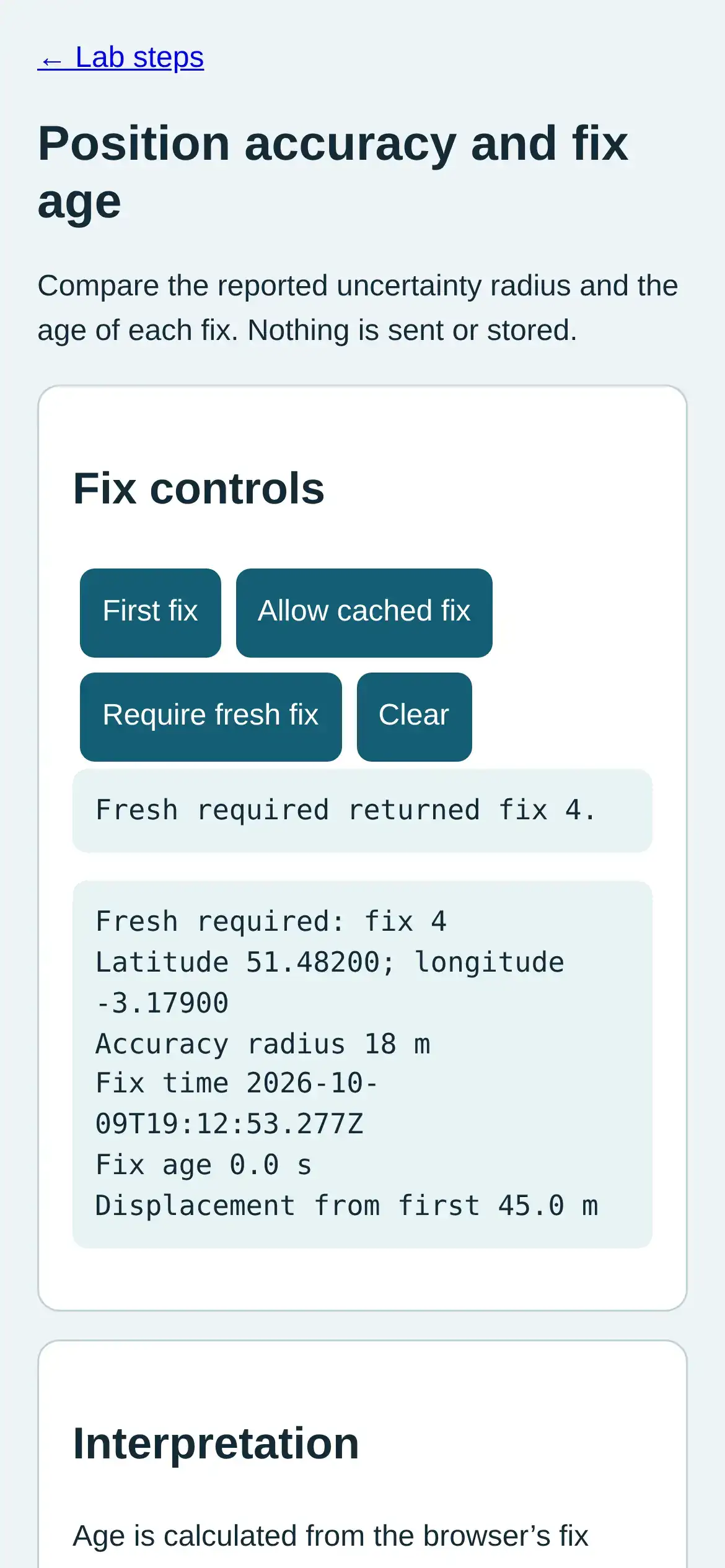
Step 5 · Phone browser (Web APIs); numbered callout added to a real capture. Enlarge screenshot (new tab) Step 6
- Do
- In the readout panel, wait briefly and compare the last fix age with its unchanged timestamp.
- You will see
- Input: Wait with final fix displayed. Emulated location in mobile Chromium. Observed: Fresh required returned fix 4. Readout: Fresh required: fix 4 Latitude 51.48200; longitude -3.17900 Accuracy radius 18 m Fix time 2026-10-09T19:12:53.277Z Fix age 1.0 s Displacement from first 45.0 m Interpretation: Freshness is time dependent even with static coordinates.
- Why it matters
- Evidence: The real browser API and page produced the quoted state. Boundary: These locations are emulated inputs, not physical phone readings. Reason: Freshness is time dependent even with static coordinates. Next check: This result does not establish a physical route or exact position.
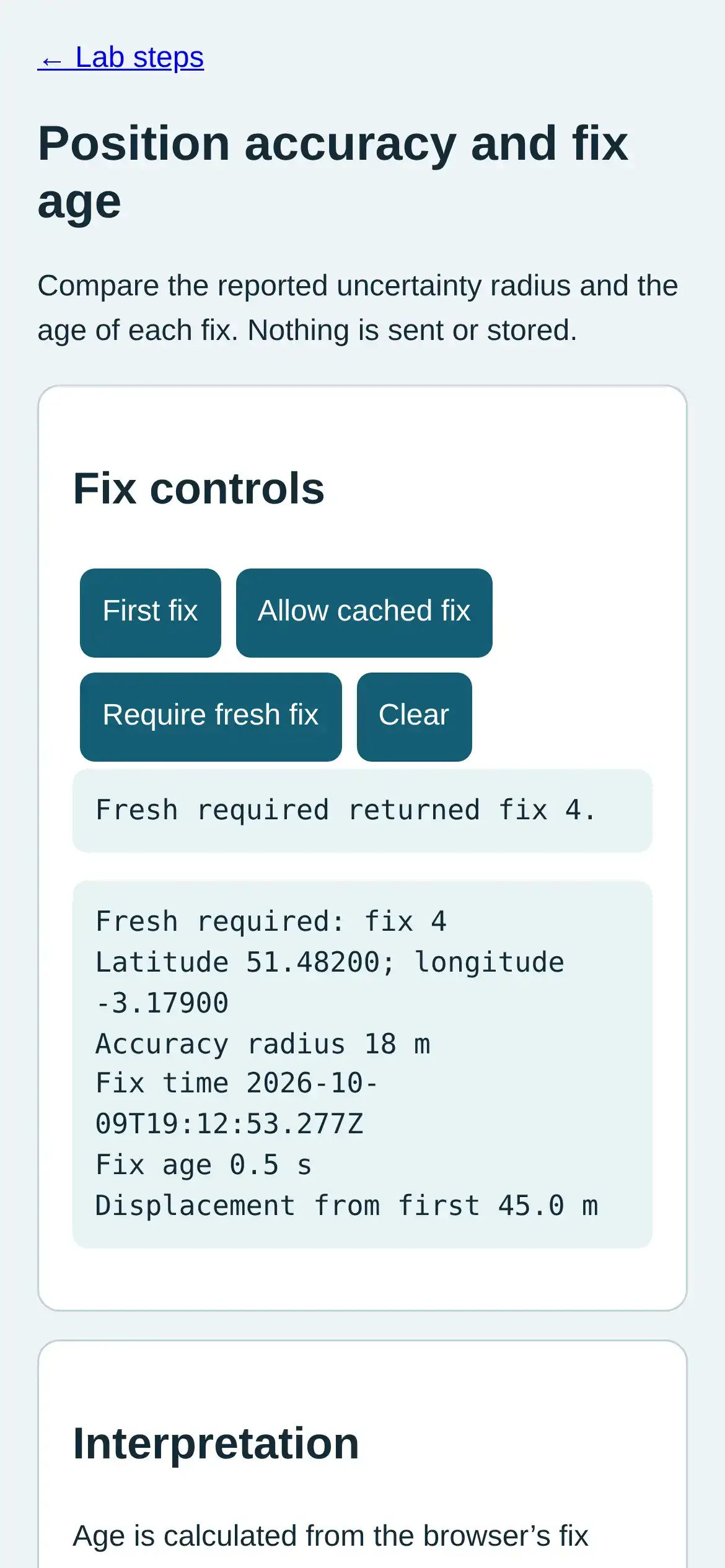
Step 6 · Phone browser (Web APIs); numbered callout added to a real capture. Enlarge screenshot (new tab)
Chapter checks
These questions refer to the chapter’s examples. Use the return links to review their answers.
An app uses a rough zone estimate to guide a visitor. The team wants the same estimate to trigger a door automatically. What should change in the review?
Return to the chapter’s knowledge checkA home geofence provides a hint to warm the house. How should a door-unlock feature use that same hint?
Return to the chapter’s knowledge check
Return to 'Location Awareness: Positioning Basics' · Browse Labs