Review a synthetic HIL-style test log
Review a synthetic HIL-style log and distinguish its verdict counts from the evidence needed for a real hardware-in-the-loop release decision.

Record the input, rule, output and unresolved evidence before making a release or site decision.
Predict the reading, then compare it with the measurement.
Python 3 in your browser (JupyterLite)
Python · no installReview a synthetic HIL-style log and distinguish its verdict counts from the evidence needed for a real hardware-in-the-loop release decision.
Open the notebook in your browser and run each Python cell; no install or account is needed.
Three ways to run: use JupyterLite here with no install; run main.py locally from the downloadable lab folder; or open the same notebook in Google Colab.
Steps
Step 1
- Do
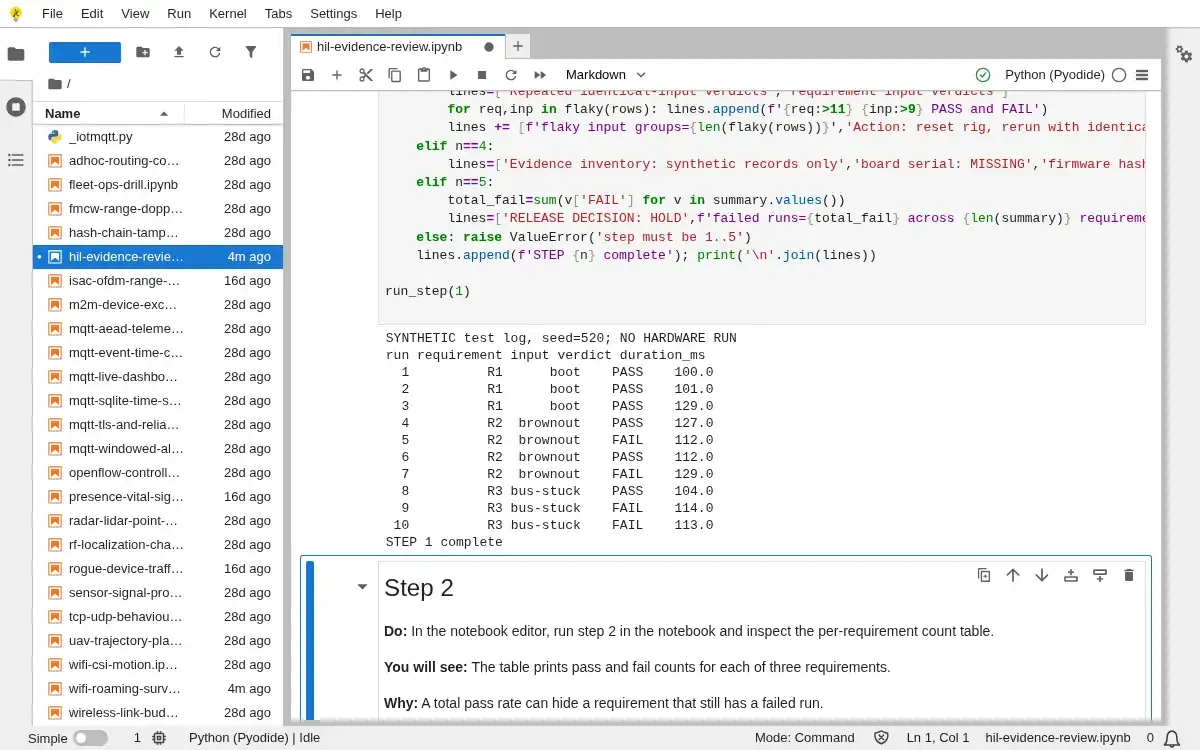
- In the notebook editor, run step 1 in the notebook and inspect the labelled synthetic test log.
- You will see
- The log shows requirement, input, verdict and duration for 10 seeded entries.
- Why it matters
- Requirement and input identifiers are necessary before a pass or fail rate can be interpreted.
Step 1 · Python 3 in your browser (JupyterLite); numbered callout added to a real capture. Enlarge screenshot (new tab) Step 2
- Do
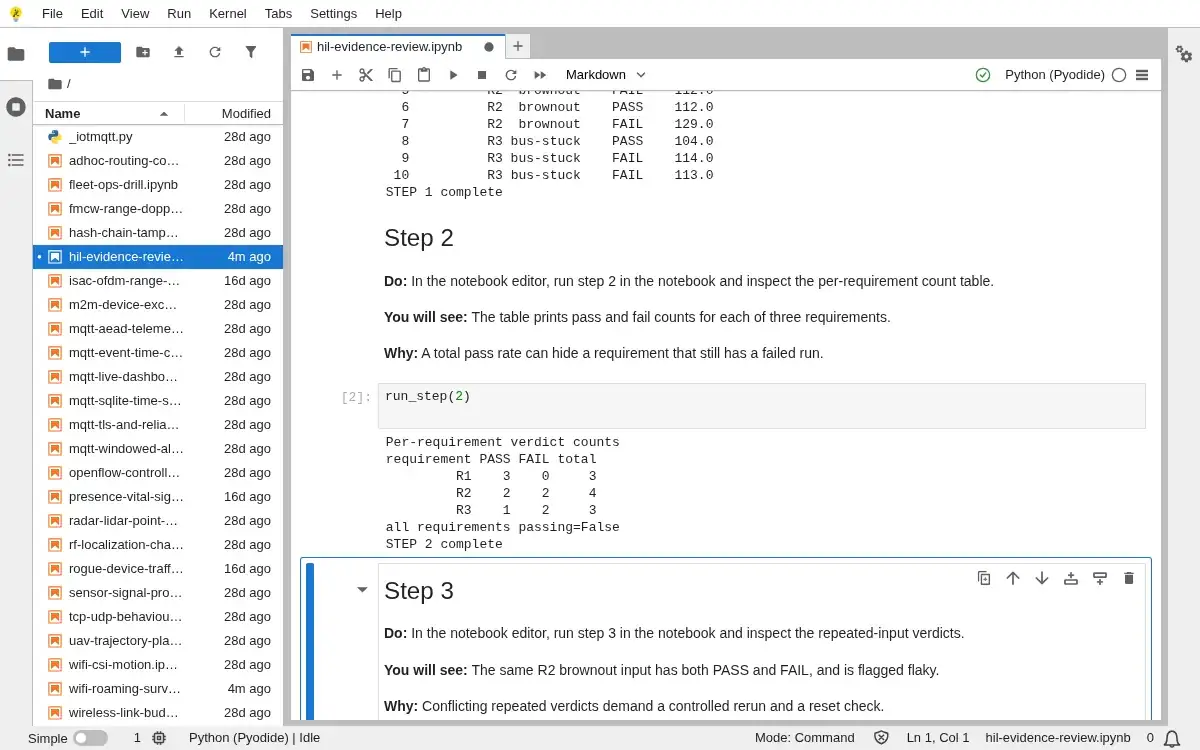
- In the notebook editor, run step 2 in the notebook and inspect the per-requirement count table.
- You will see
- The table prints pass and fail counts for each of three requirements.
- Why it matters
- A total pass rate can hide a requirement that still has a failed run.
Step 2 · Python 3 in your browser (JupyterLite); numbered callout added to a real capture. Enlarge screenshot (new tab) Step 3
- Do
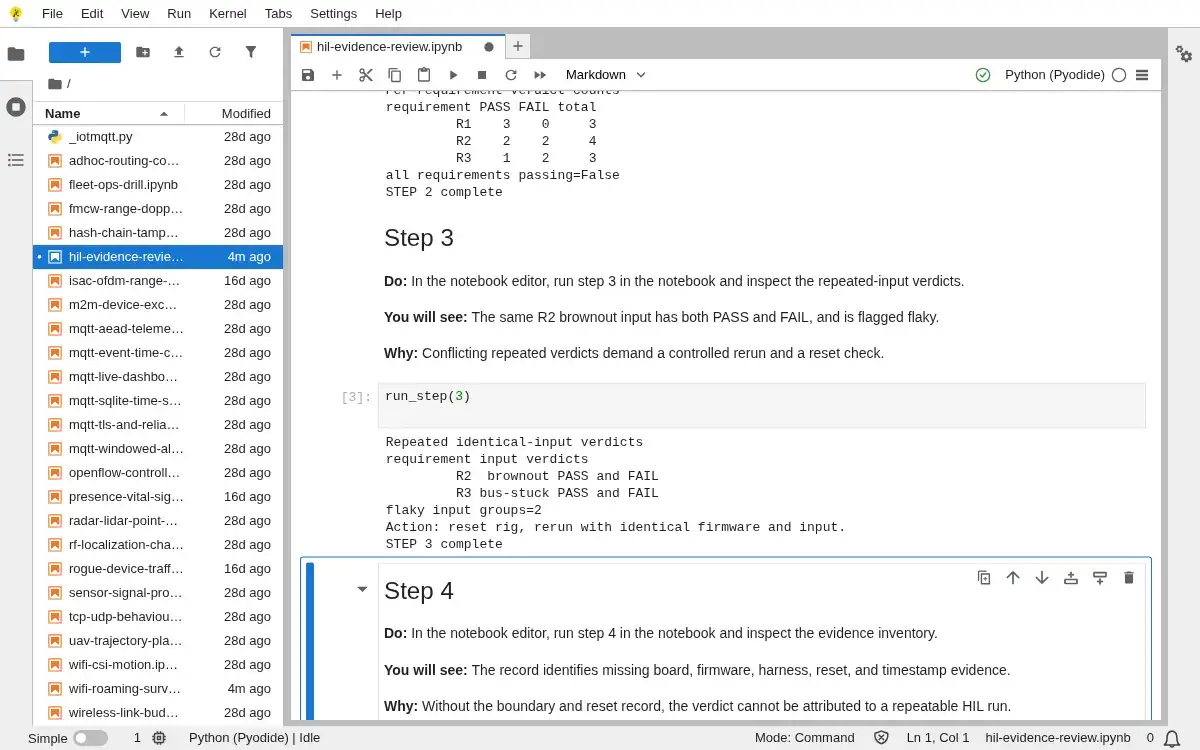
- In the notebook editor, run step 3 in the notebook and inspect the repeated-input verdicts.
- You will see
- The same R2 brownout input has both PASS and FAIL, and is flagged flaky.
- Why it matters
- Conflicting repeated verdicts demand a controlled rerun and a reset check.
Step 3 · Python 3 in your browser (JupyterLite); numbered callout added to a real capture. Enlarge screenshot (new tab) Step 4
- Do
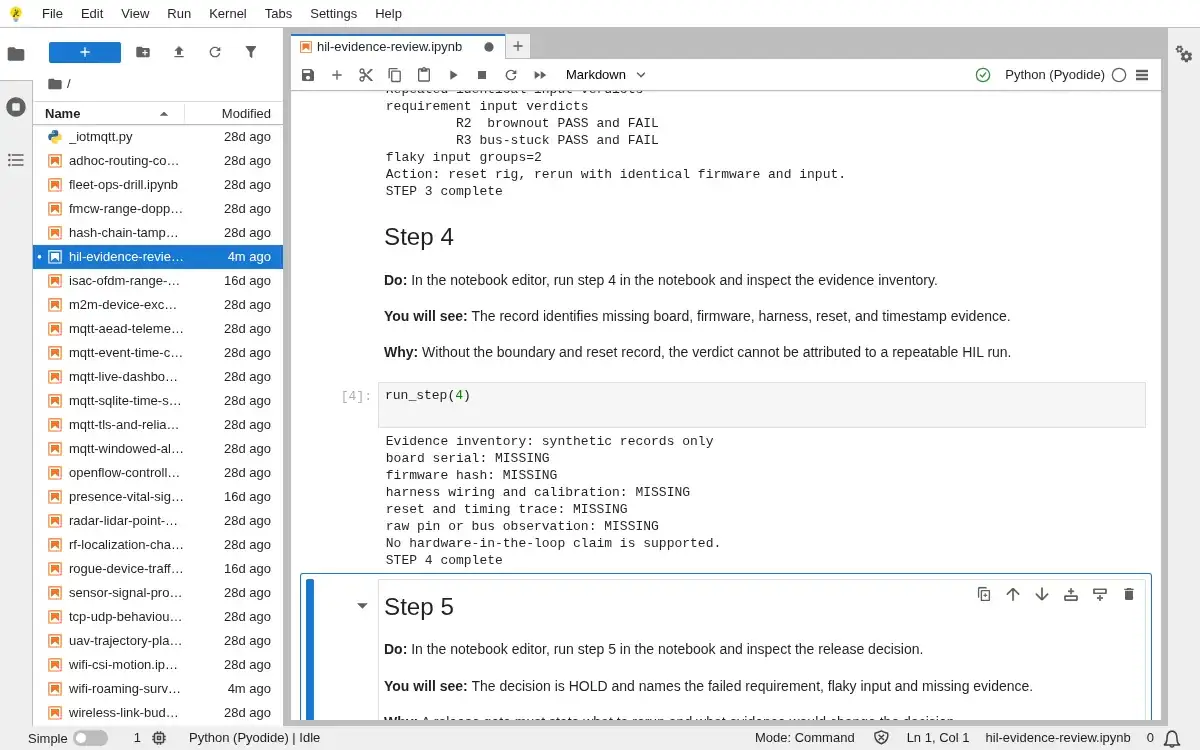
- In the notebook editor, run step 4 in the notebook and inspect the evidence inventory.
- You will see
- The record identifies missing board, firmware, harness, reset, and timestamp evidence.
- Why it matters
- Without the boundary and reset record, the verdict cannot be attributed to a repeatable HIL run.
Step 4 · Python 3 in your browser (JupyterLite); numbered callout added to a real capture. Enlarge screenshot (new tab) Step 5
- Do
- In the notebook editor, run step 5 in the notebook and inspect the release decision.
- You will see
- The decision is HOLD and names the failed requirement, flaky input and missing evidence.
- Why it matters
- A release gate must state what to rerun and what evidence would change the decision.
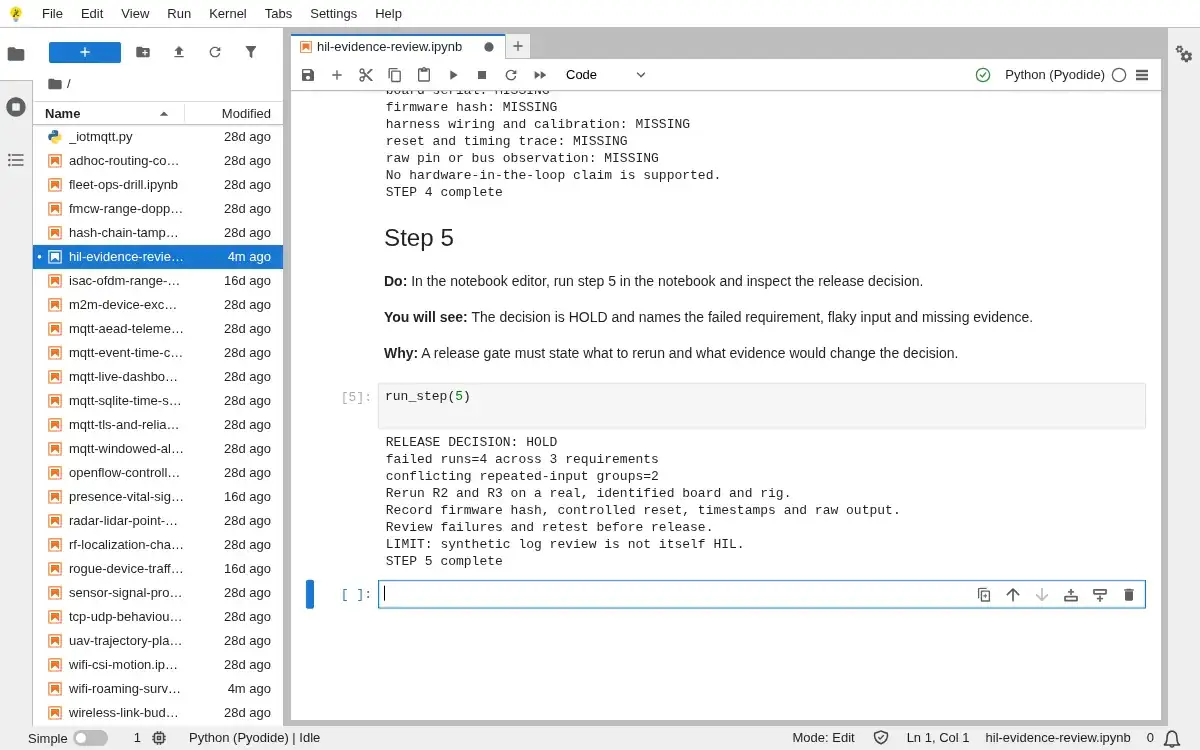
Step 5 · Python 3 in your browser (JupyterLite); numbered callout added to a real capture. Enlarge screenshot (new tab)
Chapter checks
These questions refer to the chapter’s examples. Use the return links to review their answers.
What distinguishes hardware-in-the-loop testing from running the firmware as a program on a developer's host machine?
Return to the chapter’s knowledge checkA HIL test reports that recovery after an interrupted operation works, but the rig cannot reliably return the device to a known state between runs. How should you treat the result?
Return to the chapter’s knowledge check