Trace CoAP methods and Observe on local UDP
Discover a local CoAP resource, read and change values, then correlate two Observe notifications by token and actual UDP bytes.

Broker Bex: I want you to match each resource action and notification to its wire evidence.
Predict the reading, then compare it with the measurement.
Python 3 + aiocoap
PythonDiscover a local CoAP resource, read and change values, then correlate two Observe notifications by token and actual UDP bytes.
Download the three files, create a Python virtual environment, install requirements.txt, and run main.py.
Open the Python run guide (new tab)Get the files
Download all three prepared files into one folder. No account or paid service is required.
- Put main.py, requirements.txt, and README.md in the same folder.
- Create and activate a Python virtual environment, then install requirements.txt.
- Run python3 main.py and compare its output with each observed result below.
Steps
Step 1
- Do
- In the terminal window panel, run `python3 main.py --step 1` to GET `/sensors` and inspect the returned resource links.
- You will see
- The local UDP trace contains a 2.05 Content response with `</temperature>;obs,</target>;rt="setpoint"`.
- Why it matters
- Discovery names the observable reading and the writable target before clients use either resource.
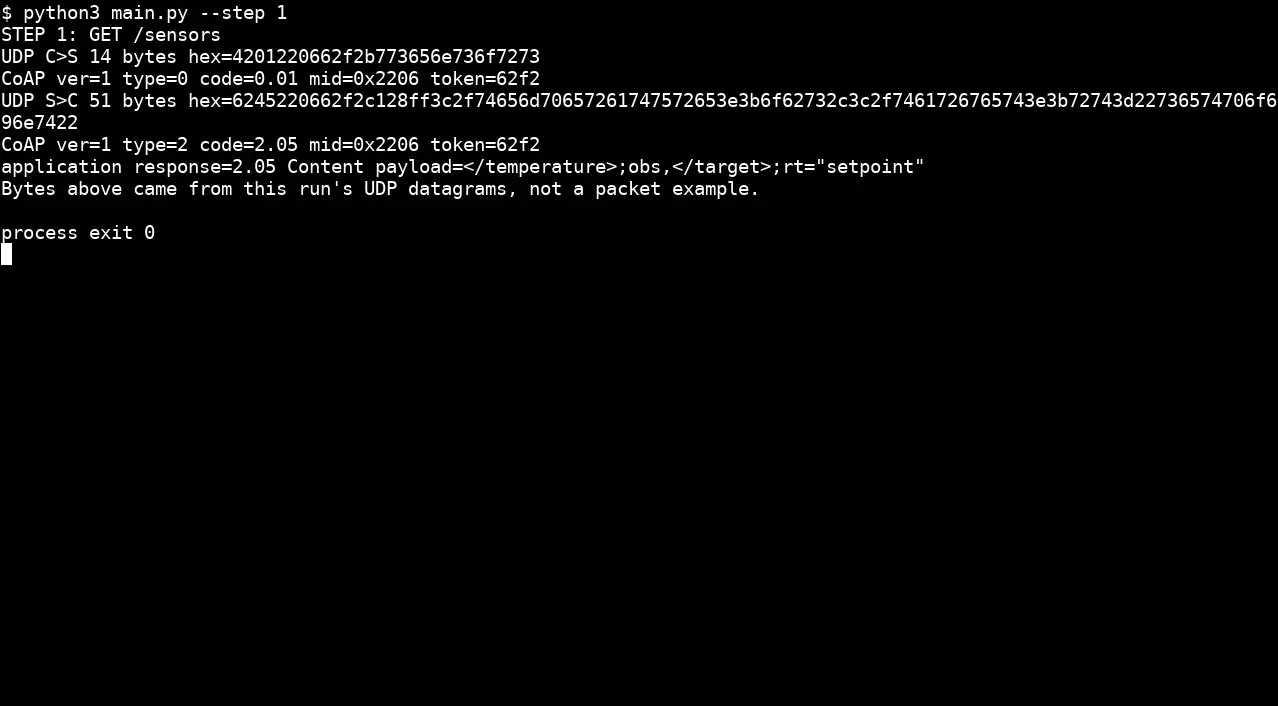
Step 1 · Python 3 + aiocoap; numbered callout added to a real capture. Enlarge screenshot (new tab) Step 2
- Do
- In the terminal window panel, run `python3 main.py --step 2` to GET `/temperature`; compare the datagram hex, CoAP code, and decoded reading.
- You will see
- The actual response has `2.05 Content` and payload `21.5`; the output prints request and response datagram bytes.
- Why it matters
- The resource value can be tied to a specific UDP request and response rather than inferred from a page example.
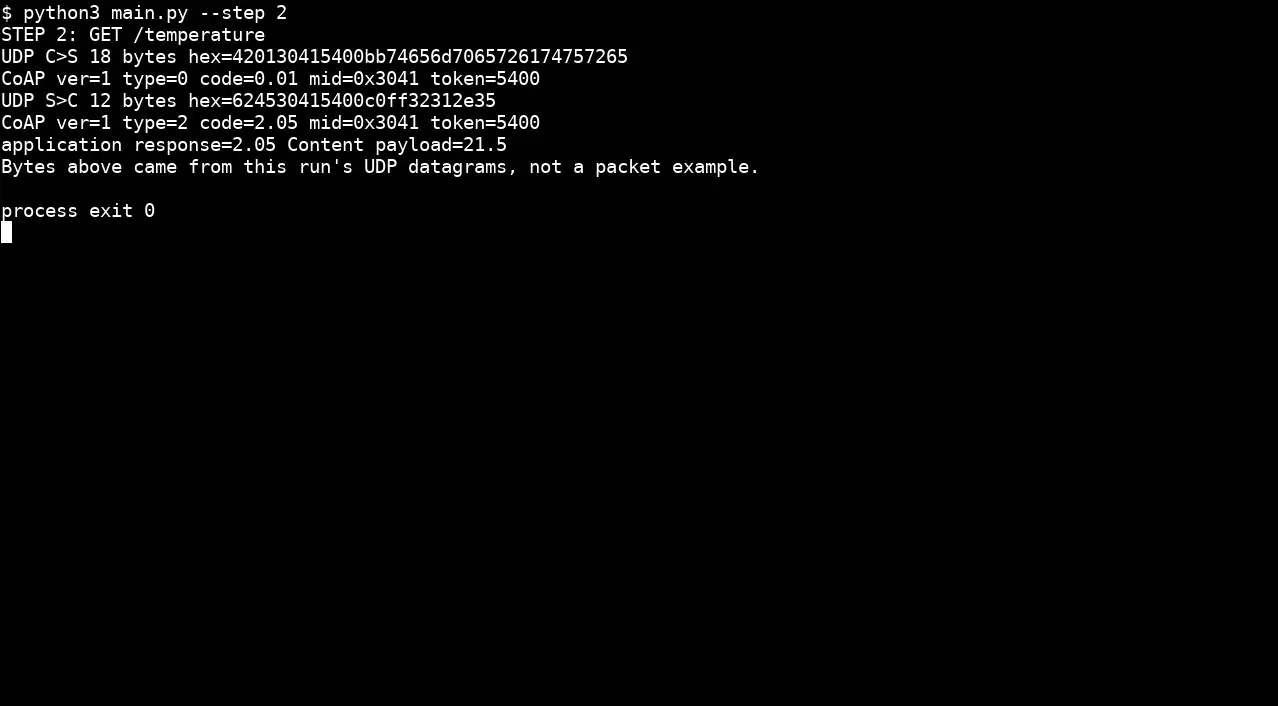
Step 2 · Python 3 + aiocoap; numbered callout added to a real capture. Enlarge screenshot (new tab) Step 3
- Do
- In the terminal window panel, run `python3 main.py --step 3` to PUT `22.0` to `/target`; inspect the response code.
- You will see
- The PUT payload is `22.0` and the application response is `2.04 Changed` with payload `22.0`.
- Why it matters
- A change operation has a different method and success code from a read.
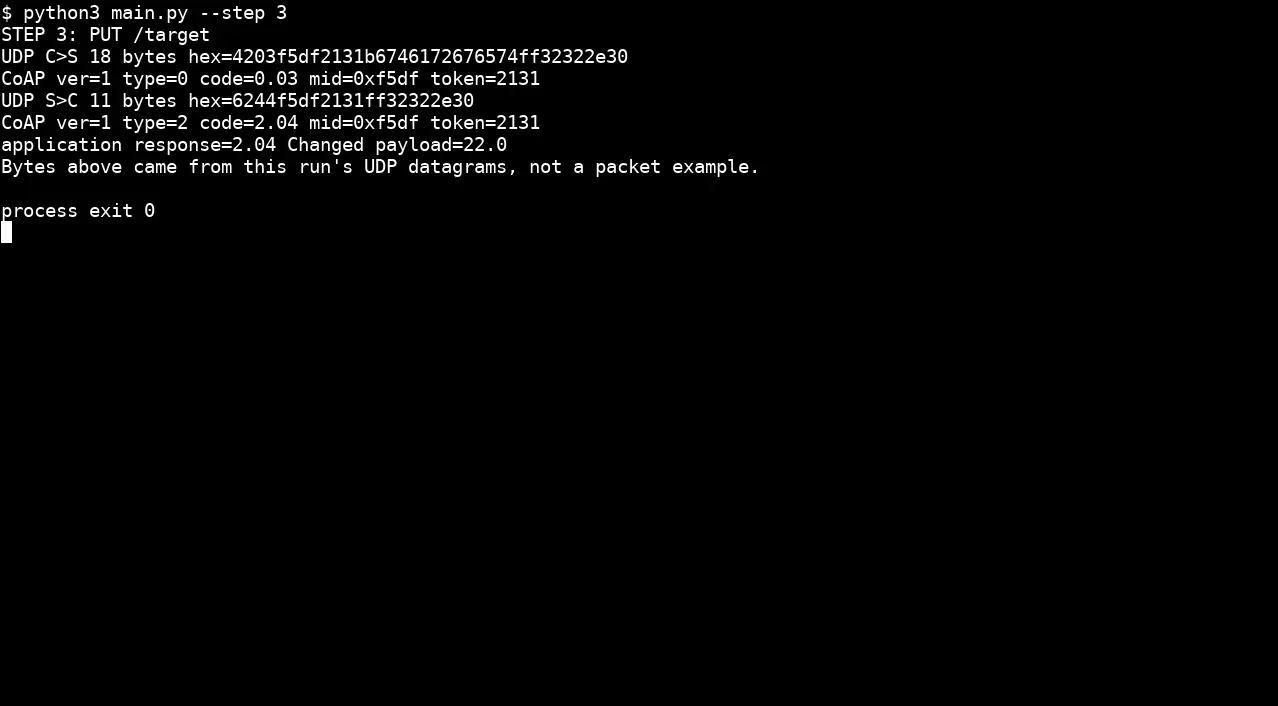
Step 3 · Python 3 + aiocoap; numbered callout added to a real capture. Enlarge screenshot (new tab) Step 4
- Do
- In the terminal window panel, run `python3 main.py --step 4` to GET `/target` after the PUT.
- You will see
- The follow-up GET returns `2.05 Content` with payload `22.0`.
- Why it matters
- A second read confirms that this run changed the target state.
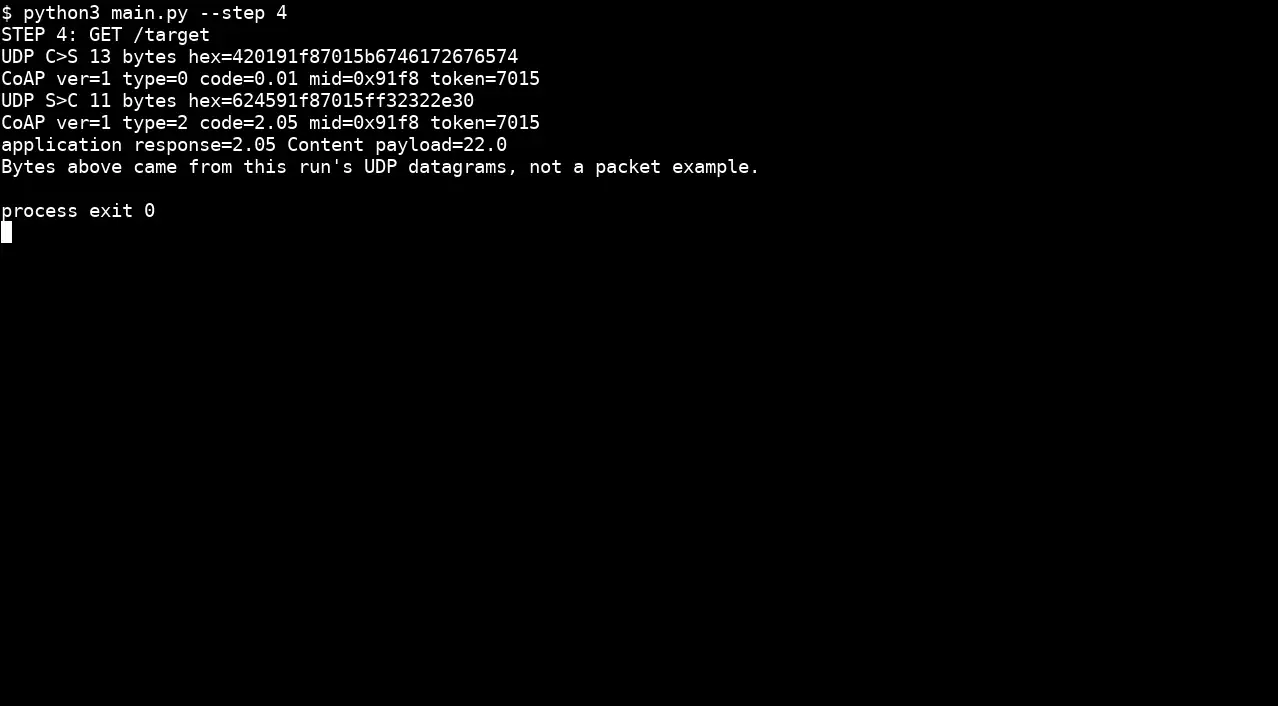
Step 4 · Python 3 + aiocoap; numbered callout added to a real capture. Enlarge screenshot (new tab) Step 5
- Do
- In the terminal window panel, run `python3 main.py --step 5` to register Observe and trigger two local temperature updates.
- You will see
- The initial response is `21.5 observe=0`; notifications report `22.0 observe=1` and `22.5 observe=2`.
- Why it matters
- The changing Observe values and payloads show server-initiated updates after one registration.
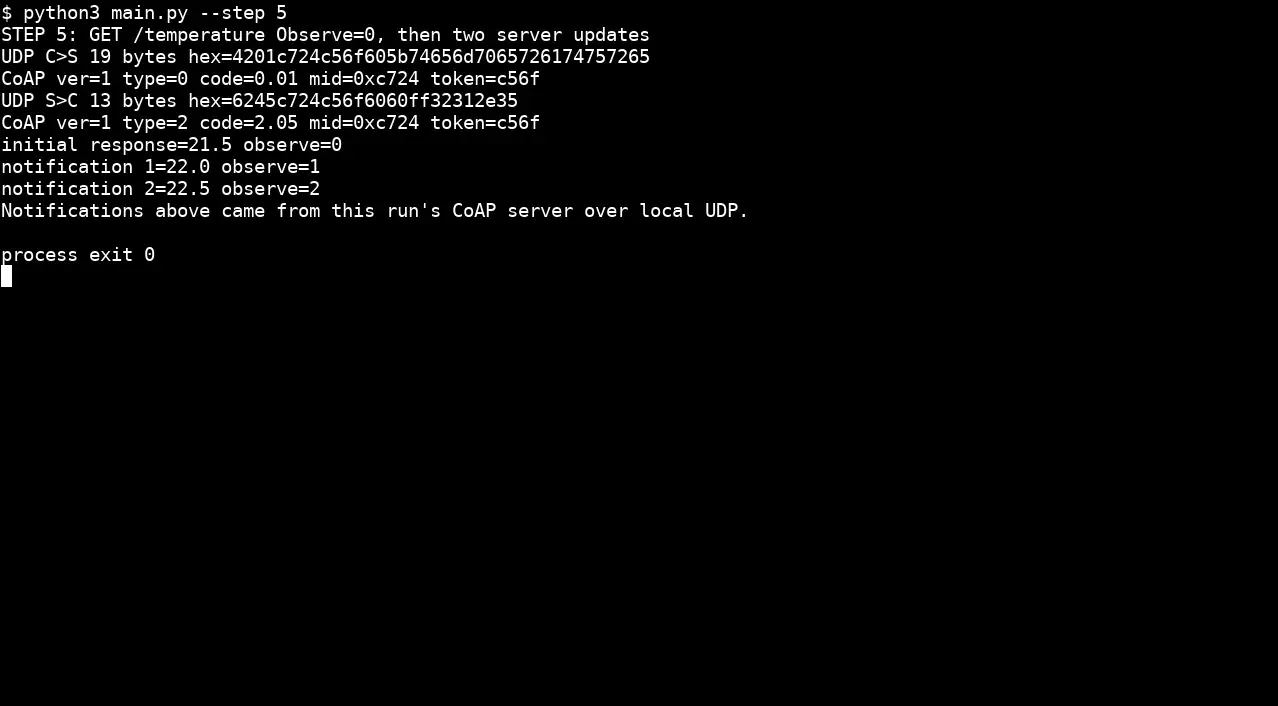
Step 5 · Python 3 + aiocoap; numbered callout added to a real capture. Enlarge screenshot (new tab) Step 6
- Do
- In the terminal window panel, run `python3 main.py --step 6` and compare the response token in all three UDP datagrams.
- You will see
- Three server datagrams share one response token; `same token across initial response and updates=True`.
- Why it matters
- The token links the initial response and subsequent notifications to one observer request.
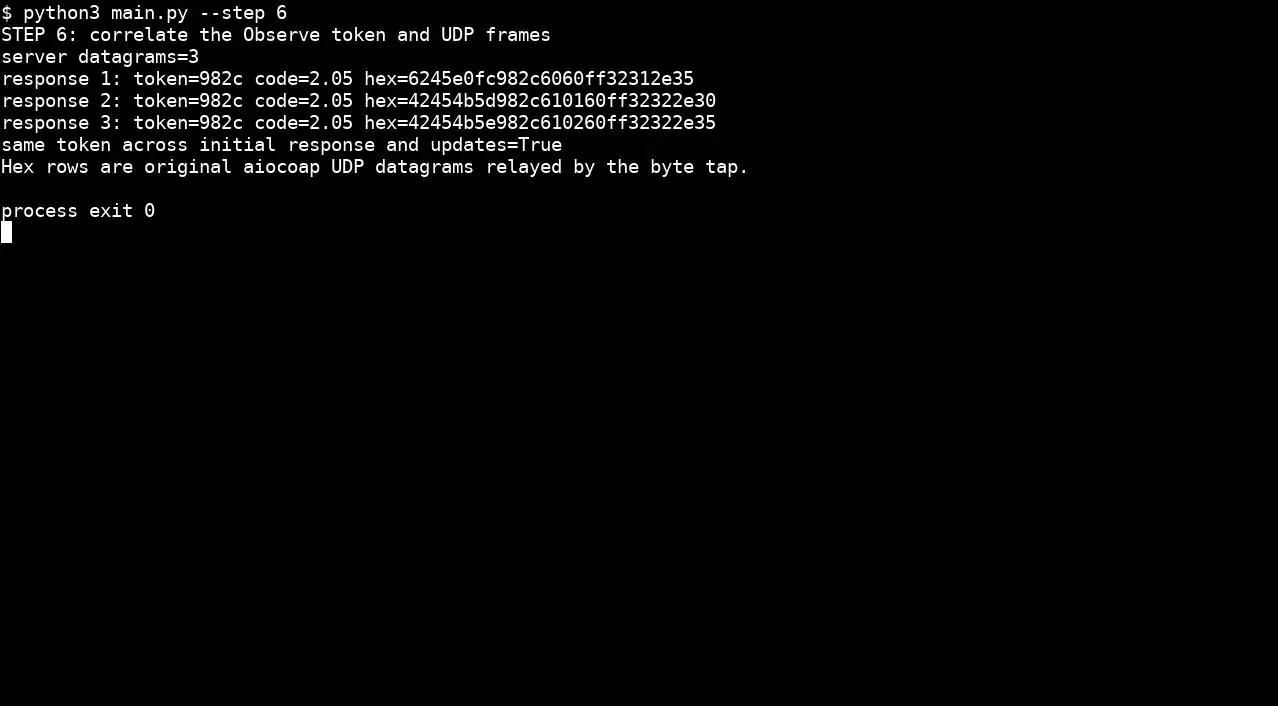
Step 6 · Python 3 + aiocoap; numbered callout added to a real capture. Enlarge screenshot (new tab)
Chapter checks
These questions refer to the chapter’s examples. Use the return links to review their answers.
A CoAP Observe design replaces polling for a fast-changing sensor. What evidence should be reviewed before accepting it?
Return to the chapter’s knowledge checkA client sends GET /temperature with Observe: 0 and Token: 0xAB12. The server responds with Observe: 47. What does the value 47 in the server's response represent?
Return to the chapter’s knowledge check
Return to CoAP Observe: Subscriptions and Updates · Browse Labs