Translate a local CoAP reading into an HTTP record
Map a local CoAP reading to an HTTP record, reject malformed data, and replay an outage queue with a stable idempotency key.

Gateway Gus: I want you to preserve source meaning through mapping, failure, and replay.
Predict the reading, then compare it with the measurement.
Python 3 + aiocoap
PythonMap a local CoAP reading to an HTTP record, reject malformed data, and replay an outage queue with a stable idempotency key.
Download the three files, create a Python virtual environment, install requirements.txt, and run main.py.
Open the Python run guide (new tab)Get the files
Download all three prepared files into one folder. No account or paid service is required.
- Put main.py, requirements.txt, and README.md in the same folder.
- Create and activate a Python virtual environment, then install requirements.txt.
- Run python3 main.py and compare its output with each observed result below.
Steps
Step 1
- Do
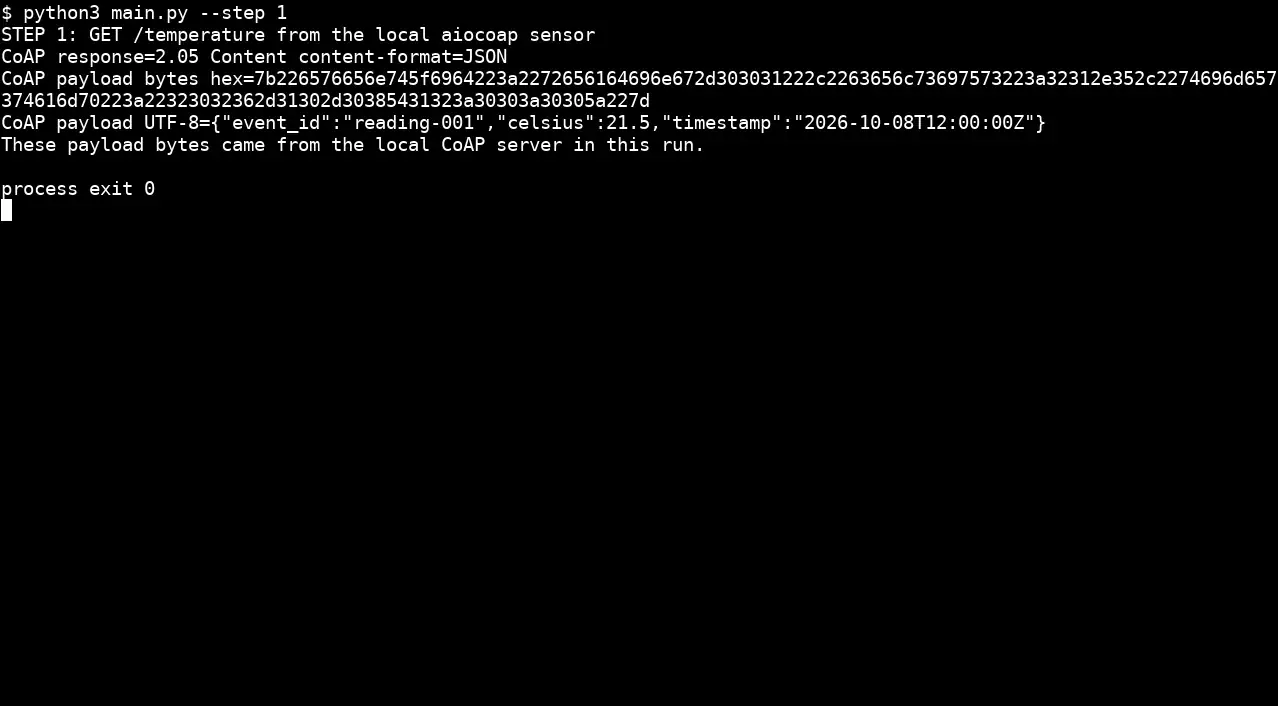
- In the terminal window panel, run `python3 main.py --step 1` to GET the local CoAP temperature reading.
- You will see
- The CoAP response is `2.05 Content`, content format JSON, and the actual payload bytes and UTF-8 record are printed.
- Why it matters
- A bridge needs a source payload and resource contract before mapping to HTTP.
Step 1 · Python 3 + aiocoap; numbered callout added to a real capture. Enlarge screenshot (new tab) Step 2
- Do
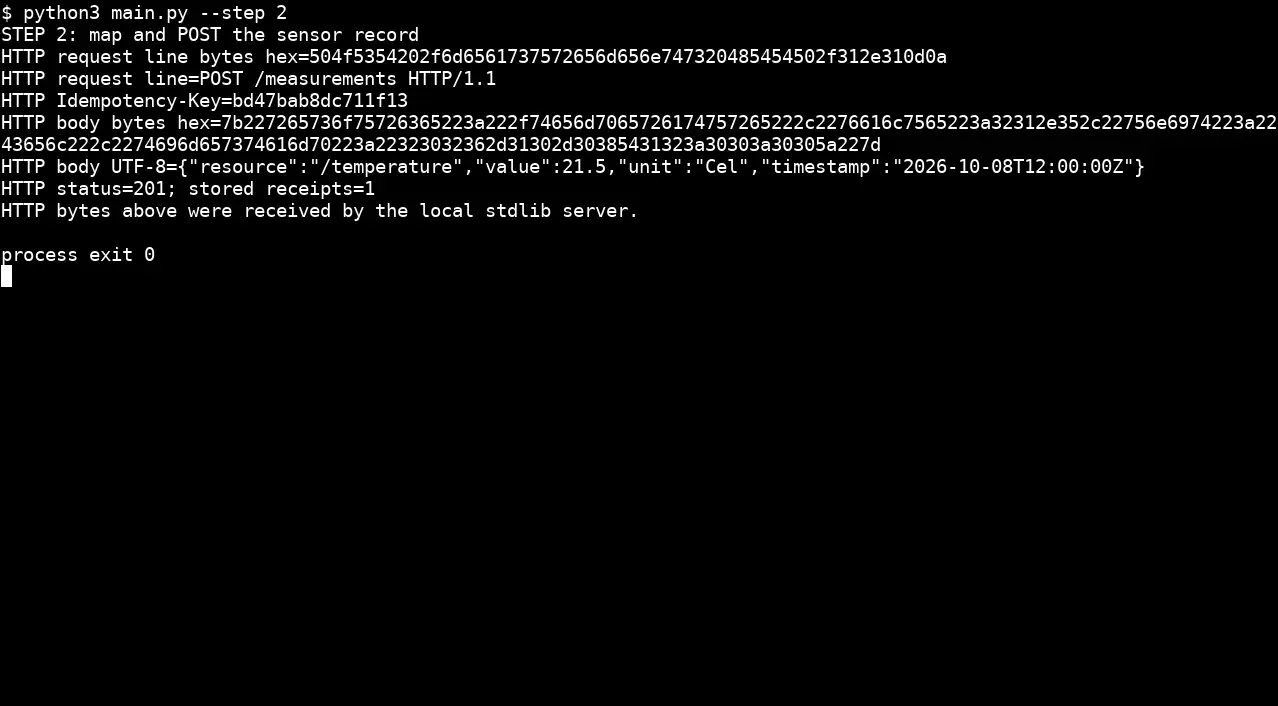
- In the terminal window panel, run `python3 main.py --step 2` to map the reading and POST it to the local HTTP receiver.
- You will see
- The HTTP receiver sees `POST /measurements HTTP/1.1`, a stable `Idempotency-Key`, mapped JSON body, and status `201` with one receipt.
- Why it matters
- The request line and body are bytes received by the server, proving the translated delivery and its unit and timestamp.
Step 2 · Python 3 + aiocoap; numbered callout added to a real capture. Enlarge screenshot (new tab) Step 3
- Do
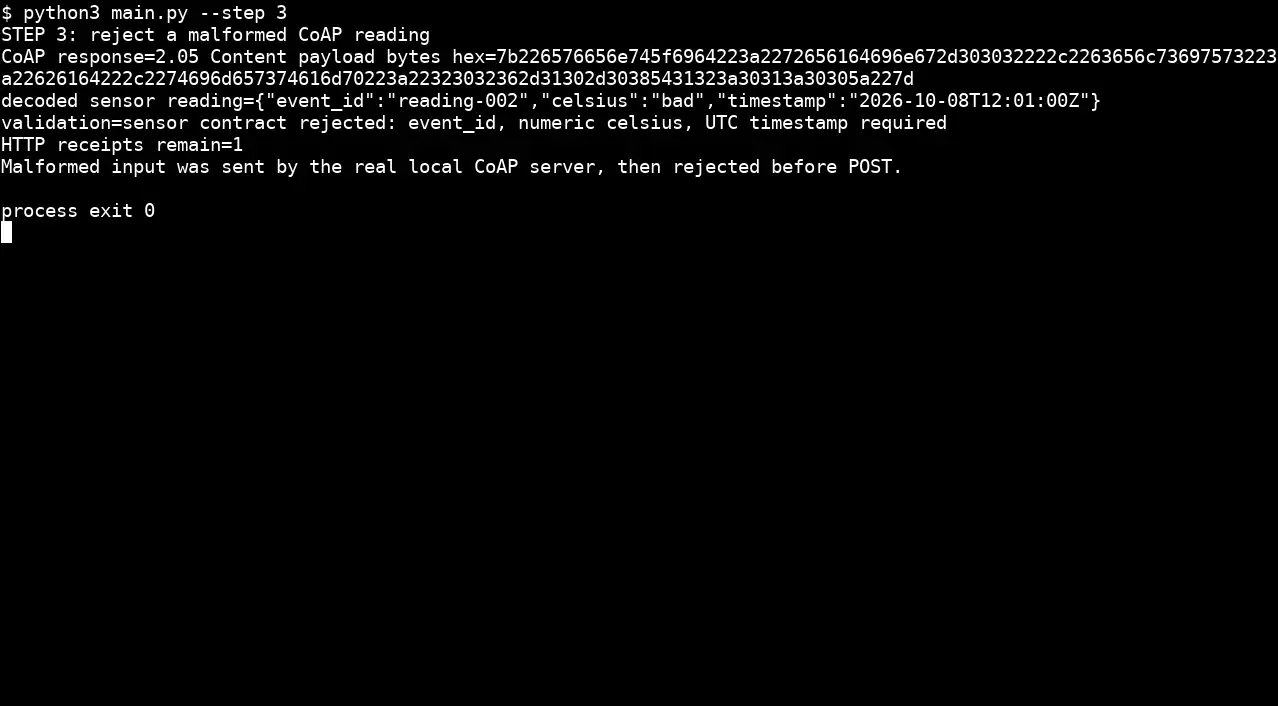
- Run `python3 main.py --step 3` after the sensor sends a string in its numeric `celsius` field.
- You will see
- Validation reports `sensor contract rejected: event_id, numeric celsius, UTC timestamp required`; HTTP receipts remain `1`.
- Why it matters
- Rejecting malformed source meaning before POST prevents a false measurement from entering the destination.
Step 3 · Python 3 + aiocoap; numbered callout added to a real capture. Enlarge screenshot (new tab) Step 4
- Do
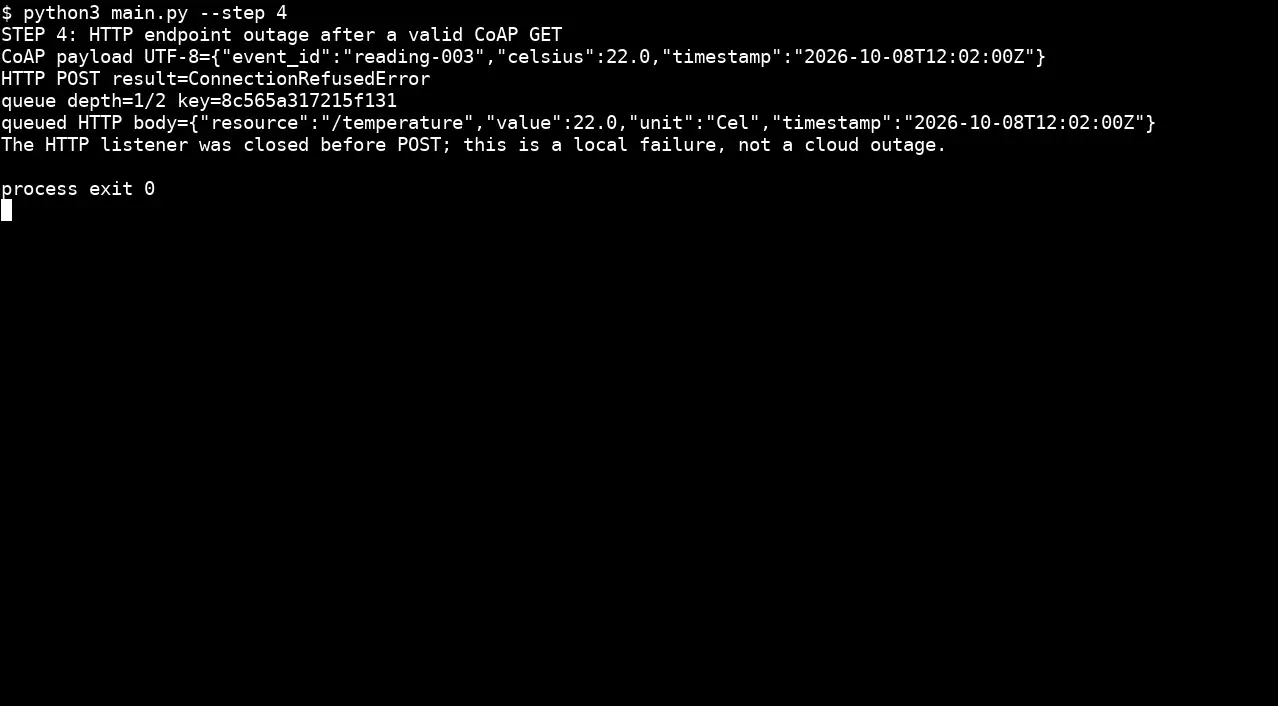
- In the terminal window panel, run `python3 main.py --step 4` while the script closes the HTTP listener before POST.
- You will see
- The POST gets `ConnectionRefusedError`; queue depth becomes `1` with the mapped record and idempotency key.
- Why it matters
- The outage is visible and a valid record is retained for bounded local replay.
Step 4 · Python 3 + aiocoap; numbered callout added to a real capture. Enlarge screenshot (new tab) Step 5
- Do
- In the terminal window panel, run `python3 main.py --step 5` to restart the HTTP receiver and replay the queued record.
- You will see
- The retry returns HTTP `201`, queue depth `0`, and stored receipts `2`.
- Why it matters
- The replay moves one retained record across the recovered boundary.
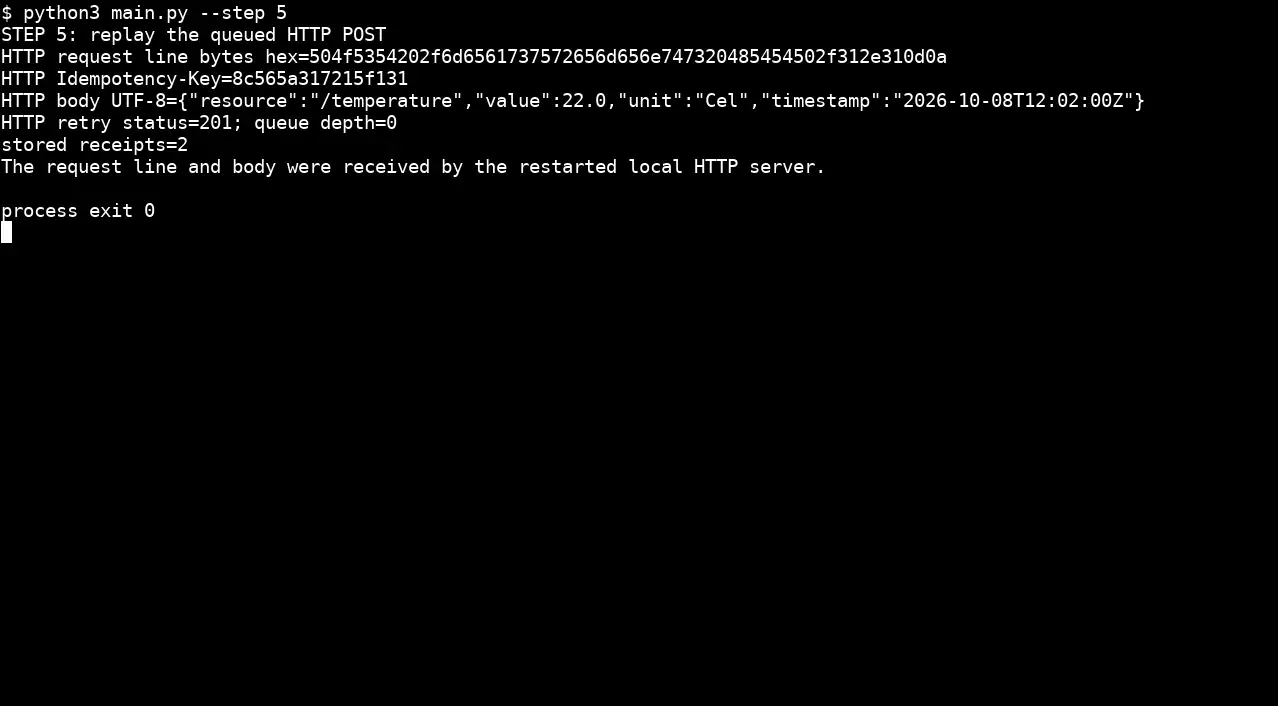
Step 5 · Python 3 + aiocoap; numbered callout added to a real capture. Enlarge screenshot (new tab) Step 6
- Do
- In the terminal window panel, run `python3 main.py --step 6` to resend the same record and key once more.
- You will see
- The duplicate returns HTTP `200`; stored receipts remain `2` and `same key stored once=True`.
- Why it matters
- The receiver uses the idempotency key to avoid a second stored side effect on duplicate delivery.
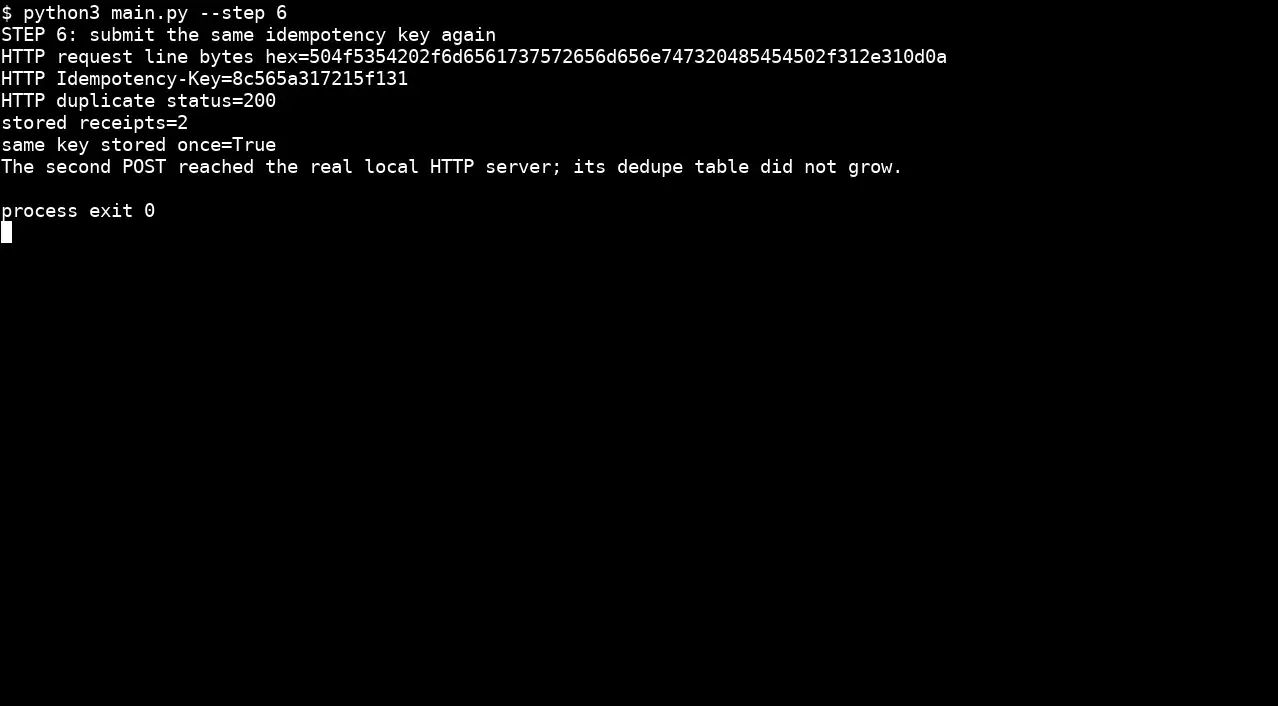
Step 6 · Python 3 + aiocoap; numbered callout added to a real capture. Enlarge screenshot (new tab)
Chapter checks
These questions refer to the chapter’s examples. Use the return links to review their answers.
Why is a protocol bridge more than converting bytes from one protocol to another?
Return to the chapter’s knowledge checkA gateway polls a legacy meter every 10 seconds and publishes results to an event stream. The meter stops responding for one minute. What should the gateway do?
Return to the chapter’s knowledge check