Audit ordered ACL decisions
Trace ordered ACL matches, identify a shadowed deny rule and verify packet decisions after reordering.

The Security Threats guide directs learners from network defense to recurring security mistakes and review evidence.
Predict the reading, then compare it with the measurement.
Python 3 in your browser (JupyterLite)
Python · no installTrace ordered ACL matches, identify a shadowed deny rule and verify packet decisions after reordering.
Open the notebook in your browser and run each Python cell; no install or account is needed.
Three ways to run: use JupyterLite here with no install; run main.py locally from the downloadable lab folder; or open the same notebook in Google Colab.
Steps
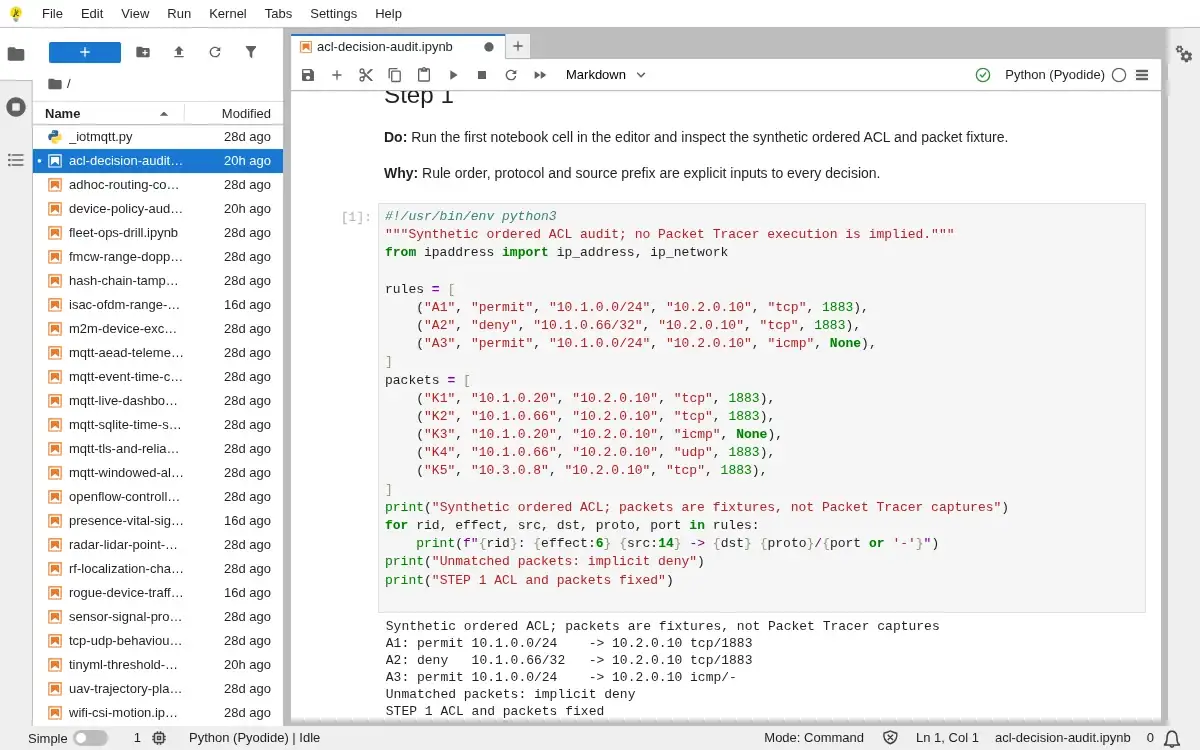
Step 1
- Do
- Run the first notebook cell in the editor and inspect the synthetic ordered ACL and packet fixture.
- You will see
- Synthetic ordered ACL; packets are fixtures, not Packet Tracer captures A1: permit 10.1.0.0/24 -> 10.2.0.10 tcp/1883 A2: deny 10.1.0.66/32 -> 10.2.0.10 tcp/1883 A3: permit 10.1.0.0/24 -> 10.2.0.10 icmp/- Unmatched packets: implicit deny STEP 1 ACL and packets fixed
- Why it matters
- Rule order, protocol and source prefix are explicit inputs to every decision.
Step 1 · Python 3 in your browser (JupyterLite); numbered callout added to a real capture. Enlarge screenshot (new tab) Step 2
- Do
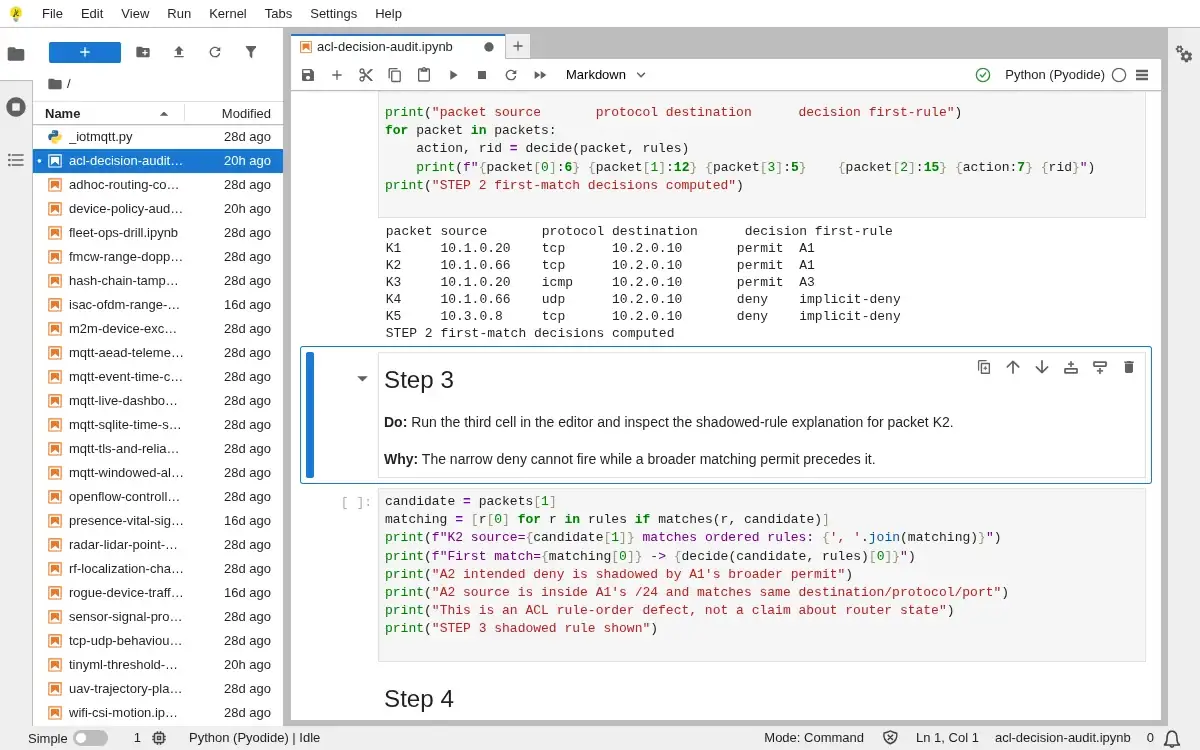
- Run the second cell in the editor and inspect first-match packet decisions in the output table.
- You will see
- packet source protocol destination decision first-rule K1 10.1.0.20 tcp 10.2.0.10 permit A1 K2 10.1.0.66 tcp 10.2.0.10 permit A1 K3 10.1.0.20 icmp 10.2.0.10 permit A3 K4 10.1.0.66 udp 10.2.0.10 deny implicit-deny K5 10.3.0.8 tcp 10.2.0.10 deny implicit-deny STEP 2 first-match decisions computed
- Why it matters
- First match determines the action; unmatched packets meet the implicit deny.
Step 2 · Python 3 in your browser (JupyterLite); numbered callout added to a real capture. Enlarge screenshot (new tab) Step 3
- Do
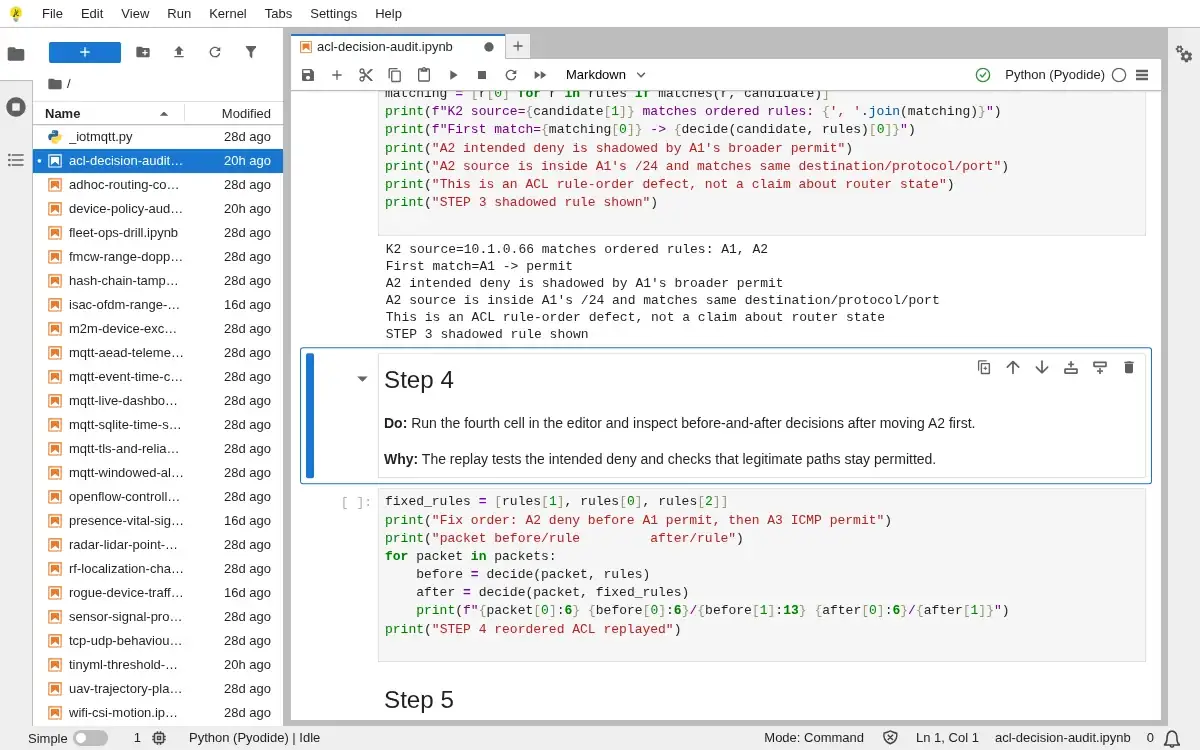
- Run the third cell in the editor and inspect the shadowed-rule explanation for packet K2.
- You will see
- K2 source=10.1.0.66 matches ordered rules: A1, A2 First match=A1 -> permit A2 intended deny is shadowed by A1's broader permit A2 source is inside A1's /24 and matches same destination/protocol/port This is an ACL rule-order defect, not a claim about router state STEP 3 shadowed rule shown
- Why it matters
- The narrow deny cannot fire while a broader matching permit precedes it.
Step 3 · Python 3 in your browser (JupyterLite); numbered callout added to a real capture. Enlarge screenshot (new tab) Step 4
- Do
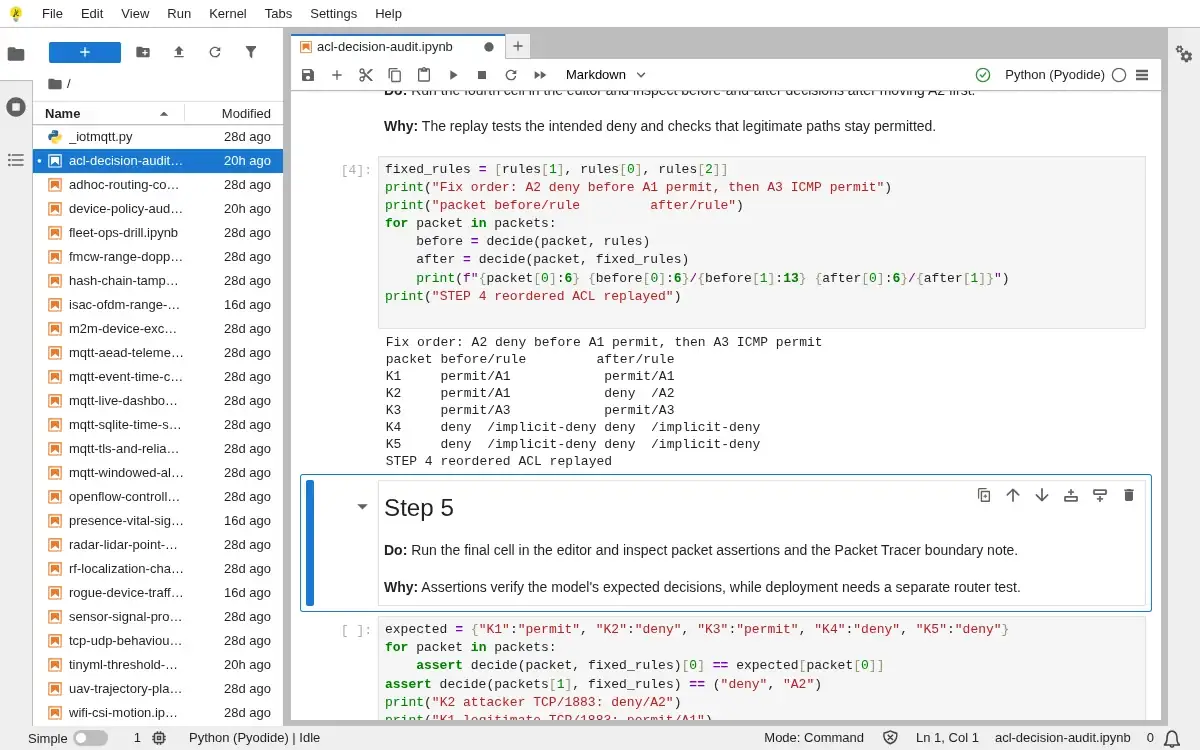
- Run the fourth cell in the editor and inspect before-and-after decisions after moving A2 first.
- You will see
- Fix order: A2 deny before A1 permit, then A3 ICMP permit packet before/rule after/rule K1 permit/A1 permit/A1 K2 permit/A1 deny /A2 K3 permit/A3 permit/A3 K4 deny /implicit-deny deny /implicit-deny K5 deny /implicit-deny deny /implicit-deny STEP 4 reordered ACL replayed
- Why it matters
- The replay tests the intended deny and checks that legitimate paths stay permitted.
Step 4 · Python 3 in your browser (JupyterLite); numbered callout added to a real capture. Enlarge screenshot (new tab) Step 5
- Do
- Run the final cell in the editor and inspect packet assertions and the Packet Tracer boundary note.
- You will see
- K2 attacker TCP/1883: deny/A2 K1 legitimate TCP/1883: permit/A1 K3 ICMP: permit/A3 K4 UDP and K5 outside subnet: deny/implicit-deny Five expected packet decisions: PASS This notebook does not establish Packet Tracer or hardware enforcement. STEP 5 ACL invariants validated
- Why it matters
- Assertions verify the model's expected decisions, while deployment needs a separate router test.
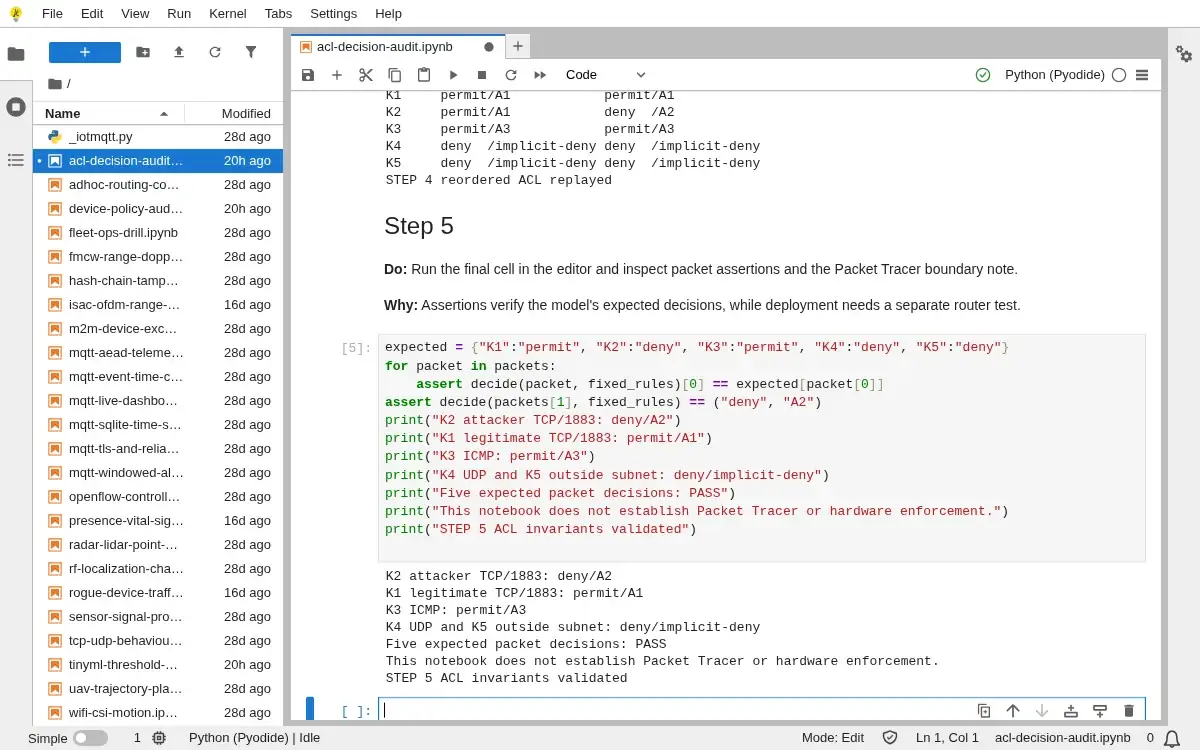
Step 5 · Python 3 in your browser (JupyterLite); numbered callout added to a real capture. Enlarge screenshot (new tab)
Chapter checks
These questions refer to the chapter’s examples. Use the return links to review their answers.
What is the most useful way to frame a common IoT security mistake during review?
Return to the chapter’s knowledge checkA network review concludes an IoT device is well protected, but the shipped hardware still has an enabled serial console (UART) and an open chip debug interface (JTAG). Why does this weaken the conclusion?
Return to the chapter’s knowledge check