Test city street lighting at dusk
Compare the Street Lamp light reading with two gateway rules and a separate lighting circuit command as simulated daylight becomes darkness.

Packet Pete
Predict the reading, then compare it with the measurement.
Cisco Packet Tracer
Desktop labCompare the Street Lamp light reading with two gateway rules and a separate lighting circuit command as simulated daylight becomes darkness.
Install the tool; build from the steps. No file yet.
Download the Packet Tracer fileSteps
Step 1
- Do
- Open lab.pkt in the Logical workspace. Find Home Gateway0 and wired PC0. Find Photo Sensor, Dusk-Street-Lamp and Rule-Lighting-Circuit. Keep the entire service boundary in view.
- You will see
- The gateway and operator PC sit on the left. Photo Sensor sits beside a Street Lamp. A separate Light is named Rule-Lighting-Circuit. Wireless links connect the two networked Things.
- Why it matters
- The two lights have different control paths. The Street Lamp has its own dusk response. The separate Light is the gateway-rule output. The standalone Photo Sensor is a local environment probe.
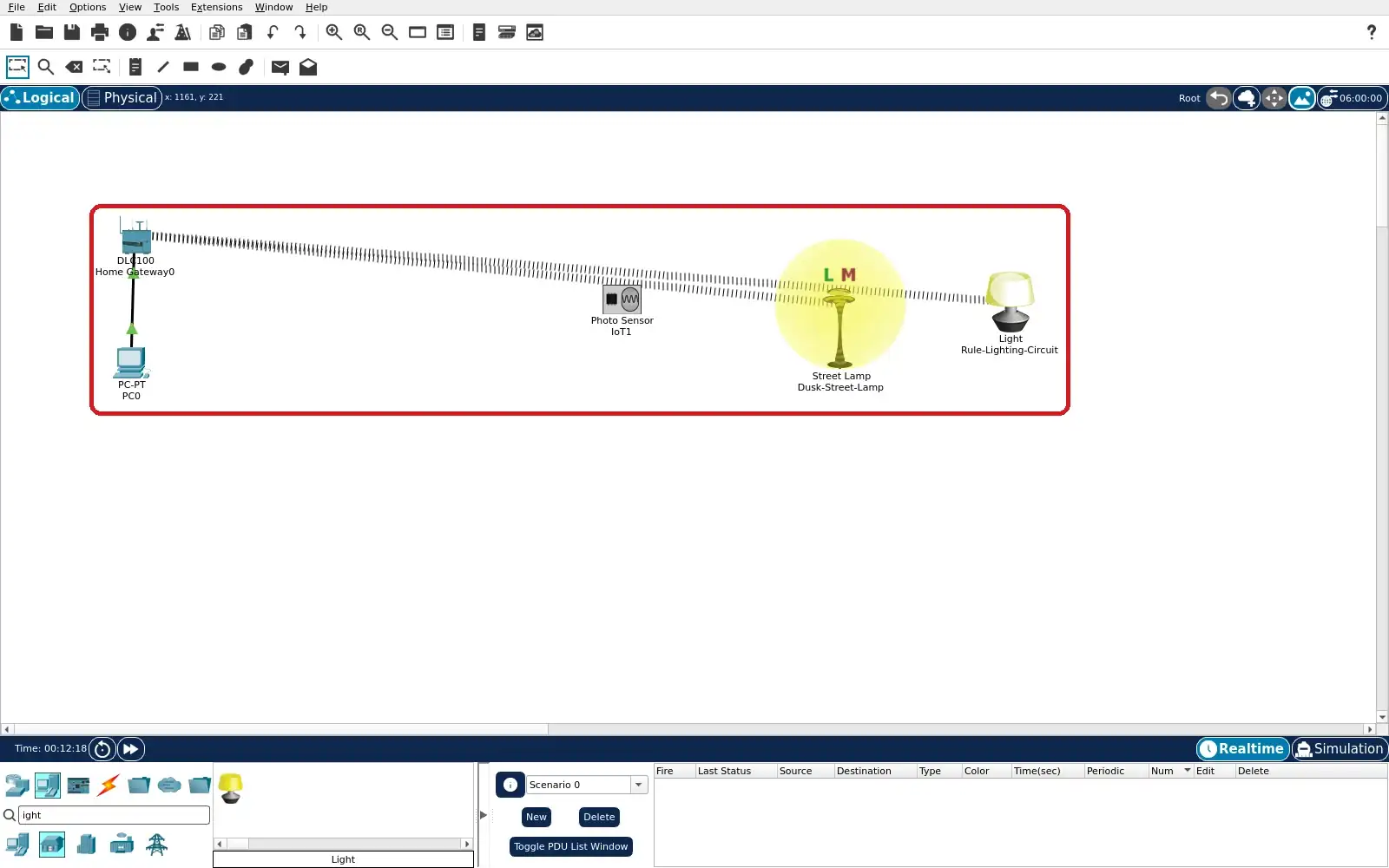
Step 1 · Cisco Packet Tracer; numbered callout added to a real capture. Enlarge screenshot (new tab) Step 2
- Do
- Open the Photo Sensor Specifications tab. Read the detection threshold in its description. Read its Environment variable name. Compare that with the gateway device list later.
- You will see
- The Photo Sensor detects light above 20%. Its description names Visible Light. It has no direct control in this model. It is a separate local sensor in this project.
- Why it matters
- This probe helps explain the simulated input. It is not registered as the gateway rule source. The Street Lamp supplies the rule input instead. Distinguishing them avoids an invented sensor link.
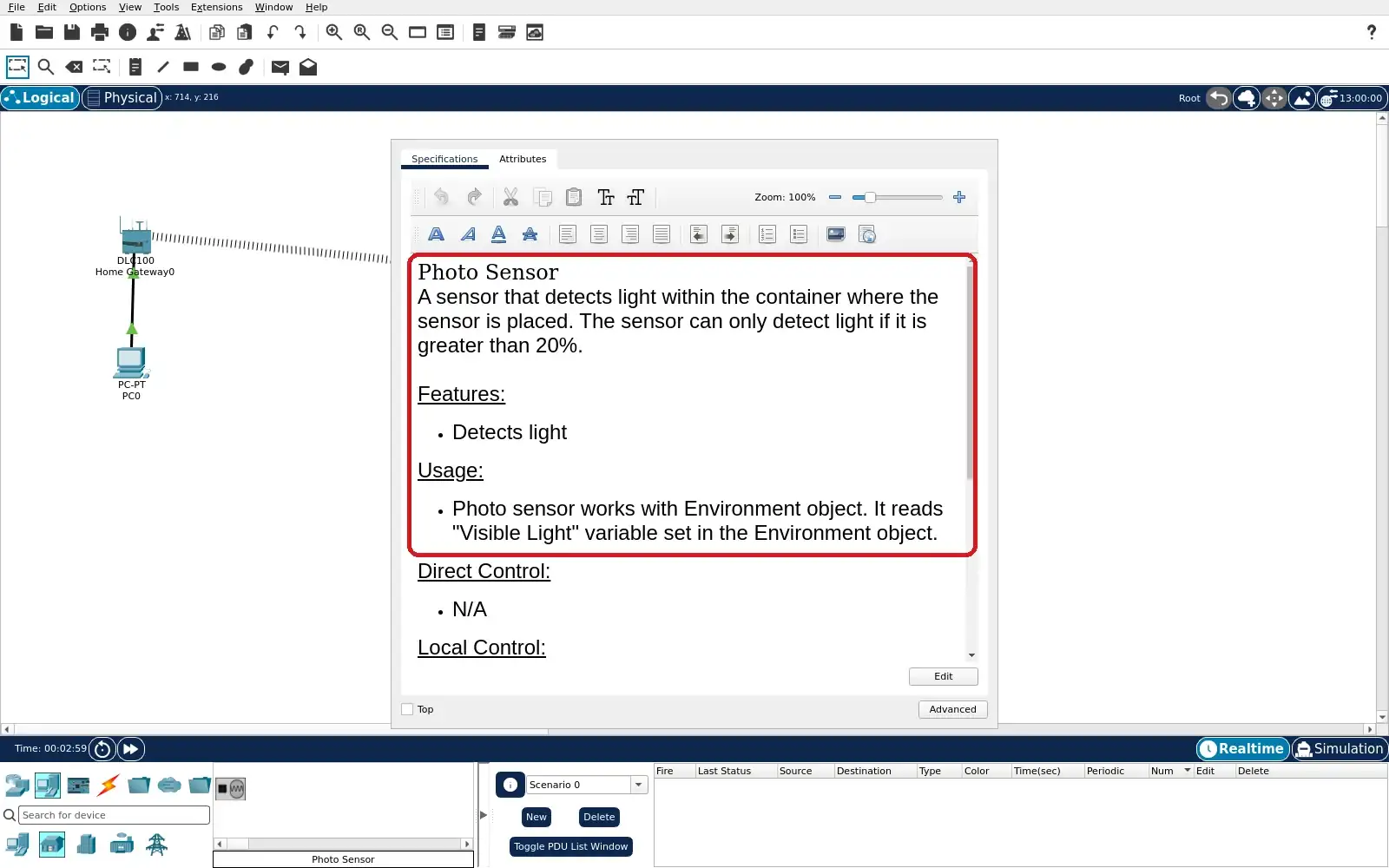
Step 2 · Cisco Packet Tracer; numbered callout added to a real capture. Enlarge screenshot (new tab) Step 3
- Do
- Open Dusk-Street-Lamp Specifications tab. Find its built-in light sensor and street light. Read the LIGHT threshold in its description. Notice that this behaviour belongs to the Thing.
- You will see
- The Street Lamp combines light and motion sensors. Its description says it responds to Environment LIGHT. The built-in lamp comes on below LIGHT 330. The text describes a local autonomous behaviour.
- Why it matters
- The built-in lamp is the city field device. Its built-in threshold is distinct from gateway rules. The gateway can read its Light value. It cannot set this model’s lamp Status here.
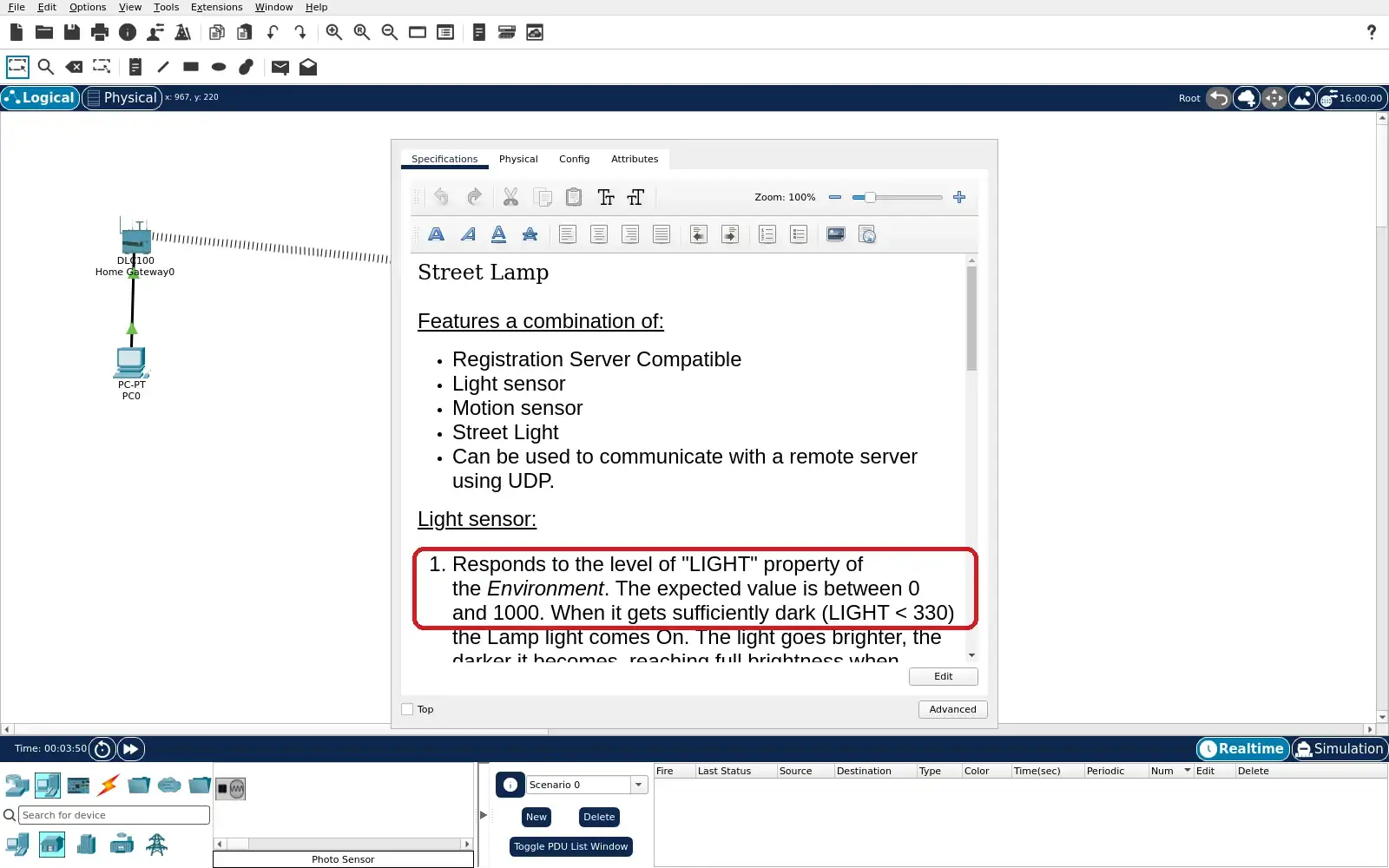
Step 3 · Cisco Packet Tracer; numbered callout added to a real capture. Enlarge screenshot (new tab) Step 4
- Do
- On PC0 open Desktop → Web Browser. Visit http://192.168.25.1 and sign in. Use the local admin/admin simulation account. Inspect the Home device list.
- You will see
- Dusk-Street-Lamp is registered with a green dot. Rule-Lighting-Circuit is registered with a green dot. The Home page labels the first as Street Lamp. The second is labelled Light.
- Why it matters
- Registration gives the operator a service view. The Street Lamp provides a Light input. The separate Light accepts a Status command. The Photo Sensor does not appear in this list.
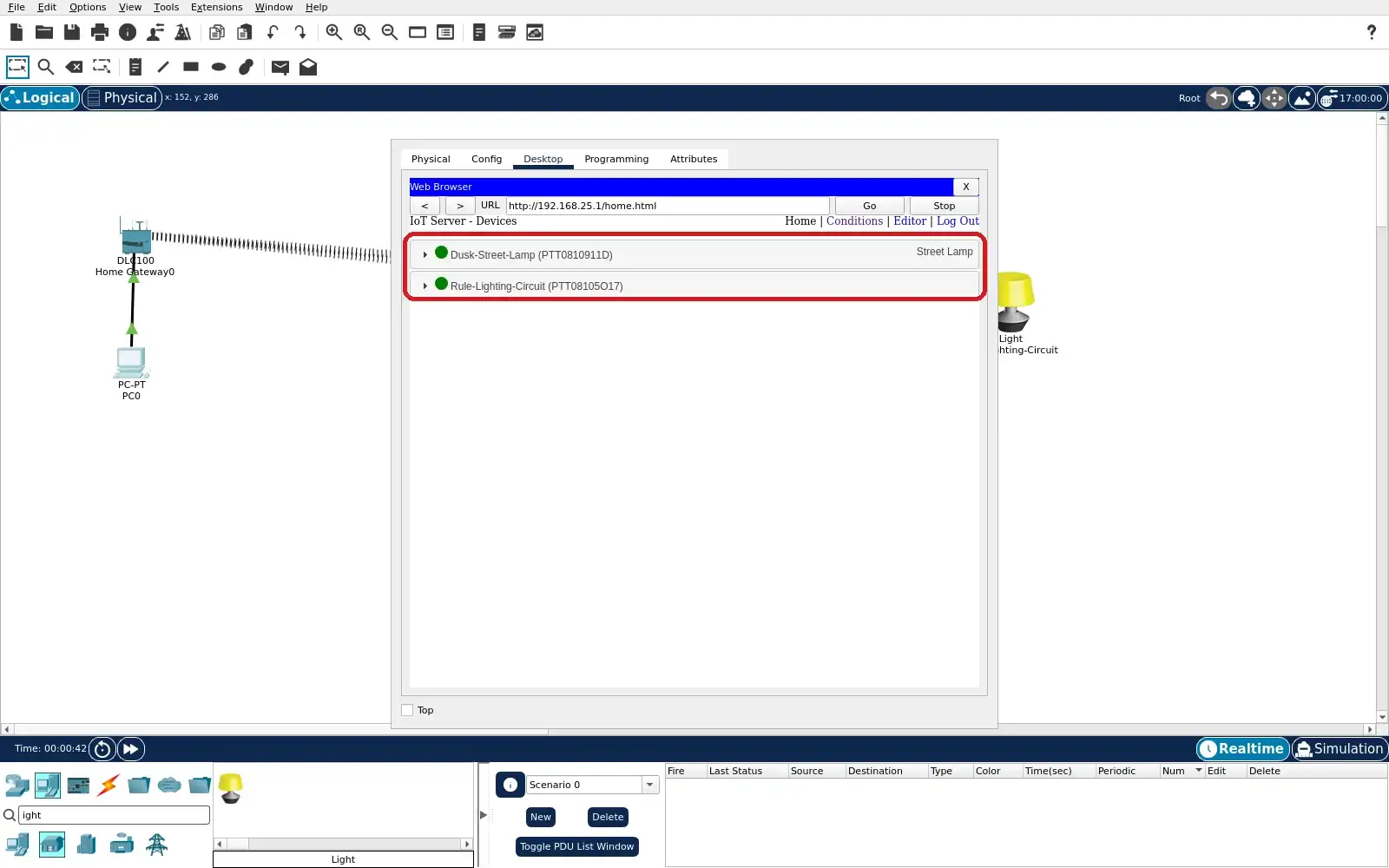
Step 4 · Cisco Packet Tracer; numbered callout added to a real capture. Enlarge screenshot (new tab) Step 5
- Do
- Open the Conditions list in PC0’s browser. Read both enabled rule rows. Compare their Light thresholds and target. Identify the 33–40 hold band.
- You will see
- Dark-starts-circuit uses Street Lamp Light < 33. It sets Rule-Lighting-Circuit Status On. Day-stops-circuit uses Light >= 40. It sets the same circuit Status Off.
- Why it matters
- The gateway rules command the separate Light. They do not override the Street Lamp’s built-in light. The thresholds avoid conflicting actions. Saved rule rows are configuration evidence.
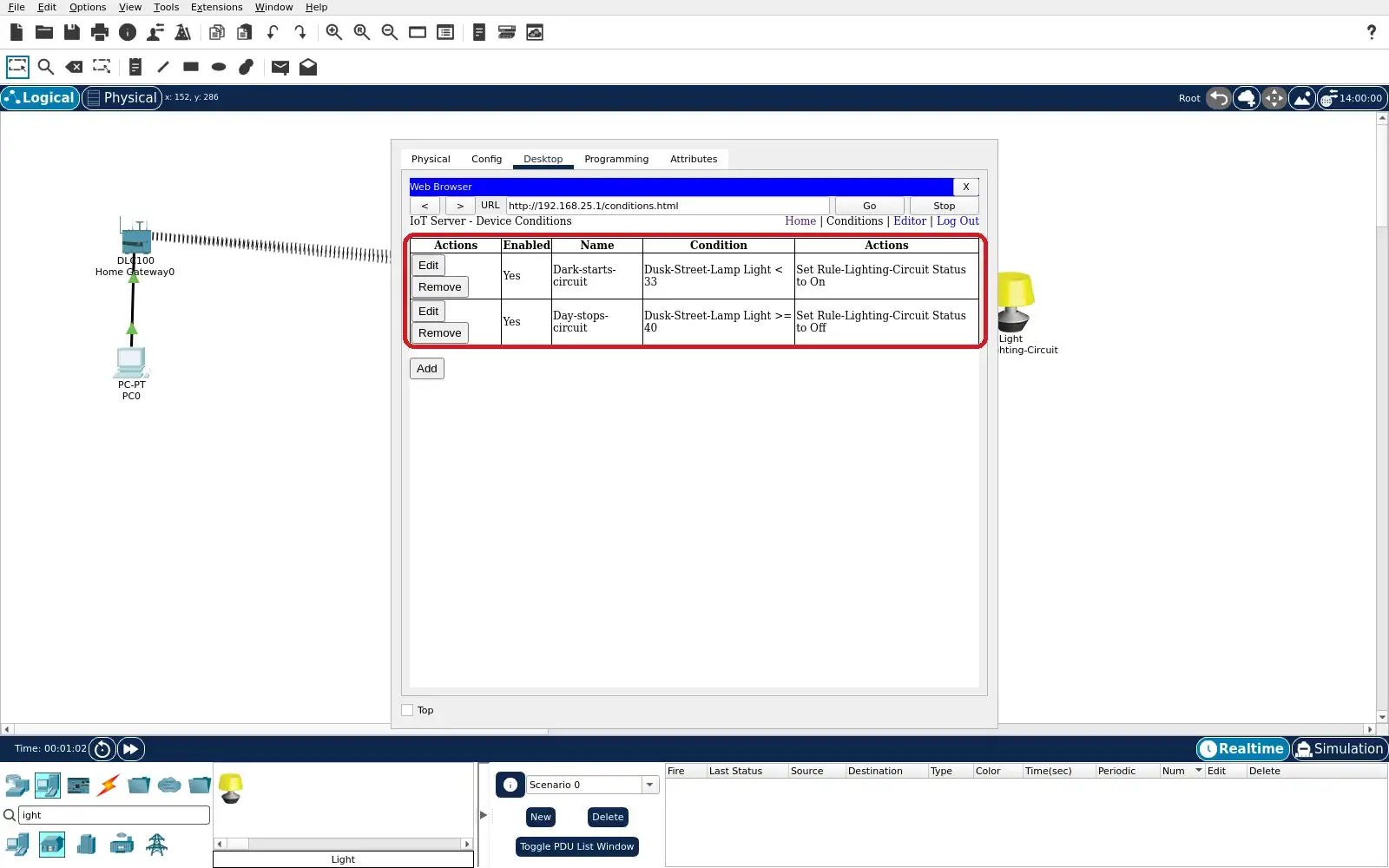
Step 5 · Cisco Packet Tracer; numbered callout added to a real capture. Enlarge screenshot (new tab) Step 6
- Do
- Open the Environment editor View from the clock icon. Select Visible Light for Home City. Watch the graph across afternoon and dusk. Pause or set Current Time for comparison.
- You will see
- The Visible Light chart changes through the day. The captured graph shows an afternoon curve. Current Time reads 16:00:00 and Start shows paused. The environment is the simulated light input.
- Why it matters
- A changing input makes the threshold test possible. The displayed environment and Thing readings differ. The gateway evaluates the Street Lamp Light reading. Use Home for output evidence, not the graph alone.
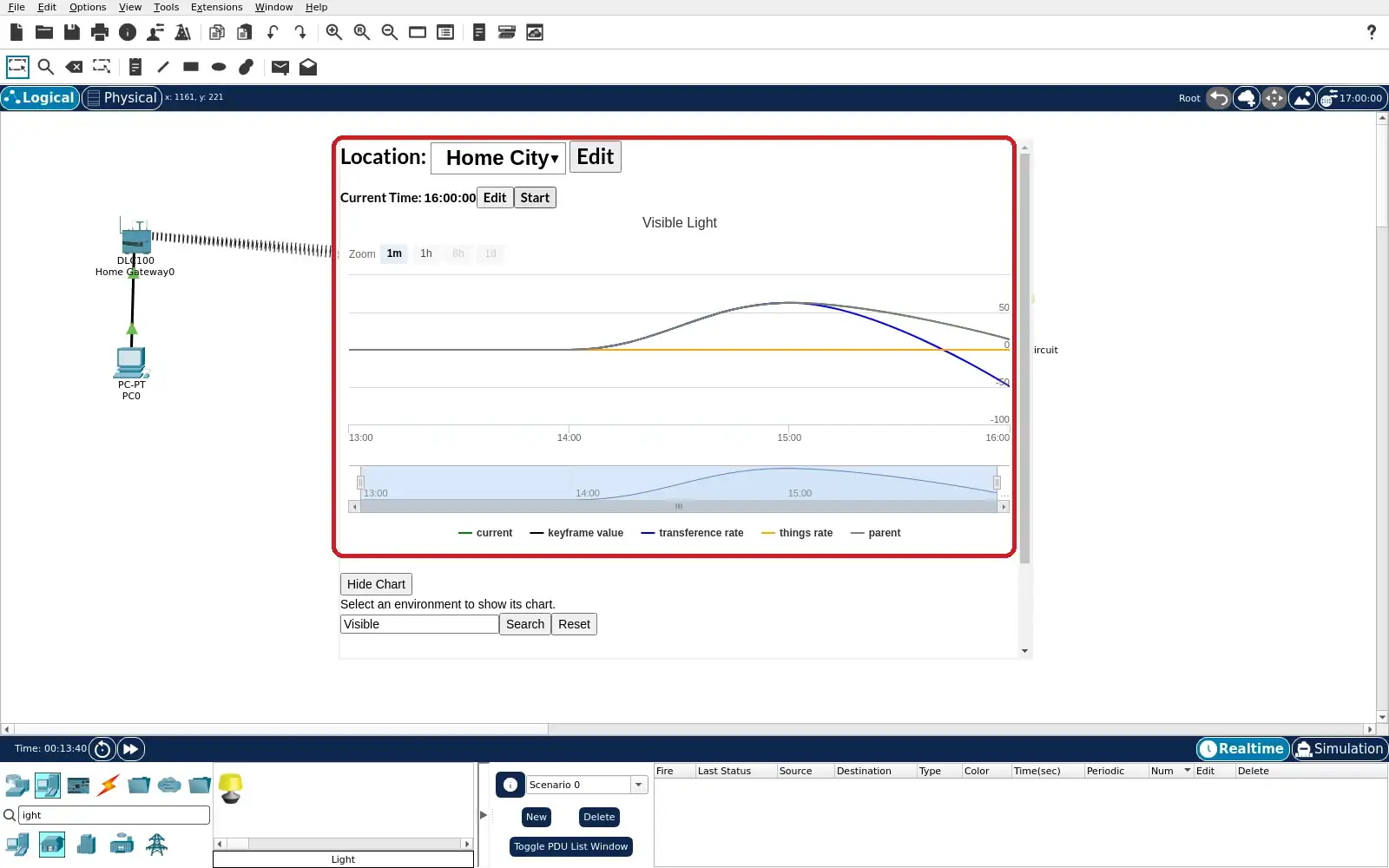
Step 6 · Cisco Packet Tracer; numbered callout added to a real capture. Enlarge screenshot (new tab) Step 7
- Do
- Return to the Home device list and expand both rows. Observe the Street Lamp Light value in daylight. Read the separate circuit Status control. Compare its value with the Off rule.
- You will see
- At 12:00 the Street Lamp Light reads 43.1814. This exceeds the gateway Off threshold of 40. Rule-Lighting-Circuit Status has Off highlighted. The output icon is unlit in this capture.
- Why it matters
- The operator sees sensor and action together. This daylight state matches the Off rule. The exact intermediate value can vary in another run. It is not a measured city illuminance claim.
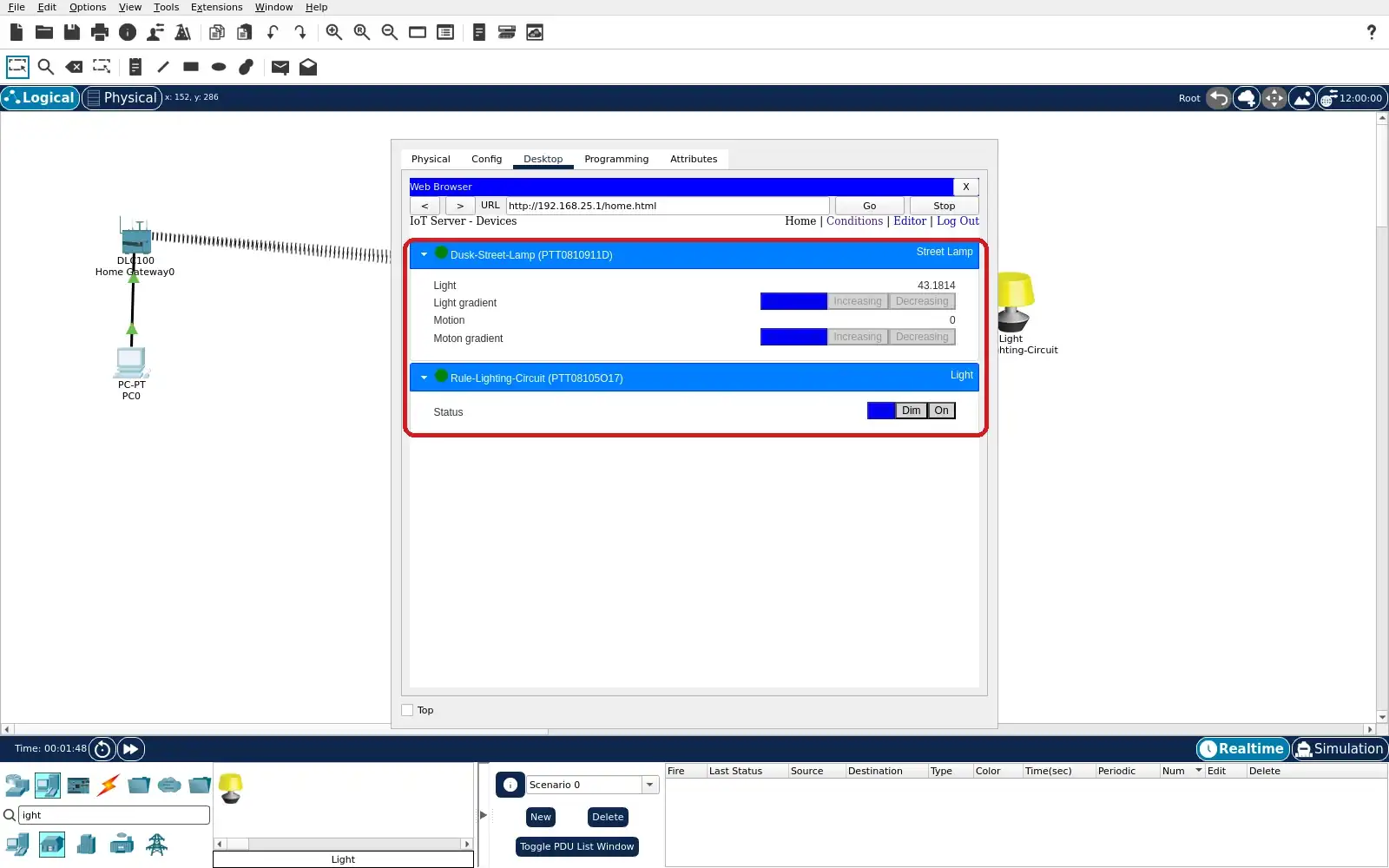
Step 7 · Cisco Packet Tracer; numbered callout added to a real capture. Enlarge screenshot (new tab) Step 8
- Do
- Advance the simulated clock into darkness. Refresh the Home device list and expand both rows. Read Street Lamp Light and circuit Status again. Compare with the low-light On rule.
- You will see
- At 04:00 Street Lamp Light reads 8.66147. This is below the gateway On threshold of 33. Rule-Lighting-Circuit Status has On highlighted. The output icon glows in the Logical workspace.
- Why it matters
- The second state completes the dusk-cycle comparison. The same rule target changed from Off to On. The Street Lamp’s built-in lamp is separate. This simulation does not prove energy savings.
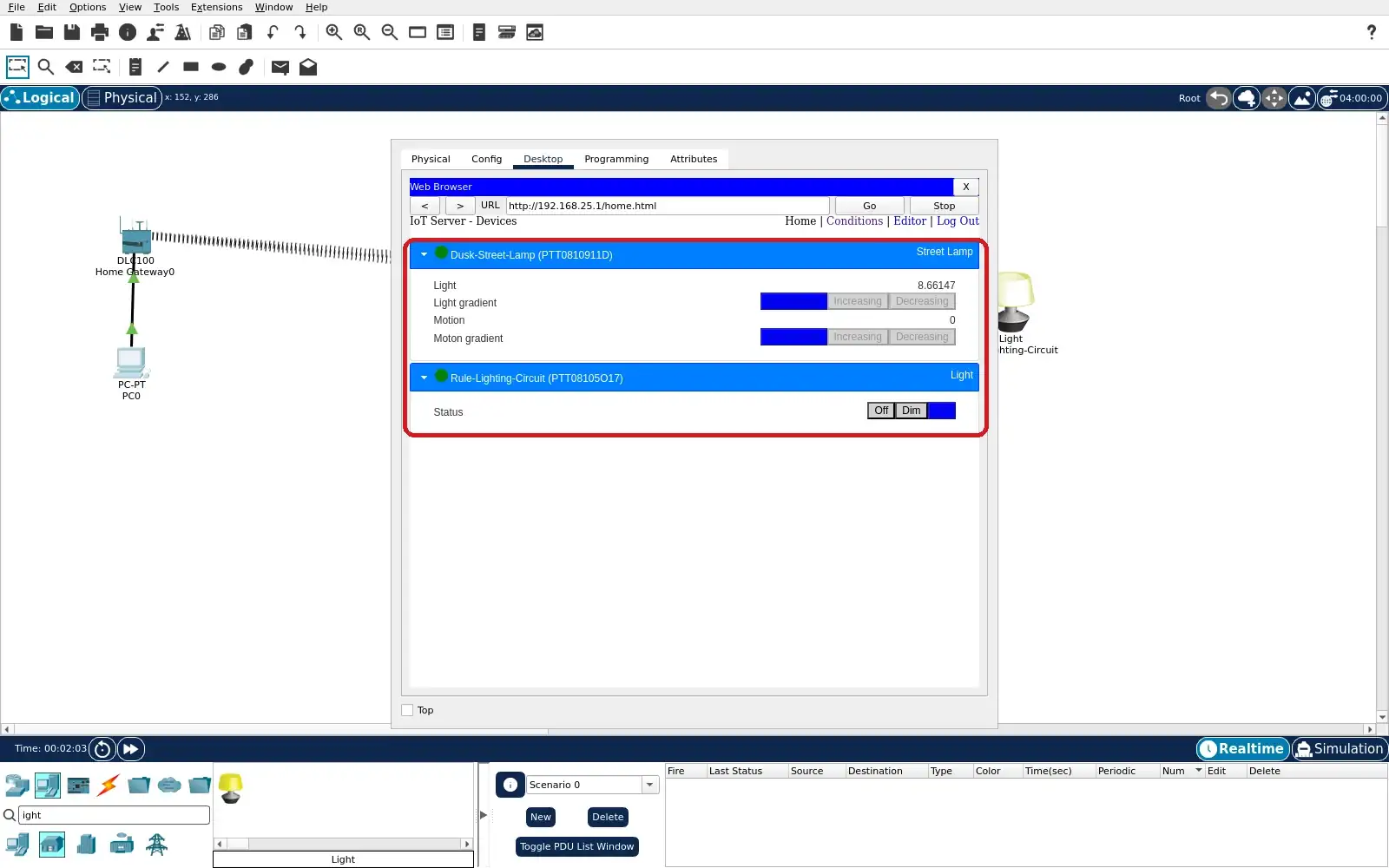
Step 8 · Cisco Packet Tracer; numbered callout added to a real capture. Enlarge screenshot (new tab)
Chapter checks
These questions refer to the chapter’s examples. Use the return links to review their answers.
A parking app marks a space available after a magnetic sensor reports no car. What is the sensor contributing?
Return to the chapter’s knowledge checkA city plans to expand parking guidance. Which evidence best supports a trustworthy service envelope?
Return to the chapter’s knowledge check