Geolocation permission decision
Privacy foundations, privacy by design, mobile privacy, and regulatory compliance for IoT: decide when a location permission is justified.

Privacy Priya: Keep permission, uncertainty, and retention beside each reading.
Predict the reading, then compare it with the measurement.
Phone browser (Web APIs)
Phone browserPrivacy foundations, privacy by design, mobile privacy, and regulatory compliance for IoT: decide when a location permission is justified.
Open the lab on your phone over HTTPS, then use its permission button.
Open the phone lab (new tab)Steps
Step 1
- Do
- In the browser permission panel, open the HTTPS page and check the current geolocation state.
- You will see
- Input: Open page and query Permissions API. Emulated location in mobile Chromium. Observed: Permission: prompt. Readout: No request made; no coordinate collected. Interpretation: The browser starts undecided.
- Why it matters
- Evidence: The real browser API and page produced the quoted state. Boundary: These locations are emulated inputs, not physical phone readings. Reason: The browser starts undecided. Next check: In the result panel, deny location in site settings, then tap Request one fix and read the error.
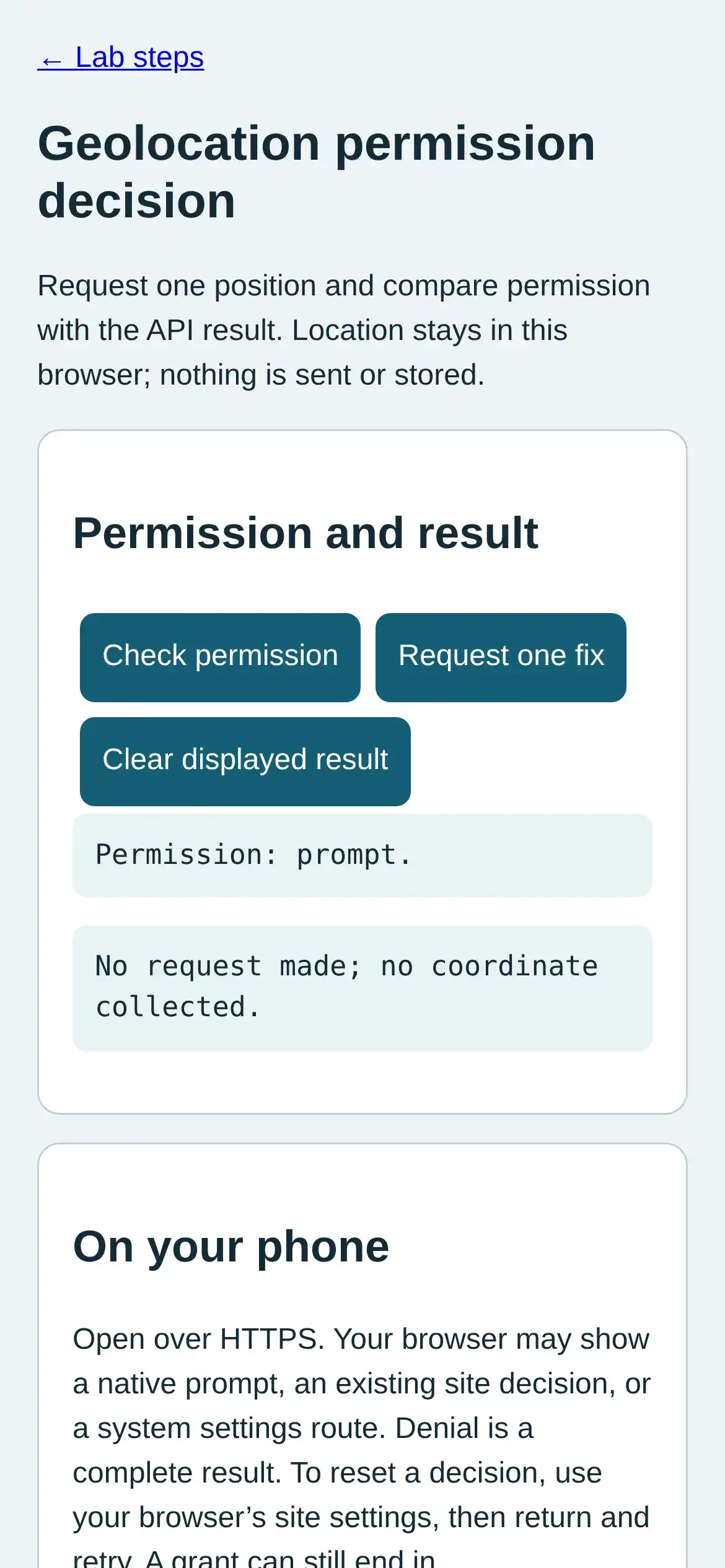
Step 1 · Phone browser (Web APIs); numbered callout added to a real capture. Enlarge screenshot (new tab) Step 2
- Do
- In the result panel, deny location in site settings, then tap Request one fix and read the error.
- You will see
- Input: Deny geolocation and request fix. Emulated location in mobile Chromium. Observed: Permission: denied. Readout: No coordinate returned. Error code 1: User denied Geolocation Interpretation: Denied permission yields no coordinate.
- Why it matters
- Evidence: The real browser API and page produced the quoted state. Boundary: These locations are emulated inputs, not physical phone readings. Reason: Denied permission yields no coordinate. Next check: In site settings, grant location; tap Request one fix and inspect the result panel.
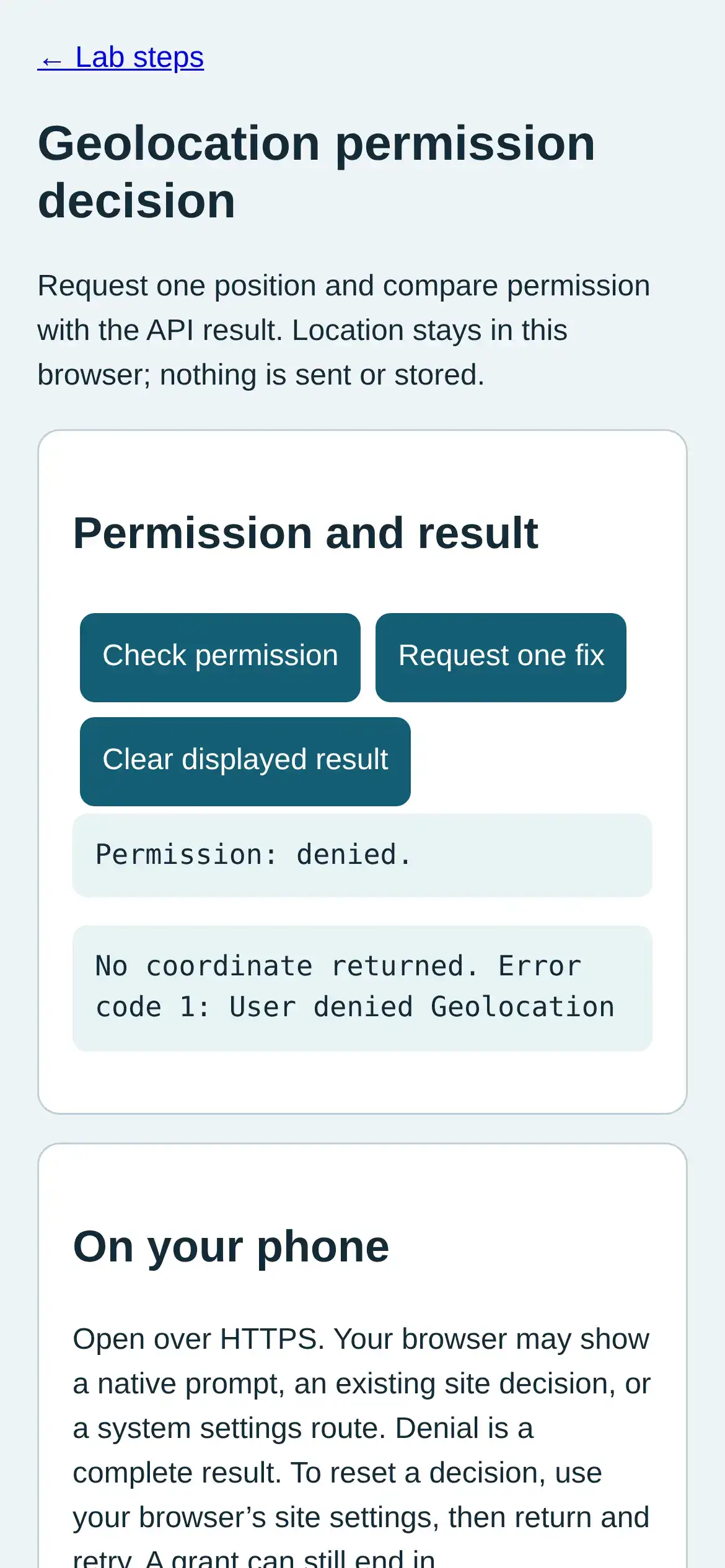
Step 2 · Phone browser (Web APIs); numbered callout added to a real capture. Enlarge screenshot (new tab) Step 3
- Do
- In site settings, grant location; tap Request one fix and inspect the result panel.
- You will see
- Input: Grant geolocation and request fix. Emulated location in mobile Chromium. Observed: Permission: granted. Readout: Fix received Latitude 51.48160; longitude -3.17910 Accuracy radius 25 m Fix time 2026-10-09T19:12:48.491Z Interpretation: Granting permission allows an emulated fix.
- Why it matters
- Evidence: The real browser API and page produced the quoted state. Boundary: These locations are emulated inputs, not physical phone readings. Reason: Granting permission allows an emulated fix. Next check: In the result panel, request another fix and compare its accuracy radius and time.
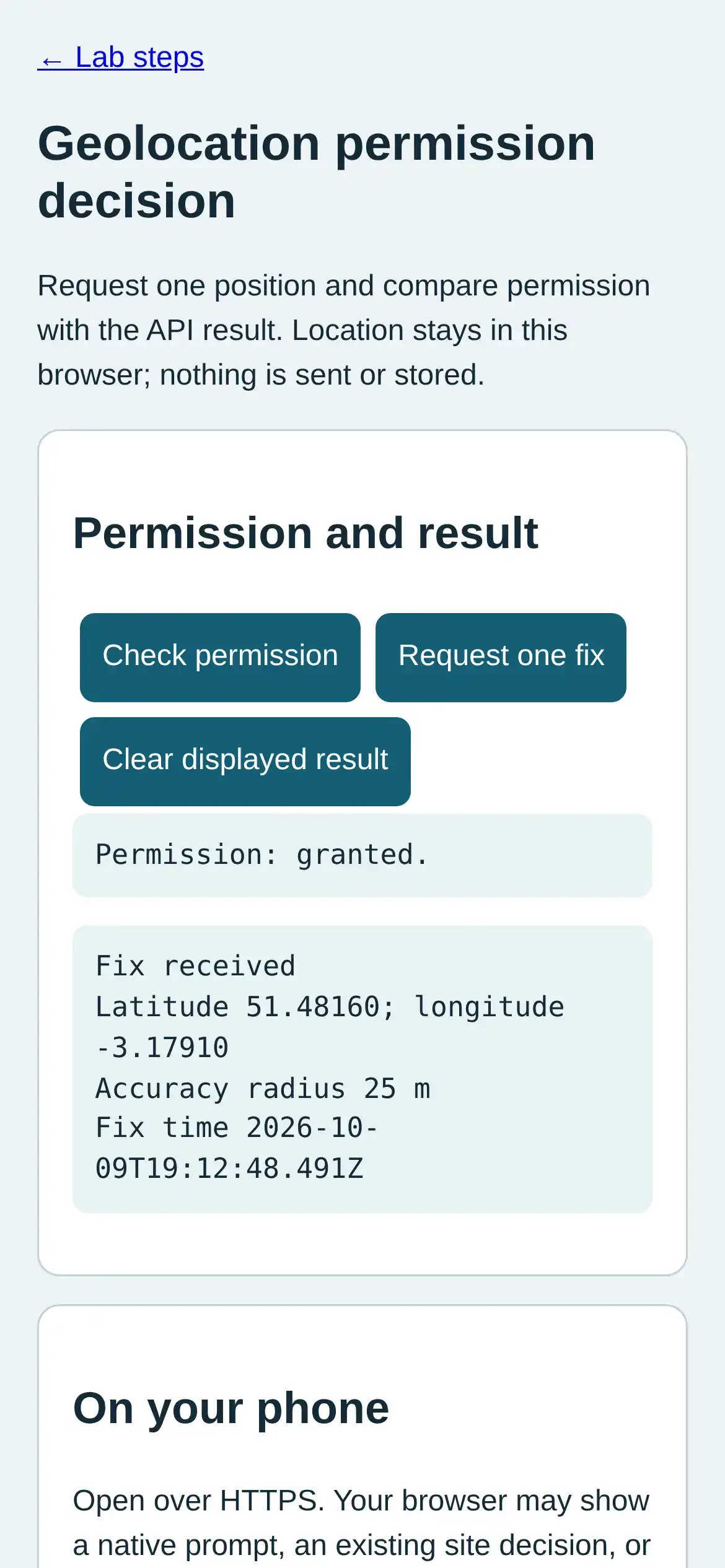
Step 3 · Phone browser (Web APIs); numbered callout added to a real capture. Enlarge screenshot (new tab) Step 4
- Do
- In the result panel, request another fix and compare its accuracy radius and time.
- You will see
- Input: Change accuracy override and request again. Emulated location in mobile Chromium. Observed: Permission: granted. Readout: Fix received Latitude 51.48160; longitude -3.17910 Accuracy radius 40 m Fix time 2026-10-09T19:12:48.829Z Interpretation: Accuracy and timestamp belong with the decision.
- Why it matters
- Evidence: The real browser API and page produced the quoted state. Boundary: These locations are emulated inputs, not physical phone readings. Reason: Accuracy and timestamp belong with the decision. Next check: In browser site settings, reset location permission; tap Check permission in the panel.
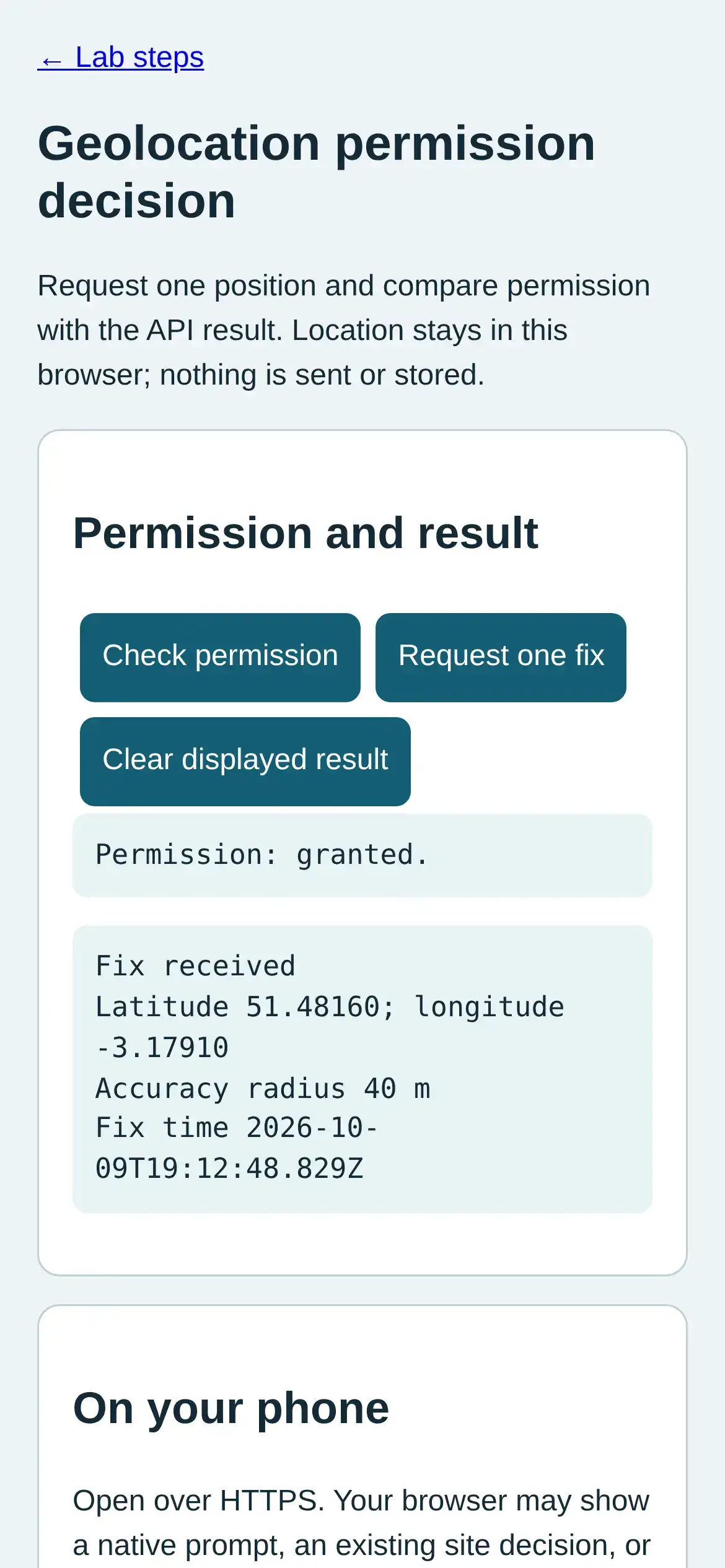
Step 4 · Phone browser (Web APIs); numbered callout added to a real capture. Enlarge screenshot (new tab) Step 5
- Do
- In browser site settings, reset location permission; tap Check permission in the panel.
- You will see
- Input: Reset permission decision. Emulated location in mobile Chromium. Observed: Permission: prompt. Readout: Fix received Latitude 51.48160; longitude -3.17910 Accuracy radius 40 m Fix time 2026-10-09T19:12:48.829Z Interpretation: A reset returns the state to prompt.
- Why it matters
- Evidence: The real browser API and page produced the quoted state. Boundary: These locations are emulated inputs, not physical phone readings. Reason: A reset returns the state to prompt. Next check: In the result panel, tap Clear displayed result and confirm no coordinate remains.
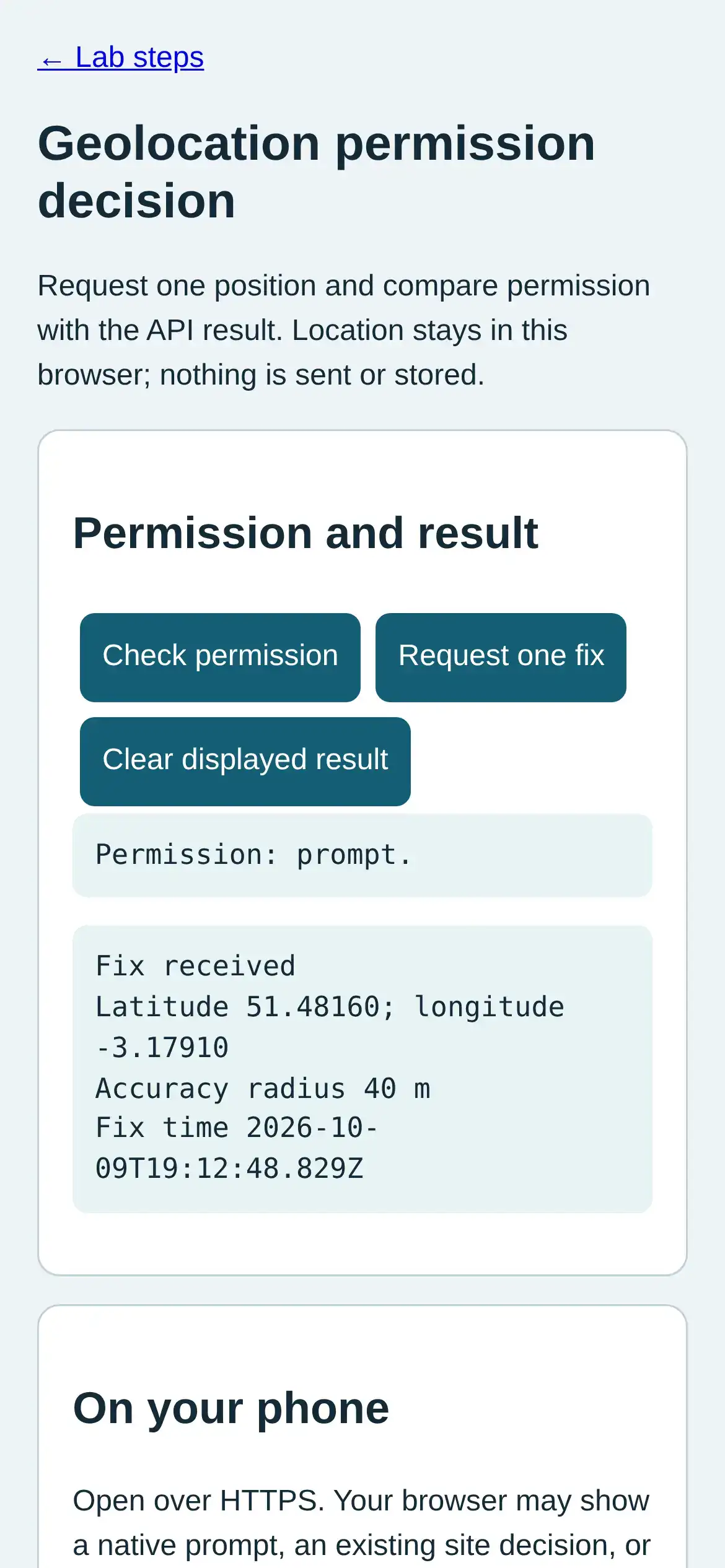
Step 5 · Phone browser (Web APIs); numbered callout added to a real capture. Enlarge screenshot (new tab) Step 6
- Do
- In the result panel, tap Clear displayed result and confirm no coordinate remains.
- You will see
- Input: Clear displayed result. Emulated location in mobile Chromium. Observed: Permission: prompt. Readout: Displayed result cleared; no coordinate retained. Interpretation: A visible clear removes the displayed coordinate.
- Why it matters
- Evidence: The real browser API and page produced the quoted state. Boundary: These locations are emulated inputs, not physical phone readings. Reason: A visible clear removes the displayed coordinate. Next check: This result does not establish that a physical phone can return a precise fix.
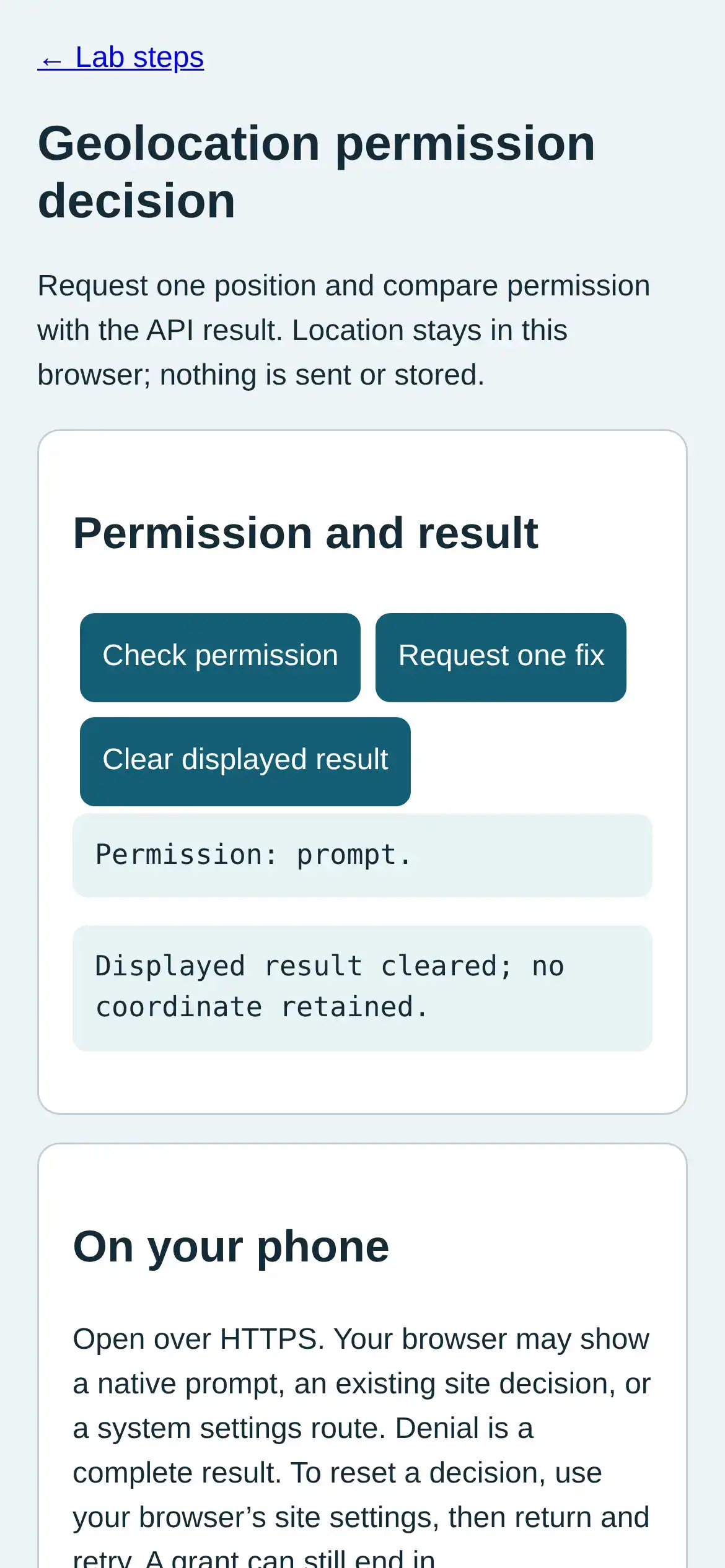
Step 6 · Phone browser (Web APIs); numbered callout added to a real capture. Enlarge screenshot (new tab)
Chapter checks
These questions refer to the chapter’s examples. Use the return links to review their answers.
An IoT app says it collects very little, but it bundles a third-party analytics library that sends device identifiers to another company. How should the app's privacy posture be judged?
Return to the chapter’s knowledge checkA fitness IoT app lets users attach a photo to a workout. Which data-access choice best follows data minimization?
Return to the chapter’s knowledge check
Return to Mobile Data Collection and Permissions · Browse Labs