One-shot location versus continuous trail
Privacy foundations, privacy by design, mobile privacy, and regulatory compliance for IoT: minimise a continuous location trail.

Privacy Priya: Keep permission, uncertainty, and retention beside each reading.
Predict the reading, then compare it with the measurement.
Phone browser (Web APIs)
Phone browserPrivacy foundations, privacy by design, mobile privacy, and regulatory compliance for IoT: minimise a continuous location trail.
Open the lab on your phone over HTTPS, then use its permission button.
Open the phone lab (new tab)Steps
Step 1
- Do
- In the collection panel, tap One-shot fix and inspect the raw fix count.
- You will see
- Input: Request one-shot fix. Emulated location in mobile Chromium. Observed: Fix 1 received from Geolocation API. Readout: Raw fix count 1; retained coarse count 0 Watch stopped Latest fix 2026-10-09T19:12:58.752Z Latest accuracy 25 m Interpretation: A one-shot request yields one raw record.
- Why it matters
- Evidence: The real browser API and page produced the quoted state. Boundary: These locations are emulated inputs, not physical phone readings. Reason: A one-shot request yields one raw record. Next check: In the collection panel, tap Start watch and inspect the growing callback count.
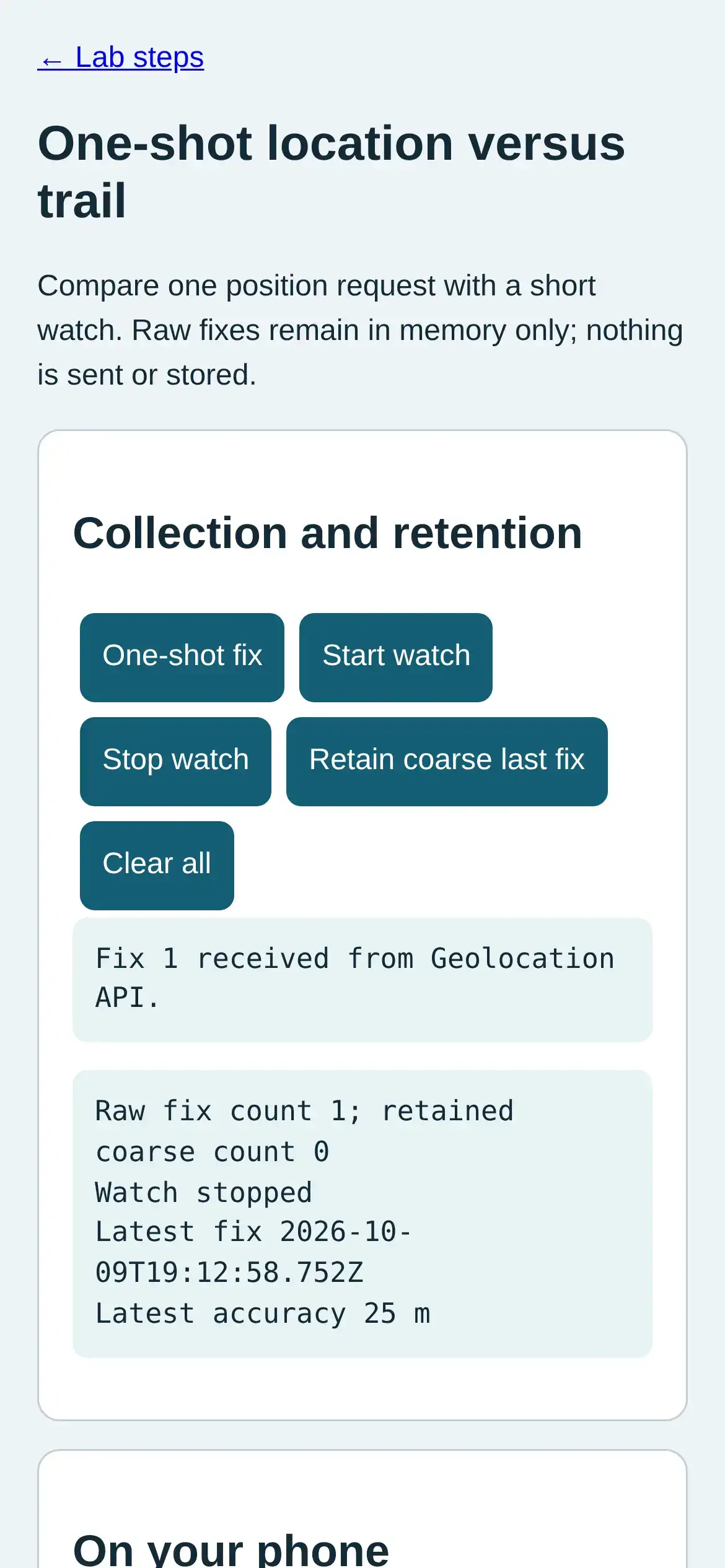
Step 1 · Phone browser (Web APIs); numbered callout added to a real capture. Enlarge screenshot (new tab) Step 2
- Do
- In the collection panel, tap Start watch and inspect the growing callback count.
- You will see
- Input: Start watch and change emulated location. Emulated location in mobile Chromium. Observed: Fix 3 received from Geolocation API. Readout: Raw fix count 3; retained coarse count 0 Watch active Latest fix 2026-10-09T19:12:59.718Z Latest accuracy 25 m Interpretation: A watch can accumulate repeated callbacks.
- Why it matters
- Evidence: The real browser API and page produced the quoted state. Boundary: These locations are emulated inputs, not physical phone readings. Reason: A watch can accumulate repeated callbacks. Next check: In the collection panel, continue the watch while location changes and compare fix count.
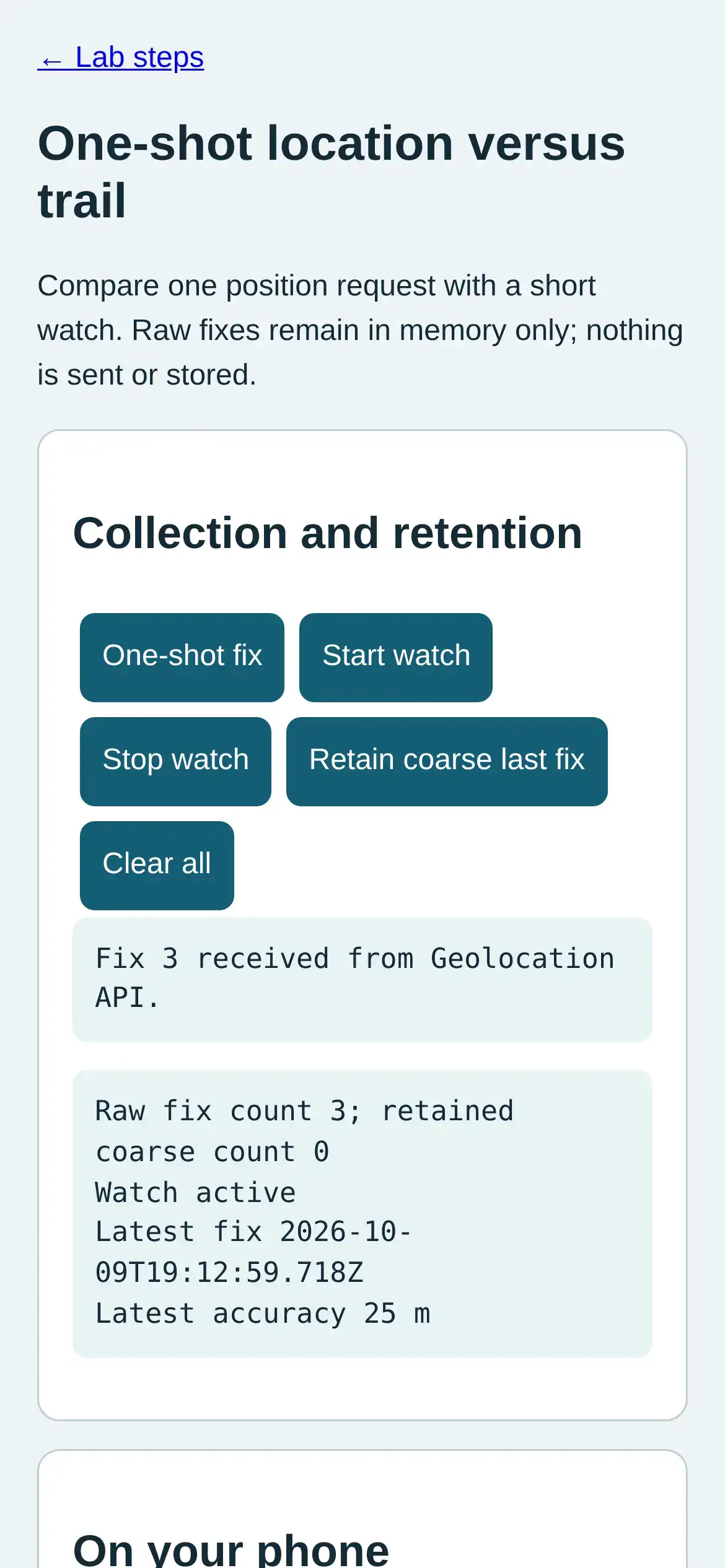
Step 2 · Phone browser (Web APIs); numbered callout added to a real capture. Enlarge screenshot (new tab) Step 3
- Do
- In the collection panel, continue the watch while location changes and compare fix count.
- You will see
- Input: Change emulated location again. Emulated location in mobile Chromium. Observed: Fix 4 received from Geolocation API. Readout: Raw fix count 4; retained coarse count 0 Watch active Latest fix 2026-10-09T19:12:59.989Z Latest accuracy 25 m Interpretation: A continuous trail grows with callback count.
- Why it matters
- Evidence: The real browser API and page produced the quoted state. Boundary: These locations are emulated inputs, not physical phone readings. Reason: A continuous trail grows with callback count. Next check: In the collection panel, tap Stop watch and verify the count stops increasing.
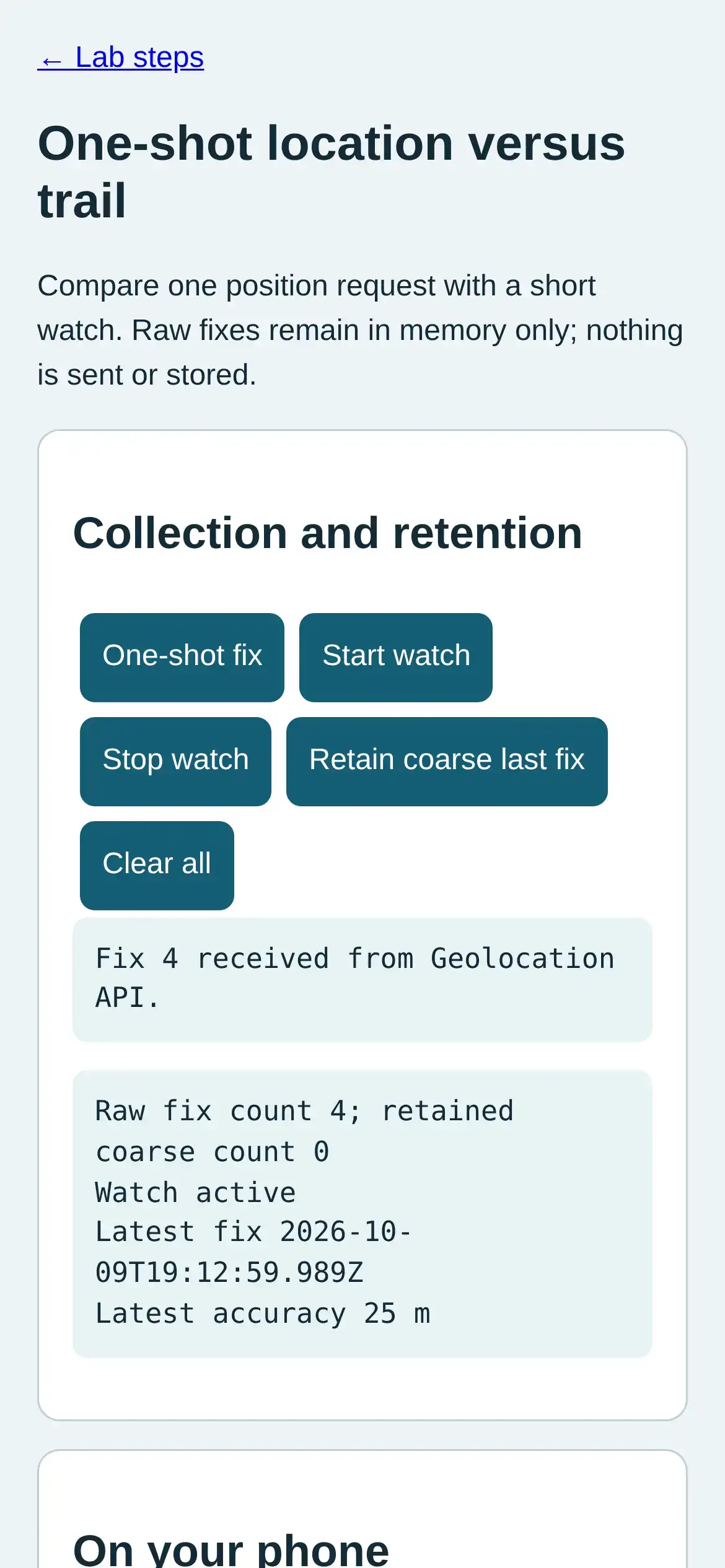
Step 3 · Phone browser (Web APIs); numbered callout added to a real capture. Enlarge screenshot (new tab) Step 4
- Do
- In the collection panel, tap Stop watch and verify the count stops increasing.
- You will see
- Input: Stop watch. Emulated location in mobile Chromium. Observed: Watch stopped. No more callbacks requested. Readout: Raw fix count 4; retained coarse count 0 Watch stopped Latest fix 2026-10-09T19:12:59.989Z Latest accuracy 25 m Interpretation: The watch is no longer requesting callbacks.
- Why it matters
- Evidence: The real browser API and page produced the quoted state. Boundary: These locations are emulated inputs, not physical phone readings. Reason: The watch is no longer requesting callbacks. Next check: In the collection panel, tap Retain coarse last fix and inspect raw and retained counts.
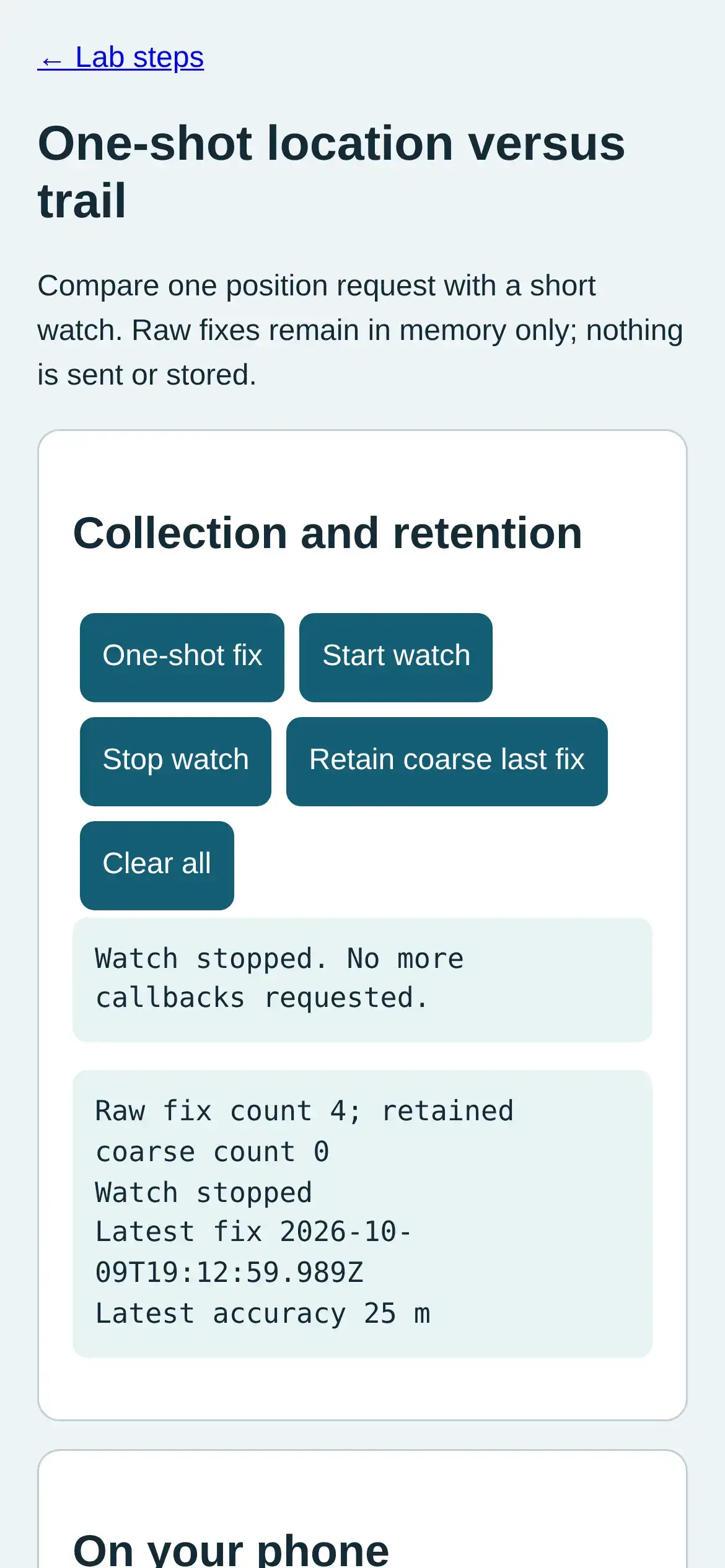
Step 4 · Phone browser (Web APIs); numbered callout added to a real capture. Enlarge screenshot (new tab) Step 5
- Do
- In the collection panel, tap Retain coarse last fix and inspect raw and retained counts.
- You will see
- Input: Discard raw fixes and retain rounded last fix. Emulated location in mobile Chromium. Observed: Raw fixes discarded; one coarse last fix retained. Readout: Raw fix count 0; retained coarse count 1 Watch stopped Coarse retained 51.48, -3.18 Interpretation: Rounding and discarding raw fixes reduces retained detail.
- Why it matters
- Evidence: The real browser API and page produced the quoted state. Boundary: These locations are emulated inputs, not physical phone readings. Reason: Rounding and discarding raw fixes reduces retained detail. Next check: In the collection panel, tap Clear all and verify both local counts return to zero.
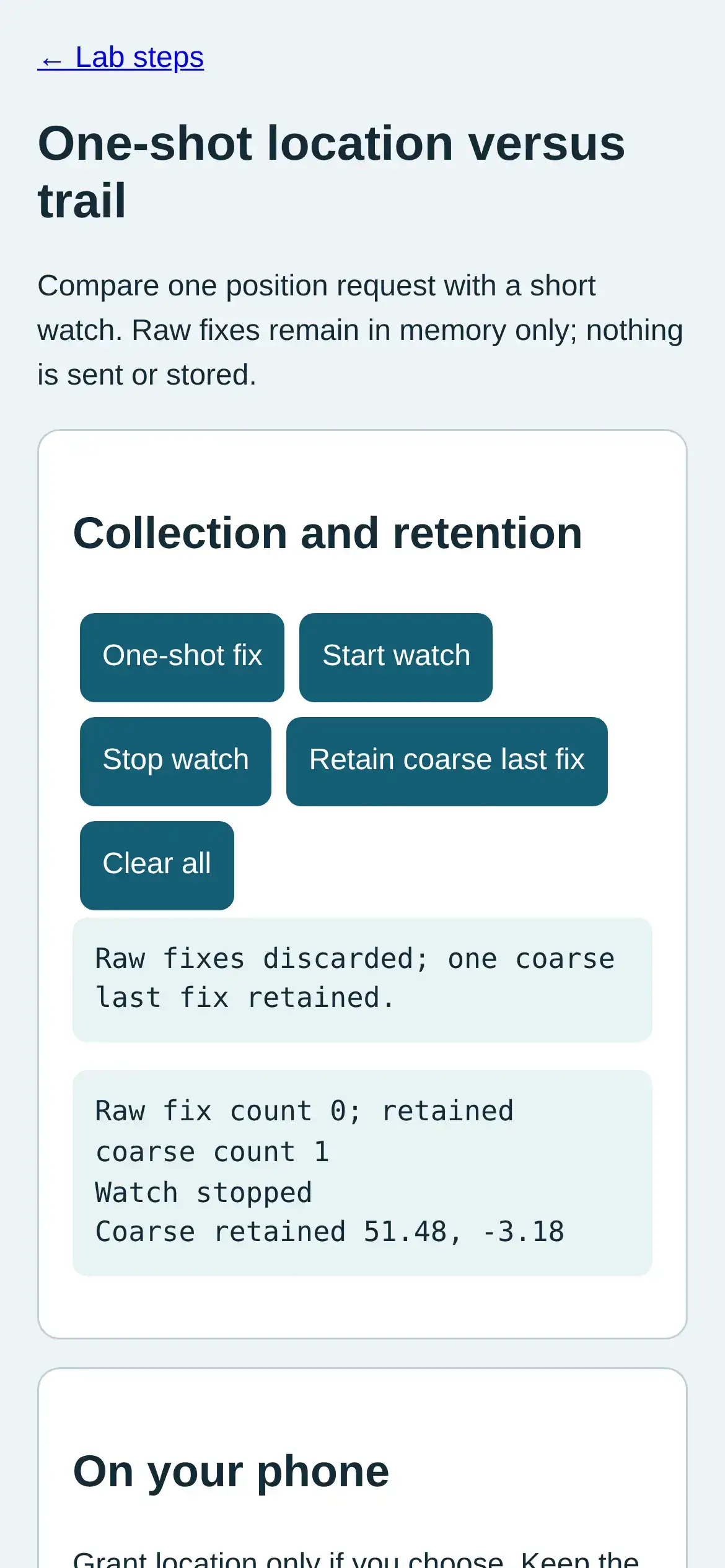
Step 5 · Phone browser (Web APIs); numbered callout added to a real capture. Enlarge screenshot (new tab) Step 6
- Do
- In the collection panel, tap Clear all and verify both local counts return to zero.
- You will see
- Input: Clear all local fixes. Emulated location in mobile Chromium. Observed: All local fixes cleared. Readout: Raw fix count 0; retained coarse count 0 Watch stopped Interpretation: The record can be cleared entirely.
- Why it matters
- Evidence: The real browser API and page produced the quoted state. Boundary: These locations are emulated inputs, not physical phone readings. Reason: The record can be cleared entirely. Next check: This result does not establish a physical walk or measured battery cost.
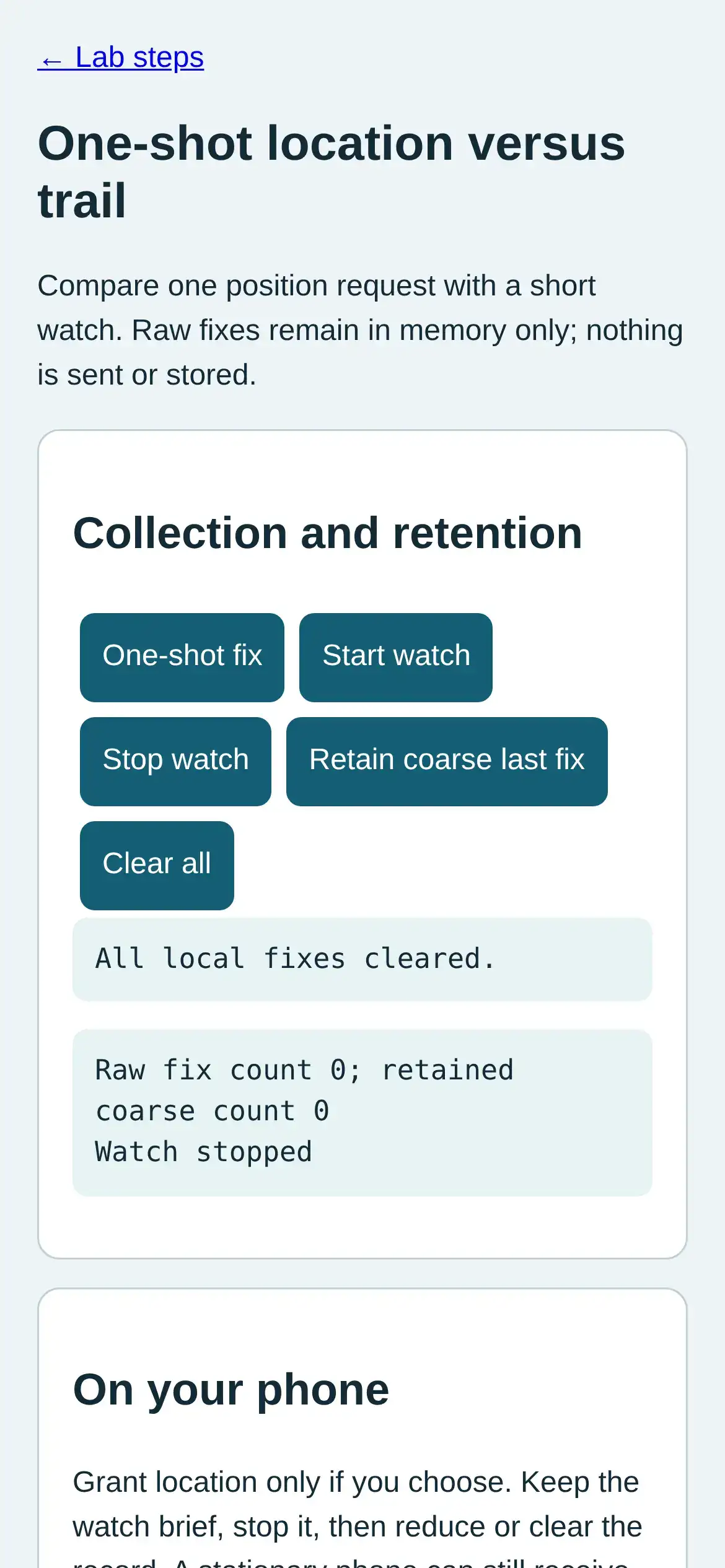
Step 6 · Phone browser (Web APIs); numbered callout added to a real capture. Enlarge screenshot (new tab)
Chapter checks
These questions refer to the chapter’s examples. Use the return links to review their answers.
Why is a month of someone's location history considered sensitive even after their name has been removed?
Return to the chapter’s knowledge checkA mobile IoT setup screen needs to show nearby devices during active onboarding. It does not need exact coordinates after setup ends. Which location design is the best first choice?
Return to the chapter’s knowledge check