Geofence dwell and boundary jitter
Make state, control, location, and consent accessible and recoverable: separate geofence fix uncertainty from dwell decisions.

UX Uma: Keep every control usable when permission or a device is unavailable.
Predict the reading, then compare it with the measurement.
Phone browser (Web APIs)
Phone browserMake state, control, location, and consent accessible and recoverable: separate geofence fix uncertainty from dwell decisions.
Open the lab on your phone over HTTPS, then use its permission button.
Open the phone lab (new tab)Steps
Step 1
- Do
- In the local geofence panel, tap Set centre from fix and read the 60 m rule.
- You will see
- Input: Set geofence centre. Emulated location in mobile Chromium. Observed: Centre set from current fix. Readout: Centre Distance from centre 0.0 m; boundary 60 m Accuracy radius 5 m Fix age 0.1 s Fix time 2026-10-09T19:12:54.471Z Pending inside fixes 0; confirmed no Interpretation: The centre and uncertainty are visible.
- Why it matters
- Evidence: The real browser API and page produced the quoted state. Boundary: These locations are emulated inputs, not physical phone readings. Reason: The centre and uncertainty are visible. Next check: In the local geofence panel, sample a clearly outside position and read the reset state.
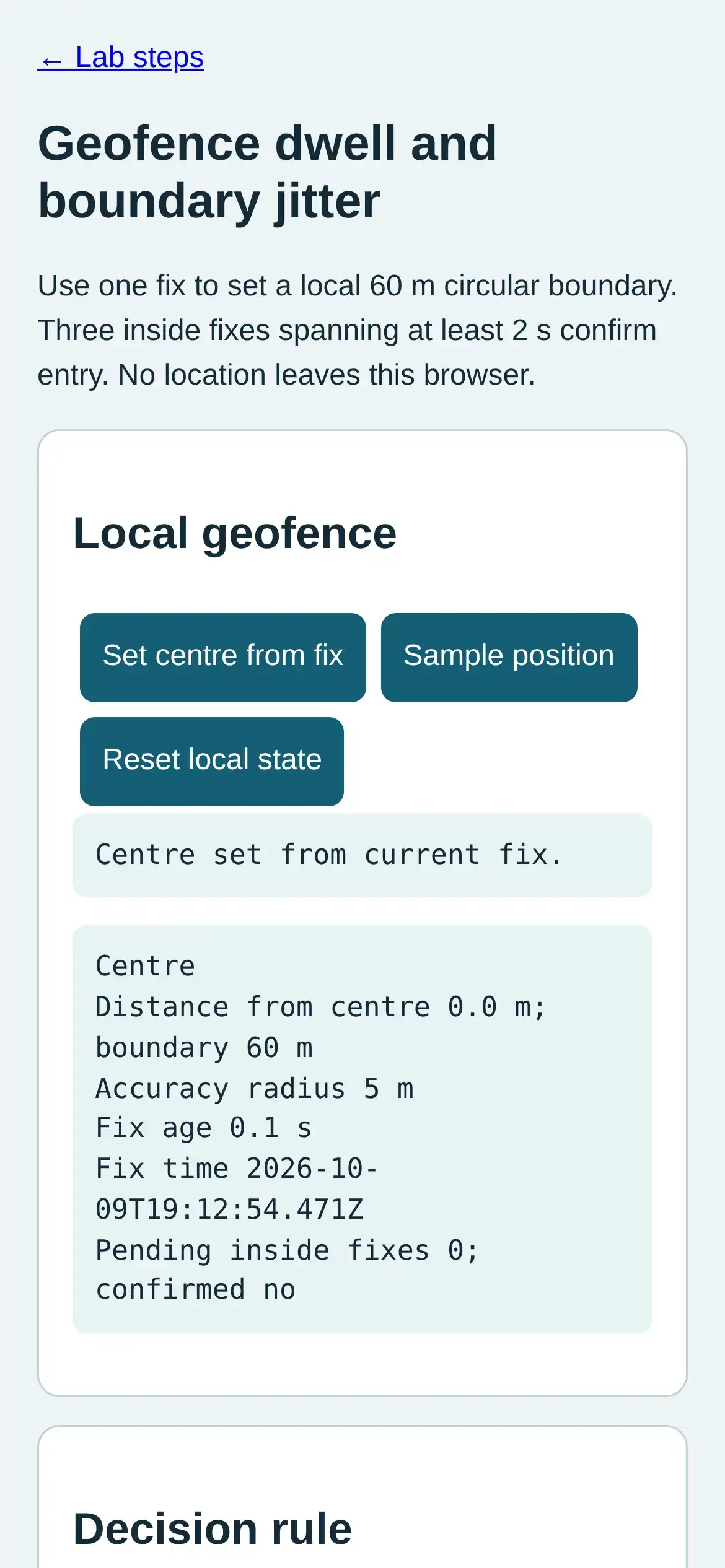
Step 1 · Phone browser (Web APIs); numbered callout added to a real capture. Enlarge screenshot (new tab) Step 2
- Do
- In the local geofence panel, sample a clearly outside position and read the reset state.
- You will see
- Input: Sample outside. Emulated location in mobile Chromium. Observed: Outside; pending entry reset Readout: Outside; pending entry reset Distance from centre 131.6 m; boundary 60 m Accuracy radius 5 m Fix age 0.0 s Fix time 2026-10-09T19:12:54.827Z Pending inside fixes 0; confirmed no Interpretation: A clearly outside fix resets the pending state.
- Why it matters
- Evidence: The real browser API and page produced the quoted state. Boundary: These locations are emulated inputs, not physical phone readings. Reason: A clearly outside fix resets the pending state. Next check: In the readout panel, sample near the boundary and compare distance with accuracy radius.
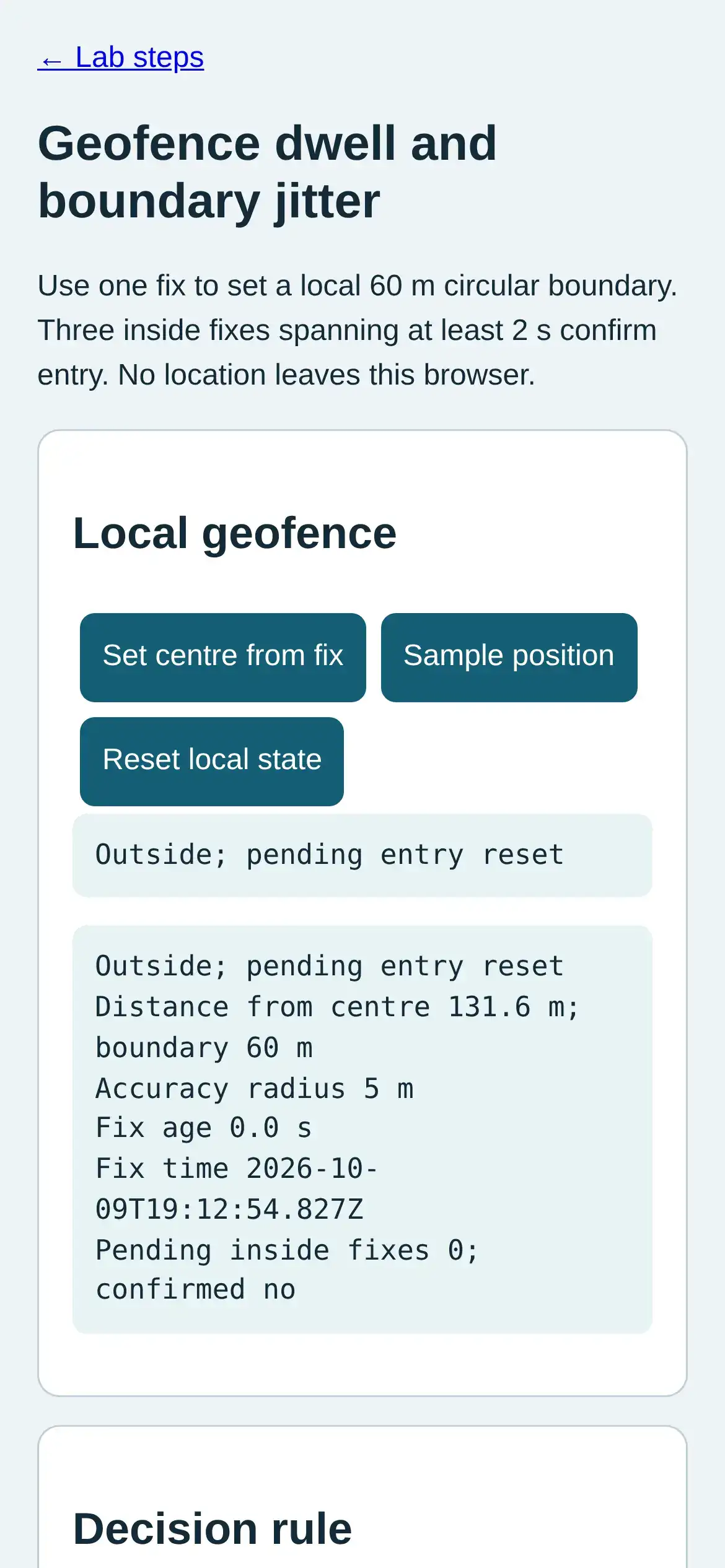
Step 2 · Phone browser (Web APIs); numbered callout added to a real capture. Enlarge screenshot (new tab) Step 3
- Do
- In the readout panel, sample near the boundary and compare distance with accuracy radius.
- You will see
- Input: Sample uncertain boundary. Emulated location in mobile Chromium. Observed: Boundary uncertain; pending entry held Readout: Boundary uncertain; pending entry held Distance from centre 58.9 m; boundary 60 m Accuracy radius 15 m Fix age 0.0 s Fix time 2026-10-09T19:12:55.145Z Pending inside fixes 0; confirmed no Interpretation: Boundary overlap is uncertain, not a crossing.
- Why it matters
- Evidence: The real browser API and page produced the quoted state. Boundary: These locations are emulated inputs, not physical phone readings. Reason: Boundary overlap is uncertain, not a crossing. Next check: In the local geofence panel, sample a clearly inside fix and read pending dwell.
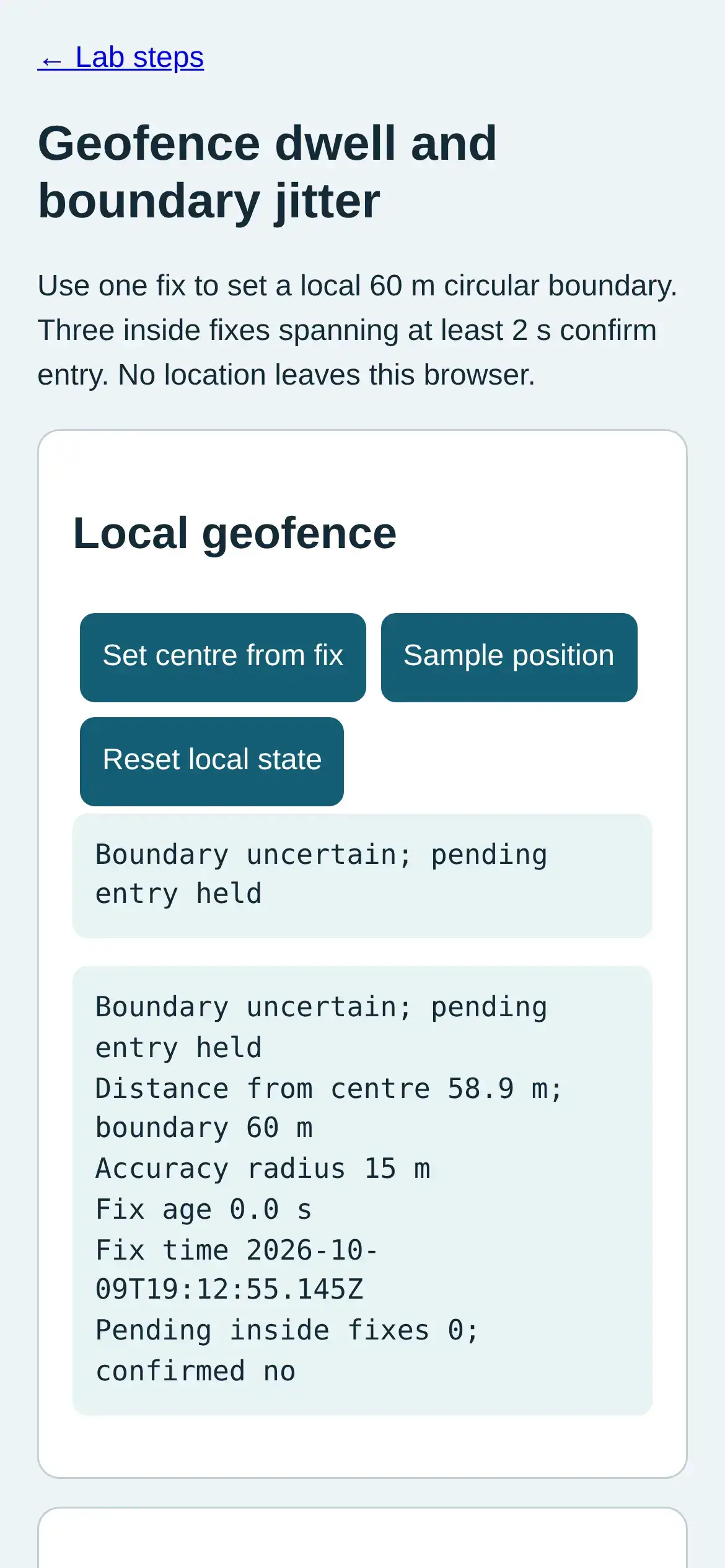
Step 3 · Phone browser (Web APIs); numbered callout added to a real capture. Enlarge screenshot (new tab) Step 4
- Do
- In the local geofence panel, sample a clearly inside fix and read pending dwell.
- You will see
- Input: Sample inside once. Emulated location in mobile Chromium. Observed: Inside; dwell pending 1/3, 0.0/2.0 s Readout: Inside; dwell pending 1/3, 0.0/2.0 s Distance from centre 10.4 m; boundary 60 m Accuracy radius 5 m Fix age 0.0 s Fix time 2026-10-09T19:12:55.459Z Pending inside fixes 1; confirmed no Interpretation: One inside fix starts a pending timer.
- Why it matters
- Evidence: The real browser API and page produced the quoted state. Boundary: These locations are emulated inputs, not physical phone readings. Reason: One inside fix starts a pending timer. Next check: In the local geofence panel, wait at least two seconds, sample twice, and inspect confirmation.
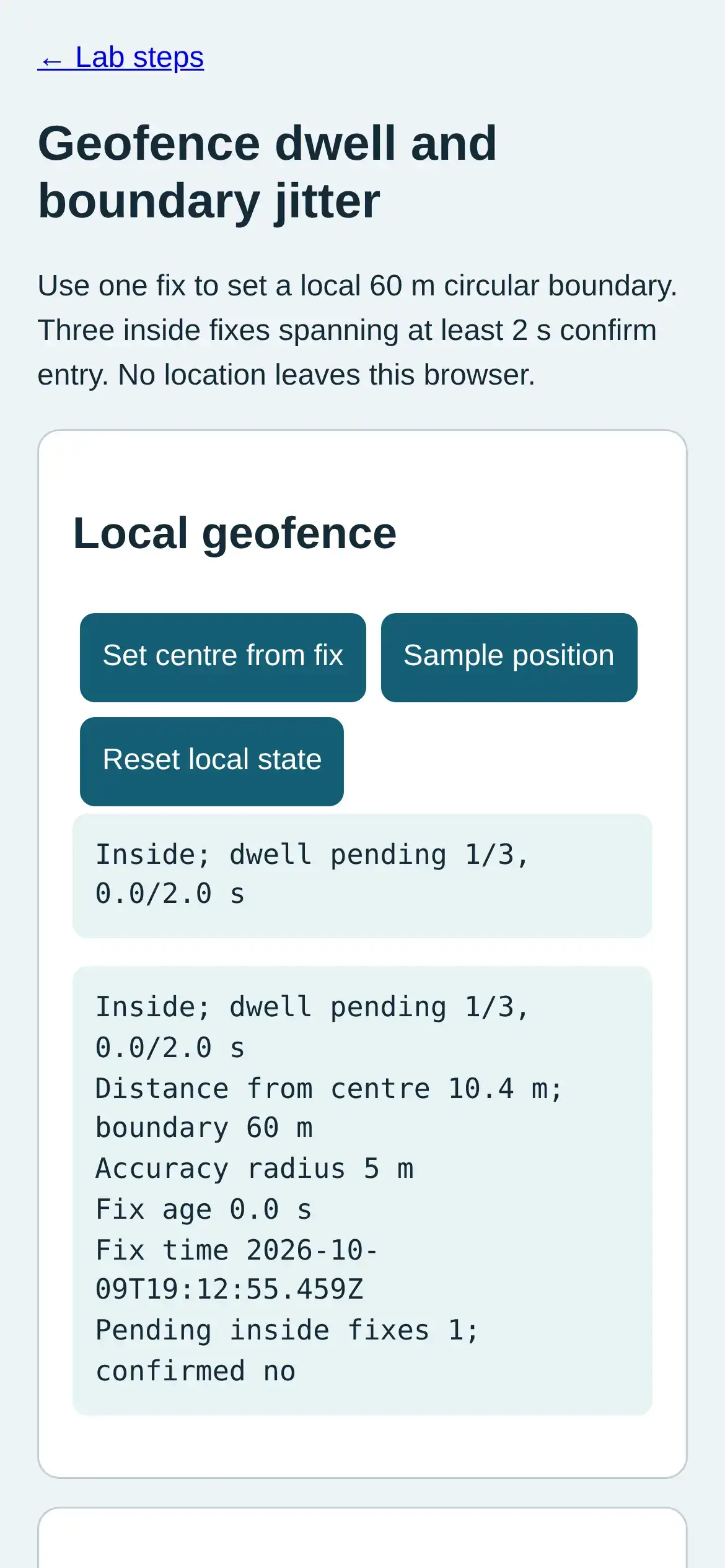
Step 4 · Phone browser (Web APIs); numbered callout added to a real capture. Enlarge screenshot (new tab) Step 5
- Do
- In the local geofence panel, wait at least two seconds, sample twice, and inspect confirmation.
- You will see
- Input: Wait and sample inside twice. Emulated location in mobile Chromium. Observed: Entry confirmed Readout: Entry confirmed Distance from centre 10.6 m; boundary 60 m Accuracy radius 5 m Fix age 0.0 s Fix time 2026-10-09T19:12:58.104Z Pending inside fixes 3; confirmed yes Interpretation: Three inside fixes over two seconds confirm entry.
- Why it matters
- Evidence: The real browser API and page produced the quoted state. Boundary: These locations are emulated inputs, not physical phone readings. Reason: Three inside fixes over two seconds confirm entry. Next check: In the local geofence panel, tap Reset local state and verify that the decision clears.
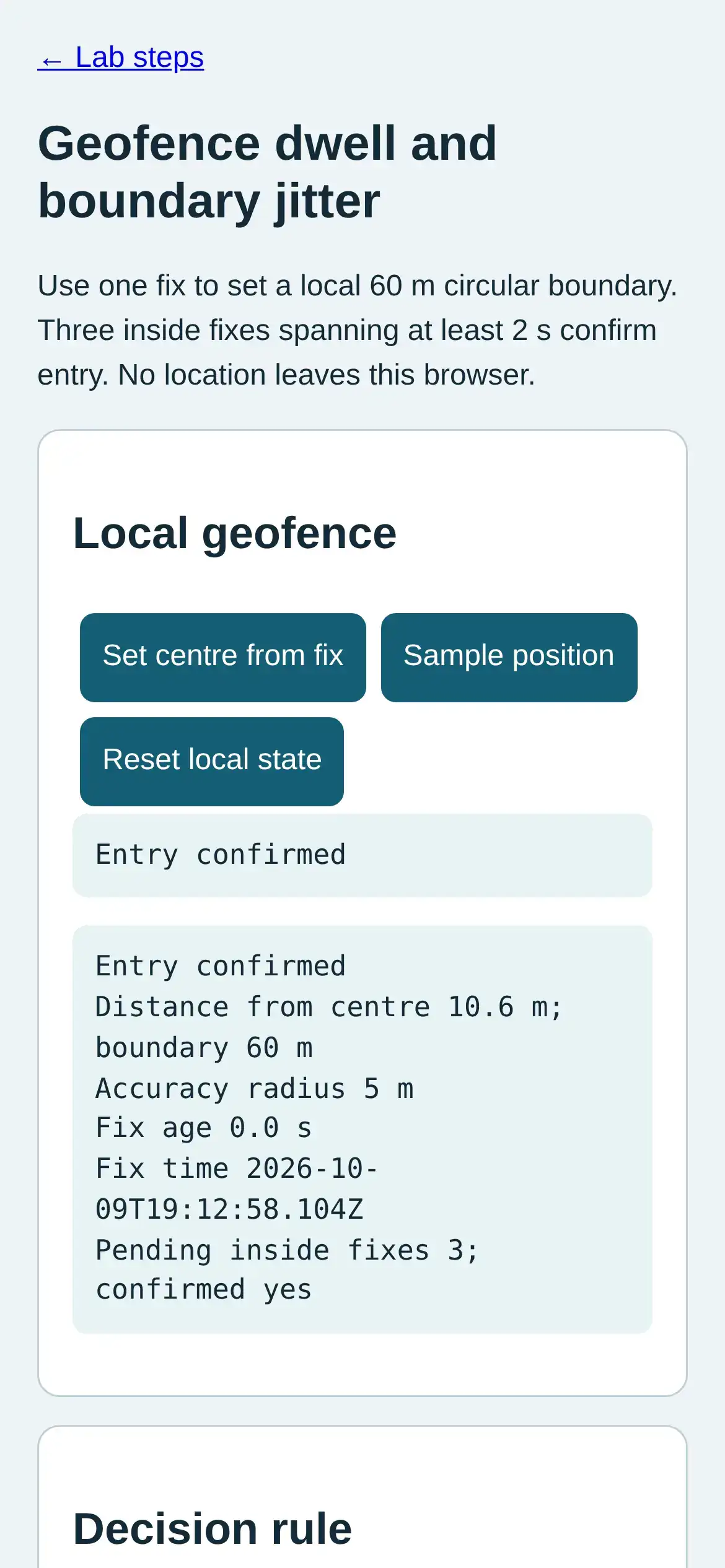
Step 5 · Phone browser (Web APIs); numbered callout added to a real capture. Enlarge screenshot (new tab) Step 6
- Do
- In the local geofence panel, tap Reset local state and verify that the decision clears.
- You will see
- Input: Reset local state. Emulated location in mobile Chromium. Observed: No centre set. Readout: No fix recorded. Interpretation: The locally held decision can be cleared.
- Why it matters
- Evidence: The real browser API and page produced the quoted state. Boundary: These locations are emulated inputs, not physical phone readings. Reason: The locally held decision can be cleared. Next check: This result does not establish exact physical presence at the boundary.
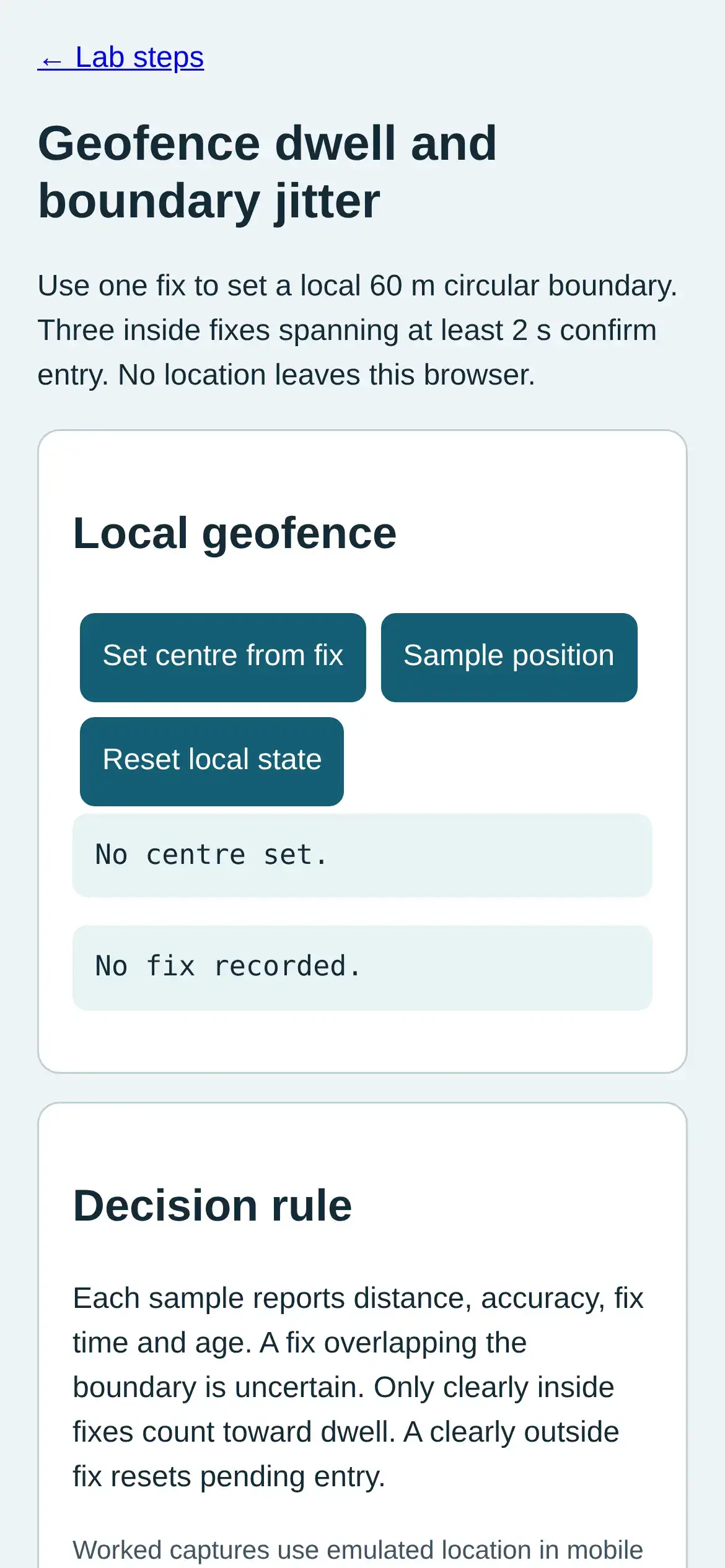
Step 6 · Phone browser (Web APIs); numbered callout added to a real capture. Enlarge screenshot (new tab)
Chapter checks
These questions refer to the chapter’s examples. Use the return links to review their answers.
The geofence engine stores device_states to track whether each device is inside or outside each geofence. Why is this state tracking necessary instead of just checking the current position?
Return to the chapter’s knowledge checkA phone position jitters near a home boundary and sends repeated enter and exit events. Which rule limits this flapping?
Return to the chapter’s knowledge check
Return to 'Location Awareness: Context and Geofencing' · Browse Labs